OpenWrt Dumb AP vs Mesh Nodes: When Roaming Drops the IoT VLAN

Grace Lin
August 25, 2026
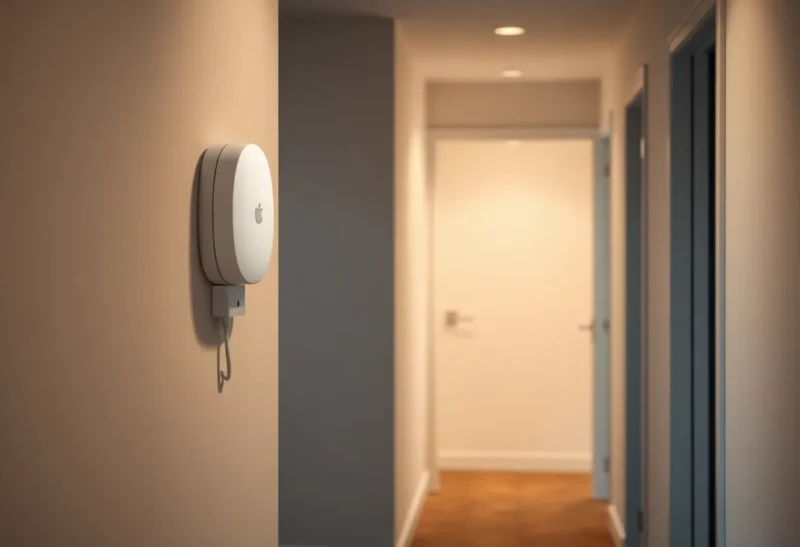
Consumer mesh nodes promise one SSID and a house that just works. Then a bulb on the IoT VLAN sticks to a node in the basement while you are holding it in the kitchen, or it roams and loses the tagged VLAN, or the backhaul decides the IoT SSID is a guest after a firmware mood. OpenWrt as a dumb AP — wired, one radio job, VLANs on the trunk — is the boring alternative. Roaming still happens. It happens on 802.11 and your controller story, not on a vendor mesh that rewrites your isolation when a node “helps.”
I have run both. I still use a mesh kit when I cannot pull Ethernet. I use dumb APs when I can. The IoT VLAN is why I care. Phones will forgive a sticky roam. A Thread/Zigbee-adjacent Wi-Fi plug that changes VLAN mid-roam will look like Home Assistant died. The dashboard goes yellow. The device is “unavailable.” You reboot HA. You reboot the plug. You blame Zigbee2MQTT. The plug is on the wrong broadcast domain, cheerfully holding an IP that the firewall will never hairpin back to the coordinator VLAN.
That failure is easy to misread because the Wi-Fi still works. The client associated. DHCP answered. The LED is on. Isolation did exactly what you asked — just not on the network you thought the client was on.
What a dumb AP is allowed to be
Bridge. Radios. SSIDs mapped to VLANs on a trunk. No NAT. No DHCP of its own, or DHCP only if you really know why. The router in the closet is the router. The AP is an AP. OpenWrt is good at this if you disable the extra brains: firewall forwarding, WAN role, a second DHCP. People flash OpenWrt and leave it a router on a LAN port. That is two routers. That is how IoT gets a surprise 192.168.2.0/24 and never sees Pi-hole.
The conversion is not a theme in LuCI. It is a list of things you turn off. WAN interface unused or deleted. LAN as a bridge, not a routed network. Firewall zones that do not forward. dnsmasq disabled or bound to nothing that clients can reach. odhcpd not handing out RA on the AP if the real router already does RA. I have watched people “dumb AP” a box and still leave IPv6 RA on, so phones pick a second default route that dies when the AP reboots. The IPv4 side looked fine. The IoT VLAN looked haunted.
Wired backhaul is the point. If the AP is wirelessly repeating, you have a mesh with extra YAML. Pull the cable or admit you bought mesh. Wireless backhaul can be done on OpenWrt — WDS, 802.11s, a dedicated radio — and every one of those options reintroduces the same class of bugs vendor mesh already has: a node that can see the SSID but not the VLAN, a hop that NATs because somebody left a firewall zone, a satellite that only bridged the untagged LAN. The cable is not ideology. It is the only backhaul that cannot “help” by inventing a second L3.
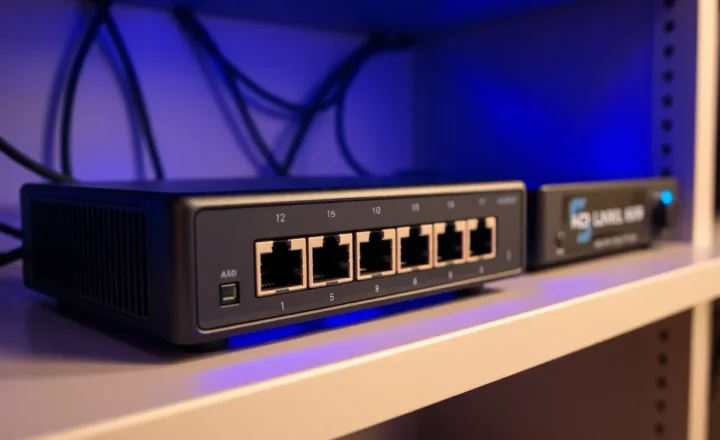
On the switch, the port to each AP is a trunk. Untagged LAN if you want management on native VLAN, tagged IoT, tagged guest, tagged cameras, whatever your router already routes. Every AP gets the same tag list. If one AP is missing VLAN 30 because you used a cheap unmanaged switch in the loft, that AP will still broadcast your IoT SSID if you copied the wireless config. Clients will associate. They will not get a lease, or they will get a lease on the native VLAN because the AP’s bridge leaked. That is not roaming. That is a missing tag that only shows up when someone walks upstairs with a bulb.
What mesh nodes optimize for
Easy placement. One app. Roaming features that sometimes work. A backhaul they manage. VLANs that are a premium checkbox or a “iot network” that is not your 802.1Q. When the app’s IoT SSID is not the same broadcast domain as your HA VLAN, devices roam into a parallel universe. HA still has yesterday’s IP. The bulb has a new one on a network that cannot route. That is “roaming dropped the IoT VLAN.” The node did what the vendor designed. Your diagram did not match the vendor.
Mesh vendors are not lying when they say they support VLANs. They support their VLAN story: a guest network, maybe an IoT network that is isolated at the primary node, maybe 802.1Q on the WAN/LAN port of the gateway only. Satellites often learn SSIDs over the vendor backhaul and apply isolation as a software flag, not as a tagged interface on a trunk. A device that roams from the gateway to a satellite can keep the SSID name and lose the tag. Or keep the tag in the app UI and lose the route because the satellite hairpins through a NAT that only the gateway understood.
Mesh also loves band steering and a single SSID for everything. IoT that only speaks 2.4 gets steered into sadness. A dedicated IoT SSID on 2.4 only, on every AP, with the same VLAN ID, is the adult version. Mesh apps fight you here. They want one name, one password, one “smart connect” toggle. Dumb APs do what you typed. If you type four SSIDs, you get four SSIDs. If you map each to a VLAN, the mapping does not change because a node decided the kitchen needed more 5 GHz.
Roaming is a client decision
802.11k/v/r can help phones. Many bulbs ignore them and stick until the RSSI is a joke. Fast transition (11r) has a history of breaking IoT. I leave 11r off on IoT SSIDs. I turn it on for the phone SSID if I tested the phones I own. One SSID for both is how you inherit the worst of each.
k and v are neighbor reports and directed roaming suggestions. Phones from the last few years often use them well enough that walking from the office to the kitchen does not drop a video call. A $12 plug from 2019 does not have that stack. It stays on the basement AP until retries fail, then it associates wherever the probe response is loudest. If the loudest AP is a mesh node that does not carry VLAN 30, the plug has “roamed” into a hole. OpenWrt did not drop the VLAN. The client picked an AP that never had it.
When a device “drops the VLAN,” look at whether it associated to an AP that does not have that VLAN on the trunk. A mesh satellite that only extends the LAN SSID will take an IoT client and park it on LAN, or fail auth, or give it LAN DHCP. Dumb APs with the same four SSIDs on every box do not have a satellite personality. They have a cable and a tag list. The BSSID changes. The VLAN ID does not.
Sticky clients are a different bug and people conflate them with VLAN loss. A sticky bulb is still on VLAN 30, still reachable, just through a distant AP with a terrible retry rate. Commands time out. HA marks it unavailable. You add another mesh node “for coverage” and now you have a new BSSID that might not be on 30. Coverage without the tag is how you turn a sticky-client problem into a real isolation problem. Fix power and channels first. Add a wired AP second. Add a mesh node last, and only if you accept a simpler VLAN story.

The isolation you thought you had
Guest isolation on a mesh node is not your firewall’s IoT-to-LAN deny. Client isolation on an SSID can break mDNS you wanted for Chromecast on the media VLAN and also fail to stop a camera that got the wrong SSID. Draw the VLAN on the trunk. Enforce on the router. Do not trust a mesh “device isolation” toggle to be your diagram.
I have seen a mesh IoT network that NATed out and could not hairpin to HA. Roaming to the main node “fixed” it because the main node was the router. That is not roaming. That is returning to the only box that had a route. Dumb APs all have the same route: the trunk to the real router. Every hop is L2. The firewall sees the same source VLAN whether the client is in the basement or the loft.
mDNS and SSDP assume a broadcast domain. If the mesh “IoT network” is a separate NAT, reflector hacks on the gateway work until a satellite handles the client locally and the reflector never sees the packet. On dumb APs, the broadcast domain is the VLAN. Put HA on that VLAN, or run a reflector on the router with your eyes open.
Client isolation (AP isolation, “stations cannot see each other”) is useful on guest. It is a footgun on IoT if two devices on the same SSID need to talk — some matter-adjacent bridges, some cameras talking to a local NVR on the same VLAN, some ESPHome nodes flashing each other. I keep isolation off on IoT and enforce north-south on the firewall: IoT may initiate to HA on specific ports, HA may not be browsable from every plug’s cloud callback, LAN cannot initiate to cameras unless I said so. That policy lives on OpenWrt, OPNsense, or whichever box is actually the router. It does not live in a mesh app toggle that resets after an update.
11r, 11w, and the firmware that only failed on bulbs
Protected management frames (11w) and fast transition interact badly with cheap radios. I have had an IoT SSID that worked for months, then a phone-oriented firmware update on a mesh kit enabled 11w required, and half the plugs would associate and immediately drop. The app said the IoT network was “more secure.” The plugs said deauth. OpenWrt lets you set 11w optional or off per SSID. I set it off on IoT, optional on phones if the phones I own tolerate it.
11r is the same story with a different symptom. Phones roam faster. Some IoT stacks fail the FT handshake and sit in a loop: associate, fail, probe, associate. You will think the VLAN vanished because the device never completes DHCP on the new AP. Disabling 11r on that SSID only is the fix. Keeping one SSID for laptops and plugs is how you cannot apply the fix.
If you run a real controller — OpenWrt with a shared config, or something like a UniFi-shaped brain on top of wired APs — keep IoT SSIDs boring: WPA2-PSK or WPA2/WPA3 mixed if you tested, no 11r, 2.4 only, same VLAN everywhere. Let the phone SSID be the science project.
Channels, power, and the basement AP that never lets go
Auto channel on every node is how two APs pick the same 2.4 channel and a bulb never hears the closer one. I plan 1/6/11 on 2.4 and leave 5 GHz for phones and laptops. IoT SSID does not need 5 GHz at all. Mesh apps often will not let you turn 5 GHz off on one SSID. OpenWrt will.
Power is the other half of sticky clients. A basement AP at max power will own a plug you are holding on the ground floor. Turning that AP down, or moving it, does more for “roaming” than buying another node. Mesh marketing wants another node. Your VLAN wants the existing nodes to be quieter and wired.
When mesh is still the right call
Rentals. No Ethernet. A partner who will not tolerate a week of cabling. Accept a simpler VLAN story: one LAN, Pi-hole, maybe a guest SSID the app actually supports. Do not build a four-VLAN temple on a mesh that treats VLANs as a beta. I would rather have a flat LAN that works than a tagged IoT that roams into a hole.
If you later pull Ethernet, convert nodes to dumb APs if the hardware can flash OpenWrt, or replace them. Do not run a hybrid where one node is the mesh controller and one is a trunked AP unless you enjoy two sources of truth. I have done the hybrid. The controller kept pushing a “whole home” SSID onto the OpenWrt box over a wireless uplink I thought I had disabled. Clients landed on the mesh SSID with no tag. I spent an evening blaming the switch.
An OpenWrt dumb AP checklist
Same SSIDs, same passwords, same VLAN IDs on every AP. 2.4 IoT SSID, no 11r. Phone SSID can have 11r if tested. Channels planned, not auto-fighting. Trunk to the router includes IoT, LAN, guest. DHCP only on the router. Disable IPv6 RA on APs if the router already does RA. Monitor a bulb’s BSSID as you walk. If it never leaves the basement AP, that is sticky client, not OpenWrt. Move the basement AP’s power or live with a 2.4 IoT SSID that is house-wide and slightly messy.
Power: PoE APs stay up when a power strip in a bedroom dies. Mesh plugs die with the outlet you used because it was convenient. Convenience is how IoT VLANs disappear at 6 p.m. I like a cheap managed switch with PoE in a closet and APs that do not have a barrel jack someone will unplug to charge a drill.
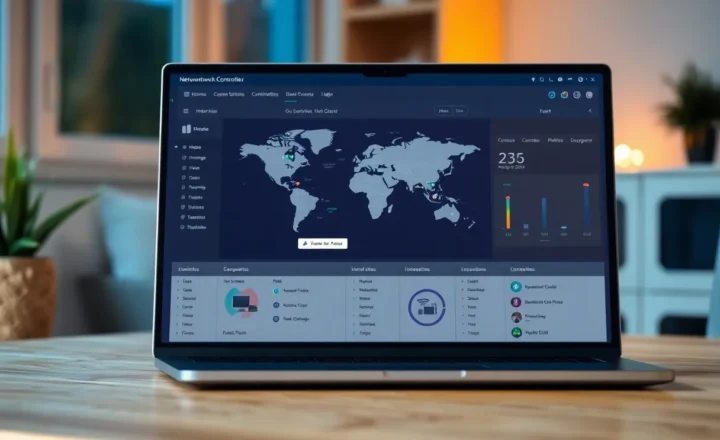
Config discipline matters more than the distro. I keep a text file of the wireless stanzas and the bridge-vlan layout. Copying via LuCI by hand is how AP three is missing guest. wifi and network UCI dumps into git, or a small Ansible pass, is enough for a house. You do not need a vendor controller to keep three boxes honest. You need the same file on each box and a trunk that matches.
Test with a device that shows BSSID and VLAN, not with your feelings. A laptop on the IoT SSID, iw or the Windows equivalent, ping the HA IP as you walk. Then do the same with a plug and watch the HA entity, not the plug’s cloud app. If ping stays up and HA dies, you have an application path problem. If ping dies when BSSID changes, you have a tag or DHCP problem on that AP. Mesh makes that test harder because the app will not tell you the BSSID in language you can map to a switch port.
The close
Mesh nodes optimize placement. Dumb OpenWrt APs optimize a trunk you specified. If roaming drops the IoT VLAN, the usual cause is a node that does not carry that VLAN, or a single SSID that steered a 2.4 device into a story you did not write. Cable the APs, map SSIDs to tags, leave 11r off IoT, and enforce isolation on the router. The mesh app can keep the rental. The house with Ethernet can keep the diagram.
Pick one: easy nodes, or a trunk you can draw.