Zigbee2MQTT vs ZHA: When the Coordinator Isn’t the Thing That’s Broken

Ines Volk
August 25, 2026
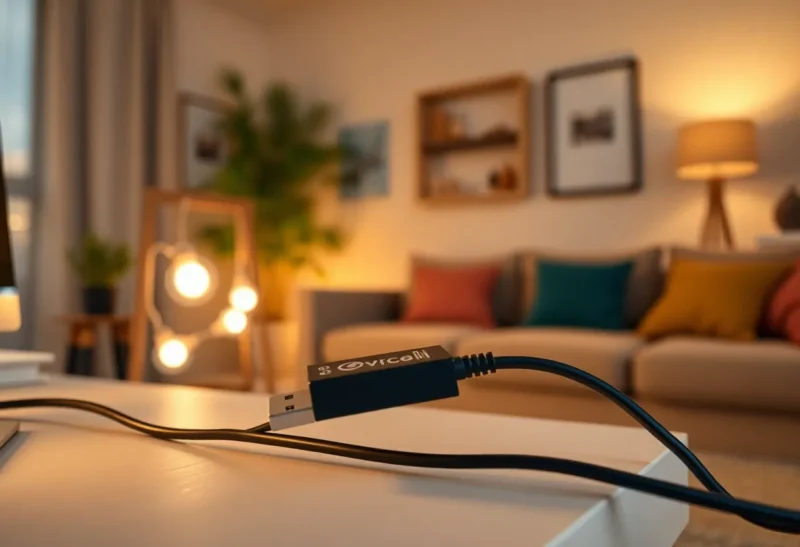
The coordinator is the first thing people replace. A Sonoff stick becomes a SkyConnect becomes a networked SLZB in a better corner of the apartment. The mesh still drops a cheap motion sensor at 2 a.m. The forum thread becomes a firmware argument. The radio was rarely the whole story.
Zigbee2MQTT versus ZHA is a real choice. It is not the choice that fixes a starved mesh, a USB 3 port, or a Home Assistant restart that takes the only copy of your network with it. I have migrated the same coordinator between both stacks. The walls did not move. The bulbs that refuse to route did not become better citizens because MQTT was in the path.
If your symptoms are “one brand of Tuya junk will not expose a cluster” or “I want the radio to live when HA is down,” pick a stack. If your symptoms are “half the house goes unavailable after the microwave and the NAS spin up,” buy an extension cable and a router bulb you do not dim to zero. That failure is physics, not the stack: why a Zigbee mesh fails is the earlier article. Then pick a stack.
What the two stacks actually are
ZHA is Home Assistant’s built-in Zigbee integration. It talks to the stick through zigpy. Devices show up as HA entities. Quirks live in the HA release train. The database is a file on the HA host. When HA is off, the radio is off unless you have done something unusual. That coupling is the product: fewer containers, one backup story, one UI for pairing.
Zigbee2MQTT is a separate process. It owns the stick, speaks MQTT, and publishes a device model that HA (or anything else) can consume. Converters land fast. The frontend can pair and bind without opening HA. You can restart Home Assistant and the mesh keeps acknowledging packets. You also now operate a broker, a second backup, and a second thing that can be healthy while HA looks empty.
Neither stack repeals radio physics. Both will sit on the same channel, hear the same USB 3 hash, and watch the same end device fall off because it joined through a bulb that is on a lamp switch.

When people blame the coordinator anyway
Coordinators do fail. Cheap CC2531 leftovers fail more. A stick on the back of a NUC next to an NVMe enclosure fails as if it were broken. Firmware mismatches fail. Two processes fighting for /dev/ttyUSB0 fail in a way that looks like a dead radio.
The pattern I trust is: if pairing is unreliable from a meter away with the stick on an extension, on a channel you measured against Wi-Fi, after a firmware you can name, then look at the stick. If pairing is fine at the desk and rotten in the bedroom, you do not have a coordinator problem. You have a mesh problem. Changing ZHA to Z2M will give you a nicer map of the same sadness.
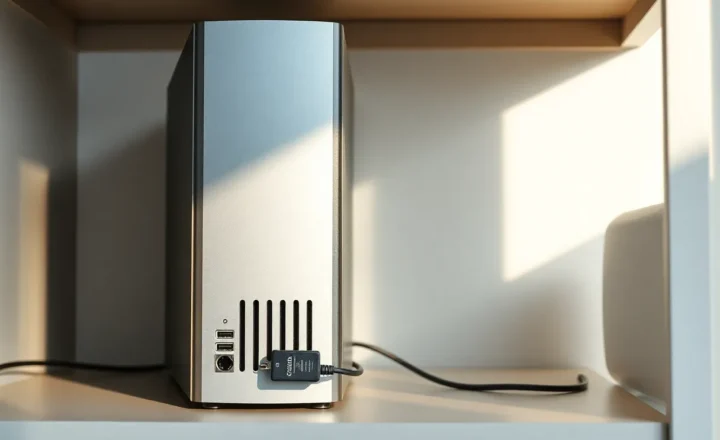
Networked coordinators (Ethernet/PoE radios) fix USB length and host placement. They do not add routers. They do not stop a TV USB 3 port from screaming on 2.4 GHz three meters away. They do not make Green Power switches stay in the table. Treat them as a placement tool, not a personality upgrade.
Failure modes that are the stack, not the silicon
ZHA: the database and the restart
ZHA’s zigbee.db is easy to omit from a backup you thought was complete. Restore HA, keep the stick, lose the database, and you have a coordinator that remembers a network the supervisor does not. Or the reverse. The drill is: restore HA onto a test VM with a spare stick or a recorded IEEE, and see whether devices come back without re-pairing. If your backup app skips the Zigbee files, your green backup is a re-pair weekend.
HA updates can also move quirks. A device that worked as a light becomes a switch, or a lock loses a command until a quirk lands. That is not RF. It is a software model. People flash coordinator firmware because an entity disappeared. Read the release notes and the issue tracker first. It is slower and it is right more often.
Z2M: the broker and the converter
Zigbee2MQTT can be up while Mosquitto is in a crash loop, or while retained messages describe a world from last Tuesday. HA then looks haunted: entities exist, states are ancient, commands vanish. The coordinator is fine. The bus is not. Persistence, authentication, and a disk that is not full are part of the Zigbee design now. You chose that when you chose MQTT.
Converters are Z2M’s superpower and its footgun. A device works on Tuesday because a community converter landed. A Z2M update changes an expose and your automations target a field that is gone. ZHA users wait longer and break less often in this specific way. Z2M users get the weird plug working this week and inherit changelog discipline.

Both: pairing through a bad parent
End devices join through whoever answers. If that parent is a bulb on a switched lamp, the sensor dies when someone wants darkness. ZHA and Z2M will both show you a map after the fact. The fix is join near a mains router you do not power off, or bind, or accept that some devices need a dedicated always-on router in that room. Buying a new coordinator because a door sensor picked a lamp is a category error.
When Z2M is the right move
You have devices ZHA still treats as “basic” and Z2M already exposes fully. You want OTA from a project that ships files on a cadence you like. You want the radio up during HA maintenance. You want two homes or a lab to share the same MQTT vocabulary. You are willing to back up Z2M’s data directory and the broker, not only HA.
You should not pick Z2M to “make the mesh stronger.” It will not.
When ZHA is the right move
You want one backup, one add-on, one pairing UI, and a stick that lives next to HA on purpose. Your devices are boring: IKEA, Hue, Aqara that already behave. You do not want to explain MQTT to the future version of yourself at 1 a.m. You accept that HA down means Zigbee down, and your automations were HA-centric anyway.
You should not pick ZHA to avoid radio problems. It will not.
A debug order that saves money
I use the same order before I shop for silicon.
Extension cable, three feet, away from USB 3 and the NAS. If LQI at the desk jumps and the bedroom does not, keep going.
Wi-Fi channel versus Zigbee channel. Pick a pair that does not sit on the same 20 MHz of pain. If you cannot change apartment Wi-Fi, change Zigbee. Both stacks let you. Neither will guess correctly forever as neighbors retune.
Count always-on routers per floor, not total devices. Twenty battery sensors and two bulbs is not a mesh. It is a star with extra steps.
Watch whether outages track HA restarts, Z2M restarts, broker restarts, or the microwave. That split tells you which product is lying.
Read the map, then walk the house with a single end device and a known-good router. Maps are optimistic.
Only then consider firmware, then a different stick, then a different stack. Stack last if the radio already pairs locally. Firmware before stick if the notes mention your exact lockup. Stick before stack if the serial device is disappearing from the kernel log.
Migrating without pretending it is a fix
You can move a coordinator between ZHA and Z2M with backup/restore tools. You can also re-pair. Re-pairing is honest. It takes time and it resets the bad parents. A migration that preserves a sick mesh preserves the sickness. I budget an evening for the software move and a second evening for the devices that only pretend to come back. The ones that fail are usually the ones that never had a stable parent, not the ones that “hate ZHA.”
Do not run both against one stick. Do not run two coordinators on one channel and hope. If you must dual-stack, dual-radio, different channels, different jobs: Z2M for the weird lab, ZHA for the house, or the reverse. Two coordinators in one apartment is advanced. Two coordinators plus one Wi-Fi mesh on 2.4 is how you invent new ghosts. If you only have one radio, you only have one stack. Pick it and stop reinstalling it every time a sensor flakes.
Back up before you touch firmware. Write down the IEEE and the channel. If you cannot name those after the migration, you did not migrate. You started over and blamed the old stack for the empty rooms.
The close
Zigbee2MQTT versus ZHA is about process boundaries, converter speed, and whether the radio should outlive Home Assistant. It is not about magic range. Coordinators matter when they are on the wrong port, on the wrong firmware, or shared by two daemons. They do not matter when a sensor joined a lamp.
Fix placement, routers, channels, and the software layer that is actually crashing. Then pick Z2M if you want MQTT and fast exposes. Pick ZHA if you want one box. Leave the unused sticks in a drawer. The mesh can tell the difference. The dashboard cannot.