Zapier Tables vs Airtable: When Automation State Does Not Belong in a Spreadsheet

Dana Ellis
August 25, 2026

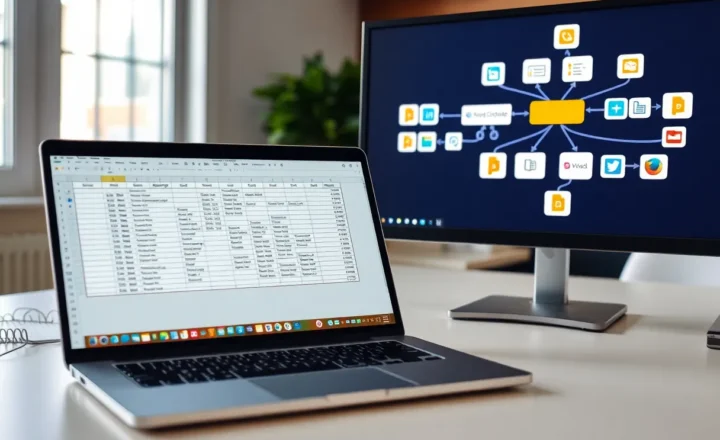
Zapier will sell you Tables as the place your Zaps should remember things. Airtable will sell you a base as the place your company should remember things. A spreadsheet — Google Sheets, Excel, the thing you already have — will volunteer to be both and then lock a row while a Zap retries. I have used all three as “state.” Two of them are products. One of them is a habit. State for automation is not a habit. It is a lock, an id, and a story about what happens when two Zaps arrive at once.
This is not “never use Sheets.” It is when the state is the reason the Zap exists: dedupe keys, last-seen timestamps, a claim token, a “we already invoiced this.” That state does not belong in a grid you also sort by color for a human meeting.
What goes wrong in a spreadsheet
Humans edit the row the robot needs. Someone sorts. Someone adds a column in the middle. A filter view hides the record the Zap looks up by position instead of by id. You do not have an id. You have “the third line that looks like Tuesday.”
Retries write twice. Sheets does not care about your feelings. You get two invoices or two Slack threads. The Zap history says success. The sheet says success twice.
API quotas and slow lookups turn a “simple storage” into the slowest step. I have watched a Zap spend its personality on Find Row. Find Row is not a database. It is a search of a document that was a picnic.
Zapier Tables: state that lives next to the Zap
Tables is Zapier admitting that Storage and Sheets were embarrassing. Records, fields, Zap-native triggers when a record changes. For a small machine that only Zaps touch, it is the least bad in-house drawer. I use it for dedupe keys and “last cursor” values I do not want a human to alphabetize.
The cost is lock-in and a product that will change prices. Export is possible. Export is not the same as “this is my system of record.” If the table is the business, I do not want it only in Zapier. If the table is a lock for a Zap, I do. Be honest which one you are building. People start with a lock and grow a CRM. Then they have a CRM in Zapier Tables and a sad face.
Permissions are Zapier-shaped. Your ops person can break a field the same way they can break a Zap. That is fine if they are the owner. It is not fine if the table is also the board meeting.
Airtable: a database that pretends to be friendly
Airtable is a better grid for humans and a real-enough API for robots. Views, interfaces, forms. If a person must live in the data, Airtable (or a real DB) wins. Zaps can watch records. You will pay Airtable and Zapier. You will also get an id. I like ids.
The failure is using Airtable as an unbounded dump and then wondering why automations time out. Bases rot. Linked records become a graph you did not design. I keep automation state in a dedicated table with few fields: external_id, processed_at, status, payload_hash. The pretty tables are for humans. The ugly table is for locks. Mixing them is how a designer deletes your hash.

When Sheets is still allowed
A weekly list a human types and a Zap reads once. A one-off import. A report the Zap appends and nobody uses as a lookup key. If you Find Row, you have left the allowed zone. Promote to Tables or Airtable or SQLite. I have promoted too late. The duplicate invoices were the teacher.
Ids, hashes, and the only fields that matter
external_id from the source system. processed_at. status. A hash of the payload if the source can send the same id with new meaning. That is the schema. Colors are not the schema. I do not let humans have a favorite view of the lock table. They can have a report that joins to it. They cannot sort the lock table for fun.
Price and the fake savings
Sheets is “free.” Duplicate work is not free. Zapier Tables is a line item that can stay small if you stay a lock. Airtable is a line item that grows with seats and records. I pick Airtable when a person sits in the data every day. I pick Tables when only Zaps sit there. I pick SQLite or a real store when I am already a developer and I am tired of grid products. That last option is how this site’s readers often should have started. They started in Sheets because the tutorial did.
Migration without a week of heroics
Pick the one Zap that Find-Rows a sheet. Create a table with an id. Backfill. Point the Zap at the id. Leave the sheet as a human report for a week. Then remove the Find Row. Do not migrate the whole company picnic in one night. Picnic leftovers are how you miss a key. I backfill by exporting the sheet, keeping only the columns that are ids and timestamps, and importing those. I do not import the color column. The color column is how a human thought. The robot does not need to think in colors. If a row has no id after backfill, I do not guess. I mark it error and I look. Guessing is how you merge two customers into a ghost that keeps paying.
Concurrency, the thing Sheets pretends not to have
Two Zaps can touch the same customer in the same minute. A spreadsheet answers with “sure, both of you.” Tables and Airtable still need you to think, but they give you a record id you can upsert. Upsert is the adult verb. Append is the picnic verb. I have appended my way into a week of cleanup. I now write the Zap to update-or-create on external_id and I fail loud if the id is missing. Missing id is how you invent a new customer named after a typo.
Zapier will retry. Airtable will also let two automations race. I use a status field: pending, done, error. The Zap that sees done leaves. The Zap that sees pending waits or nacks. This is computer science you were promised you would not need. You need it the first time Stripe hears you twice. I learned it that way. You can learn it from a field named status.
Lookups by email are not ids. Emails change. People share inboxes. I still keep email as a field. I do not join on it for money. Money joins on the provider’s id. If the provider does not give an id, I hash the payload and I accept that a legitimate edit looks like a new event. That is a product decision. Hiding it in a sheet does not make it less of one.
Humans in the loop, on purpose
Sometimes you want a person to approve. Airtable interfaces and forms are built for that. Zapier Tables can trigger a Zap when a human flips a field, and it works if the human can find the record. Sheets can do it with a checkbox column that everyone understands and everyone sorts. For approval, a human-friendly grid wins. For the lock that says we already charged, a human-friendly grid loses. Split the tables. I cannot say this enough. One base or one Zapier account can hold both. They must not be the same view.
I have given a contractor a view of the pretty table and hidden the lock table. That is the point of Airtable. Zapier Tables is weaker at theater for contractors. If you have contractors in the data, Airtable. If you have only Zaps in the data, Tables. If you have a newsletter calendar in the data, that is not state. That is content. Content can picnic.
The drawer I would keep
Automation state is a lock. Locks do not belong in a spreadsheet you also use as a newsletter. Zapier Tables is a lock drawer for Zap-only machines. Airtable is a lock drawer plus a human office. Sheets is the picnic. I still picnic. I do not store the key to the house in the potato salad. If your Zap is looking up the potato salad to decide whether to charge a card, you do not have a state problem. You have a lunch problem that learned to talk to Stripe. Move the key. Leave the salad for the humans. I have explained this to people who then added a tab called State and kept Find Row. A tab is still a picnic. A record id is the house key. If you cannot point to the id in the Zap, you have not moved yet. You have redecorated the lunch.