Should guest Wi-Fi be a VLAN when the only goal is keeping a TV off Pi-hole?

Benito Ruiz
October 7, 2026
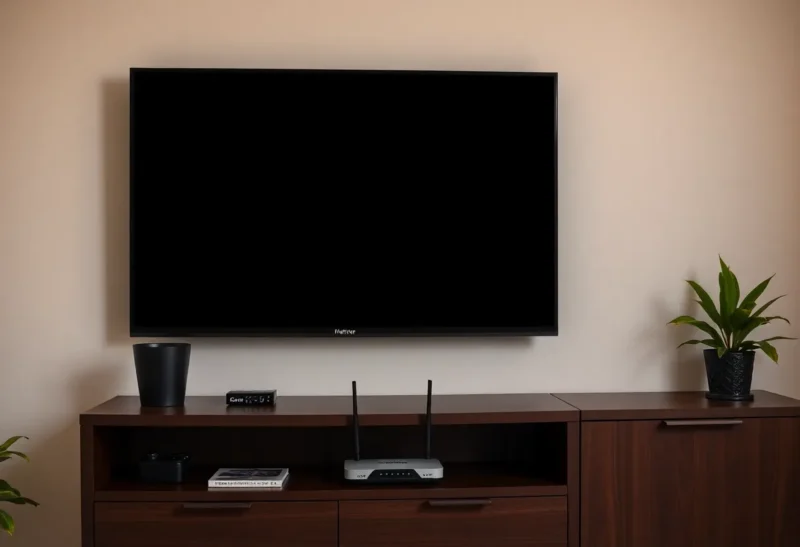
No. If the only goal is that the TV does not use Pi-hole, give that TV different DNS. A VLAN is an isolation project. It will also stop the phone on the main LAN from seeing the TV, which you did not ask for, and it will not be simpler than a DHCP reservation or a Pi-hole client group. Guest Wi-Fi is the right tool when a guest should not see your machines. It is the wrong tool when a television app is sulking because an ad domain was blocked.
Pi-hole already knows how to treat one client differently. The router already knows how to hand one client a different DNS server. Either of those is the whole fix. The VLAN is a second network you will be debugging at dinner.
The two fixes that match the goal
Pi-hole groups are the one to try first if you still want the TV on your LAN and you still want every other device filtered. Put the TV in a group that is not assigned the blocklists, or assign it only the lists you trust not to break the app. The TV keeps using the Pi-hole IP, so you still see it in the query log, and the queries are allowed. When the app starts working, you know the block was the problem. You can then allow the specific domains instead of exempting the whole television, which is the tighter version of the same idea. A client that bypasses Pi-hole entirely teaches you nothing about which domain hurt.
A DHCP reservation with different DNS is the bypass. The TV gets a fixed address and is told to use the router, or 1.1.1.1, or whatever you are willing to let it use. Every other device still gets the Pi-hole address from the pool. The TV stops appearing in the Pi-hole log, which is the point and the cost. Do this when the TV’s software is hostile to any filtering, or when you do not want to maintain a list of its domains. Do not also put the TV on a guest SSID “so the DNS sticks.” The reservation sticks. The guest SSID is a different decision.

Some TVs ignore DHCP DNS and use their own resolver, often DNS over HTTPS to the vendor. Then neither Pi-hole nor a reservation matters, and a VLAN matters even less. The TV was never using Pi-hole. Check the query log for the TV’s address before you build anything. If it is not there, you are solving a problem the television already routed around. The app failure is something else: a blocked CDN that a phone on the same network is requesting on its behalf, or an account issue, or the TV using a hardcoded DNS that Pi-hole never saw. Look at the log first. A VLAN will not show up in that log either.
What a VLAN breaks that DNS does not
Guest Wi-Fi on a real VLAN, or an SSID with client isolation, puts the TV where your phone is not. Casting, the vendor’s phone app on the LAN, a soundbar, a game controller that expects the same subnet: those die or get flaky. The ISP-style “guest network” toggle is this isolation with a friendly name. People turn it on so the TV “isn’t on Pi-hole” and then spend the evening wondering why the phone cannot find the TV. The phone found it yesterday because they were on one broadcast domain. DNS was never the thing that made discovery work. mDNS was, and mDNS does not cross the guest VLAN unless you build a reflector you now have to keep.
Isolation also cuts the TV off from a local NAS you might actually want it to see, a Jellyfin box, a printer. If the goal was only DNS, you just removed every local service to fix a blocklist. That is a bad trade in a two-room apartment and a worse one if the TV is how someone watches the library you host. Keep the TV on the LAN. Change its DNS. The library stays reachable. The ad domains you hated can still be blocked everywhere else.

There is a security goal that does justify the VLAN, and it is not this question. A television that you do not trust, that should not port-scan the NAS or sit on the same L2 as your laptop, belongs on a guest or IoT network even if Pi-hole is not involved. That is “I do not want this device near my files.” Say that sentence before you create the VLAN. If the sentence you actually have is “this one app spins,” you do not have a segmentation problem. You have a client exception.
How to tell the exception worked
After the group change or the reservation, renew the TV’s lease or reboot it. Confirm in the Pi-hole log that queries stopped, or that they arrive and are allowed, depending which fix you chose. Open the app that was broken. If it works, stop. Do not add a guest SSID as a trophy. If it does not work, the TV is using its own DNS or the failure was not DNS. A VLAN will reproduce the failure on a more confusing network. Packet-capturing your way into a second subnet is not the next step. The next step is the TV’s network screen, where a surprising number of them show a manual DNS server the vendor set at the factory.
Write down which fix you used. A reservation hidden in the router and a group hidden in Pi-hole will fight if you do both without noticing. The TV will use whichever DNS it actually received. One mechanism. The other person’s phone should still show blocked queries, so you know you did not disable Pi-hole for the house. That one check, a phone still filtered and a TV app that loads, is the acceptance test. Guest Wi-Fi can wait until someone who does not live here needs a password. That is a different afternoon and a different sentence, and it should not be hiding inside the television’s DNS settings.

The phone app is not the television
A lot of “the TV is broken by Pi-hole” reports are the phone. The vendor app on the phone discovers the TV on the LAN, then the phone itself requests a tracking domain Pi-hole blocks, and the app refuses to show the remote. Exempting the TV does nothing because the TV was never the client. Exempt the phone and you punch a hole in the device you actually wanted filtered. Allow the domain instead. The query log on the phone, filtered to the minute you opened the app, names the domain. That is a five-minute fix. A guest VLAN for the TV would have left the phone on Pi-hole, the app still broken, and the TV now undiscoverable. You would have spent the evening on the wrong layer.
Smart speakers and the TV’s own “works with” gadgets pile onto the same LAN on purpose. A soundbar that came with the television often uses a proprietary discovery protocol that is not DNS at all. Moving the TV to guest Wi-Fi and leaving the soundbar on the main SSID splits a pair that was sold as one product. If you must isolate, move the pair together, and accept that the phone remote may need the reflector. If you are only changing DNS, the pair never notices. That is another reason the DNS fix is the one that matches a small apartment. You do not own a campus. You own a couch, a phone, and a television that should keep finding each other.
IPv6 DNS is the leak that makes the exception look flaky. You set IPv4 DNS for the TV and the router still advertises an IPv6 resolver, which might be Pi-hole or might be the ISP. The TV uses whichever answer comes back first. Some apps work, some do not, and the log only shows half the queries. When you set the exception, set it for both, or turn IPv6 DNS advertising off until you understand it. A VLAN does not fix a dual-stack leak. It relocates it. One client, one resolver, both address families, then retest the app once. If you need a spreadsheet to describe the TV’s network, you have built past the problem.
Who should still make the VLAN
Make it if the TV is untrusted and you are willing to lose cast-from-the-phone, or you will add an mDNS reflector on purpose. Make a guest SSID for humans who visit, and leave the television on the LAN with a DNS exception. Do not merge those projects because both involve the word guest. The television is not a guest. It is a picky client. Treat it like one, and the router config stays something you can explain without a diagram. If you cannot explain the TV’s path in two sentences, the VLAN was not the smallest change that would have fixed the app. The smallest change is still a DNS exception on the LAN you already have.