How Mechanical Hard Drives Still Compete With SSDs in 2026

Marcus Flynn
July 7, 2026
The mechanical hard drive should, by most technological logic, be a dead format by now. Flash storage is faster, more durable, quieter, lighter, and increasingly cheaper per gigabyte. SSDs boot your operating system in seconds, transfer files at multiple gigabytes per second, and survive drops that would destroy a spinning disk. And yet, in 2026, the mechanical hard drive not only survives but continues to ship in enormous volumes. Global HDD shipments remain in the hundreds of millions of units annually. Major cloud providers order them by the millions. NAS users, backup specialists, and content creators still buy them deliberately.
This is not inertia or technological conservatism. There are specific, structural reasons why mechanical drives remain genuinely competitive in certain use cases—and understanding them requires looking at what HDDs do well, where SSDs have limitations, and how the economics of storage shake out at scale.
How Mechanical Hard Drives Actually Work
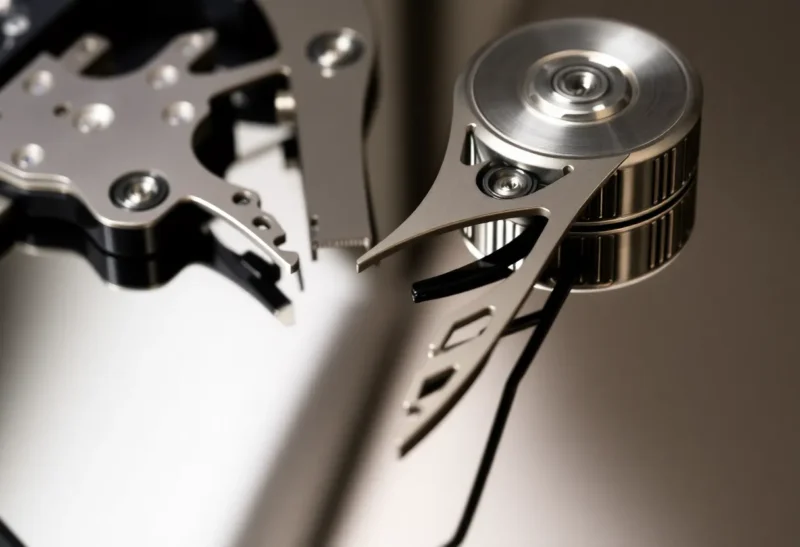
A hard disk drive stores data on magnetized platters—circular disks coated with a ferromagnetic material—that spin at high speed (5,400 or 7,200 RPM in consumer drives, up to 15,000 RPM in older enterprise models). Read/write heads float nanometers above the platter surface on a thin layer of air, changing the magnetic orientation of small regions to write data and detecting existing orientations to read it.
The fundamental mechanical nature of the device creates both its strengths and its weaknesses. Because reading and writing require physically moving the read/write head to the correct location on the platter and waiting for the disk to rotate to the right sector, sequential access (reading or writing long contiguous blocks of data) is far more efficient than random access (jumping between many small locations). A drive doing sequential reads can sustain hundreds of megabytes per second. The same drive handling thousands of random 4K reads—the typical workload for an operating system—may manage only a fraction of that throughput, with latency measured in milliseconds rather than microseconds.
This random-access weakness is exactly why SSDs dominated the OS drive market. Booting an operating system, launching applications, and general system responsiveness are all dominated by small random reads. An SSD handles these at latencies two to three orders of magnitude lower than a mechanical drive, producing a user experience that feels categorically different.
What HDDs Still Do Better
Despite their random-access disadvantage, mechanical drives retain several genuine advantages that make them the right choice for specific workloads.
Cost Per Terabyte at Scale
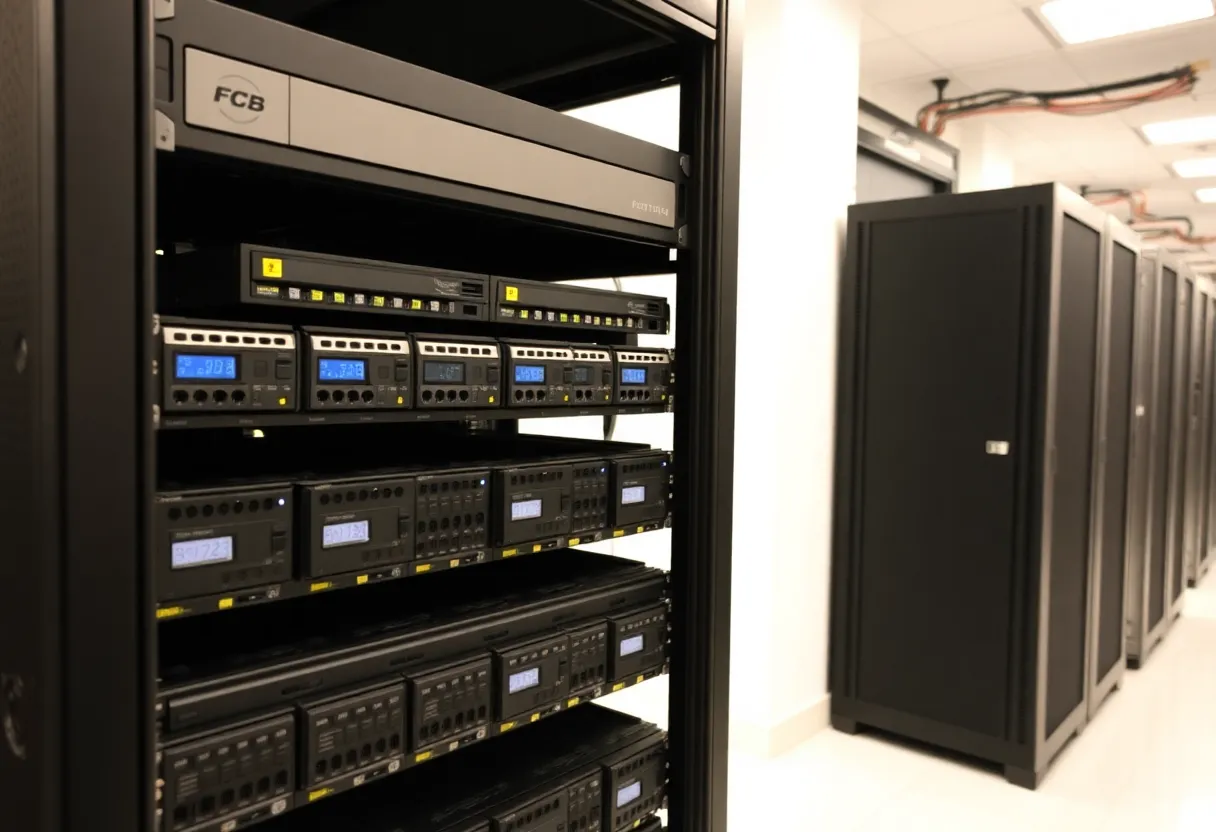
The price gap between HDDs and SSDs has narrowed substantially over the past five years, but it hasn’t closed. In mid-2026, consumer HDDs are available in the $15–25 per terabyte range. Consumer QLC NAND SSDs have come down significantly but still sit in the $40–70 per terabyte range for standard SATA or slower NVMe drives. High-capacity 3.5-inch HDDs—16 TB, 20 TB, 24 TB—offer cost efficiency that has no equivalent in flash storage at the same price point.
For pure cold storage—keeping large archives of data that are rarely accessed—an HDD offers substantially more capacity per dollar. If you’re storing 50 TB of video archives, raw footage, or machine learning training datasets, the math strongly favors spinning disks.
High Capacity Per Unit
Consumer SSDs topped out around 8 TB in mainstream availability through most of 2025–2026, with higher capacities existing but at significant price premiums. HDDs, by contrast, are routinely available in 16–24 TB configurations at consumer prices, with enterprise nearline drives reaching 30+ TB. When you need a single drive with as much capacity as possible, mechanical technology still leads.
This matters for NAS boxes with limited bays, servers with fixed drive slots, or any use case where physical drive count is constrained. Four 20 TB HDDs in a NAS provides 80 TB raw; achieving the same with SSDs would cost significantly more.
Write Endurance Over Very Long Periods
NAND flash—the memory type in SSDs—has a finite number of write cycles per cell before the cell degrades. This is rated as TBW (terabytes written). High-end consumer SSDs offer TBW ratings in the hundreds to low thousands of terabytes; enterprise SSDs designed for write-heavy workloads can go much higher, but the cost scales accordingly.
For cold storage or write-once-read-rarely use cases, this doesn’t matter—you write once and barely touch the drive. But for workloads involving continuous large sequential writes—video surveillance systems recording continuously, tiered storage systems that regularly flush data down to cheaper tiers—HDDs don’t degrade with write cycles in the same way. A surveillance NAS recording 24 hours a day generates enormous write volumes; HDDs purpose-built for this (like WD Purple or Seagate SkyHawk) are specifically designed and rated for continuous, high-write environments.
Bit Stability in Very Long-Term Storage
NAND flash retains data by trapping electrical charges in floating-gate transistors. These charges very slowly leak away over time, especially if the drive is powered off and stored. JEDEC specifications for enterprise SSD data retention rate it at a minimum of one year unpowered at room temperature for consumer-grade TLC NAND. HDDs, by contrast, can reliably retain data for many years in storage without power.
For archival purposes—storing data that needs to be retrieved years or decades later—magnetic storage has better demonstrated longevity. This has real implications for institutions archiving scientific data, video production companies storing master files, or anyone maintaining long-term backups they might not access for years.
The Technology Keep Advancing
It would be a mistake to view HDD technology as static. The mechanical hard drive has continued to evolve through several significant engineering advances that have allowed it to scale to capacities that seemed impossible a decade ago.
SMR (Shingled Magnetic Recording)
Conventional perpendicular magnetic recording writes tracks side by side with small gaps. Shingled Magnetic Recording overlaps tracks like roof shingles, writing new tracks that partially overwrite the edges of previous ones. This increases track density substantially—more data per platter—but creates a significant complexity: you can only write sequentially in forward passes; rewriting data in the middle of a shingle band requires reading and rewriting the entire band.
SMR drives are well-suited for write-once workloads (backup, archive, sequential video capture) and are used extensively in cold storage deployments. They’re problematic for random-write workloads and have caused issues when sold into NAS environments where random write performance is expected. The industry controversy around undisclosed SMR drives in consumer NAS products several years ago led to better labeling and disclosure practices.
HAMR (Heat-Assisted Magnetic Recording)
Seagate has shipped HAMR drives commercially, with Seagate Mozaic drives hitting 30+ TB. HAMR uses a tiny laser to locally heat the platter surface at the point of writing—just enough to temporarily lower the coercivity of the magnetic material, allowing the write head to reliably flip magnetic domains at much smaller sizes. Without heating, the magnetic grains would need to be larger to remain stable against thermal noise, limiting density. With heating, much smaller, more densely packed grains remain stable at room temperature but can be written during the brief heated moment.
HAMR’s successful commercial deployment demonstrates that HDD engineering is not exhausted. The technology opens a path to drives with substantially higher areal densities over the next several years.
MACH.2 and Multi-Actuator Technology
Seagate also ships drives with dual actuators—two independent read/write arm assemblies operating on the same set of platters simultaneously. This effectively doubles the drive’s throughput for workloads that involve independent parallel streams of data access. Enterprise nearline drives with this technology can sustain sequential throughput that approaches what a budget SATA SSD achieves, which significantly narrows the performance gap for the high-throughput-but-sequential workloads that are actually HDD’s sweet spot.
Where SSDs Have Won Decisively
Being honest about HDD advantages requires being equally honest about where SSDs have categorically prevailed:
Operating system and boot drives: No serious use case remains for running an OS on a mechanical drive. The random-access performance difference is too large, and SSD prices have fallen to the point where the cost difference for OS-capacity drives (250 GB–2 TB) is not significant in most purchasing decisions.
Gaming storage: Modern games require fast asset streaming—textures, audio, level geometry loaded on the fly. Games designed for SSD-baseline storage (most titles released after 2022) load substantially faster and may perform better during gameplay from SSDs. The days of installing games on HDDs for cost savings are effectively over for serious gaming setups.
Portable storage: External SSDs have displaced portable HDDs for most users who don’t need more than a few terabytes. They’re faster, more durable against drops, and nearly as thin as the cables connecting them. The only portable HDD use case that remains compelling is very high capacity at low cost.
Laptops and mobile devices: HDDs in laptops are essentially gone at this point. Shock sensitivity, power consumption, and form factor requirements all favor SSDs so strongly that no serious laptop design uses HDDs for primary storage.
The Role of HDDs at Scale
The strongest argument for the continued relevance of HDDs isn’t in any individual consumer’s setup—it’s at the infrastructure level. Hyperscale cloud providers (Amazon, Google, Microsoft, Meta) operate at storage scales measured in exabytes. Even small cost differences per terabyte translate to enormous dollar differences at that scale.
Cold storage, archival data, less frequently accessed media, and backup tiers are overwhelmingly served by HDDs in cloud infrastructure. The economics are straightforward: SSDs are appropriate for hot data (frequently accessed, latency-sensitive) while HDDs handle warm and cold tiers. Most cloud storage pricing tiers reflect exactly this structure—”archive” tiers cost dramatically less per GB because they’re backed by HDD infrastructure with higher retrieval latency.
Until flash storage achieves cost parity with HDDs at multi-terabyte scale—which would require a significant and sustained drop in NAND prices—mechanical drives will remain the medium of choice for high-capacity archival and cold storage use cases at every scale from personal NAS to hyperscale data center.
The Honest Summary
Mechanical hard drives haven’t survived through stubbornness or market failure. They’ve survived because they solve specific problems—large capacity at low cost per gigabyte, long-term data retention without power, and high sequential throughput for the right workloads—that flash storage doesn’t yet match at equivalent prices. For operating systems, gaming, laptops, and anything requiring fast random access, SSDs have definitively won. For archives, NAS systems, backup destinations, cold storage, and high-capacity sequential workloads, HDDs remain the rational choice.
The timeline for flash eventually closing the cost-per-terabyte gap at high capacities is real—it will happen at some point. But “eventually” has been getting pushed further out as NAND scaling challenges have proven harder than anticipated. For now, the mechanical drive endures—not as a relic, but as the right tool for jobs that flash hasn’t yet learned to do cheaply enough.