Ask about building a ZFS NAS in any forum and someone will say you must use ECC memory, or ZFS will eventually destroy your data. Someone else will reply that this is a myth and they have run ZFS on ordinary RAM for years. Both have a point, and the disagreement has scared plenty of people away from ZFS, or into buying server hardware they did not need.
The short version is that ZFS does not need ECC memory any more than other file systems do. ECC is valuable for any machine that holds important data, and ZFS makes the most of it. But a ZFS NAS without ECC is still safer than the same hardware running a file system without checksums. This article explains why, and how to decide for a home NAS.
What ECC memory actually does
Memory occasionally flips a bit: a 0 becomes a 1 because of a marginal module, electrical noise, heat or, rarely, cosmic radiation. On most desktop computers, nothing notices. The wrong bit might be in unused memory, in a program that crashes, or in data that is then saved to disk with the error included.
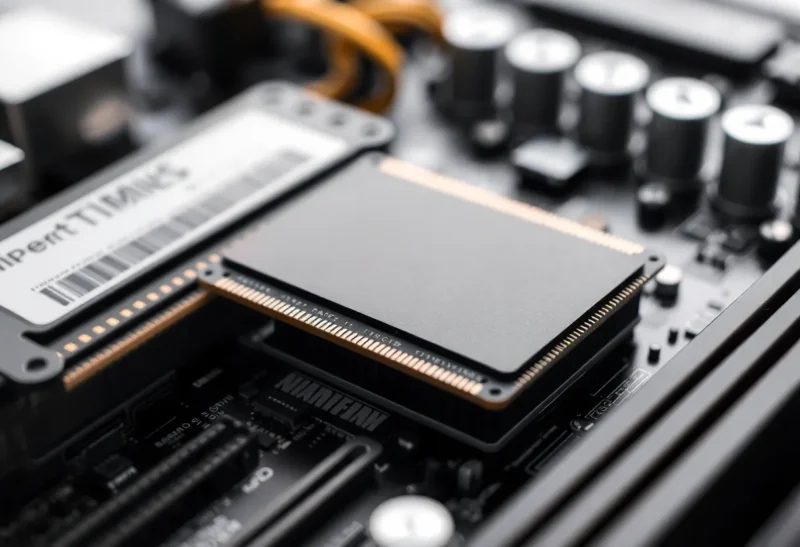
ECC (error-correcting code) memory stores extra bits for each word of data. The memory controller uses them to detect and correct single-bit errors automatically, and to detect, though not correct, double-bit errors. The system logs corrected errors, so a failing module shows up as a growing count long before it causes visible problems.
ECC needs support from three things at once: the memory modules, the CPU’s memory controller, and the motherboard. Missing any one of them means ECC is not active, even if you bought ECC modules.
Where the “ZFS needs ECC” fear came from
ZFS stores a checksum for every block of data and verifies it on every read. During a scrub, it reads all data, checks every checksum, and repairs bad blocks from redundant copies. The fear, sometimes called the “scrub of death”, was that faulty RAM could make ZFS believe good data was bad, “repair” it with corrupted data, and spread damage across the whole pool.
ZFS developers have explained why this scenario does not hold up in practice. A scrub that finds a checksum mismatch does not blindly overwrite data with whatever is in memory; it reconstructs from redundant copies and verifies the result against the checksum. Bad RAM is far more likely to cause checksum errors, crashes and visible warnings than silent pool-wide destruction. One of ZFS’s original developers has said that there is nothing special about ZFS that requires ECC more than other file systems, and that ECC is recommended for any data you care about, with any file system.
What can still go wrong without ECC
ZFS checksums protect data from the moment the checksum is computed onward: on disk, on cables, and on the controller. They cannot protect data that was already wrong in memory before ZFS computed its checksum. If a bit flips in a file while it sits in RAM on its way to being written, ZFS checksums the corrupted version and stores it faithfully. Later reads will pass the checksum, because the checksum matches the corrupted data.
That risk exists for every file system on non-ECC hardware. The difference is that other file systems also have no protection against disk, cable or controller corruption, which ZFS does catch. So:
| Setup | Disk and cable corruption | Memory errors before write |
|---|---|---|
| ZFS with ECC | Detected and repaired | Mostly corrected by ECC |
| ZFS without ECC | Detected and repaired | Not caught |
| Ext4, NTFS or similar without ECC | Not caught | Not caught |
ZFS without ECC is a step down from ZFS with ECC, and a step up from most alternatives.
How often memory errors happen
Large studies of server fleets have found that memory errors are more common than many people assume, and that they cluster: a small fraction of modules produce most errors, often because they are failing. A healthy module may go years without a single error, while a marginal one can produce errors every day.
For a home NAS, the practical risk is less about cosmic rays and more about a module that develops a fault. ECC catches and reports that early. Without ECC, a failing module often shows up as random crashes, checksum errors in scrubs across several disks at once, or corrupted files. Checksum errors spread across all disks, rather than on one, are a classic sign of bad RAM.
Getting ECC on home hardware
ECC support on consumer hardware is patchy, which is why the question matters:
- Intel: traditionally limited to Xeon and some workstation chipsets. Recent Core processors can support ECC on motherboards with workstation chipsets such as W680. Low-power N-series chips popular in mini PCs and many NAS boxes generally do not offer standard ECC with ordinary modules.
- AMD: many Ryzen desktop processors support unbuffered ECC memory if the motherboard enables it, though support varies by board and is not always officially validated. Ryzen “PRO” processors and some embedded Ryzen chips list ECC support explicitly.
- Prebuilt NAS units: some models from Synology, TrueNAS and others ship with ECC memory; many entry-level models do not.
- Used servers and workstations: almost always support ECC, often cheaply, at the cost of size, noise and power.
One common confusion: DDR5 modules include “on-die ECC”, which corrects errors inside the memory chip for the manufacturer’s benefit. It does not protect data travelling between the memory and the CPU, and it is not the same as true ECC memory with support in the memory controller.
To confirm ECC is active, check your operating system’s reports: on Linux, the EDAC subsystem and tools such as edac-util show whether error correction is running and count corrected errors.

How to decide for your NAS
Think in terms of cost and alternatives:
- Building new, and ECC costs little extra. If your chosen platform supports ECC and the price difference is modest, buy it. It removes a risk and gives you early warning of failing memory.
- Using hardware you already own, or a low-power mini PC without ECC. Use ZFS anyway. You still get checksums, snapshots, scrubs and redundancy, which protect against more common problems than memory errors. Choices between ZFS and alternatives for mixed disks are covered in SnapRAID and mergerfs vs ZFS.
- Storing irreplaceable data such as family photos. ECC is worth more here, but backups matter more still. A second copy on another machine and an off-site copy protect against far more failure modes than ECC alone.
If you are choosing between platforms that make ZFS central, such as TrueNAS, or more flexible ones, the trade-offs are in TrueNAS Scale vs Unraid.
What ECC costs in practice
The price of ECC is rarely the memory alone. Unbuffered ECC modules usually cost somewhat more than equivalent ordinary modules, and are sold in fewer sizes and speeds. The larger cost is the platform: a motherboard and CPU combination that supports ECC often means a workstation chipset, a server board, or a specific consumer board known to enable it, which narrows choices and may raise power use.
For a typical home NAS build, that can mean choosing between:
- A low-power mini PC or compact NAS board without ECC, very efficient and cheap to run all year.
- A desktop-class AMD build with a board that enables ECC, a moderate premium with more performance.
- A used server or workstation with ECC, cheap to buy but often louder and hungrier for power.
Over five years of running around the clock, electricity can outweigh the difference in purchase price, so include power in the comparison, not just the parts list.
Reducing risk without ECC
If your NAS does not have ECC, a few habits close much of the gap:
- Test memory thoroughly before trusting the system. Run a memory test such as Memtest86+ for several passes, ideally overnight, when building or upgrading.
- Do not overclock memory. Run modules at standard speeds and voltages. Aggressive memory profiles increase error rates.
- Watch scrub results. Run scrubs monthly and alert on errors. Errors appearing on several disks at once point to memory or the controller rather than a disk.
- Keep good cooling. Memory and controllers are more error-prone when hot.
- Keep backups with history. Snapshots and versioned backups let you recover files corrupted at any point, whatever the cause.
The answer to the question
Whichever way you go, write down the decision and the reason, along with the memory test results from the day you built the system. If problems appear years later, knowing whether ECC was active and that the memory once passed a full test makes troubleshooting much faster.
ZFS does not need ECC memory to be safe or useful, and the “scrub of death” scenario is not a realistic reason to avoid it. ECC is a genuine improvement for any machine that stores data you care about, and ZFS benefits from it like any other file system. If you can get ECC easily, take it. If you cannot, run ZFS anyway, test your memory, watch your scrubs and keep backups. Those steps protect a home NAS far more than the choice of memory alone.