What Happens to Your Self-Hosted Services When Your Internet Goes Down?

Tobias Mensah
September 27, 2026
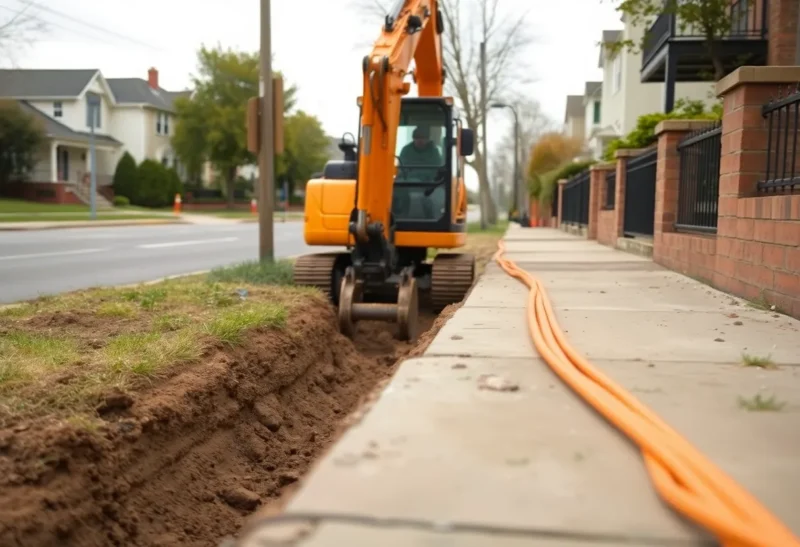
Last October a contractor laying cable for a new building two streets over put an excavator bucket through the fiber serving half my neighbourhood. The power stayed on. The router stayed on. My little stack of self-hosted machines in the spare room stayed on. The internet was gone for 31 hours.
I’d always told people that one of the best things about self-hosting was that my stuff kept working when the cloud didn’t. This was my chance to find out if that was true. Mostly it was. But the things that broke were not the ones I’d have guessed, and a couple of them broke in ways that made the house feel more offline than it really was.
Here’s what actually happened, service by service, and the changes I made afterward so the next outage is boring.
First, what “internet down” does and doesn’t mean
An internet outage is not a power outage. Your server, your router, your switches, and your Wi-Fi keep running. Every device in the house can still talk to every other device. What disappears is the path from your router to the rest of the world.
That means anything that lives entirely on your network should keep working, and anything that needs to reach out, whether to fetch data, check a license, sign you in, or send a notification, will fail. The interesting part is that a lot of self-hosted software reaches out more often than you’d think, and a lot of your devices make decisions based on whether they can see the internet.

The first surprise: phones abandoned the Wi-Fi
Within about ten minutes, my partner said Home Assistant was down. It wasn’t. Her phone had noticed that the Wi-Fi had no internet, decided the network was broken, and quietly switched to mobile data. From mobile data, the Home Assistant app tried to reach the server on its local address, which obviously didn’t work from outside the house, and there was no remote access because our internet was down.
Both Android and iOS do this. When they detect that a Wi-Fi network can’t reach the internet, they either prefer cellular or show a “no internet” warning and route traffic elsewhere. On Android you can tell the phone to stay connected to a network without internet access, usually from the prompt that appears or in that network’s settings. On iPhones, turning off Wi-Fi Assist helps, and in a pinch you can turn off mobile data for a specific app.
This was the single biggest source of “everything’s broken” during the outage, and nothing was actually broken. If you do one thing after reading this, test it: unplug your router’s WAN cable for ten minutes and try your apps from your phone.
DNS: fine for local names, if you set them up right
I run Pi-hole with Unbound as a recursive resolver. During the outage, anything external obviously failed to resolve. That’s expected.
What mattered was local names. I access most services by names like photos.home.example.com, and those have local DNS records in Pi-hole pointing straight at LAN addresses. Those kept working perfectly. But two older services I’d set up by pointing public DNS records at my home IP, with no local override, became unreachable by name. The server was right there. The name just resolved through the public internet, which no longer existed.
The fix was to give every service a local DNS record, even the ones I also expose publicly. It took fifteen minutes.
One more DNS gotcha worth knowing about if you run a Raspberry Pi as your DNS server. Pis don’t have a battery-backed clock, so after a reboot they rely on the internet to set the time. If your resolver validates DNSSEC and the Pi reboots during an outage with a badly wrong clock, validation can fail even for queries that should work once the internet returns. Most distributions save the last known time on shutdown, which usually keeps you close enough, but it’s one reason I no longer reboot the DNS box casually during an outage.
Home Assistant: local stuff fine, cloud stuff gone
Everything using a local protocol kept working: Zigbee lights and sensors, ESPHome devices, automations running on the Home Assistant server itself. The hallway motion light turned on at 2 a.m. like always.
Everything that relied on a cloud service stopped. The weather integration went stale. A couple of smart plugs that only work through their manufacturer’s cloud went unavailable. The thermostat, which I’d connected through its vendor’s cloud API rather than locally, froze on its last setting. And the voice assistant on the kitchen speaker, which goes through a big tech cloud, couldn’t do anything at all.
The lesson here is familiar to Home Assistant users, but the outage made it concrete: every device on the cloud list is a device that stops being smart when your internet stops. I’ve since replaced the cloud-only plugs with local Zigbee ones.
Media: Jellyfin shrugged, Plex needed a nudge
Jellyfin kept serving movies to the living room TV without any issue. It’s designed to be local-first, and it behaved that way.
A friend who runs Plex had a rougher evening during the same outage. Plex relies on its online account service for sign-in, and without internet, some of his clients couldn’t authenticate to his own server on his own network. Plex has a setting for exactly this, a list of local networks that are allowed to connect without authentication. If you use Plex, set it now, while your internet works, not during the outage when you can’t look up where it is.
The smart TV itself was a different problem. Its built-in home screen spent a long time complaining about the lack of internet, and one streaming stick refused to launch any app at all, including the local media client, until it had checked in with its own servers. The server was fine. The client device was the weak link.

Everything else, briefly
Password manager. Vaultwarden kept running, and the Bitwarden apps have an offline copy of the vault anyway. No issues.
Photos. Immich worked for browsing and uploads from phones on Wi-Fi. The map view was blank, because map tiles come from the internet. Face recognition and search worked because the models were already downloaded, but on a fresh install they wouldn’t have been.
Remote access. Gone, obviously. Tailscale kept some existing connections between devices in the house alive for a while, but I wouldn’t rely on an overlay for LAN access during an outage. At home, use local addresses.
Certificates. No effect. Let’s Encrypt certificates last 90 days and renew with plenty of margin. Unless your outage lasts weeks, this doesn’t matter.
Offsite backups. The nightly job to my cloud storage failed, as expected, and caught up the following night. The important step was checking afterward that it had actually caught up, rather than assuming.
Container updates. One container had a pull_policy: always in its Compose file, left over from testing. When I restarted it during the outage, Compose tried to pull the image, failed, and wouldn’t start it. The image was already on disk. Removing that line fixed it.
The quietest failure: nobody could tell me anything
My alerts go to my phone through a notification service. During the outage, the server could still detect problems, but it couldn’t tell me about any of them, because the alert had to leave the house to reach my phone. For 31 hours, my monitoring was effectively talking to itself.
Meanwhile, an external uptime monitor I use for one public service correctly reported the whole house as down, which was the one alert I actually got. That’s the pattern worth understanding: monitoring that lives inside the house can’t report a problem with the house’s connection. If you want to know when your home goes dark, you need an uptime monitor that doesn’t live on the box it’s watching.
What I changed afterward
After the fiber was fixed, I spent a Sunday making the next outage less eventful. Nothing here was expensive.
- Local DNS records for every service, including ones that are also public. No service should need the internet to find itself.
- Phones set to stay on home Wi-Fi without internet. I walked through it with everyone in the house and wrote a two-line note for guests.
- Cloud-only devices replaced or listed. Anything that can’t work locally is either gone or on a list, so nobody’s surprised it stops.
- Plex-style local auth settings checked for every app that has a cloud sign-in.
- No
pull_policy: alwaysanywhere in production Compose files. - An outside monitor that pings a public endpoint at home and alerts me by email and SMS when it disappears.
- A cheap cellular backup. An old phone on a prepaid SIM can serve as a hotspot, and some routers can fail over to a USB modem automatically. It won’t carry a household’s streaming, but it gets alerts out, keeps remote access limping along, and lets someone join a video call.
The honest verdict
Self-hosting did make the outage better. My photos, media, passwords, and home automation mostly kept working while neighbours with cloud-everything homes had very little. That part of the pitch is true.
But “self-hosted” isn’t the same as “works offline.” Plenty of self-hosted software assumes the internet is there for sign-in, maps, alerts, or updates, and plenty of the devices in your house make their own decisions when the internet disappears. The only way to know which of yours do is to find out on purpose. Pull the WAN cable on a quiet Saturday morning, walk around the house for twenty minutes, and write down what breaks. It’s much nicer than finding out when an excavator decides for you.