My sister-in-law Maren bought a new laptop in the spring largely because of one line on the box: an NPU rated at 45 TOPS, the headline figure of the “AI PC” label. She works with confidential client files and wanted to run a language model locally for drafting and summaries. The shop assistant told her the NPU was “the AI chip” and that it would make local models fast.
Two weeks later she sent me a screenshot of Task Manager. Ollama was generating text at a decent clip, the CPU graph was pinned, and the NPU graph was a flat line at zero percent. “Is it broken?” she asked. It was not. It was doing exactly what the hardware and software are built to do, which is not what the box implied.
I have spent years explaining why the sticker on a laptop rarely tells the whole performance story, and the CPU, GPU and NPU question is the clearest example I have seen. Each of the three can run a language model. They are good at different parts of the job, and the part that most people notice, how fast the words come out, depends on something none of the three labels mention.
The two halves of running a model
Every time you send a prompt to a local model, two different kinds of work happen:
- Reading the prompt (prefill). The model processes all your input tokens at once. This is a big block of arithmetic that can be done in parallel, and it is compute-bound: more calculating power means it finishes faster. This is the pause before the first word appears.
- Writing the answer (generation). The model produces one token at a time, and for each token it must read essentially all of its weights from memory. The arithmetic per token is small. The memory traffic is huge. This part is memory-bandwidth-bound: it goes as fast as the chip can read memory, no matter how much computing power it has.
That split explains nearly everything about CPUs, GPUs and NPUs for local AI, so it is worth putting numbers on it.
An 8B model needs roughly 16 billion operations per generated token. At 20 tokens per second, that is about 0.3 trillion operations per second, or 0.3 TOPS. Maren’s NPU is rated at 45 TOPS. For generation, the chip has around a hundred times more compute than the job needs. What it does not have is more memory bandwidth, because the NPU shares the same memory as the CPU and the integrated graphics. Every one of the three engines on her laptop is reading weights from the same pool through the same pipe.
Prefill is different. A 3,000-token prompt on the same model is roughly 48 trillion operations. There, TOPS really matter: a chip with ten times the compute reads your pasted document roughly ten times faster.
The CPU: works with everything, limited by the pipe
Every local AI tool runs on the CPU. llama.cpp, Ollama and LM Studio all support it on Windows, Linux and macOS, on Intel, AMD, Qualcomm and Apple chips. There is no driver to install and no special model format.
For generation, a CPU is limited by system memory bandwidth, which is roughly 60 to 90 GB/s on a typical dual-channel DDR5 desktop and around 100 to 135 GB/s on laptops with fast soldered LPDDR5X like Maren’s. On her machine, an 8B model at Q4 generated at about 15 to 18 tokens per second on the CPU cores alone. That is comfortably faster than reading speed.
Where the CPU struggles is prefill. It has far less parallel computing power than a GPU, so long prompts take a while to process. Pasting a few pages can mean waiting 20 or 30 seconds before the first word on a CPU, compared with a second or two on a decent graphics card. If you want to know what a CPU-only setup is actually good for day to day, that prompt-reading delay is the thing to understand first.
The GPU: fastest by a wide margin, if it has its own memory
“GPU” covers two very different things, and the difference matters more than the brand.
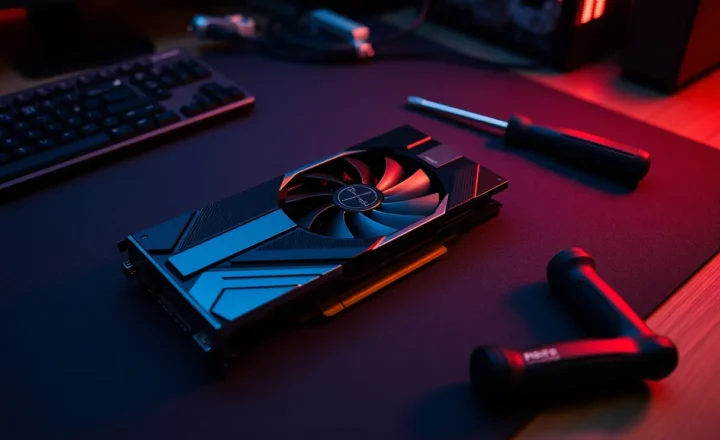
A discrete graphics card has its own memory, and that memory is extremely fast: roughly 450 to 1,000 GB/s on current consumer cards, five to ten times what system RAM delivers. It also has enormous parallel compute. So it wins both halves of the job: prompts are read almost instantly and answers stream quickly. An 8B model on a mid-range card generates at 60 to 100 tokens per second. The software support is also the best of the three, particularly on NVIDIA, because almost every local AI tool is developed on CUDA first. The limit is the amount of video memory: 8 to 16 GB on most cards, 24 or 32 GB at the top end. Models larger than that spill into system RAM and slow down dramatically.
Integrated graphics, the GPU built into the same chip as the CPU, shares system memory. It has much more compute than the CPU cores, so it reads prompts noticeably faster, but for generation it hits the same bandwidth ceiling. On Maren’s laptop, running the model on the integrated GPU instead of the CPU made prefill roughly twice as fast and generation only slightly quicker. The exception is the new class of chips with very wide memory buses, such as AMD’s Ryzen AI Max and Apple’s Pro and Max chips, which feed their integrated graphics with 250 GB/s or more. Those behave much more like a discrete card with an unusually large amount of memory.
The NPU: built for efficiency, not speed
A neural processing unit is a block of silicon designed to do the specific arithmetic of neural networks, mostly low-precision multiply-and-add, using as little power as possible. That is its real selling point: not speed, but watts. It was designed for jobs that run constantly in the background, such as blurring your background on video calls, live captions, noise suppression and on-device search features, without draining the battery or spinning up the fan.
For language models, three things limit what an NPU does for you today:
- It shares the memory pipe. As the arithmetic above shows, generation speed is set by memory bandwidth, and the NPU has no more of it than the CPU next to it. It cannot make the words come out meaningfully faster than the CPU or integrated GPU on the same laptop.
- TOPS figures are peak, low-precision numbers. The 40 to 50 TOPS on current AI PC stickers are usually quoted for 8-bit integer arithmetic under ideal conditions. They are a fair measure of what the NPU can do on prefill-style work with a model compiled for it. They say nothing about generation speed.
- The software is fragmented. Each vendor has its own NPU toolchain: Qualcomm’s for Snapdragon, Intel’s OpenVINO, AMD’s Ryzen AI software, Apple’s Core ML for its Neural Engine. Models usually have to be converted and compiled into a vendor-specific format. The popular general-purpose tools, llama.cpp and Ollama among them, mostly target CPUs and GPUs. That is why Maren’s NPU sat at zero: Ollama never asked it to do anything.

We did get her NPU running a model, using her laptop vendor’s own AI toolkit with a pre-converted small model in the 3–4B class. It generated at roughly the same speed as the CPU running a similar-sized model. The difference was power. On the CPU, the laptop’s fan came on and the battery estimate dropped quickly. On the NPU, the fan stayed silent and the battery barely moved. For someone who works on trains, as Maren does, that is a real benefit. It is just not the one the shop assistant described.
The picture is improving. AMD’s software can split work between the NPU for prefill and the integrated GPU for generation, which plays to each unit’s strengths. Microsoft and the chip vendors are pushing runtimes that use the NPU automatically where it makes sense. But in late 2026, if you install a general-purpose local AI tool, expect it to use your CPU or GPU, and treat any NPU support as a bonus for small, power-sensitive jobs.
Which one should you care about?
Here is how I explained it to Maren, and how I would advise anyone reading a spec sheet:
- For speed of answers, look at memory bandwidth. A discrete GPU’s dedicated memory is the fastest by far. After that, laptops and mini PCs with wide, fast memory buses. Ordinary dual-channel DDR5 comes last. The TOPS number does not tell you this.
- For the size of model you can run, look at memory capacity: video memory on a discrete card, or total system memory for everything else.
- For prompt-reading speed, compute does matter. A discrete GPU is best, integrated graphics next, a CPU slowest. NPUs can help here when the software supports them.
- For battery life on light AI jobs, the NPU is the right tool, as long as the specific app you use actually targets it.
- For compatibility with the most tools, the CPU and NVIDIA GPUs remain the safe choices.
Maren kept the laptop. It runs an 8B model on its CPU fast enough for her drafting, the NPU handles her video-call background and a small summarizer when she is on battery, and she now reads spec sheets with a question the sticker never answers: how fast can this thing read its own memory?