Hue Bridge vs Zigbee2MQTT: When Philips’ Mesh Fights Your Coordinator

Helena Vos
August 25, 2026
I kept a Hue Bridge because the lights were already paid for and the dimmers worked when Home Assistant was in a mood. I added Zigbee2MQTT because I wanted cheap Aqara sensors and a Sonoff stick I could move. For a month I had two coordinators, two channel plans, and a living room that dropped Hue bulbs whenever the new mesh got busy. Philips was not “incompatible.” Philips was running a second radio network in the same air, with router tables I did not own.
The fight is not Hue versus MQTT as religions. It is one 2.4 GHz apartment and two coordinators that both want bulbs to route for them. If you do not pick a winner, the bulbs pick neither, quietly.
Two meshes, one apartment
A Hue Bridge is a coordinator. It forms a Zigbee network, signs bulbs into it, and uses those bulbs as routers. Zigbee2MQTT on a USB stick or an SLZB-06 is also a coordinator. It wants its own network. A bulb cannot be a first-class member of both. People still try: leave the Hue bulbs on the Bridge, add “other” Zigbee to Z2M, and let Home Assistant glue the UX. That can work. It works until the two networks sit on neighboring channels, or until a Hue bulb is the only router in a hallway and Z2M end devices try to hop through a network they cannot join.
I have seen a motion sensor “join” Z2M and then fall off every evening when the Hue entertainment area ran. The sensor was not in the Hue mesh. The air was. USB 3 on the NAS next to the stick did not help. The Hue Bridge, powered and chatty, sat on the TV console like it was innocent.
Channel planning is the adult conversation. Hue defaults are often 11, 15, 20, or 25. Wi-Fi 2.4 likes 1, 6, 11. Z2M should not sit on the same Zigbee channel as Hue if both stay. I moved Z2M to 25 and Hue to 15 after a weekend of maps that looked like modern art. Dropouts fell. They did not vanish. Two meshes still cost airtime.
What you lose when you pull a Hue bulb into Z2M
You can factory-reset a Hue bulb and pair it to Zigbee2MQTT. The light still dims. The firmware still exists. The Hue app features do not travel with it. Entertainment areas, the polished scene editor, Hue Sync, some of the nicer switch behaviors — those are Bridge products. Z2M will expose the clusters. Home Assistant will make a light entity. That is not the same as a Hue room that a guest can use from a Hue tap.
Power-on behavior is the one I miss. Hue’s “power on to previous” and the custom startup values are reliable in their app. In Z2M you get manufacturer-specific quirks and a lot of “it depends on the generation.” A bulb that was a good router on the Hue mesh may be a worse router on Z2M if it sits far from your stick and you did not leave enough other routers. Hue’s mesh was dense because you bought expensive bulbs. Z2M’s mesh is as dense as the cheap plugs you remembered to buy.
I migrated six bulbs and two dimmers. The dimmers were the larger regret. Hue dimmer pairing in Z2M works. Button maps are a wiki page. Guests still look for the Hue app. I put the dimmers back on the Bridge and left the outdoor sensor on Z2M. That hybrid is the honest house.
When the Bridge fights the stick on purpose
Hue firmware and the official app will re-adopt a bulb that still thinks it belongs to the Bridge. If you did not reset hard enough, the bulb returns home. If you power-cycle a lamp during a Z2M interview, you can get a device that interviews twice and then ghosts. The Bridge is not evil. It is doing what a coordinator does: keep its children.
Touchlink and “search for lights” from the Hue app while you are pairing Z2M is how you get a bulb that answers both interviews and then neither. Close the Hue app. Power down the Bridge if you are doing a serious migration. That sentence makes Hue owners nervous. It is temporary. The Bridge can come back for the devices you intend to leave on it.
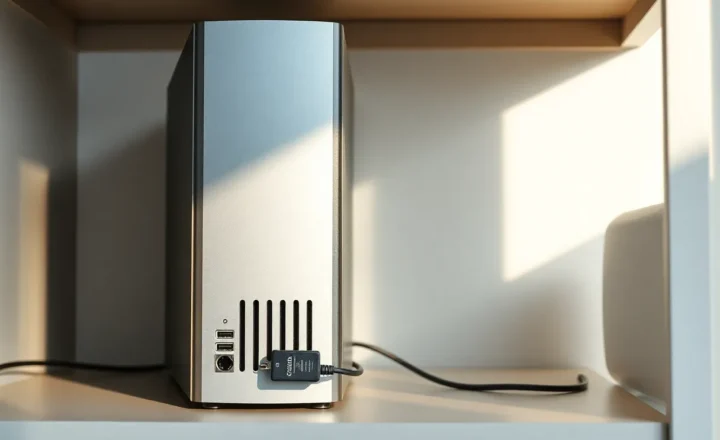
Coordinator placement still matters more than brand. A USB stick in a metal NAS is a worse coordinator than a Hue Bridge on a shelf with line of sight. An Ethernet SLZB-06 in the hallway beats both. I have watched people blame Z2M for a stick that sat on USB 3 next to a 2.4 GHz Wi-Fi card. Philips did not cause that. Physics did. The fight starts when you add a second coordinator to an already crowded band and then blame the first one.
Home Assistant in the middle
HA will happily run the Hue integration and the Z2M MQTT integration at once. Scenes that mix a Hue light and a Z2M plug will have two latencies. Hue is local and fast. Z2M is local and usually fast. The mix feels like one house until a group command: Hue group versus Z2M group versus HA light group. HA groups that span coordinators will pop. Use native groups on one mesh for anything you will see as one room.
I keep “ceiling” as a Z2M group and “lamps” as a Hue room. The HA dashboard shows both. I do not make an HA group called “all lights” for a movie scene. That scene was the one that made the hallway sensor fall over. Coincidence is a kind of data.
Matter on the Hue Bridge is a third story. If you expose Hue to HA via Matter, you now have Hue’s mesh, Matter’s translation, and Z2M’s mesh. I tried it for a week. I went back to the native Hue integration for Bridge devices. One translation layer is enough.
A migration order that does not trash the week
If you have decided Z2M owns the future:
- Fix the stick placement and channel first, with no Hue devices on Z2M yet. Get a stable map of routers you actually own — plugs, always-on bulbs you will migrate, a wall router.
- Move one room of Hue bulbs after a hard reset. Live with it for two days. Check the Z2M map. If the room is an island, add a router, do not add more end devices.
- Move switches last. People notice switches. They do not notice a sensor that reports every ten minutes.
- Leave the Bridge up until the last Hue-only feature you care about is gone. Then unplug it and wait a week before you sell it. You will remember a tap or a bloom you forgot.
If you have decided the Bridge stays:
- Do not pair Hue bulbs to Z2M “just to see.”
- Put Z2M on a far channel and a far radio. Ethernet coordinator, not a stick in the NAS that also hosts HA.
- Buy Zigbee routers that are not Hue if you want Z2M coverage in Hue-heavy rooms. A cheap plug is a better neighbor than a Hue bulb you do not control.
Cost, lock-in, and the guest test
Hue is expensive and boring in the good way. Guests use the official app or a physical dimmer. Z2M is cheap and yours. Guests use whatever HA dashboard you designed, which is to say they use the dimmer if you were kind. I optimize for dimmers. Apps are for me.
The lock-in is firmware and muscle memory, not a DRM chip. You can leave Hue. You will spend a weekend. You will lose entertainment mode. You will gain a coordinator you can back up as a file. I have that file. I still have the Bridge. The house is not a purity test.
Green Power remotes and the device that never stays
Hue taps and some battery friends speak Green Power. Z2M can see them. They still vanish from maps after a power blip in a way that makes you think the coordinator died. The Hue Bridge is better at keeping those ghosts in the family. If a tap is the one device your household will not replace, leave it on the Bridge. Do not make Green Power your first Z2M victory. It is a trophy that walks off the shelf.
The decision I actually use
Hue Bridge owns the bulbs and dimmers that were Hue on day one. Zigbee2MQTT owns sensors, cheap plugs, and anything I would throw away without mourning. Different channels. Different coordinator locations. No shared groups. When a dropout happens, I ask which mesh the device is on before I flash firmware.
If your apartment is small and your Hue mesh is already dense, adding Z2M on a USB port next to the TV is how Philips “fights” you. It is not a conspiracy. It is two coordinators in a closet. Move the stick, split the channels, or pick one mesh for lights. The coordinator you can explain to a future you is the one that should own the ceiling.