Frigate vs Blue Iris for Home Security Cameras: Free Local AI Detection or a Paid Windows NVR

Felix Braun
October 17, 2026
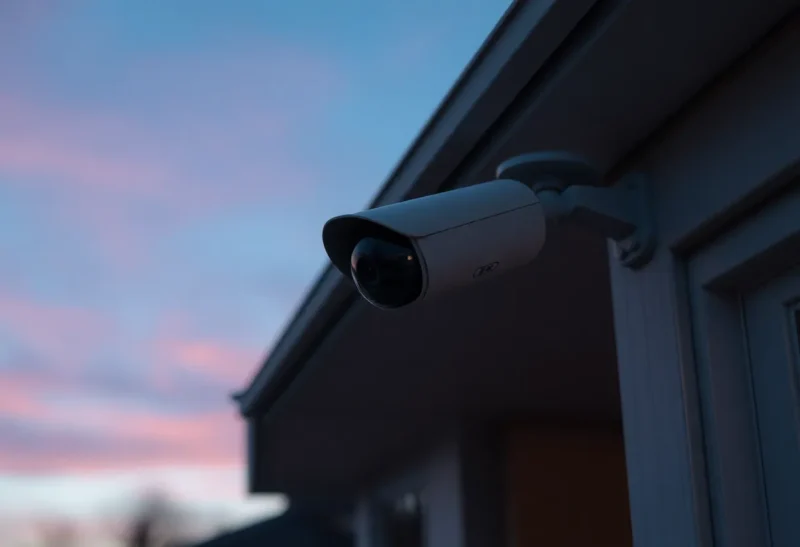
Home security cameras are one of the best reasons to run a home server. Commercial camera systems store your footage in someone else’s cloud, charge monthly for history and smart alerts, and stop working when the internet does. A local network video recorder (NVR) keeps everything at home, records continuously, and can be smarter than the cloud services if you set it up well.
Two names dominate self-hosted camera recording. Blue Iris is a long-established commercial NVR for Windows, famous among camera enthusiasts for supporting almost any camera and offering endless settings. Frigate is a free, open-source NVR built around real-time AI object detection, running in Docker and tightly integrated with Home Assistant. I run home cameras on a mini PC and have used both. They reflect two eras of home video: motion-first and detection-first.
A Windows veteran and an AI-first newcomer
Blue Iris is commercial Windows software sold as a one-off licence, with a cheaper edition for fewer cameras and an optional support and update plan. It records from a huge range of IP cameras and video sources, with continuous or triggered recording, motion detection zones, schedules, profiles, alerts and a web interface. AI object detection is added through integration with a separate AI service running alongside it. It has a long history and a large, experienced user community.
Frigate is an open-source NVR that runs in a Docker container on Linux, often on the same box as Home Assistant. It decodes camera streams, detects motion, and then runs object detection on the moving areas to identify people, cars, animals and other objects. It records events and, optionally, continuous footage, with retention rules per camera and object type. Detection can run on a CPU, a Google Coral accelerator, Intel graphics through OpenVINO, NVIDIA GPUs and other accelerators. A paid subscription, Frigate+, offers improved detection models, but the core is free.
| Frigate | Blue Iris | |
|---|---|---|
| Cost | Free; optional Frigate+ for better models | One-off licence; optional support plan |
| Platform | Linux, Docker | Windows |
| Core approach | Object detection first | Motion detection first, AI as an add-on |
| AI hardware | Coral, Intel GPU, NVIDIA and others | Through the separate AI service |
| Home Assistant | Deep integration | Integration available |
| Configuration | YAML file, with an editor in the web UI | Extensive graphical settings |
| Camera compatibility | Any camera with RTSP streams | Very broad, including older devices |
Alerts you actually want
The difference that matters most day to day is false alerts. Motion detection fires on shadows, headlights, rain, trees in the wind, insects at night and spiders building webs on the lens. A system that alerts on motion alone quickly becomes one you ignore.
Frigate’s design addresses this directly. Motion only tells it where to look; an alert is created when a model identifies a person, a car or another object you care about, inside zones you define, for longer than a threshold you set. You can require that a person enters the driveway zone, rather than walking past on the pavement, before you get a notification. In my experience, this cuts false alerts dramatically.
Blue Iris has sophisticated motion detection with zones, sensitivity, object size and contrast settings, and many users tune it to good effect. Adding its AI integration confirms alerts with object detection, which brings it close to Frigate’s behaviour. It works well, but it is two systems to configure and keep in step, and the AI service needs its own resources.
Hardware and power
Frigate runs well on a modest Linux mini PC. Decoding video streams is the main load, which Intel processors handle efficiently with hardware decoding. Object detection runs on a Coral accelerator or Intel graphics on many setups, using little power. Whether you need a Coral at all or a mini PC’s own graphics is enough for a few cameras is covered in does Frigate need a Coral. A typical four-camera Frigate setup can run on a low-power box drawing modest power around the clock.
Blue Iris needs a Windows machine, which usually means more power and resources. It can be CPU-hungry if it decodes every stream at full resolution, but its recommended settings, such as using cameras’ low-resolution sub-streams for motion analysis and writing the main stream straight to disk, cut that dramatically. Add the AI service and you need either more CPU or a GPU. Many Blue Iris users run a dedicated small Windows PC for it.
Recording and storage
Both can record continuously, on events only, or both, with different retention for each. Frigate lets you keep, for example, seven days of continuous footage and thirty days of clips containing people, per camera. Blue Iris has flexible storage management across multiple drives, with rules for moving and deleting old recordings.
Use surveillance-rated or NAS drives for continuous recording, since constant writing wears consumer drives faster. A single 1080p camera recording continuously at a moderate bitrate can use tens of gigabytes per day, so plan capacity before buying cameras.
Cameras and networks
Frigate works with any camera that provides RTSP streams, which covers most wired IP cameras from common brands. It uses a built-in restreaming component so that each camera is connected to once, and other viewers, such as Home Assistant dashboards, use that restream. Battery-powered cloud cameras usually do not provide RTSP streams, so they do not work with either system well.
Blue Iris supports an enormous range of cameras, including older and unusual models, and has a camera database with known-good settings. If you have a mix of old cameras, that breadth helps.
For security, put cameras on their own network with no internet access, so they cannot send data to their manufacturer or be reached from outside. Firewall rules and VLANs for this are covered in guest VLAN vs IoT VLAN on one router.
Home Assistant and phones
Frigate’s integration with Home Assistant is a big reason for its popularity. Detected objects become sensors and events in Home Assistant, so you can turn on lights when a person is detected in the driveway after dark, send rich notifications with a snapshot and a clip, or arm detection only when everyone is away. The Frigate web interface also has a review screen that groups detections by time for quick scanning.
Blue Iris integrates with Home Assistant too, through its web server and MQTT, and many users automate with it. Its own phone app, which is paid, offers live view, clip review and push alerts, and its web interface works on phones as well.
For remote viewing with either, use a VPN or mesh network rather than forwarding ports to the NVR.
Setting up the first evening
Frigate setup centres on a configuration file. You define each camera’s streams, which roles they serve (detection, recording), objects to track, zones and retention. The web interface includes a configuration editor and camera views to help draw zones. Expect an evening of reading documentation and adjusting, especially to pick the right detector and hardware acceleration. Once working, it changes little.
Blue Iris setup is graphical: add cameras, pick or detect their streams, set recording, motion zones and alerts through dialogs. There are a great many settings, which is both its power and its learning curve. Community guides with recommended settings are essential reading to avoid high CPU use.
Mistakes that make any NVR worse
Most disappointing home camera setups fail for the same reasons, whichever software records them:
- Cameras pointed at the wrong things. A camera covering a busy street creates endless detections. Aim at your own door, driveway and garden, and use zones to ignore the pavement.
- No sub-stream configured. Most IP cameras offer a high-resolution main stream and a low-resolution sub-stream. Use the sub-stream for detection and motion analysis, and the main stream for recording. This alone can cut CPU use by more than half.
- Night images too dark or too noisy. Infrared at night turns everything grey and attracts insects to the lens. Adding a small outdoor light, or a camera with a better sensor, improves detection more than any software setting.
- Wi-Fi cameras on a weak signal. Dropped frames and reconnects ruin recordings. Wired cameras with Power over Ethernet are far more reliable.
- No check that recording is still working. Add an alert when a camera goes offline or stops recording, and look at yesterday’s footage once a week. A camera that silently stopped a month ago is only discovered when you need it.
- Too many notifications. Start with alerts for people in one or two important zones at times nobody is home. Add more only when you are sure you want them.
Which NVR to run
Choose Frigate if you run Linux or Home Assistant, want accurate person and vehicle alerts with few false alarms, and prefer free, open-source software in Docker. It is the modern default for most new home camera setups, especially on low-power hardware.
Choose Blue Iris if you prefer Windows and graphical configuration, have a wide mix of cameras including older ones, or value its very long track record and depth of settings. Add its AI integration for smarter alerts, and give it a machine with room to spare.
Either way, local recording on hardware you own beats paying monthly to store your own front door in someone else’s cloud.