Home Assistant’s automation editor vs Node-RED for one Zigbee button: which flow you can still read next year

Drew Morrison
September 23, 2026
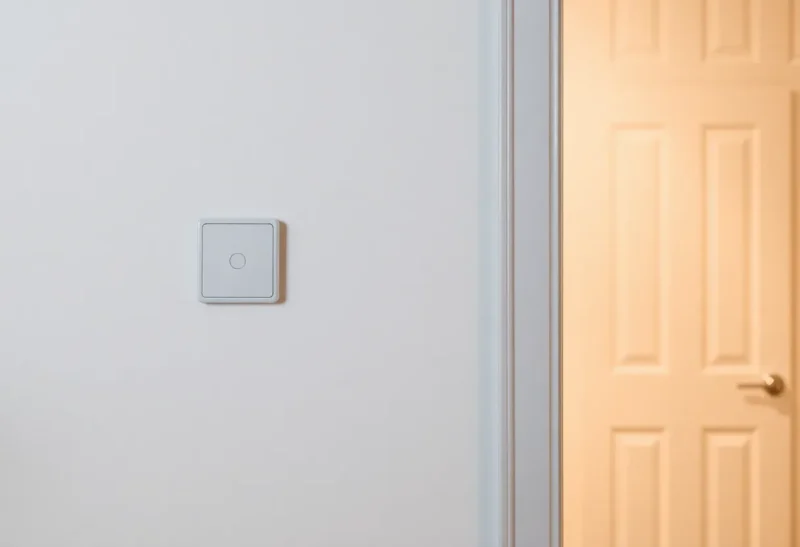
One Zigbee button should not require a theology. Single press toggles the hall lights. Hold dims. Double press turns on a scene. That is the whole job — until you open the tooling and discover two churches: Home Assistant’s built-in automation editor, and Node-RED as an add-on flow canvas.
Both can drive the same button. The question that matters a year later is not which one can fire a service call. It is which flow you can still read when you have forgotten why the kitchen lights sometimes ignore the second press.
For one button, the boring answer is usually the automation editor. Node-RED earns its keep when the button is no longer one button — when it is a state machine wearing a plastic faceplate.
What the automation editor is good at
Home Assistant’s UI automations (and the YAML behind them) are built around triggers, conditions, and actions. A Zigbee button exposes events or device triggers: “button pressed,” “button held,” “button double-pressed,” depending on the integration (ZHA, Zigbee2MQTT, etc.).
For a single device with a handful of press types, that model maps cleanly. Trigger on double-press. Condition: someone is home, or the sun is down. Action: turn on a scene. You can trace it in one screen. Traces and the automation debug UI show what fired and what did not. When something breaks after an update, you open one automation, not a graph of twenty nodes.
The editor also stays inside HA’s backup and repair story. Export, restore, and “repair” flows treat automations as first-class. Node-RED flows are powerful and separate: another add-on to update, another JSON blob to back up, another place credentials and MQTT details can drift.
If your house is mostly “when this, do that,” the automation editor is the readable choice. Readability is not nostalgia. It is whether your future self can change the hall brightness without relearning a visual language.

Where the editor gets awkward
Complexity arrives quietly. Debounce logic. “Ignore presses for two seconds after a scene runs.” Different behavior if the TV is on. A counter that needs three presses to arm something. Time-of-day branches that grow into nested choose blocks. Mobile app notifications with actionable replies that continue the flow.
You can still do all of that in modern Home Assistant — blueprints, scripts, choose, parallel, wait-for-trigger. The result is often correct and still hard to skim. A long YAML automation with three wait_for_trigger blocks is a state machine written sideways. At that point people open Node-RED not because HA cannot, but because a canvas matches how they think about branching time.
Device quirks also push people out. Some buttons spam events. Some integrations expose raw MQTT payloads more cleanly in Node-RED. None of that is a moral failing of the editor; it is a signal that your “one button” has become an integration project.
Blueprints deserve a middle mention. A well-maintained blueprint for your exact button model can give you multi-press logic without Node-RED and without hand-rolled YAML. The year-later risk is upstream: if the blueprint author abandons it, you inherit a black box. For a generic toggle, a tiny native automation still beats a heavy blueprint you do not understand. For a quirky remote with six mystery events, a popular blueprint can be the readable option — because someone else already mapped the chaos.
What Node-RED is good at
Node-RED is a flow-based programming tool. Events enter as messages; nodes transform, delay, rate-limit, switch, and call HA services. For a button that needs debounce, multi-press parsing, or coordination with several room states, the graph can be clearer than nested choose blocks — if you keep the graph small and labeled.
It also shines when the button is one producer among many: the same flow fans out to lights, TTS, a dashboard flag, and a webhook. Or when you already live in Node-RED for other house logic and want one place to look.

The year-later problem is the opposite of the editor’s: sprawl. Unnamed function nodes. Mystery context variables. A link-in/link-out web that only you understood in March. Node-RED does not force you into unreadability; it allows it. A tidy three-node flow for one button is fine. A hundred-node tab named “buttons” is how houses become unmaintainable.
The “one Zigbee button” test
Apply a strict test before you leave the editor:
- Can you describe the behavior in two sentences?
- Does it need memory beyond “what was the last press a moment ago”?
- Will anyone else in the household ever edit it?
If (1) is yes, (2) is no, and (3) is yes, stay in the automation editor. Use device triggers, a short choose on press type, and named scripts for the actions. Your partner can toggle which scene the double-press calls without learning wire colors.
If (2) is yes — multi-press windows, arming sequences, interactions with presence and media state — Node-RED (or a carefully written script with waits) may read better. Prefer Node-RED when you already maintain it; do not install it for a single toggle.
Hybrid setups that stay sane
Many solid houses use both without shame. Automations own simple lights and schedules. Node-RED owns a few complex interactions. The failure mode is overlapping ownership: both systems respond to the same button and race. Pick one owner per device trigger.
Another sane hybrid: HA automations call scripts; scripts hold the multi-step logic. You get editor discoverability with script reuse. Try that before adding Node-RED “just in case.”
If you use Zigbee2MQTT, keep button mapping consistent. Map actions to stable MQTT topics or HA device triggers once; do not parse raw payloads in three different places.
What you will still be able to read next year
Readable next year usually looks like:
- One automation per button (or per clear job), named after the wall location
- Actions delegated to scripts named after outcomes (“hall_evening”, not “script_3”)
- No duplicated conditions copied across five automations — use a shared script or a binary sensor helper
- If Node-RED: one tab per room or per concern, every function node commented, rate limits labeled with why
Unreadability next year usually looks like a Node-RED tab full of unnamed switches, or a single HA automation with twelve nested chooses and no comments. The tool did not fail. The future-you interface did.
Performance and reliability myths
For one button, neither tool is the bottleneck. Zigbee delivery, debouncing, and Wi-Fi bulbs dominate failure reports. Moving the same toggle from HA to Node-RED will not fix a sleepy router or a button on a dying coin cell.
Reliability differences show up in ops: Node-RED add-on updates, flow deploy mistakes that wipe an unsaved tab, HA automations disabled after a migration. Prefer the stack you already back up and restart confidently.
Battery devices deserve a special mention. A Zigbee button that sleeps hard may deliver duplicate or delayed events when someone mashes it. That is not an editor-versus-canvas problem. Fix it with rate limits, ignore windows, or a better button — in whichever tool you already chose. Putting the debounce in Node-RED because “Node-RED is better at timing” is fine; putting it there because you have not checked the battery is not.
A migration path that does not strand you
Start every new button in the automation editor. Live with it for a week. If you find yourself pasting the same choose block for the third time, extract a script. If the script grows waits and counters until you dread opening it, then consider Node-RED for that one interaction — and leave the simple buttons alone.
When you do migrate a flow, delete or disable the old automation the same day. Ghost listeners are how lights toggle twice and people blame Zigbee for a software race.
Document the owner in the entity name or a dashboard note if your household shares admin access: “Hall button → HA automation hall_button,” not “Hall button → ask Alex.” Future you is a housemate.
Finally, resist the urge to rebuild working lights during a tooling binge. The readable system is the one that already toggles the hall. Migrations should follow pain, not boredom.
Bottom line
For one Zigbee button with a few press types, Home Assistant’s automation editor is the flow you are more likely to still read next year. It stays in the open, traces cleanly, and matches simple trigger-condition-action thinking.
Reach for Node-RED when the button is a mini state machine, when debounce and branching time are the real product, and when you will keep the graph small on purpose. Do not install a second brain for a hallway toggle — and do not be afraid of the canvas when the editor’s nested chooses are already lying to you about simplicity.
Pick the tool that makes the next edit obvious. That is the only definition of “advanced” that survives a year of living in the house.