Do Matter-over-Thread bulbs still toggle if the border router reboots?

Ethan Cole
October 7, 2026
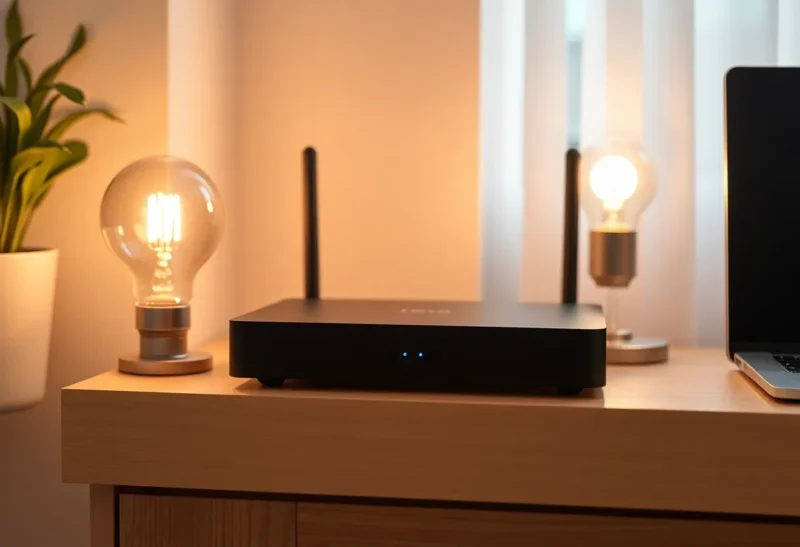
No, not from Home Assistant or a phone, if that border router is the only one. The bulbs stay at the brightness they already had. They do not reboot just because the border router did. The toggle fails because the command has to cross from Wi-Fi into the Thread mesh, and that crossing is down until the border router finishes booting. A second border router that is already routing the same Thread network can still deliver the command. A spare Apple TV on the same Apple ID is not automatically that second router.
The outage is usually a minute or two, not an evening, and it feels longer because the app says the device is unreachable while the lamp is clearly still on. Those are different facts. State lives in the bulb. The path you use to change state lives in the border router.
Which hop actually died
A Matter-over-Thread bulb is a Thread device that speaks Matter. Thread is the mesh. Matter is the command language. Home Assistant, an iPhone, or a Google speaker almost always sits on Wi-Fi or Ethernet, not on Thread. Something on the network has to route between those. That something is a Thread border router: an Apple TV, a HomePod, a Google Nest Hub, an OpenThread Border Router add-on, a Home Assistant Connect stick running that firmware. The bulb does not join your SSID. Your phone does not join Thread. The border router is the translator in the middle.
When it reboots, two different things happen and people glue them together. Inside the Thread mesh, mains-powered Thread routers can keep a network alive and even pick a new leader if the border router had been leading. Battery devices and other Thread nodes do not all fall over the moment the box restarts. What does fall over is any packet that needed to leave the mesh or enter it. A toggle from Home Assistant is exactly that packet. The Matter controller hands it to the border router. The border router is in a boot splash, or the OTBR service has not brought the interface back, or mDNS has not re-announced the routes. The bulb never hears the command. It also never needed to. Nobody asked it to turn itself off.
This is why the lamp still looks fine and the dashboard looks dead. Reachable, in the Matter controller, means “I can talk to it right now,” not “it has power.” During the reboot the controller marks the node unavailable. When the border router returns, discovery takes another beat. I would not call the mesh healthy the instant the Apple TV’s light stops blinking. Give it a minute, send one toggle, and then decide if you have a real outage or a slow advertisement.
The reboot you cause yourself
The common reboot is not a mystery crash. It is you updating Home Assistant, or restarting the OpenThread Border Router add-on, or letting an Apple TV install tvOS at 2 a.m. If the only border router is a radio on the same machine as Home Assistant, every Home Assistant restart is a Thread outage even when your Zigbee stick would have survived it. Zigbee coordinators are rude in their own way. This one is specific: the Matter bulbs go unreachable in the middle of an update you thought was about a dashboard card.
An Apple TV as the only border router does the same thing on a software update, a HDMI-CEC tantrum, or someone unplugging it to free a socket for a laptop charger. The bulbs are in the ceiling. The brain of the path is in the TV stand, and the TV stand is a device the household already treats as optional. That is a bad place to put the only door into the mesh. The bulb did not fail. The door did.
Commands that were already done stay done. A bulb set to 30 percent stays at 30 percent through the reboot. An automation that fires during the window does not get a redo when the border router returns, unless you wrote it to retry. Home Assistant will log a failed action. The evening routine that was supposed to dim the room during those ninety seconds simply does not dim. Next time the automation runs, it works, and you will not remember the gap unless you read the trace. If the routine matters, retry the action, or do not schedule Home Assistant updates for the minute the lights are supposed to move.
When a second border router actually helps
A second border router helps when it is already on the same Thread network and already advertising a route, not when it is sitting in a box or signed into the same iCloud account. Then a reboot of the first one leaves a door open. Home Assistant or the phone can cross through the one that stayed up. The bulbs toggle. This is the setup that makes a tvOS update boring: a HomePod that was already a border router, or an OTBR that was already routing, still there while the Apple TV restarts.
What does not help is buying the second box and assuming credential sharing finished the job. Adding an Apple TV does not heal a Thread mesh just because the household owns two of them. Sharing credentials and being a live border router for this network are different states. If you have not seen both devices listed as border routers while both are online, you do not have a spare door. You have a spare television. Test it the dull way: toggle a bulb, reboot one border router on purpose, toggle again before it comes back. If the second toggle waits, you still have one door.
Device-to-device bindings would be the other exception, and most homes do not have them. A Thread switch bound straight to a Thread bulb can, in principle, talk across the mesh without visiting Wi-Fi. Matter bindings are spotty in real controllers, and a voice command or a Home Assistant automation is not that binding. Do not buy the bulbs on the promise that they “toggle locally” through a reboot of the only border router. Local, here, still means local to a mesh you cannot reach from the app until the bridge is back.
What you see in the app while you wait
Home Assistant’s Matter integration and the Apple Home app both cache the last known state, then mark the node unavailable when the next subscribe or command fails. Unavailable does not mean the bulb dropped off Thread. It means this controller lost the session. A second phone that was also using the rebooting border router fails the same way. A controller that still has another border router may keep the session and look like the only sane app in the house. That split is useful. If every controller goes unavailable together, you had one door. If only the automations on the Home Assistant box fail while a HomePod still toggles the bulb, the Home Assistant radio is the one rebooting and the HomePod is doing the job.
The return is slower than the boot LED. OpenThread has to bring the interface up, the border router has to advertise the off-mesh route, and mDNS has to publish it to the LAN. Wi-Fi clients that cached a dead route need a moment to notice the new one. I count on a full minute after the device “looks on” before I trust a toggle, and I count on longer if the Apple TV is also rejoining Wi-Fi from scratch. Hammering the button in the app during that minute queues failures and teaches you nothing. One command after the minute is the test. If that one fails, then look at whether the border router service actually started, not at the bulb’s pairing code.
Groups make the gap look worse than it is. A Matter group or a Home Assistant light group that includes four Thread bulbs will report a partial failure if the command goes out while the route is half back. Two bulbs move, two stay, and it looks like a mesh partition. Wait and send the group again before you start moving routers around the flat. A partition that survives five minutes after the border router is stable is a real Thread problem. A partition that lasts for the length of a reboot is the bridge coming back one advertisement at a time.
Who should care, and who can ignore it
Ignore it if a minute of unreachable, a few times a month, is acceptable and the bulbs are not the only way to light a stair. The lamp stays on. You can use the dumb switch if you left one in the circuit, with the usual warning that killing mains to a smart bulb is its own problem. Care if the border router is also the Home Assistant box and you restart that box whenever you edit automations. Care if an Apple TV update has already left you standing in a dark kitchen tapping an app that will not answer. That house wants a second border router that you have tested, or it wants the lights that matter on a path that does not reboot with the television.
Do not factory-reset the bulbs because they showed unavailable for two minutes. They did not leave the mesh. They lost their translator. Resetting them during the reboot is how a short outage becomes a re-commissioning afternoon. Wait until the border router is back, toggle once, and only then decide something is actually unpaired. Most of the time it toggles, a little late, and the mesh was never the thing that failed.