Zigbee Parent Aging: End Devices Stuck on a Coordinator Across the House

Ines Volk
September 21, 2026
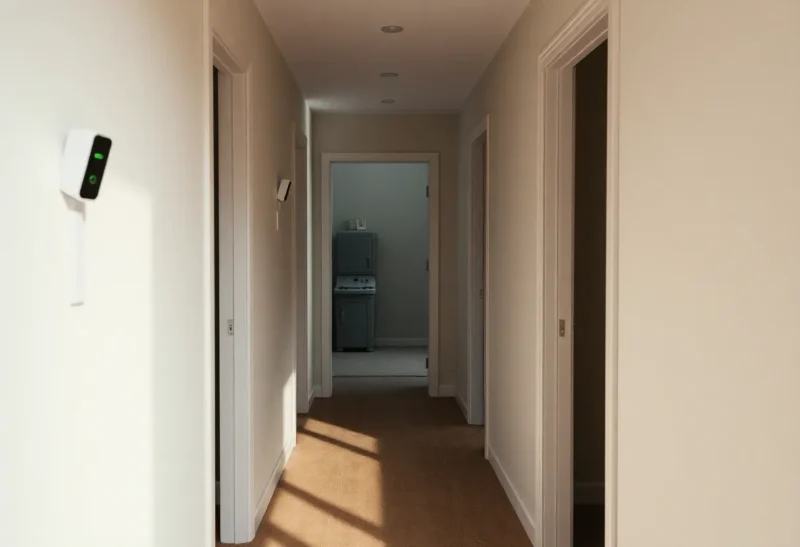
End devices are supposed to pick nearby parents. In a tired mesh they cling to the coordinator across the house—weak link, long airtime, flaky reports—because parent aging never forced them to move, or because the better routers keep disappearing. The map looks like a star: everything hugging the stick in the closet while the hallway plug sits unused.
Parent aging is how Zigbee decides when a child should look for a better parent. When it is too timid, devices stay stuck. When the environment is hostile, they stick to the only parent that never sleeps: the coordinator itself.
What “stuck on the coordinator” costs you
Long single-hop attempts through walls waste retries. Battery sensors die early. Latency rises. A coordinator that should manage the network becomes a crowded Wi-Fi-like hotspot for every lonely end device. Adding more sensors makes it worse.
Why devices refuse better parents
- Parent aging timeouts set too conservatively
- Nearby routers are switched bulbs that vanish nightly
- New routers added but children never re-evaluated
- Coordinator still “loud” enough to win weakly
- Healing never triggered after topology changes
What to change before you touch obscure settings
Put always-on routers where children live. Stop killing router power at switches. Move the coordinator centrally on a USB extension. Then allow the mesh to re-parent. Many “aging” problems are topology problems wearing a settings costume.
If the map still shows a star after good routers exist for a week, then look at stack-specific aging / permit join / reconfigure tools. Force re-interview on a few stuck devices as a test.
Forcing a healthier graph
- Audit parents of flaky sensors—if parent is coordinator and a plug is closer, note it.
- Ensure the closer plug is router-capable and always powered.
- Power-cycle the sensor to encourage parent search.
- Watch whether it adopts the plug.
- Repeat for a room at a time.
- Only then experiment with aging-related options if your Z2M/ZHA version documents them—backup first.
Coordinator across the house is a smell
A few devices parenting to the coordinator is normal. Dozens of distant leaves parenting to it is a smell. Treat it like a performance bug: reduce degree on the coordinator by giving the edges local parents.
Aging versus sticky loyalty
Devices that stick forever feel “stable” until RF changes. Aging that is too aggressive can flap. You want occasional re-evaluation, not constant divorce. Prefer improving router quality so when aging runs, the better parent is obvious.
Decision guide
If end devices are stuck on a coordinator across the house, build nearby always-on routers and force gentle re-parenting before you hunt exotic knobs. Parent aging only helps when a better parent exists and stays powered.
A star topology with a closet stick is how apartments invent Wi-Fi problems on Zigbee frequencies. Break the star. Keep the coordinator as conductor, not as every device’s best friend.
Reading the map like a parent graph
Ignore pretty colors for a minute. Count how many end devices list the coordinator as parent. Group them by room. If the far bathroom sensor parents to the closet stick while a kitchen plug sits between, you have a sticky-parent case. Screenshots before and after fixes beat memory.
Some UIs show LQI to parent. A low LQI to the coordinator plus a high LQI neighbor that is not the parent is a smoking gun for aging or healing that never ran.
Battery math
Stuck long links burn batteries. If you are replacing CR2032s quarterly on contact sensors that should last years, check parents before buying bulk batteries. A closer router can cut retries dramatically. Track battery replacement dates next to parent changes; the correlation sells the fix to skeptical partners.
Healing rituals that are not superstition
After adding routers, walk the house opening sensors, toggling plugs, and running whatever “rebuild network” / reconfigure tools your stack supports—without resettings channels the same day. Give it overnight. Recheck the star in the morning. If it barely moved, power-cycle stuck end devices. If it still barely moved, verify the “router” is actually routing (some devices join as end devices despite looking mains-powered).
Settings last
Parent aging parameters, if exposed, are sharp tools. Change one, wait days, measure. Forum advice from a different firmware generation can worsen flaps. Prefer vendor docs for your exact Z2M or ZHA radio path. If docs are thin, stay in topology land—more reliable for households.
When the coordinator should keep some children
Devices in the same room as the stick can parent to it happily. Do not force artificial multi-hop for purity. Optimize the across-the-house cases. Purity theater creates weird paths that look clever and fail in humidity.
Weekly five-minute check
Glance at the highest-degree node. If it is the coordinator and the degree keeps climbing as you add sensors, schedule router placement before the next sensor order arrives. Growth without parents is how stars form.
A worked example: apartment star
Coordinator in the media closet by the TV. Bedroom contact sensors parent to it through two walls. You add a smart plug in the hallway—always on. For three days nothing changes; the sensors keep the weak parent. You open each bedroom door a dozen times to wake them, power-cycle one sensor, and suddenly the map shows the hallway plug as parent with better LQI. Battery drain drops the next month. That sequence is parent aging / reparenting succeeding only after a better parent existed and something forced evaluation.
If you had tweaked aging constants before adding the plug, you might have flapped devices with no good destination. Order matters: destination first, encouragement second, constants last.
Z2M and ZHA differences without a holy war
Both can show parent relationships. Both can leave sticky children after topology upgrades. Use the tools you have to identify the star, not to argue about stacks. Migrating ZHA to Z2M to fix parenting is usually expensive theater. Place routers.
When docs mention parent aging intervals or similar, copy the default before editing. Set a calendar reminder to review flaps three days later. If flaps increase, revert. Households need boredom more than cleverness.
End devices that cannot route
Some mains devices still join as end devices. They will never accept children. Your “router” purchase might be a leaf with a power cord. Confirm device type in the interview data. If it cannot route, it cannot fix a star—no matter how always-on it is.
Prefer devices with clear router capability in your ecosystem’s compatibility lists. Guessing from packaging art is how you collect expensive leaves.
Automation ideas that help ops
A weekly Home Assistant template that counts unavailable zigbee devices can trend sticky-parent pain. Spikes after sunset still hint at switched routers. Spikes after adding sensors hint at star overload. Combine with a monthly map screenshot in your notes folder.
Do not auto-reconfigure the whole network nightly. Aggressive healing can itself cause churn. Manual, intentional encouragement beats cron chaos.
Closing the loop with placement
Parent aging is a policy for leaving bad parents. Always-on nearby routers are the good parents worth leaving for. Coordinator-across-the-house sticky links mean the good parents are missing, unpowered, not actually routers, or never evaluated. Fix those four before you declare Zigbee cursed.
Break the star. Leave the stick as conductor. Let end devices love their hallway plug. That is a mesh that ages well—literally.
If you take only one habit from this article, make it the weekly degree check on the coordinator. Rising degree is an early warning that your next sensor purchase needs a router sibling in the same shopping cart. Buy them together. Install the router first. Pair the sensor second. That tiny sequence prevents another spoke on the star and keeps parent aging from having to clean up a mess you could have avoided with a plug and an always-hot outlet.
Sticky children are rarely mystical. They are rational devices clinging to the only parent that stayed alive and loud. Give them quieter, closer, permanent parents—and the coordinator can go back to conducting instead of babysitting the whole apartment through two walls of lath and plaster.
Do that on the next packing-list, and parent aging becomes a quiet background policy instead of an emergency forum search when the bedroom sensor finally gives up pretending the closet stick is next door.
Install the router. Wake the child. Recheck the map. Repeat until the star looks like a mesh again—and leave the exotic timing constants for a weekend when boredom, not outage, is the reason you opened the docs.
Boredom is the correct energy for mesh maintenance. Panic is how stars get worse. Keep the plug powered, keep the degree in check, and let aging do the quiet paperwork of leaving bad parents behind.
That paperwork is the mesh working. Your job is simply giving it better addresses to move to.