What does OPNsense break in a two-person apartment that the ISP router did not?

Lars Beckmann
October 7, 2026
Casting, console NAT, and the names the two of you already memorized. An ISP router shipped with UPnP on, multicast working on one flat LAN, and a DNS server that knew its own DHCP leases. OPNsense does none of that until you turn it on. The internet still works. The TV stops appearing on the phone, the game says strict NAT, and the other person’s laptop cannot open the printer by the name that worked on Tuesday.
Nothing about a two-person flat needs VLANs on day one. The breaks happen even on a single LAN, because the defaults that felt like “a router” were a pile of sloppy helpers. OPNsense is a firewall that happens to route. The helpers are switches.
The TV and the phone
AirPlay, Chromecast, and a lot of printer discovery are multicast. The ISP box forwarded that on the one LAN without you knowing the word. OPNsense will too, on a single interface, if the clients are all on that interface and you did not “secure” the network by blocking UDP you did not recognize. The usual break is not a missing checkbox. It is a second network you created because a guide said IoT belongs in a VLAN, and then the phone is on one VLAN and the TV is on another. Multicast does not cross that. The cast target disappears. The ISP router never offered you the VLAN, so it never offered you this outage.
If you have not made VLANs, and casting still dies, look at the access point. Replacing the ISP combo with OPNsense plus a new AP often means the AP has “multicast enhancement” or client isolation on. Isolation is a guest-Wi-Fi feature that makes a living room unable to see itself. Turn isolation off on the LAN SSID. Leave it on for a guest SSID, and do not expect the guest phone to cast to the living room TV. That expectation was the ISP guest network being less isolated than it claimed.
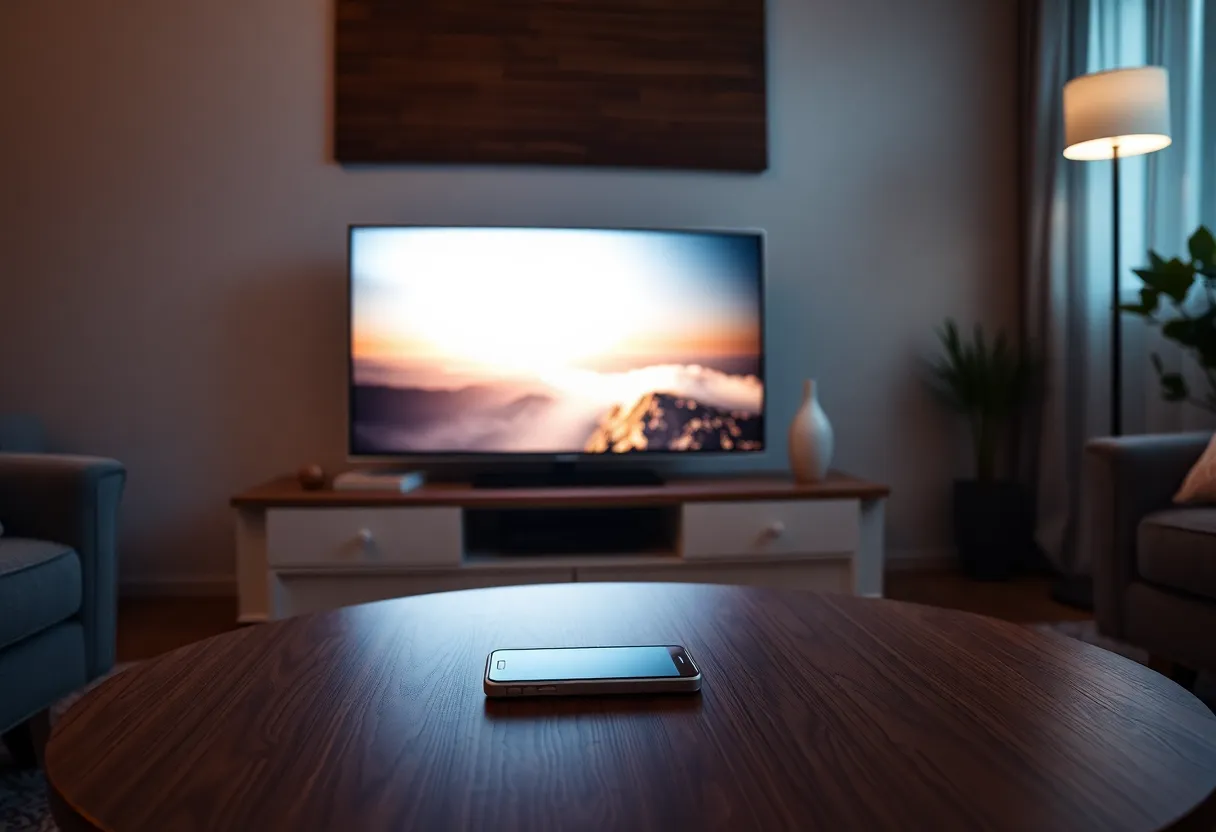
The other person’s workflow matters more than yours. You will open the firewall UI. They will try to cast a song and decide the new router is broken. Fix multicast and isolation before you announce the migration done. One successful cast from their phone is the acceptance test. A speed test is not.
The console and UPnP
ISP routers enable UPnP. Games and some video apps open ports by asking for them. OPNsense leaves UPnP off, which is the safer default and a strict NAT type on a console. You do not have to turn UPnP back on for the whole apartment. A static port forward for the console, or UPnP limited to that device’s IP, restores what the ISP box was doing for that one machine. Turning UPnP on for every device because a guide from 2014 said so gives every compromised laptop a way to punch a hole. A two-person flat does not need that. One forward, written down, is the whole fix.
Double NAT makes this worse and is easy to build by accident. If the ISP gateway is still routing and OPNsense is a client behind it, you now have two layers, UPnP opens a port only on the inner one, and the console is stricter than before. Bridge the ISP device, or put it in modem mode, so OPNsense is the only NAT. If the ISP will not bridge, OPNsense did not replace their router. It hid behind it, and inbound features get worse, not better. Do not debug UPnP until there is one translator between you and the internet.
Names, VPN, and the subnet you copied
The ISP router was the DNS server on the LAN. It answered for the hosts it had leased, sometimes with a friendly .lan name, sometimes only because a vendor app remembered the IP. OPNsense’s Unbound will do DNS for clients if DHCP points at it. It will not inherit the ISP router’s nicknames. The bookmark that said printer.local might have been mDNS, which still works, or it might have been a lie the old router told. Set DHCP to hand out OPNsense as DNS, reserve the addresses you care about, and pick one name each. Write them down. The other person should not have to ask you what the NAS is called after every reboot.
Watch the subnet. 192.168.1.0/24 is what the ISP used, and it is what a lot of office VPNs use. The person who works from the couch connects to work and suddenly cannot reach the apartment printer, or the VPN will not connect, because both sides claim the same range. Move the apartment to something less collided, 192.168.50.0/24 or a 10.x range, before the work laptop becomes the outage. Do it at the start. Changing it later renumbers every reservation, every static IoT device, and every screenshot in your notes. The ISP router never collided because you never thought about it. The work VPN will.
Hairpin NAT is the self-hosted version of the same surprise. A name that points at your public IP worked from inside the apartment because the ISP router reflected it. OPNsense does not reflect until NAT reflection is on, or until you split DNS so the name points at the LAN address when you are home. Split DNS is the cleaner fix. Reflection is the switch that mimics the old router. Pick one. If you pick neither, the website loads from a phone on cellular and fails from the couch, and you will blame the app.
The weekend the other person locks themselves out
You will be the only person who knows the OPNsense password, and you will be out when the internet dies. The ISP app let either of you reboot the plastic box. A firewall with no shared note is a single point of social failure. Write the URL, the username, and where the password lives, on paper, in the closet. Agree that a reboot is allowed. A factory reset is not, not without you, because a reset returns a LAN that no longer matches the reservations and the work VPN. The break here is not technical. It is that the old router could be fixed by unplugging it, and the new one can be fixed by unplugging it only if it comes back with the same config. Save the config to a laptop that is not inside the apartment’s disk encryption story. A backup on the NAS you cannot reach during the outage is not a backup.
Wi-Fi is probably no longer inside the firewall at all. OPNsense on a mini PC does not speak 802.11 for your phones unless you added a radio you will regret. The access point does Wi-Fi. If that AP was the ISP box and you turned the ISP box into a modem, you need an AP before you unplug anything. People discover this with two laptops on the floor and no SSID. Set the AP up on the old network first, same SSID and password if you want phones to rejoin without a tour of settings, then swap the router. Different SSID means every speaker, bulb, and the other person’s tablet needs a human. Budget the humans. Do not budget a “quick cutover” after dinner.
IPv6 is the quiet extra break. Some ISP routers handed out IPv6 and a DNS server over it, and a few apps preferred it. OPNsense with IPv6 left unconfigured makes those apps fall back, slowly, and a few of them do not fall back. If a phone loads sites and a specific app spins, look at whether the client still has a global v6 address pointing at a router that no longer routes v6. Either set up the WAN tracking the ISP expects, or turn IPv6 off on the LAN so clients stop trying the dead path. Half-configured v6 is worse than none, and the ISP box was fully configured at something you never saw.
What you should not call a break
A firewall that blocks unsolicited inbound is not a regression. The ISP router was also doing that, less visibly, except where UPnP had opened doors you never listed. OPNsense makes the list yours. Power use and boot time are real costs: a mini PC takes longer after a power cut than the plastic ISP box, and the apartment is offline until it finishes. Put it on a small UPS if a one-minute outage makes someone miss a call. That is the reliability the ISP box was quietly providing by being simple and quick.
Do not add VLANs, IDS, and a guest network the same weekend you swap the router. The two of you need the TV, the console, the work VPN, and the printer. Those four, on one LAN, with UPnP off except a single forward, multicast intact, and a subnet that is not 192.168.1.0/24. When that week is boring, then consider a guest SSID. Five boring days beat a clever firewall diagram. The guest SSID is optional. The cast from the couch is not.