Supernote vs Boox for Handwritten Notes: Pen Feel, Notebook Tools, and the Android Question

Naomi Ellison
September 27, 2026
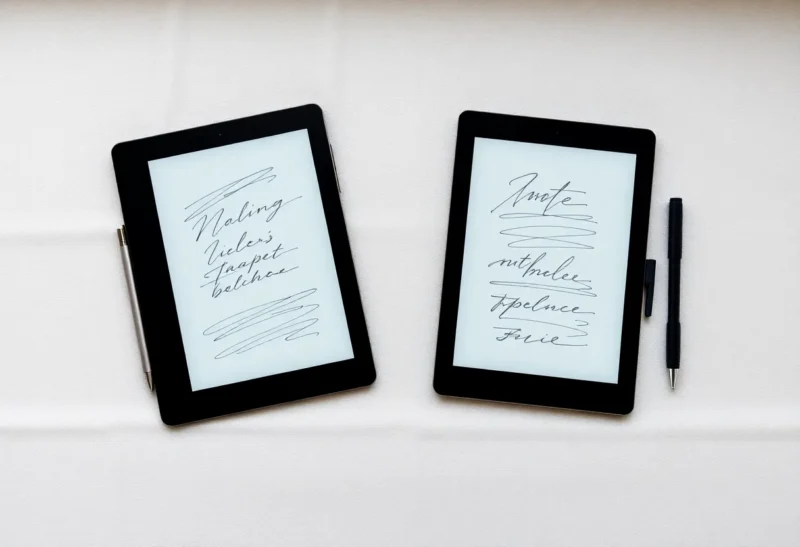
If you have narrowed an e-ink notebook down to Supernote or Boox, you have already made the important decision: you want to write by hand, on a screen that does not glow, and you want the result to be yours. What is left is a choice between two very different philosophies. Supernote is a notebook that happens to be a computer. Boox is a computer that happens to take notes very well.
I have worn through nibs on both, and the honest answer to “which is better for handwritten notes” depends less on spec sheets than on three questions: how you want the pen to feel, how much structure you want inside your notebooks, and whether an app store on your notebook is a gift or a trap. This piece works through those in order.
The short version
Supernote is better if handwriting is the main thing you do on the device. The writing surface has more bite, the notebook software is built around structure rather than features, the device wakes and writes instantly, and there is nothing else on it to pull you away.
Boox is better if handwriting is one of several things you do on the device. Its own Notes app is capable and fast, it can run the note apps you already use on your phone, and it doubles as a PDF reader, ebook reader, and occasional browser. You trade some pen feel and a lot of calm for that flexibility.
If that already settled it, you can stop here. If you are still torn, the details below are where the decision actually gets made.
Pen feel: friction is the headline
The first thing anyone notices when they move between these two is the surface. Supernote uses a textured film over the display that it markets as feeling like pencil on paper, and for once the marketing is close. The nib drags slightly. You can hear it. Letters stay where you put them, and small handwriting stays legible because your hand is not skating.
Most Boox tablets feel smoother. Depending on the model the screen is glass or a lightly matte finish, and the stylus glides more than it bites. Some people love that. It is closer to writing with a gel pen on coated paper, and it is less tiring over a long session. Others find their handwriting gets sloppier because there is less feedback. If you write small, or you have a cramped hand, the extra friction on Supernote tends to help. If you write large and fast, Boox’s glide may suit you better.
Friction has a cost. Textured surfaces wear nibs faster, so on a Supernote you will replace nibs more often. Supernote’s ceramic-tipped pens slow that down considerably, and nibs are cheap either way, but it is worth knowing before the first one flattens.

The pens themselves
Both companies use Wacom-style EMR digitisers on their main note-taking models, which means the pens have no battery. You never charge them, and you never find one dead in your bag. That is the single best property an e-ink pen can have, and both brands deliver it on their core devices.
There are differences at the edges. Supernote’s pens are simple and well-built, and because the digitiser is standard EMR, some third-party EMR pens work too. Boox’s Pen Plus and Pen2 Pro cover the same ground, with the Pen2 Pro adding an eraser end. The catch on Boox is that not every model in its large range uses EMR. Some of the lower-cost tablets use an active, battery-powered stylus instead. If a no-charge pen matters to you, check the specific Boox model before you buy rather than assuming.
Latency: first-party apps versus everything else
On their own note apps, both devices are fast enough that latency stops being a conversation after the first day. Supernote’s writing feels immediate. Boox’s Notes app is equally quick in normal use, thanks to a dedicated fast-ink rendering path.
The gap appears the moment you leave Boox’s own app. Third-party note apps on Android, such as OneNote or a markdown editor with ink support, do not automatically get that optimised pen path. Boox offers per-app settings that can help, and some apps are noticeably better than others, but the experience is rarely as crisp as the built-in Notes. If the reason you want Boox is to keep using a specific note app you already rely on, test that app on the device during the return window. “It installs” and “it writes well” are different claims.
Supernote does not have this problem because it does not have third-party note apps. Everything you write, you write in Supernote’s own software.
Notebook structure: headings and links versus a feature toolbox
This is where the philosophies separate most clearly.
Supernote treats a notebook as a document with structure. You can mark handwritten text as a heading, and those headings become a table of contents you can jump through. You can link one page to another, or to a PDF, by drawing a lasso and choosing a destination. You can tag pages with keywords and star important ones. Layers let you draw on top of a template or a sketch without disturbing it. None of this is flashy. All of it makes a 200-page project notebook navigable six months later.
Boox’s Notes app is more of a toolbox. You get layers, shape tools, a wide range of pen types and templates, audio recording alongside your notes, the ability to insert images, and split-screen writing next to a PDF or an ebook. The split-screen mode in particular is excellent for study notes and research, because you can read on one side and write on the other without juggling files. What Boox does not do quite as elegantly is impose structure inside a long notebook. You can organise with folders and tags, but navigating a single long notebook tends to mean scrolling pages rather than jumping by heading.
If your notes are long-running, like a lab notebook, a project journal, or a year of meeting notes in one place, Supernote’s headings and links are the feature I would miss most. If your notes are shorter and tied to source material, like lectures, papers, or books, Boox’s split screen and toolbox are more useful day to day.
Handwriting recognition, briefly
Both devices can convert handwriting to text, and both do a respectable job on reasonably neat writing. Supernote leans on recognition inside its own notebooks and its digest features. Boox offers recognition in Notes and, because it is Android, lets you bring other tools into the loop.
For most people deciding on handwriting feel, recognition is secondary. The question that usually comes right after it, though, is whether you will be able to find a note again later. That is a separate decision with its own trade-offs, and it is covered in detail in our comparison of Supernote handwriting search versus Boox OCR. If retrieval is as important to you as writing, read that before you commit.
The Android question
Every Supernote versus Boox conversation eventually arrives here. Boox runs Android with the Google Play Store available. Supernote runs its own operating system with no app store.
The case for Android is real. You can read Kindle and Kobo books in their official apps, open PDFs from your cloud storage, check a reference in a browser, and use the note or task apps you already live in. For a student or researcher, one Boox can genuinely replace a stack of devices.
The case against Android is also real, and it is mostly about attention. A notebook with email on it is a notebook where you check email. Boox’s e-ink screen makes that less tempting than on a phone, but it does not make it impossible. There is also the maintenance: app updates, per-app refresh settings, occasional battery drain from something running in the background, and the general feel of administering a small computer.
Supernote has none of that. You turn it on and you are in a notebook. For many people that is the entire point, and it is the reason Supernote owners tend to describe the device with words like “calm” and “focused.” Boox owners tend to say “versatile.” Both are accurate. Decide which one you are shopping for.

Battery life and waking up
A notebook you have to wait for is a notebook you will not reach for. Supernote wakes quickly from sleep and goes straight back to the page you were on. Battery life is measured in weeks of normal note-taking, and because there is little running in the background, it is predictable.
Boox battery life is good by tablet standards but less predictable. With Wi-Fi off and only Notes in use, it can last a long time. With sync enabled, a few apps installed, and the front light on, it drains faster, sometimes noticeably so when an app misbehaves. Boox gives you plenty of controls to manage that, but you do have to manage it.
Screen sizes and models
Supernote’s range is small and easy to reason about. The Manta is the A5-sized desk notebook at 10.7 inches, and the Nomad is the A6-sized pocket notebook at 7.8 inches. That simplicity is a relief if you have spent an evening trying to decode a competitor’s lineup.
Boox’s range is enormous: pocket readers, 7-inch notebooks, several 10.3-inch models in monochrome and colour, and 13.3-inch slabs. The upside is that there is a Boox for almost any size and budget. The downside is that features vary from model to model, including the pen technology mentioned above, so reviews of one Boox do not always apply to another.
Colour: nice to have, not a reason to switch
Boox offers several colour e-ink models, and colour highlights and pen colours can help when you annotate PDFs or colour-code notes. Colour e-ink still costs some contrast and sharpness compared to monochrome, which you notice most in fine handwriting. Supernote has stayed monochrome. For pure handwriting, I would not choose Boox for colour alone. For annotation-heavy study, it can tip the balance.
Who should buy which
Choose Supernote if writing by hand is the primary job, you want the most paper-like feel, you keep long notebooks that need headings and links, and you want a device with nothing on it but your notes. It suits journalers, planners, people with project notebooks, and anyone who has bounced off tablets because they became phones.
Choose Boox if handwriting shares the device with reading PDFs and ebooks, you want to write beside source material in split screen, you need specific Android apps, or you want a larger or colour screen. It suits students, researchers, and people who want one e-ink device to cover several jobs and do not mind configuring it.
Be careful with either if you are buying mainly for handwriting recognition or for a sync workflow you have not tested. Both are good at the writing. The surrounding plumbing is where disappointments happen.
A test that settles it
If you can try both, or buy one with a good return window, do this: write the same three pages on each. One page of quick meeting notes, one page of careful long-form writing, and one page with a rough diagram. Then, a day later, go back and try to find something specific on page two.
Pay attention to which device made your handwriting better, which one you reached for without thinking, and which one felt like it was asking you to do something other than write. That last feeling is the real difference between these two brands, and it is the one no spec sheet will show you.