restic vs Borg for a 4TB NAS: Restore Time the Green Job Hides

Ellis Crowe
September 18, 2026
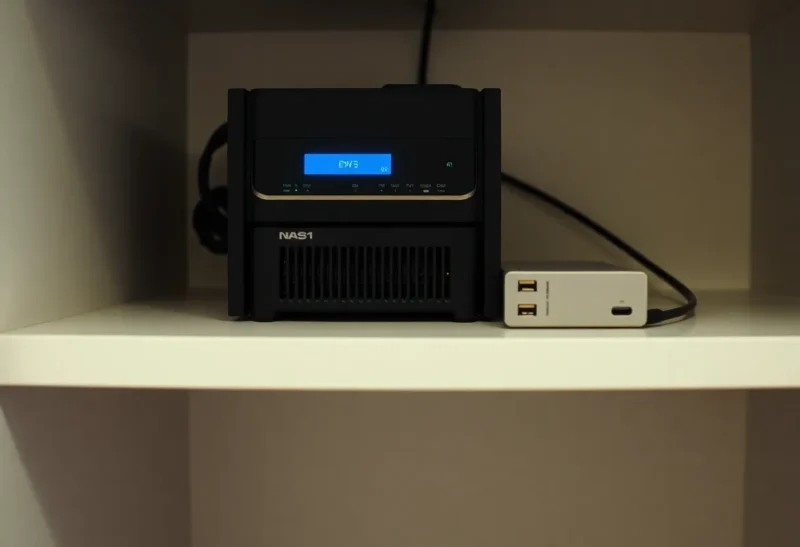
The backup job on the 4 TB NAS is green before I finish coffee. Borg finished in eleven minutes. restic finished in nine. Both printed a snapshot ID. Both would page me if they exited non-zero. Neither told me how long it would take to put last month’s photos dataset back on an empty disk after the RAID card I should not have trusted made the pool look modern and empty.
I learned the difference between these two programs on a Sunday, not on the cron line. Restore time is the product. The green job is a checksum of last night’s incremental. They are related the way a boarding pass is related to a landing.
What I was actually protecting
A used Synology and, later, a TrueNAS box with a 4 TB dataset that is not all unique: family photos, a couple of qcow2 leftovers, an Immich library that is already a second copy of the photos, and a pile of ISOs I could download again and still included because I am superstitious. Daily incrementals. One local repo on a USB disk I rotate, one off-site. The question was never “can it backup.” Both can. The question was “when the pool is gone, which command returns a child’s birthday album before I have to say I am still copying.”
Borg went to an SSH repo on a Mini PC in another room, then to a friend’s house over a slow uplink. restic went to the same Mini PC via SFTP, and later to Backblaze B2 when I wanted a third copy I would not have to collect in a car.
The green incremental is a small story
After the first full, both tools send a thin daily delta if the dataset is mostly photos that do not change. Borg’s chunking and restic’s content-defined chunks agree more than the internet argument suggests. Eleven minutes versus nine is noise on a quiet night. The green is real. The files that did not change were not re-uploaded. I stopped using that number as a personality.
What I watch now is the first backup of a new 4 TB, and the restore of a 400 GB subtree. The first backup is a weekend. Spinning rust, gigabit, and encryption will not be rushed by a brand. restic to B2 is also an API bill and a thread count. Borg to a local disk is a CPU and a lock. I schedule those like a move, not like a cron.
Restore shapes that do not appear on the dashboard
borg extract of a known path, over SSH, onto empty spinning rust, is the honest Borg number. I have seen a 400 GB photo tree come back in a long evening on gigabit, and I have seen the same tree crawl when the repo was on a USB 2 disk I used because it was “the backup disk.” The job that created the archive did not care. The extract did.
borg mount is how I find a single file without extracting the world. On a 4 TB repo it can feel like a network filesystem that hates you. Fine for one RAW. Miserable if you start a recursive copy in a file manager and walk away. I tell people mount is a flashlight, not a moving van.
restic restore of the same path from a local repo is in the same league as Borg extract if the disk is honest. restic restore from B2 of 400 GB is a different sport: many GETs, latency, and a progress bar that lies when threads stall. I have restored a single directory from B2 in twenty minutes and the same directory in three hours because I had the thread count wrong and the cache cold. The backup cron was green both weeks.
restic mount is also FUSE. I use it to peek. I do not use it to “just drag the folder” off a 4 TB snapshot. That is how you discover FUSE and Explorer do not share a sense of humor.
Borg’s FUSE and restic’s FUSE both hide the real restore time behind a mount that looks like a disk. The green backup job never mentioned FUSE. I write the extract/restore command in the same note as the repo passphrase so future-me does not invent a mount as the recovery plan.
Locks, prune, and the job that is green while the repo is sad
Borg holds a lock. A crashed client can leave it. I have had a nightly create skip (or stall, depending on version and flags) because a laptop sleep left a lock, and a monitoring check that only watched exit code 0 on a wrapper that “succeeded” by doing nothing. restic’s locks are real too. restic unlock is a command I am too willing to run. I have unlocked a prune I should have let finish. The next backup was green. The next restore was missing a week I thought I had.
Prune is the other green lie. restic forget --prune on a 4 TB history can run longer than the backup. If I kill it because the NAS is slow, I can leave unreferenced packs. The next backup still exits 0. Borg compaction is the same family of chore. I schedule prune on a Saturday and I do not let Uptime Kuma call a long prune a failure just because it exceeds the backup’s usual eleven minutes. I also do not let a wrapper hide prune’s exit code inside a backup script that already printed “ok.”
Where I pick Borg
A repo I SSH to, on hardware I can yell at, when the restore I fear is “the whole dataset back onto a new pool on the same LAN.” Borg extract on a quiet gigabit link has been the fastest full-family-photos recovery I have done. borgmatic keeps the command line from becoming folklore. Append-only mode on the remote is a feature I have actually enabled after I typed a bad delete while tired.
Borg is worse when the destination is S3-shaped. People bolt on rclone. I have done it. I would rather use restic’s native backends than Borg-plus-a-second-tool when the copy already has to survive object APIs.
Key management: Borg’s key export is a file I print and a file I put in a password manager. I have lost a Borg repo to a key I thought was printed. That is on me, not on the chunker. The green backups continued until I needed them. Then I had a very intact, very unreadable archive.
Where I pick restic
B2, S3, Wasabi, a rest-server, or “I will decide later.” restic’s backend list is why it sits on the NAS for the copy I will not drive to a friend’s house. restic check is a ritual I run monthly, not daily, on 4 TB, because a full check is a read of the world. The backup job does not run check. Green does not mean the pack files still read.
restic is worse when I treat mount as restore, and when I assume prune is cheap. It is also worse if I have five clients writing to one repo without a plan: it works, and the restore of “just the NAS” then includes a mental filter of snapshot tags I should have been disciplined about. Borg’s one-repo-per-machine habit saved me from that confusion. restic tags can too, if I use them.
Password plus a restic key file on the NAS is another single point. I copy the key to the same paper process as Borg. I do not leave it only on the box I am backing up. That sentence is obvious and I have still violated it.
The 4 TB-specific numbers I will actually quote
First full to a local USB 3 disk: hours, either tool, bound by the NAS CPU and the rust. I do not start that at 22:00 on a weekday.
Daily incremental after that: minutes, either tool, if yesterday was ordinary. This is the green square people screenshot.
Restore 400 GB photos LAN-to-LAN with Borg extract: an evening I can plan. Restore the same from B2 with restic: an evening I cannot promise, plus egress if the provider charges it. Wasabi and B2’s egress stories differ; I still test with 20 GB before I trust a 400 GB fantasy.
Restore one file: both are fine if you know the path. If you do not, you will mount, and then you will wait on FUSE listing a tree that was cheap to skip during backup because the snapshot metadata was already in cache. Cold metadata on a 4 TB repo is a tax the backup cron never paid in public.
A split I run now
Borg to the Mini PC for the restore I will do in the same apartment. restic to B2 for the restore I will do if the apartment is the problem. I do not use both on the same schedule against the same disk if the NAS is already tired. Two incrementals a night on 4 TB of rust is how SMART starts a blog post.
I restore a random directory every month. Not the whole 4 TB. A directory I will miss. I time it. I write the minutes next to the green job’s minutes. The first number is the product. The second is hygiene.
If you only remember one thing: a green borg create or restic backup means last night’s delta landed. It does not mean Monday’s extract will finish before school pickup. Time the extract on the hardware you will have after the failure — empty disk, cold cache, the actual remote — or you are collecting snapshot IDs, not backups.