Open WebUI vs LibreChat as a Household Front End for Local and Cloud AI Models

Theo Lang
October 16, 2026
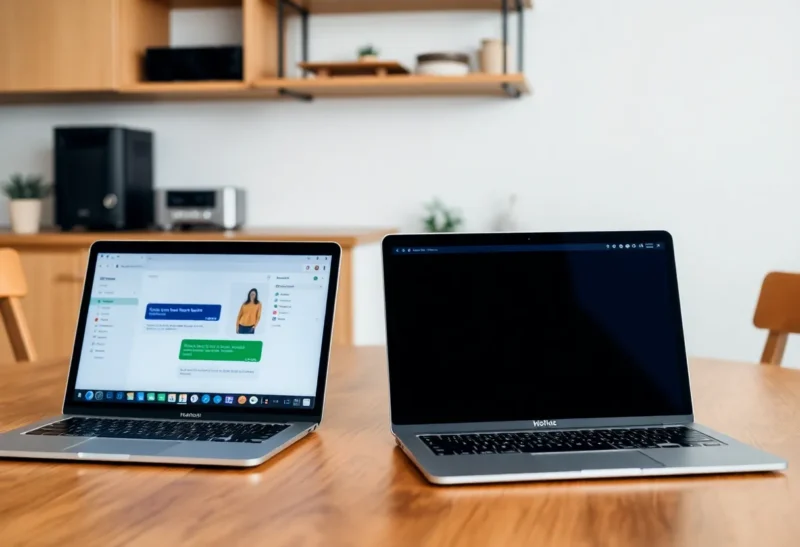
Running a local language model is one thing. Making it useful for everyone in the house is another. A model running in Ollama on a home server is invisible to your partner, your kids or your housemates unless there is a friendly chat interface in front of it, ideally one that also reaches cloud models for the questions a small local model cannot handle.
Open WebUI and LibreChat are the two most popular self-hosted chat front ends. Both look like the commercial chat apps people already know, both support several users with their own accounts and histories, and both can talk to local and cloud models. I run local models at home on Apple silicon and a small GPU server, and have run both front ends for the household. Their strengths are different enough that the right choice depends on where your models live.
Two chat front ends with different centres of gravity
Open WebUI started life as a web interface for Ollama, and local models are still its home ground. It now also connects to any OpenAI-compatible API, so cloud models and other local servers work too. It runs as a single container, stores data in SQLite by default, and packs in features: document chat, knowledge collections, web search, voice input and output, model presets, user groups and permissions, and an extension system for tools and functions.
LibreChat began as an open-source clone of the ChatGPT interface, and connecting many cloud providers is its strength. It supports OpenAI, Anthropic, Google, Azure, AWS Bedrock, Mistral, OpenRouter and others natively, and local servers such as Ollama through custom endpoints. It offers agents with tools, file uploads with document search, conversation branching, presets, and strong authentication options. It runs as several containers, with MongoDB for data and Meilisearch for searching conversations.
| Open WebUI | LibreChat | |
|---|---|---|
| Strongest with | Local models through Ollama | Many cloud providers side by side |
| Deployment | One container, SQLite by default | Several containers: app, MongoDB, Meilisearch, optional RAG service |
| Model management | Pull and manage Ollama models from the UI | Configure endpoints; models managed elsewhere |
| Document chat | Built in, with knowledge collections | Through its RAG service |
| Users and permissions | Admin approval, groups, per-model access | Accounts, OAuth, LDAP, per-endpoint limits |
| Configuration | Mostly in the web interface | Mostly in config files and environment variables |
Plugging in Ollama
If your household AI is mainly local models, Open WebUI is the natural choice. Point it at your Ollama server and every installed model appears in a drop-down. Admins can download new models, delete old ones and set defaults from the web interface without touching a terminal. Model presets let you create named assistants, such as “Homework helper” with a particular model, system prompt and settings, and make them available to some users and not others.
LibreChat connects to Ollama as a custom endpoint in its configuration file, and it works well once set up. But model management stays in Ollama, and the interface is designed around switching providers rather than tuning local models. For a server running only local models, it is more setup for less benefit.
The choice between Ollama and a desktop app for running models in the first place is covered in Ollama vs LM Studio; for a shared household front end, Ollama on a server is the usual back end for either interface.
Adding cloud models
Local models have limits. A model that fits on a home GPU is good for drafting, summarising and quick questions, but often weaker at complex reasoning, coding and knowledge-heavy tasks than the largest cloud models. Many households want both: local by default for privacy and cost, cloud for the hard questions.
LibreChat is built for this. Each provider is configured with its own API key, and users pick from all of them in one interface, with conversations that can switch models mid-thread. You can set which providers and models each user sees, and limit spending with token balances per user. If someone in your house will use Claude, GPT and Gemini models alongside local ones, LibreChat handles it most cleanly.
Open WebUI connects to cloud models through OpenAI-compatible APIs, which covers OpenAI directly and other providers through a compatible gateway or proxy, and through its extension system. It works, and many people run it this way, but setting up several cloud providers takes more effort than in LibreChat.
With either, API keys are paid usage. Give each person access only to the models they need, and set up spending limits at the provider, so a curious teenager with a long conversation cannot run up a bill.
Documents, search and tools
Both let you upload documents and ask questions about them. Open WebUI has this built in: upload a PDF to a chat, or build knowledge collections that a preset assistant always searches, such as the household’s appliance manuals. It can also use web search through several search providers, and run tools and functions from its community library.
LibreChat’s document features run through a separate RAG service that uses a vector database, which adds containers but scales well. Its agents can use tools, search the web, run code through a paid code interpreter service, and connect to external tools through the Model Context Protocol. For people who want assistant-style workflows across cloud models, LibreChat’s agents are the more developed option.
Quality of document answers depends far more on the model than on the interface. A small local model will give mediocre answers about a 200-page manual whichever interface sends it the text.
Running it on a home server
Open WebUI is easy to run: one container, a volume for data, and a connection to Ollama. It is comfortable on the same machine as Ollama or on a separate small server. Updates replace one image.
LibreChat’s Docker Compose setup starts the app, MongoDB, Meilisearch and, if you use document search, a RAG API with a Postgres vector database. It is well documented and runs fine on a small server, but it is more to update and back up. Configuration lives mostly in a YAML file and environment variables, which is good for reproducibility and less friendly for quick changes.
If you are planning the hardware, running AI on the same small box as other self-hosted services has real limits, covered in whether a home server and local AI can share one mini PC. The front end is light either way; the model is what needs the hardware.
Accounts, privacy and the family
Both support multiple users with separate histories. Open WebUI’s first account becomes the administrator, and new sign-ups can require approval. Groups and permissions control which models and features each person can use. LibreChat supports email accounts, social logins through OAuth, and LDAP, with options to turn off public registration.
Local conversations stay on your server with both. Messages sent to cloud models go to those providers under their terms, so tell household members which models are local and which are not. Both let you name models clearly, for example “Local: private” and “Cloud: smarter”, which avoids confusion.
Put either behind a reverse proxy with HTTPS, keep registration closed, and use a VPN or a mesh network rather than exposing it openly to the internet.
What the household actually notices
The feature lists matter less once real people start using it. After a few months of each, these were the things my household commented on.
- Speed of the first word. With local models, the delay before an answer starts is mostly the model loading into memory. Ollama unloads idle models after a few minutes, so the first question of the evening is slow. Raising Ollama’s keep-alive setting helps if you have the memory. This affects both interfaces equally.
- Phones. Both work in a mobile browser and can be added to the home screen as a web app. Open WebUI’s mobile layout felt slightly more polished; LibreChat’s was perfectly usable.
- Choosing a model. Non-technical users do not want to pick between eight model names. Hide most of them. Open WebUI’s presets and LibreChat’s per-user model lists both make it possible to show two or three clearly named options.
- Voice. Open WebUI’s built-in voice input and read-aloud were used more than I expected, especially by younger users. LibreChat supports speech too, with some configuration.
- Finding old chats. LibreChat’s search across conversations, powered by Meilisearch, was noticeably better for “what did it say about the boiler last month?”
Ask the people who will use it what they care about before you spend an evening configuring features nobody opens.
Licences and openness
LibreChat is released under the MIT licence. Open WebUI has changed its licence terms over time, including adding requirements about keeping its branding in larger deployments. For home use neither licence is likely to matter, but if you plan to offer either to a company or customers, read the current terms.
Matching the front end to your models
If your household runs mainly local models through Ollama, choose Open WebUI. It is one container, manages models from the browser, and has the richest set of features for local AI, from document collections to model presets for each family member.
If your household mostly uses several cloud providers, with local models as one option among many, choose LibreChat. It handles multiple providers, per-user limits and agents more cleanly, at the cost of a slightly bigger deployment.
Both are free to try with Docker in an evening. Set up the one that matches where most of your questions will go, and let the household tell you within a week whether it sticks.