Local AI vs Cloud AI: Where Your Prompt Actually Goes, and What the Monthly Bill Really Is

Sora Nguyen
September 27, 2026

The local-versus-cloud AI argument usually gets framed as ideology. One side says your data should never leave your machine. The other says local models are toys and the cloud is where the intelligence lives. Both are partly right, and neither helps you decide what to do with the prompt you are about to type.
I run local models on my own hardware for writing and small coding helpers, and I pay for cloud models too. What I have learned is that the decision comes down to two practical questions. First, what actually happens to a prompt once you press enter, in each case? Second, what does each option cost per month once the novelty wears off and you are using it every day? This piece answers both, with rough numbers you can adjust for your own use.
What happens to a prompt in the cloud
When you send a prompt to a cloud AI service, it travels encrypted to the provider, gets processed on their hardware, and the response comes back. That part is not controversial. What matters for privacy is everything around that moment, and it varies more between plans than between providers.
Retention. Consumer chat apps keep your conversation history until you delete it, because that is a feature. After you delete a chat, providers commonly keep it for a further period, often around 30 days, for abuse and safety monitoring. API traffic is typically retained for a similar window for the same reason, and some providers offer zero-retention arrangements for qualifying business customers.
Training. This is where plan choice matters most. Several major providers use conversations from consumer plans to improve their models unless you opt out in settings. Business, team, and API plans generally exclude your data from training by default. If you use a free or personal plan for work documents, check that setting today.
Human review. Content flagged by automated safety systems may be reviewed by people. That is rare for ordinary use, but it means “no human will ever see this” is not a promise a cloud provider makes.
Legal process. Data that exists can be demanded. In 2025, a US court order in the New York Times copyright case against OpenAI required the company, for a period, to preserve consumer chat logs, including chats users had deleted. Whatever you think of the case, it showed that a provider’s retention policy is not the last word on what gets kept.
The tools in between. Often the biggest privacy risk is not the model provider but the wrapper: a browser extension, a note-taking plug-in, or a small app that sends your text to a model through its own servers. Each one is another company with its own logs and its own terms.
None of this means cloud AI is unsafe. It means the privacy of a cloud prompt is a set of contract terms. Read the terms for the plan you are actually on.

What happens to a prompt locally, and where “local” leaks
With a local model, the prompt is processed on your own hardware. Nothing needs to leave the machine. That is a real and meaningful difference. But “local” is only as private as the software around the model, and I have seen several ways it quietly stops being local:
- Chat history in a synced folder. Many local chat apps store conversations as ordinary files. If that folder sits inside iCloud Drive, Dropbox, or OneDrive, your “local” chats are now in the cloud anyway.
- Features that call out. Web search, document retrieval from online services, or a “use a larger model for this” option can send your text elsewhere. Know which features in your app do that.
- An exposed server. Tools like Ollama listen only on your own machine by default. Change that setting so another device can connect, and forget to add authentication or a firewall, and anyone who can reach that port can use your model and send it prompts. Researchers have found many such servers open on the public internet.
- Telemetry and updates. Some apps report usage statistics. Usually that does not include prompt content, but check rather than assume.
- Model files from unknown sources. Stick to well-known formats like GGUF and safetensors from reputable publishers. Older formats could run code when loaded.
Get those right and local AI gives you something no cloud contract can: prompts that never exist anywhere except on a disk you control.
The cloud bill, with real-ish numbers
Cloud AI comes in two pricing shapes. Consumer and professional subscriptions charge a flat monthly fee, usually with limits on how much you can use the most capable models. APIs charge per token, a token being roughly three-quarters of an English word, with separate rates for the text you send (input) and the text you get back (output).
Per-token prices vary enormously between model tiers, and they change often, so treat the figures below as rough ranges at the time of writing. Small, fast models can cost well under a dollar per million input tokens. Mid-tier models commonly cost a few dollars per million input tokens and several times that for output. The largest frontier models can cost many times more.
Here is how that plays out for two common patterns.
A daily writing assistant. Say you send 60 prompts a day, each with about 3,000 tokens of context (a pasted document plus instructions), and get about 600 tokens back. Over a month that is roughly 5.4 million input tokens and 1.1 million output tokens.
- On a small model at around $0.15 in and $0.60 out per million, that is about $1.50 a month.
- On a mid-tier model at around $3 in and $15 out, it is about $32 a month.
- On a top-tier model at around $15 in and $75 out, it is about $160 a month.
For this kind of use, a flat $20 subscription is often the cheapest way to get a capable model, as long as you stay inside its limits.
A coding agent. Agents are far hungrier, because every step resends the growing conversation and the files it has read. A single task might take 25 steps with an average context of 40,000 tokens, which is about a million input tokens. Do 15 of those a working day and you are into hundreds of millions of input tokens a month. Prompt caching, which many providers offer at a steep discount for repeated context, cuts that dramatically, but heavy agent use on a mid-tier model can still land in the low hundreds of dollars a month at API prices. This is why the flat-rate coding tools have usage caps and overage pricing.
The lesson is not that the cloud is expensive. It is that the bill scales with context size and model tier far more than with how many questions you ask.

The local bill: mostly electricity, and idle time
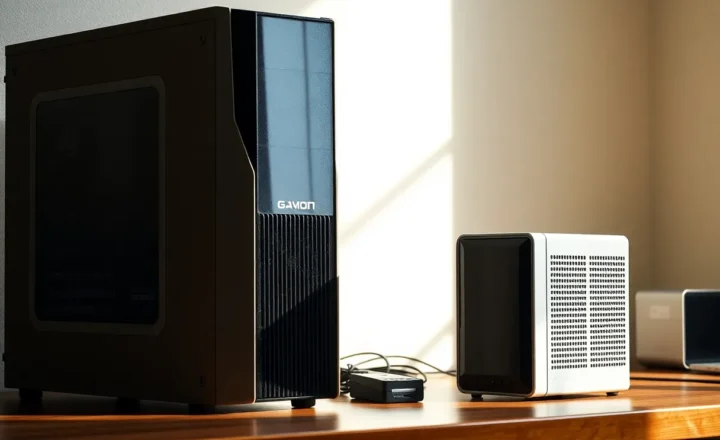
If you already own hardware capable of running useful models, such as a Mac with 32 GB or more of unified memory or a desktop with a decent graphics card, the ongoing cost of local AI is mostly electricity.
- An Apple Silicon Mac drawing around 60 watts while generating, for two hours of actual generation a day, uses about 3.6 kWh a month. At $0.30 per kWh that is roughly $1 a month.
- A desktop with a graphics card pulling around 400 watts from the wall under load, for the same two hours a day, uses about 24 kWh, or roughly $7 a month.
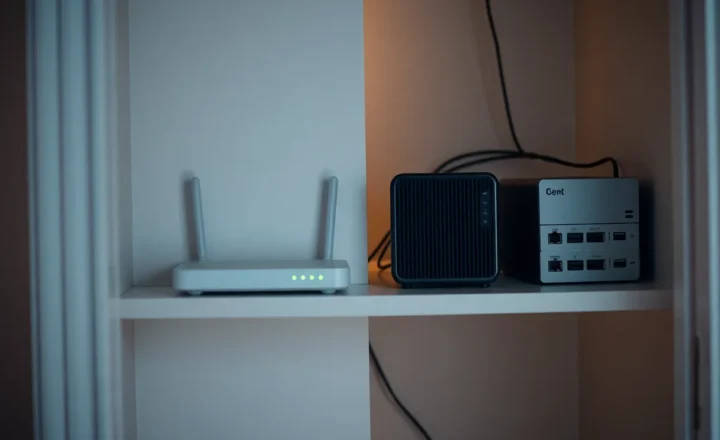
The number people miss is idle power. If you set up a dedicated box that stays on all day so your model is always available, and it idles at 50 watts, that alone is about 36 kWh a month, which can cost more than the inference itself. An always-on AI server is a small appliance with a small, permanent bill.
Buying hardware specifically for local AI is a separate calculation from running costs, and it depends heavily on how often you would use it. If that is the decision in front of you, it is worth working through when a used 12 GB card is cheaper than renting a cloud GPU before you buy anything.
The cost nobody puts in the spreadsheet: quality
Local models that run well on consumer hardware, typically in the 7 to 32 billion parameter range, are genuinely good at a lot of everyday work: summarising, rewriting, extracting fields from documents, classifying, drafting, and simple code. They are noticeably weaker than the best cloud models at long multi-step reasoning, subtle writing, and agentic coding across a large codebase.
That gap has a cost. If a local model needs three attempts and a manual fix where a cloud model gets it right first time, you have paid in your own time. For some tasks that is fine. For others it wipes out the savings instantly. Be honest about which tasks fall where, rather than insisting on local for everything out of principle.
A simple routing rule
The approach I have settled on is to sort prompts by two questions: how sensitive is this, and how hard is it?
- Sensitive and easy, like summarising a medical letter, cleaning up a private journal entry, or extracting data from a client contract: local. This is where local models shine, and it is where privacy matters most.
- Sensitive and hard, like reasoning over confidential business strategy or debugging proprietary code across many files: cloud on a business or API plan with training disabled and the shortest retention you can get, or redact the sensitive details before sending. Do not use a personal consumer account for this.
- Not sensitive and easy: whichever is cheapest and fastest. Often that is a small cloud model or your local one. It barely matters.
- Not sensitive and hard: the best cloud model you can justify. This is what frontier models are for.
Most people find that a surprising share of their prompts fall into the first and third boxes, where local models are perfectly adequate. That is where the savings and the privacy come from.
Who should go mostly local, and who should not
Go mostly local if you regularly handle personal, medical, legal, or client data; you already own capable hardware; your tasks are mostly summarising, rewriting, and extraction; or you want AI that works offline and costs almost nothing per use.
Stay mostly cloud if you rely on AI for complex reasoning or agentic coding; your hardware has 16 GB of memory or less; you use AI occasionally rather than daily; or your employer already provides a business plan with sensible data terms.
Do both if you can. A local model for the private, routine work and a cloud subscription or API account for the hard problems is not indecision. It is matching each prompt to the place it belongs.
Before your next prompt, ask the two questions. Where will this text go, and what will it cost me this month? Once you can answer both, the local-versus-cloud argument stops being a matter of identity and becomes an ordinary decision, made one prompt at a time.