For a lot of buyers, yes. If you’re buying a laptop with soldered memory that you plan to keep for four years or more, and you do anything heavier than browsing and documents, 32 GB is now the sensible default in the way 16 GB was a few years ago. If your computer is mostly a browser, email, and streaming, 16 GB is still enough and will be for a while. The gap between those two groups is where most of the bad advice lives.
I’ve built and tuned PCs for readers for a long time, and I still got this wrong on my own machine. In 2023 I bought a thin laptop with 16 GB of memory soldered to the board. I told myself that was plenty for a writing machine, and at the time it was. By this spring it was swapping to disk several times a day. Not because I’d started doing anything exotic, but because the ordinary software I’d always used had quietly grown around me. I couldn’t add memory. I sold it at a loss and bought one with 32.
Here’s what changed, how to tell whether it applies to you, and where 16 GB is still the right call.
What was actually eating the 16 GB
When the swapping started, I did what I tell everyone else to do: I watched memory use for a week of normal work instead of guessing. The culprit wasn’t a single program. It was a stack of reasonable ones that had each grown a little.
- The operating system. A modern Windows or macOS install uses several gigabytes before you open anything, and it uses more when there’s more available, which makes it hard to read at a glance.
- The browser. Thirty-odd tabs, several of them web apps (mail, calendar, docs, a project tracker), each behaving like a small program. This was the biggest single slice.
- Chat and meeting apps. Slack, Teams, and similar apps are often built on web technology, which means each is effectively another browser running in the background all day.
- A code editor and a couple of containers. Even for a writer, I run a local preview of the site I write for, and that’s a few containers and a language server.
- AI features. Built-in assistants, on-device transcription, and background indexing all want memory, and they’re arriving in operating systems and apps whether you asked for them or not.
No single item was outrageous. Together, on a normal afternoon, they wanted more than 16 GB, and the laptop made up the difference by compressing memory and swapping to the SSD. That’s why it didn’t crash. It got sluggish at exactly the moments I was switching between things, which is most of the day.

The industry moved the floor
It isn’t just me. The minimums have been rising for a couple of years:
- Apple made 16 GB the starting memory across its Macs in late 2024, largely because its on-device AI features needed the headroom. When the base model doubles, the “comfortable” tier moves up with it.
- Microsoft set 16 GB as the minimum for its Copilot+ PC label. The minimum for a feature set is, by definition, not a comfortable amount for doing other things at the same time.
- Recent big-budget games increasingly list 16 GB as the minimum and some list 32 GB as recommended, especially if you keep a browser, chat, and streaming software open alongside.
That’s the pattern that made 16 GB the default a few years ago, when 8 GB went from “fine” to “minimum.” When the minimum reaches a number, the comfortable amount has already moved past it.
How to tell if you need more (on your current machine)
Before buying anything, measure. Installed RAM being “used” isn’t a problem by itself; operating systems deliberately fill spare memory with cache. What you’re looking for is the system running out and borrowing from the disk.
On a Mac: open Activity Monitor, go to the Memory tab, and watch the memory pressure graph at the bottom during a normal day. Green is fine even if the numbers look high. Regular yellow, any red, or a swap figure that keeps growing into the gigabytes means you’re short.
On Windows: open Task Manager, go to Performance, then Memory. Compare the “Committed” figure with your installed memory. If committed memory regularly sits well above your physical RAM, and the “Compressed” figure is large, you’re relying on the page file. Resource Monitor’s hard faults column shows which programs are paging most.
Do this for a week, not an hour. The peaks matter more than the average, and the peaks happen on busy afternoons.
Who should buy 32 GB now
I’d default to 32 GB for these people, especially when the memory can’t be upgraded later:
- Developers. An editor, a browser, a few containers or a local database, a chat app, and a video call will fill 16 GB on a normal day. Add a virtual machine and it’s not close.
- Photo, video, and audio work. Large photo libraries, 4K timelines, and sample-heavy audio projects use memory as a working area. More of it means fewer stalls and less waiting on the disk.
- Gamers who don’t close everything first. A game plus a browser, voice chat, and maybe streaming or recording software adds up quickly.
- Anyone curious about local AI. Running language models or image generators on your own machine is memory-hungry, and the size of model you can run is set largely by how much memory you have. The details depend on the model and whether you have a graphics card with its own memory, which is its own question: how much RAM you actually need to run an LLM locally. The short version is that 16 GB is a fine way to learn, and 32 GB is where the useful mid-size models fit without closing everything else first.
- Heavy multitaskers. If you live with dozens of tabs, several web apps, and meeting software open all day, you’re already where I was.
- Laptops with integrated graphics. Integrated graphics chips borrow system memory for graphics. On a 16 GB machine, some of that 16 is gone before you open a program.
Who’s still fine with 16 GB
Plenty of people. If your computer is mainly a browser with a reasonable number of tabs, email, documents, spreadsheets, streaming, and video calls, 16 GB handles that comfortably today and will for years. The same goes for a second machine, a travel laptop you use for a few things at a time, or a desktop where you can add memory later if you turn out to need it.
Don’t let anyone talk you into 32 GB by pointing at a memory graph that says “80% used.” As I said above, operating systems fill spare memory on purpose. Look at pressure and swap, not the percentage.
Laptops and desktops need different rules
The question matters much more on some machines than others.
Soldered memory (most thin laptops, all current Macs). You get one chance to choose. The cost of guessing low is replacing the whole machine early, which is exactly what happened to me. The price step from 16 to 32 GB at purchase is almost always cheaper than selling a laptop at a loss two years later. If you’re anywhere near the 32 GB list above, buy it.
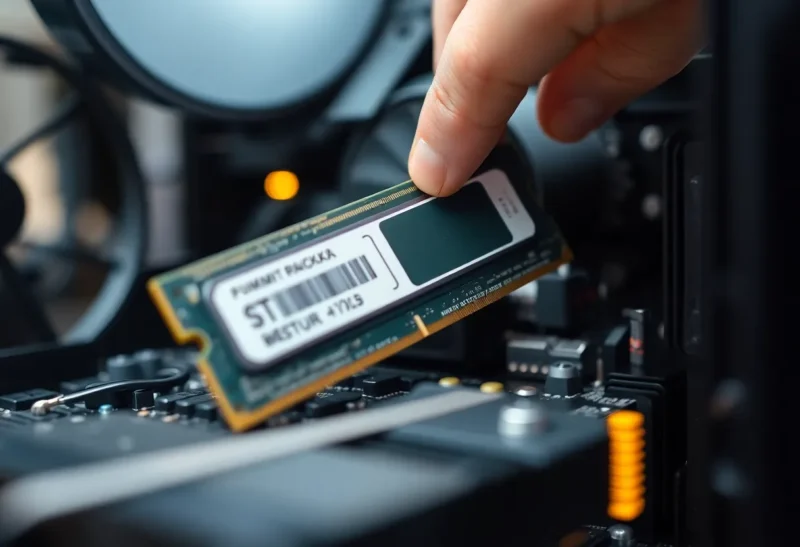
Laptops with memory slots. Fewer every year, but they exist. You can start with 16 and upgrade later, as long as you check what the slots accept and whether the laptop ships with one stick or two. Two matched sticks run in dual-channel mode and are noticeably faster than one.
Desktops. Here my advice has changed with DDR5. On current desktop platforms, two sticks of memory usually run at their rated speed easily, while four sticks often force lower speeds or need careful tuning. That makes “buy 16 now, add another 16 later” less attractive than it used to be, because you’d be going from two sticks to four. Buying 32 GB as two 16 GB sticks up front is the sweet spot for most builds, and it leaves room to go to 64 GB later by replacing them with two 32 GB sticks if you ever need to.
What about price?
Memory prices have been volatile over the past year, as manufacturers shifted production toward memory for AI data centers, and the jump from 16 to 32 GB costs more than it did a couple of years ago. That’s a real consideration, and it’s the strongest argument for 16 GB if you’re on a tight budget and firmly in the light-use group.
But on a soldered laptop, the upgrade price is still smaller than the cost of replacing the machine early. And on a desktop, you can buy what you need now and add later. Either way, the price argument points to “get it right the first time on laptops,” not “buy less.”
What I’d do
If I were buying today:
- A laptop with soldered memory that I’ll keep for four or more years: 32 GB, unless it’s genuinely just for browsing and documents.
- A light-use laptop, second machine, or budget build: 16 GB is fine. Check memory pressure after a few months to confirm.
- A desktop: 32 GB as two 16 GB sticks. It’s the easiest way to avoid the four-stick speed penalty and still leaves room to upgrade.
- Anything for local AI or serious creative work: 32 GB as the floor, and look hard at more.
So is 32 GB the new 16? For the machine you can’t upgrade and plan to keep, it effectively is. My old laptop was fine the day I bought it. Two years of ordinary software updates later, it wasn’t, and I had no way to add memory.