Can Zigbee2MQTT and ZHA run at the same time on one stick?

Ines Volk
October 7, 2026
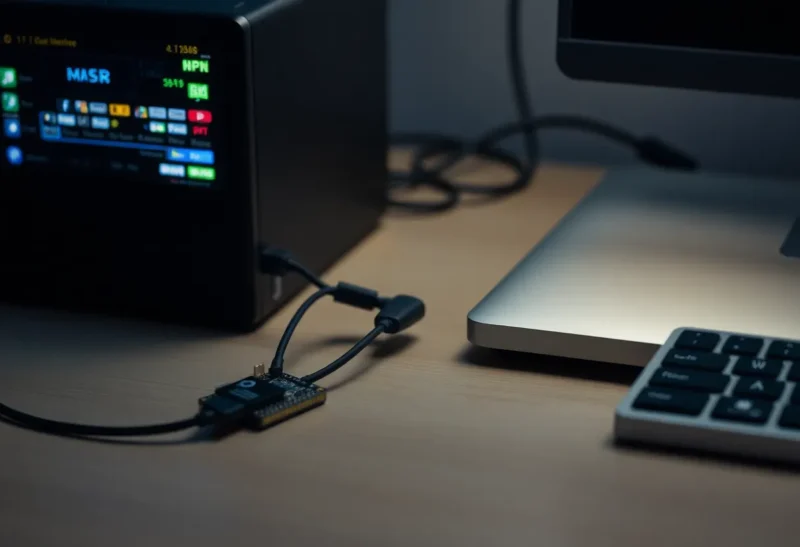
No. Zigbee2MQTT and ZHA cannot share one coordinator stick. Both open the radio’s serial port and both expect to be the only coordinator of a Zigbee network. The second one loses the port, or the stick resets under both of them, and you do not get a merged mesh. Two sticks can run both stacks. One stick cannot.
People ask because a single device is awkward in one of the two. ZHA will not expose a cluster that Zigbee2MQTT’s converter already handles, or the other way around, and the tempting fix is to leave the house on ZHA and “just add” Zigbee2MQTT for the stubborn sensor. The stick does not have a second job. It has a serial device, a firmware image, and one network key.
What actually fights over the stick
ZHA talks to the radio through Zigpy. Zigbee2MQTT talks to it through its own adapter code, usually the same chip family underneath: a Silicon Labs EZSP stick, a Texas Instruments zstack stick, a ConBee. The difference is the process, not a polite sharing protocol. On Home Assistant OS the ZHA integration and the Zigbee2MQTT add-on are two programs. Point them both at /dev/ttyUSB0, or at the same /dev/serial/by-id path, and one of them gets the file descriptor. The other logs that the port is busy, the adapter failed to start, or the connection dropped after a few seconds.
There is no mode where ZHA owns the bulbs and Zigbee2MQTT owns the buttons on that same radio. A Zigbee coordinator forms a network. Devices join that network. They hold the coordinator’s key, they pick parents, they send reports to that network. A second stack on the same chip would be a second brain in one skull. Firmware does not offer that. The multiprotocol firmware people remember, the one that tried to put Zigbee and Thread on a single Silicon Labs chip, was a different experiment, and Home Assistant spent a long time telling people to stop using it because the chip was bad at being two radios. It was never a way to run ZHA and Zigbee2MQTT together.
If you ignore the port error and keep restarting both, the stick is the thing that suffers. Coordinators do not enjoy two hosts resetting them. You get a flapping integration, devices that drop to unavailable, and a repair session that feels like the mesh died. The mesh is fine. Two programs are taking turns yanking the same UART. Stop one of them before you re-pair a single bulb.
Two sticks is a second network, not a feature
A second dongle, or an SLZB on Ethernet plus the USB stick, will let both stacks run. Each one forms its own Zigbee network, with its own channel, its own pan ID, its own key. A bulb joins one. It cannot be in both. Home Assistant will show two sets of entities that do not share groups, do not share binding, and do not route for each other. The hallway plug on Zigbee2MQTT does not help the bedroom sensor that joined ZHA. You have built two meshes in one apartment and given each of them half the routers.
They also share the 2.4 GHz band with Wi-Fi. Two coordinators on the same channel, or on channels that overlap the same way Wi-Fi channel 1 overlaps Zigbee, spend their airtime colliding. The “I added a second stick so the one weird sensor would work” project becomes a house where both networks are a little worse. A second coordinator is a reasonable lab: a spare stick on the bench for a device you do not trust yet. It is a bad permanent floor plan.

Socket adapters do not sneak around this. Zigbee2MQTT can attach with a serial-over-TCP URL, and some coordinators expose a socket so the stick can live away from the server. That socket is still one client. Point ZHA and Zigbee2MQTT at the same socket and you have recreated the port fight over the network. The logs look more confusing. The outcome is the same.
Why the one awkward device is not a reason
The device that started the question is almost never a coordinator problem. It is a quirk, a converter, or a device that was interviewed badly. ZHA quirks and Zigbee2MQTT external converters are how unsupported clusters get named. Running a second stack to avoid writing or waiting for that quirk means every future battery sensor has to be aimed at the correct network on purpose. Guests, partners, and you on a Sunday will pair to whichever integration is currently accepting joins. You will not remember which one that was in March.
Pick the stack that already has the device, and move the house once. Zigbee2MQTT is the usual destination when the gap is a Tuya or an Aqara cluster ZHA still treats as a generic sensor. ZHA is the usual destination when you want the radio inside Home Assistant and you are tired of an add-on, an MQTT broker, and a second UI. I have migrated the same apartment both directions. The walls did not care. The part that hurts is the re-pair, not the choice. Budget an evening, name the by-id path so ttyUSB0 cannot drift, set the channel away from the busy Wi-Fi, and pair routers before the battery sensors. Doing that twice, so both stacks stay, is how a one-hour annoyance becomes a permanent split brain.
There is no supported backup that merges the two networks after the fact. A ZHA backup and a Zigbee2MQTT coordinator backup are not interchangeable files you load into the other app and keep going. A coordinator swap inside one stack is already fiddly. A swap across stacks is a re-pair. Plan for the re-pair. Do not plan for a peaceful coexistence that the radio cannot do.
What the logs look like when you try anyway
On the Zigbee2MQTT side the add-on comes up, prints the adapter type, and then dies in the connect step. The phrasing varies with the chip. An EZSP stick says it failed to start the adapter or that the port is locked. A Texas Instruments stick throws a serial error and restarts the add-on until Docker’s restart policy becomes the outage. ZHA, if it grabbed the port first, looks healthy in the UI while Zigbee2MQTT loops. If Zigbee2MQTT grabbed it first, ZHA’s config flow fails with a cannot-connect error and the existing ZHA devices sit at unavailable, which feels like a mesh collapse and is just a stolen tty.
The by-id path is how you prove there is only one attempt. /dev/ttyUSB0 and /dev/ttyUSB1 swap when a Coral, a printer, or a second serial gadget enumerates first. I have watched someone “fix” a port conflict by pointing ZHA at ttyUSB0 and Zigbee2MQTT at ttyUSB1, which worked for a day because those two nodes happened to be the stick and a different dongle, and then a reboot handed the coordinator to the wrong integration. Use the /dev/serial/by-id name, put that name in exactly one place, and delete the other integration’s config entry rather than leaving it disabled-but-still-installed with a startup hook. Disabled is not always “not opening the port” after an upgrade. Uninstalled is.
Join mode is the other foot-gun during the week you are tempted to run both. If both networks are permitting joins, a factory-reset sensor attaches to whichever coordinator hears the beacon first. You will find it in the wrong UI, name it, build an automation, and only later notice its siblings are on the other stack. Close joining on the stack you are not using. Better: do not power the stack you are not using. A coordinator that is up and quiet still beacons.
Who should stop trying
Stop if you have one stick and both integrations enabled. Disable ZHA or stop the Zigbee2MQTT add-on, not both “just to check,” and leave one serial path. Stop if the hope was that Home Assistant would show one device from two sources and reconcile them. It will not. Stop if a forum post from 2022 told you the multiprotocol firmware was the way to have everything on one SkyConnect. That firmware was about Zigbee plus Thread, it was unstable, and it still was not ZHA plus Zigbee2MQTT.
A second stick is justified when you are testing a device you might return, on a bench, on a channel the house is not using, with joining closed on the real network. It is not justified as the production answer to one sensor. One coordinator, one stack, the converter or quirk that sensor needs. The other integration stays uninstalled until the day you actually migrate, and on that day the first one is off before the stick is plugged back in.
If you are mid-migration and the house is half paired, resist the urge to bring the old stack back “for the lights that still work.” Those lights are on the old network key. They will not appear in the new UI because the new coordinator is up, and they will not keep routing for the new sensors. Finish the re-pair, or roll back entirely. A weekend of two half-networks is how a button ends up toggling a scene that no longer exists, and how you convince yourself the stick is defective. The stick is exclusive. Treat it that way and the rest of the mesh decisions get simpler, because there is only one map left to be wrong.