Bigme Color vs Boox Color: When Highlight Colors Survive Sunlight

June Solis
August 25, 2026

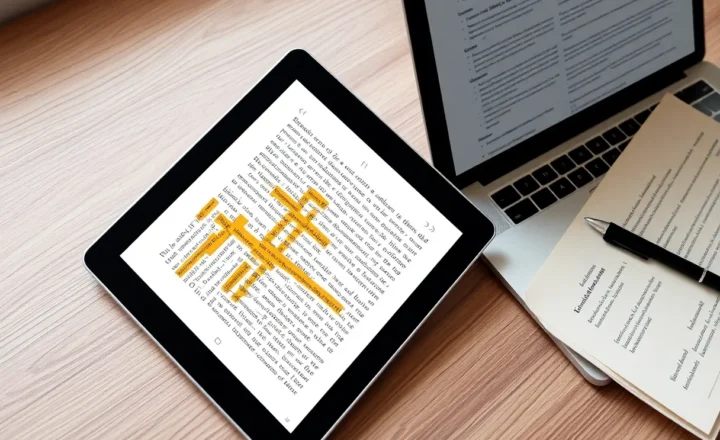
Color e-ink is sold in a dim living room. Highlights look like candy. Then you take the tablet to a bench at noon and the yellow you trusted becomes a rumor. Kaleido-class panels have always been a compromise: a color filter on a grayscale story. Bigme and Boox both ship that compromise with Android, styluses, and a promise that markup will be “real color.” Real in a studio. Optional in the sun.
I care about one job: can I see the highlight I made, outdoors, without cranking a front light that turns the device into a glowing slate? If the answer is no, I would rather have a grayscale Scribe and a code in the margin. Whether color is worth the premium at all is color versus grayscale e-ink. Color that disappears is worse than no color. It is a lie I paid a premium for.
The panel is the product, not the brand
Bigme and Boox often sit on related color e-ink generations. Firmware, light temperature, contrast sliders, and the reader app decide whether a highlight is a stain you can use or a tint you imagine. I do not pick a brand because a press photo showed saturated orange. I pick the combination of glass, film, and software that keeps yellow distinct from paper in daylight.
Boox gives you more reader knobs and more ways to ruin the picture. Bigme often feels like a device that wants to be a color notebook first. Both will receive Android updates that move a contrast default. I re-test highlights after updates the way I re-test automations. A setting called “vivid” can crush text to keep a highlighter alive. That is not a win if I cannot read the sentence.
Sunlight is a different display
Grayscale e-ink loves the sun. Color e-ink in the sun is a filter plus glare plus a highlight that was already pastel. I test on a bench with the light off, then with the light at 20 percent. If I need 60 percent at noon, I do not have an e-ink advantage. I have a worse iPad.
Yellow dies first. Pink can look like dirt. Blue can look like a shadow. I use a darker blue or a green that stays as a stain, not a neon. If the software only offers candy yellow, I change apps or I change devices. NeoReader-class tools and Bigme’s note layers are not equal. I try the same PDF on both with the same three colors before I trust a trip.
Shade is cheating. A cafe awning will make any color panel look like the press photo. I do not review in shade only. I review in the parking lot I will actually sit in.
Boox: knobs, ghosting, and the refresh tax
Boox color devices will let you push contrast and refresh until the highlight is a brick. They will also let you A2-scroll a PDF until the brick smears. I wrote about refresh modes elsewhere. Color plus fast refresh is how highlights become mud. HD plus a slower hand is how they stay stains. If you buy Boox for color markup, you must be the adult who refuses the speed religion while annotating.
The Play Store escape hatch means you can try a second reader when NeoReader’s highlight palette is wrong. That is Boox’s real advantage over a closed color notebook. It is also how you install a reader that ignores the panel’s profile and looks worse. I try one extra reader, then I stop.
Bigme: notebook first, fewer excuses
Bigme’s color machines have felt, to me, more willing to treat annotation as the job. The firmware can be rougher. The support culture is not Boox’s forum ocean. If you want a color notebook and you will live in their notes app, Bigme can be the less fiddly path. If you want a color Android computer, Boox is still the default conversation.
Sunlight does not care about the conversation. I have had a Bigme highlight survive noon better than a Boox on the same generation of glass because the default contrast was less polite. Polite color is pastel. Pastel dies outside. A slightly ugly indoor highlight can be a usable outdoor stain. I will take ugly.
Front light as a confession
Color filters eat brightness. Front lights compensate and kill the “paper in the sun” story. I use the light in the evening. I treat a noon light requirement as a failed color highlight. Some people will always use the light. They should buy an iPad and stop paying the Kaleido tax. The tax only makes sense if daylight still works.
Warm light can yellow a yellow highlight into invisibility. I keep a cooler setting when I mark. I warm it when I read unmarked text at night. Two presets. One human.
When grayscale is the honest upgrade
If your highlights are “this sentence” and not “this category of sentence,” grayscale plus a symbol in the margin is more durable in the sun than four weak colors. I still use color when I have four categories I must see at a glance: question, claim, cite, ignore. If I only have one category, I do not need Kaleido. I need a Scribe or a reMarkable and a walk.
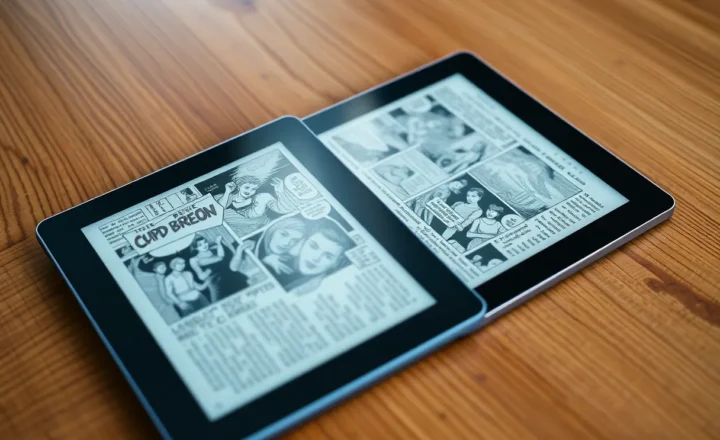
Comics and children’s books are the other color job. They are not highlight jobs. Do not buy a color annotator because you also want comics. Buy it for one job. The other job is a bonus if the panel is not sad. I have enjoyed a color comic indoors on both brands and still failed the highlight exam outside. That is allowed. It means you bought a comic slab, not a markup slab. Say so at the register so you do not feel cheated at noon. The cheat is the marketing, not your eyes.
Export and the color that leaves the device
A highlight you cannot export is a mood. Both ecosystems can produce PDFs with marks. The marks may shift. I open the PDF on a laptop in daylight too. If the yellow died on the tablet and lived on the laptop, the tablet failed the job I bought it for. I annotate to read later on the same glass, often outside. Laptop-only color is a different product.
A bench test you can repeat
Print or sideload a two-page PDF with a paragraph of body text and a small figure. Mark four sentences in yellow, pink, blue, and green. Sit in open sun with the light off for two minutes so your eyes adapt. Cover the palette with your hand and name each mark. If you cannot name yellow without cheating, the panel failed. Repeat in open shade. Repeat with light at 20 percent. Write the three results in a note before you listen to a review video shot in a studio.
Do the same test after a firmware update. I have lost a color I liked to a “clarity” default. The bench does not care about the changelog. I also do the test at 4 p.m. when the sun is a side light. Glare plus pastel is a second failure mode. A matte film can help and can also make colors dirtier. I do not stack three aftermarket films. I pick one and I live with it.
Other people’s eyes differ. If you share the tablet, have them take the test. I have declared a green “obvious” that a colleague called a shadow. Shared annotation systems need shared stains. If you cannot agree outdoors, you do not have a color system. You have a debate.
Battery during the test is not the point, but a color panel plus light plus Android will remind you it is not a Paperwhite. I still would not fail a device for sipping more than grayscale. I would fail it for a highlight I cannot see. Power is a later argument.
The choice I would make again
I would take the Boox color tablet if I need sideload freedom and I will lock refresh while I mark. I would take the Bigme if I want fewer Android toys and a notes app that treats stains as first-class. I would take neither if my noon test failed on both, and I would keep the money for a grayscale 10-inch and a cheap pack of sticky tabs. Color e-ink is a premium for indoor delight. Outdoor highlights are the exam. Most of these panels still cheat the exam in the press photo and fail it on the bench. Fail it once, honestly, before you buy the candy yellow that will not be there at noon. I have returned a device after that exam. The restocking fee was cheaper than a year of pretending I could see a mark that was only a memory of a studio.