Audiobookshelf vs Jellyfin for Audiobooks: Chapters, Progress Sync and Phone Apps

Owen Brant
October 20, 2026
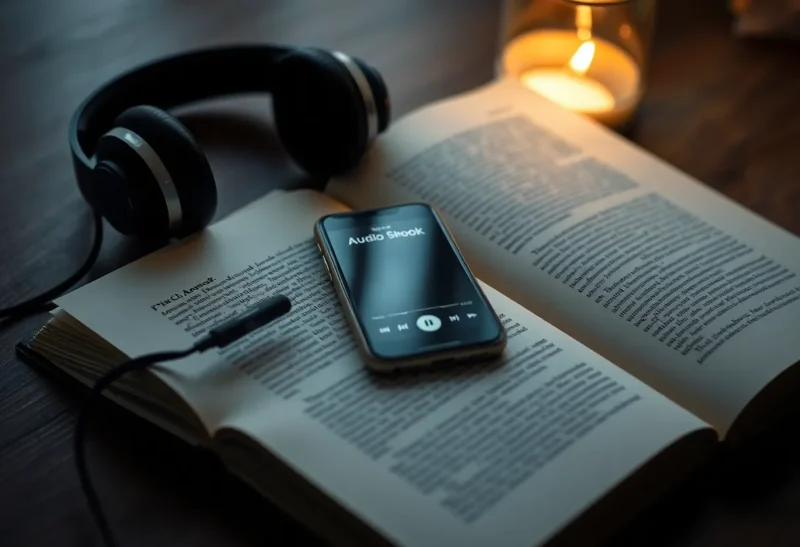
If you already run Jellyfin for films and TV, the obvious next step for an audiobook collection is to add another library and point it at the folder. Plenty of people do exactly that, and for a few books it works. But audiobooks are not short music tracks or two-hour films. They are fifteen-hour files with dozens of chapters, listened to in small pieces across a phone, a car and a kitchen speaker, and the single most important feature is that the app remembers exactly where you stopped.
Audiobookshelf was built for that job. This comparison looks at where each one fits, what you lose by using a general media server for audiobooks, and how many households end up running both side by side.
A media server and a listening app
Jellyfin is a free, open-source media server for films, TV, music, photos and books. It can hold audiobooks in a books or music library, read their metadata and cover art, and play them through its web client and apps. Its strength is breadth: one server for everything, with apps on TVs, phones and computers.
Audiobookshelf is a free, open-source server dedicated to audiobooks and podcasts. It understands books as a series of files or a single file with chapters, tracks progress per user down to the second, matches metadata from several sources, and has mobile apps designed around long-form listening: chapters, sleep timers, speed control, bookmarks and offline downloads. It also manages podcasts, downloading new episodes automatically, and can serve ebooks for reading in the browser.
| Audiobookshelf | Jellyfin | |
|---|---|---|
| Built for | Audiobooks and podcasts | All media, with audiobooks as one type |
| Chapters | Full support, embedded or from metadata | Varies by file format and client |
| Progress sync | Exact position per user across devices | Played progress per item; less suited to multi-file books |
| Mobile apps | Dedicated listening apps with offline downloads | General apps; third-party clients for audiobooks |
| Metadata matching | Book sources, series and narrators | General metadata; book data more limited |
| Podcasts | Built in, with auto-download | Not a focus |
| Extra service to run | Yes | No, if you already run Jellyfin |
Chapters, progress and the bookmark problem
The core difference shows up in daily listening. In Audiobookshelf, you open a book, see its chapter list, skip to chapter 14, listen for twenty minutes, and stop. Later, on another device, it resumes at that exact point. Playback speed is remembered per book, a sleep timer can stop at the end of a chapter, and bookmarks with notes mark passages you want to find again. If a book is split into many MP3 files, Audiobookshelf treats them as one continuous book.
Jellyfin’s handling depends on how the book is stored and which app you use. A single M4B file with embedded chapters plays well in some clients, and progress is stored per item. A book split into dozens of MP3 files can appear as an album of tracks, where progress is tracked per track rather than as one book, and resuming means finding the right track first. Jellyfin has improved its book support over time, and plugins help, but it remains a general media server first.
That same trade-off with music collections is covered in Navidrome vs Jellyfin: specialised servers tend to win on the details that matter for one kind of media.

Phone apps and offline listening
Most audiobook listening happens on phones, often without a reliable connection: commuting, travelling, walking. Audiobookshelf’s official mobile apps download books for offline listening, sync progress when the phone reconnects, and work with car systems and Bluetooth controls. Several third-party apps also support Audiobookshelf servers.
Jellyfin’s official mobile apps are designed mainly for video. For audiobooks, people often use third-party Jellyfin clients built for music or audiobooks, some of which support downloads and better resume behaviour. Results vary, so test with a long, multi-file book before committing.
Metadata, series and narrators
Audiobook libraries benefit from book-specific information: author, narrator, series name and order, publication year, description and cover. Audiobookshelf matches books against several online sources, shows series in order, lets you browse by narrator, and makes manual corrections easy. Folder structure matters less because you can fix matches in the interface.
Jellyfin reads embedded tags and folder names, and can fetch some book metadata, but series ordering and narrator information are less complete. For a large library with many series, Audiobookshelf’s organisation is noticeably better.
Podcasts and ebooks
Audiobookshelf also handles podcasts: subscribe by RSS feed, and it downloads new episodes automatically, keeps a set number, and syncs listening progress like audiobooks. For people who want their podcast subscriptions on their own server rather than in a commercial app, this is a real bonus. A related comparison for podcasts against Plex is in Audiobookshelf vs Plex for podcasts.
It can also hold ebooks, so a book’s EPUB can sit next to its audio version, readable in the web interface. That is useful for people who switch between reading and listening. For e-reader libraries, a dedicated tool such as Calibre-Web is usually better, but Audiobookshelf’s support is handy for the occasional companion ebook.
Running it alongside Jellyfin
Audiobookshelf is light: a single container with a small database, a config folder and read access to your audiobook folder. It runs comfortably next to Jellyfin on the same mini PC or NAS. Both can read the same files, but it is simpler to give each its own library folders, so Jellyfin handles films, TV and music while Audiobookshelf handles audiobooks and podcasts.
If you use a single sign-on system, Audiobookshelf supports OpenID Connect, so family members can use the same login as for other household services. Back up its config and metadata folders, which hold users, progress and matches, along with the media.
Organising files so either works
Whichever server you use, a consistent folder structure saves hours:
- Author / Series / Book title for series, or Author / Book title for standalone books.
- One folder per book, containing either a single M4B file with chapters or numbered MP3 files in order.
- Cover image named cover.jpg in the book’s folder.
- Merge multi-file books into a single M4B where practical. Audiobookshelf includes a tool to do this, and single-file books behave better in every app.
Only use audiobooks you have the right to store and play, such as DRM-free purchases, rips of CDs you own, or public-domain recordings. Books from subscription services usually cannot be moved to a self-hosted server.
In the car, on speakers and on the watch
Audiobooks travel between devices more than any other media, so it is worth checking how each server reaches them.
- Car. Audiobookshelf’s mobile apps support Android Auto and CarPlay in their current versions, showing the book and chapter controls on the car screen. Jellyfin’s official apps and many third-party clients support car integration for music, and some handle audiobooks well; test resume behaviour before a long trip.
- Smart speakers and casting. Audiobookshelf supports Chromecast from its apps and web player. Jellyfin supports casting to many devices. Both can be played in a browser on any computer.
- Watches. Support for listening directly from a smartwatch is limited for both and depends on third-party apps. Downloading to the phone and using the phone’s controls on the watch is the reliable route.
- Old devices. Both web interfaces run on older tablets, which makes a spare tablet a decent kitchen or bedside audiobook player.
Moving an existing library over
Moving from Jellyfin to Audiobookshelf is mostly a matter of pointing Audiobookshelf at the same folder and letting it scan. Progress does not transfer automatically, so note where each person is in their current book. Run Audiobookshelf’s metadata matching on the whole library, then fix the books it could not match.
If your folder structure is messy, Audiobookshelf can still find books, but cleaning it up first, following the layout above, gives better results in both servers.
Family listening
Audiobookshelf keeps separate progress, bookmarks and listening statistics for each user, so two people can listen to the same book at different points. Parents can limit children’s accounts to certain libraries or tags. Jellyfin also supports multiple users and parental controls, but the per-user audiobook experience is less complete.
For a family that listens a lot, especially to long children’s series in the car, Audiobookshelf’s dedicated apps and accurate resume make it noticeably easier to live with.
Which to use
Keep audiobooks in Jellyfin if you have a small collection of single-file books, listen mostly at home, and value running one server for everything. It works, especially with a good third-party client.
Add Audiobookshelf if audiobooks or podcasts are a regular part of your life, you listen on phones offline, or your books are split across many files. Accurate chapters, exact progress sync, series organisation and dedicated apps make a real difference, and the extra container costs almost nothing.
A simple test settles it for most people: put one long, multi-file audiobook in each, listen to a chapter on your phone on the way to work, and try to resume it on another device in the evening. The server that gets that right is the one to keep.
Most households that try both end up with Jellyfin for watching and Audiobookshelf for listening, each doing the job it was built for.