Navidrome vs Jellyfin for a Self-Hosted Music Library: Subsonic Apps or One Media Server

Felix Braun
October 15, 2026
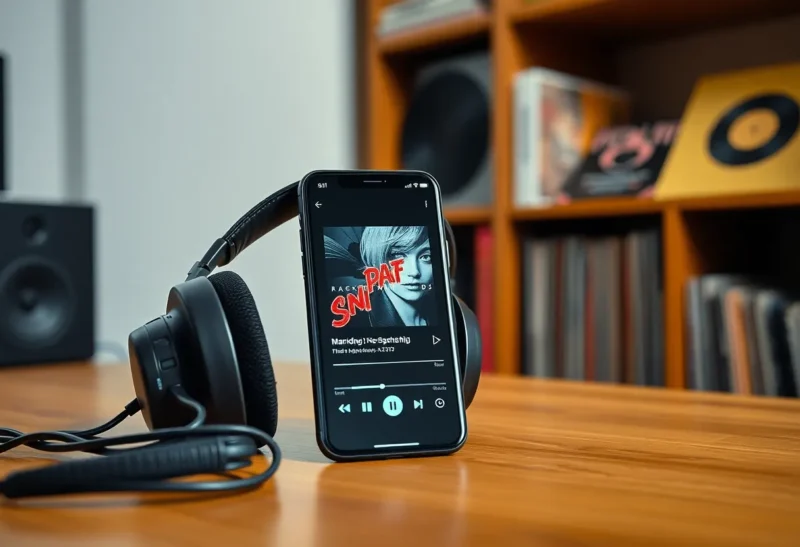
If you already run Jellyfin for films and TV, adding your music library to it feels like the obvious move. It is one server, one login, one set of apps. Then you spend a week with it and notice the small things: the phone app built for video, the slow scrolling through a large artist list, offline playback that takes effort to set up. Music is a different kind of library from video, and it rewards a server built for it.
Navidrome is the server most people find when they go looking. It does one thing, music, and it speaks the Subsonic protocol, which opens the door to a large family of dedicated music apps on every platform. I have self-hosted both for years, on the same small home server, and ended up using them for different jobs. Here is how they differ for someone whose main question is simply: where should my music live?
One server for everything, or a music specialist
Jellyfin is a free, open-source media server for films, TV, music, audiobooks and photos. Music is one library type among several. It has a web player, its own apps, and a growing set of third-party clients. If it already runs on your server, adding music costs nothing extra.
Navidrome is a lightweight, open-source music server written in Go. It reads your music folders and their tags, serves a clean web player, and exposes the Subsonic API, so you can use any of dozens of Subsonic-compatible apps: on Android, iOS, desktop and even some car and smart-speaker setups. It runs comfortably on a Raspberry Pi and uses very little memory.
| Navidrome | Jellyfin | |
|---|---|---|
| Scope | Music only | Films, TV, music, books, photos |
| App ecosystem | Any Subsonic-compatible app | Jellyfin apps plus music clients that support Jellyfin |
| Resource use | Very light | Heavier, though music alone is modest |
| Large libraries | Fast, built for tens of thousands of tracks | Works; interface can feel slower |
| Scrobbling | Last.fm and ListenBrainz built in | Through plugins |
| Smart playlists | Yes, rule-based | Limited |
| Already running for video | Separate server | Nothing new to install |
The apps decide most of it
For music, you spend nearly all your time in a player app, not in the server’s web interface, so the apps matter more than the server.
Navidrome’s advantage is the Subsonic ecosystem. Because it implements the Subsonic API, along with the newer OpenSubsonic extensions, you can choose from a wide range of mature music players. On Android, Symfonium is widely regarded as one of the best self-hosted music apps available, with offline caching, gapless playback and car support. On iOS, apps such as Amperfy and play:Sub connect to Subsonic servers. On the desktop, clients like Feishin offer a Spotify-like experience. If you do not like one app, you switch to another without touching the server.
Jellyfin’s own apps are built mainly around video, and listening to music in them works but is not their focus. The better experience comes from music-focused clients that support Jellyfin: Finamp is the best-known dedicated Jellyfin music player, with offline downloads, and some multi-server apps, including Symfonium and Feishin, support Jellyfin as well as Subsonic. So the gap has narrowed. But Navidrome still opens the larger choice of apps.
Large libraries and speed
If your collection is a few thousand tracks, both feel fine. As it grows into tens of thousands, the differences show. Navidrome scans quickly, browses large artist and album lists without lag, and searches near-instantly. It was built for exactly this.
Jellyfin handles large music libraries too, but its interface was designed around posters and a few hundred films, and scrolling a long artist list can feel sluggish, particularly in the web interface. Library scans also take longer, partly because Jellyfin does more work per item, such as fetching images and metadata. On modest hardware, a big music library can noticeably slow Jellyfin’s scans for everything else.
Tags, metadata and compilations
Both servers trust the tags in your files, so the quality of your library depends on tagging. The usual advice applies to both: tag with a tool such as MusicBrainz Picard, set album artist on every track so compilations do not split into dozens of one-song artists, and keep disc numbers consistent for multi-disc albums.
Navidrome is strict and predictable about tags. If something looks wrong, it is almost always the tag, and fixing the file fixes the server. Jellyfin can also fetch extra metadata and artwork from online sources, which is useful for artist photos and biographies, but it occasionally makes its own decisions about how to group albums, which can confuse tidy libraries. If you already maintain clean tags, Navidrome’s literal approach is a feature.
Listening history, playlists and the extras
Navidrome has built-in scrobbling to Last.fm and ListenBrainz, so your listening history follows you as it would with a streaming service. Its smart playlists use rules, such as “four- and five-star tracks from the 1990s I have not played this year”, and update automatically. Many Subsonic apps also support ratings, favourites and play counts that sync back to the server.
Jellyfin supports playlists, favourites and play counts, and scrobbling is available through plugins. Its strength is breadth rather than music-specific depth: audiobooks and podcasts can sit in the same server, although even there, dedicated tools often do better, as the comparison of Audiobookshelf vs Plex for podcasts shows.
Lossless files, phones and transcoding
Many self-hosters keep music in lossless formats such as FLAC, which sounds best at home but is heavy to stream over a mobile connection. Both servers can transcode on the fly, converting FLAC to a smaller format such as Opus or MP3 as it streams, so a phone on a weak signal gets a smaller file while your library stays untouched.
In Navidrome, transcoding is configured per player or per user, and many Subsonic apps let you choose a quality for Wi-Fi and another for mobile data. It uses ffmpeg, and music transcoding is light work, so even a Raspberry Pi copes. Jellyfin also transcodes audio well, with quality settings in its clients. In both cases, for offline listening, download a transcoded version to your phone rather than the original lossless files, unless you have storage to spare.
If you care about bit-perfect playback at home, both can stream originals untouched; the limit is usually the app and the device, not the server.
Sharing with the household
Both support multiple users with their own playlists, favourites and listening history. Navidrome’s user management is simple, and each person can use whichever Subsonic app they like. Jellyfin’s users are shared across all its libraries, which is convenient if family members already have accounts for films and TV. In both cases, set up separate accounts rather than sharing one, so everyone’s recommendations and history stay their own.
For listening outside the house, both work over a reverse proxy with HTTPS or a VPN. Most good music apps cache or download albums for offline playback, which matters more for music than for video: you want your library on a flight or underground without depending on your home upload speed.
Setting it up in an evening
Navidrome is one of the easiest self-hosted services to run. A single Docker container, a volume for its database and a read-only mount of your music folder are all it needs. Open the web interface, create the first admin user, wait for the scan, and connect an app with your server address and login. Most people are listening within half an hour.
Adding music to an existing Jellyfin is even quicker: create a music library pointing at the same folder and let it scan. The extra time goes into choosing a good client and, if needed, installing plugins for scrobbling or extra metadata.
Whichever you choose, mount the music read-only, keep the server’s own database backed up, and keep your tagged files backed up separately. The files are the library; the server is just a way to play them.
Running both is common
You do not have to choose one forever. Plenty of homelabs run Jellyfin for video and Navidrome for music, pointing both at the same music folder, read-only. Navidrome is light enough that it adds almost nothing to a server’s load. You get Jellyfin’s convenience for films and Navidrome’s speed and app choice for music. The only cost is a second set of logins.
If you are still deciding whether to self-host media at all, or between Jellyfin and Plex, start with the bigger question. The trade-offs specific to music on those two servers are covered in Jellyfin vs Plex for music.
Where your music should live
If music is a side library and you are happy with what Jellyfin’s apps or Finamp offer, keep it in Jellyfin. One server is simpler, and for a few thousand albums it works well.
If music is something you care about, with a large library, a favourite player app, scrobbling, smart playlists or a Raspberry Pi doing the hosting, run Navidrome. It is faster with big collections, lighter on hardware, and its Subsonic compatibility gives you the widest choice of excellent music apps on every device. And if you already run Jellyfin for video, adding Navidrome beside it costs little: same files, a few megabytes of memory, and noticeably better listening.