A mechanical keyboard vs the laptop keyboard on a call: what the other person actually hears

Owen Finch
September 23, 2026
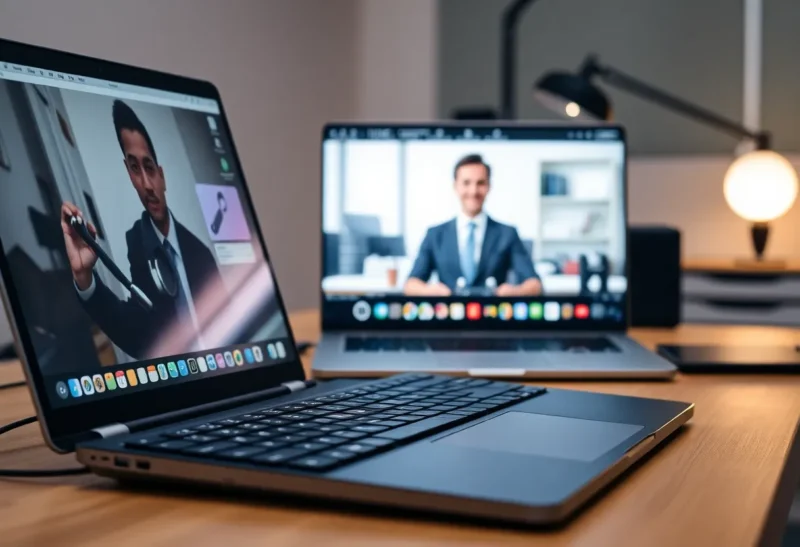
You mute when you cough. You forget to mute when you type. The other person on the call does not hear your clever commit message. They hear a drumline of switches, case ping, and stabilizers — or they hear almost nothing while you hammer the laptop’s chiclet keys two feet from the built-in mic.
Mechanical versus laptop keyboard on a call is not about which feels better under your fingers. It is about what the microphone captures, how far the noise travels into the uplink, and whether your “productivity flex” becomes everyone else’s audio problem.
Here is what the other person actually hears — and how to keep the board you love without sounding like a construction site.
What microphones pick up from keyboards
Laptop mics sit in the chassis, often near the hinge or deck. They are tuned for voice at conversational distance and are ruthlessly good at picking up structure-borne noise: keys firing into the same plastic shell the mic lives in. A laptop keyboard can sound louder on a call than it does in the room, because the mic is mechanically coupled to the deck.
External mics (headset boom, USB mic, webcam mic) hear airborne sound. A loud mechanical keyboard across the desk may be quieter on a headset boom than a soft laptop keyboard is on the built-in array — geometry beats marketing. Distance, directionality, and noise suppression matter more than switch brand mythology.
Software noise suppression (Krisp-like filters, Teams/Zoom AI, RNNoise variants) eats steady keyboard clatter surprisingly well when it is mid/high tick-tick. It struggles more with thocky case bass, bottom-out thumps, and irregular bursts when you mash shortcuts. Suppression also softens your consonants if you crank it; there is a trade.

Mechanical keyboards: what travels into the call
Clicky switches (classic blue-style) broadcast a sharp transient every keystroke. Humans on the other end describe it as “typewriter” or “gunfire,” usually not as a compliment. Tactile switches without the click rail are milder but still present. Linear switches can be quiet or loud depending on spring weight, lubing, and how hard you bottom out.
The case matters as much as the switch. Hollow plastic cases ping. Heavy plates and foam damp resonance. Stab rattle on bigger keys reads as a secondary percussion line. A “quiet” switch in a pingy case still sounds busy on a sensitive mic.
Hot-swap hobby boards invite evening tuning. On work calls, the unlubricated stab you meant to fix Saturday is the star of the standup.
What the other person hears from a typical unmodded clicky board with a laptop mic or open desk mic: dense, rhythmic, high-frequency chatter that rides over your words when you talk and type together. With a good headset mic and suppression: a soft texture, often acceptable, sometimes still distracting in quiet moments.
Laptop keyboards: quieter in the room, not always on the wire
Chiclet keys are short-travel and usually quieter in air. Colleagues in the same room may not notice. On a call using the built-in mic, the story changes: every keystroke couples into the chassis. The sound is less “click carnival,” more “plastic rain on a hollow box.” Fast typists still paint a constant texture under speech.
Some ultrabooks are worse than budget machines because thin metal decks resonate. Some membrane keyboards thump on spacebar harder than a muted mechanical.
What the other person hears: often a softer bed of noise than clicky mechanicals, but closer to the mic and harder to escape without an external headset. “Just use the laptop keyboard on calls” is incomplete advice if you stay on the built-in mic.

The hierarchy that actually fixes call audio
- Mic choice and placement — headset boom near the mouth, or a dynamic USB mic close and off-axis from the board, beats any switch swap.
- Stop typing while you talk — or mute while you type. Social fix, zero dollars.
- Noise suppression — enable the call app’s keyboard-friendly mode; test with a recording.
- Quieter board configuration — silent linears, foam, taped case, lubed stabs, desk mat.
- Fall back to laptop keys — only after mic path is fixed; otherwise you may not gain much.
People skip to step 5 because it feels virtuous. Steps 1–3 do more for the listener.
When the mechanical board is fine on calls
You use a headset with a boom mic. You do not type while presenting. Your switches are silent or heavily dampened. Suppression is on. The room is not a hard echo chamber. In that world, a mechanical board is an ergonomics and preference choice, not an audio crime.
Also fine: async culture where most “calls” are muted listening while you type notes — still mute yourself if the clatter is loud; not everyone enjoys ASMR switches.
When you should switch to the laptop keyboard (or a silent board)
You must use the laptop’s built-in mic (travel, broken headset). You type constantly during pair-programming with live audio. Your board is clicky and unmodded. You share thin walls and the call is in a quiet library-like meeting culture.
A silent mechanical (or low-profile silent scissor board) can be a third path: keep external ergonomics without the click signature. Laptop keys remain the zero-extra-hardware option.
A five-minute listening test
Do not trust how it sounds to you in the room. Record a one-minute Zoom self-call or voice memo through the same mic path you use at work:
- 30 seconds typing on the mechanical while speaking
- 30 seconds typing on the laptop keyboard while speaking
Play it on earbuds. Whichever makes you apologize is your call keyboard. Invite a trusted coworker for a live thirty-second check if your ego can take it — they hear the uplink compression you do not.
Etiquette that matters more than foam
Mute when you are not speaking if your environment is noisy. Announce “I am going to type for a second” in pair sessions so people do not talk over percussion. Prefer push-to-talk in large meetings. None of that is anti-mechanical. It is pro-listener.
If you host, set a norm: external mics welcome, clicky boards muted during presentations. Culture beats gear.
Travel and hot-desk realities
Coffee-shop calls punish both setups differently. Open rooms add babble; mechanical clatter stacks on top. Laptop keys plus built-in mic in a noisy café forces suppression into aggressive mode that makes you sound underwater. A simple USB-C headset in the bag beats any keyboard philosophy once you leave the house.
Hot desks with shared mechanicals are a lottery. You inherit someone else’s clickies and stabs. Keep a compact silent board in the backpack if you care, or accept laptop keys for meeting-heavy days. Identity keyboards can stay at the home desk where you control the mic path.
Bluetooth boards add latency and reconnection theater mid-call. If you must type on a call, wired or solid 2.4 GHz dongles fail less dramatically than a board that decides to sleep. Audio problems are bad enough without typing gaps while the LED blinks.
Quiet mods worth doing if you keep the mech
If you love the board and call daily, prioritize: desk mat, case foam if the design allows, lubed stabilizers, silent or pastel silent switch sets, and softer landing (even a towel under a hollow case in a pinch). Force-curve and spring weight that let you avoid hard bottom-out reduce thump more than another argument about switch color names.
Do not expect mods to fix a laptop mic two centimeters from the deck. Mods fix airborne noise. Chassis coupling needs a different mic.
If you share an office, ask neighbors which board bothers them more in-room. Their answer may differ from the uplink answer. In-room clicky annoyance is a courtesy problem; call audio is a mic problem. Solve both if you can, but do not confuse them when someone DMs you mid-meeting.
Finally, accessibility cuts both ways. Some people need mechanical feedback to type accurately; others get sensory overload from click spectra. Prefer silent tactiles or short-travel boards when mixed needs share a space, and never treat loud switches as a personality requirement on client calls. The listener’s comprehension is part of accessibility too — err on the quieter uplink when the stakes are high.
Bottom line
What the other person hears is mostly mic path and whether you type over speech — not the brand of switch. Laptop keyboards can still sound loud on built-in mics because of chassis coupling. Mechanical boards can be nearly invisible with a boom mic, suppression, and quieter builds — or unbearable with clickies into a deck mic.
Fix the microphone and muting habits first. Then choose the board that treats your hands well without turning the standup into a drum solo. If you only change one thing before the next call, put on a headset and stop typing while you talk. Your switches can stay interesting after you hang up.