Why Privacy-Focused Browsers Do More Than You Think—And Less Than You’d Hope

Helena Voss
July 7, 2026
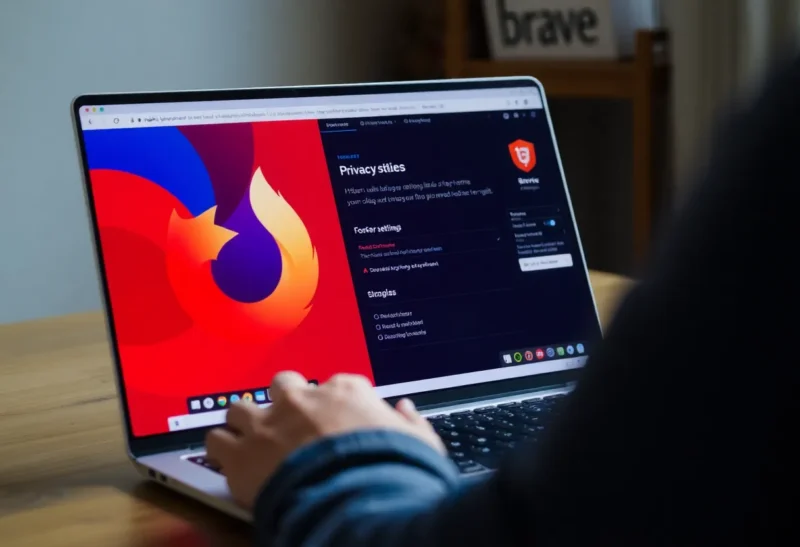
Switching to a privacy-focused browser is one of the most commonly recommended privacy steps for everyday users, and the advice isn’t wrong — but the actual protection provided is often misunderstood in both directions. Users overestimate what a privacy browser protects them from, underestimate what it does accomplish within its scope, and sometimes don’t realize that the specific protection they care about may not be primarily a browser problem. The accurate picture is more useful than either the marketing claims or the cynical dismissals: privacy browsers are a meaningful improvement with important limitations that depend entirely on what privacy threats you’re actually concerned about.
What Privacy Browsers Actually Do Well
The core protections that browsers like Firefox, Brave, and Safari (in privacy mode) provide are primarily around blocking third-party tracking: preventing advertising networks, data brokers, and analytics platforms from tracking your browsing behavior across different websites through cookies, tracking pixels, and fingerprinting techniques.
Third-party cookie blocking is now enforced by default in all major privacy browsers and increasingly in Chrome (following years of industry pressure and internal Google debate). When you visit a news site, a third-party advertising network’s cookie cannot be set in your browser and read by the same network when you visit an unrelated retail site — breaking the cross-site behavior tracking that powers behavioral advertising. This is a genuine and significant protection against the category of surveillance that the advertising industry has built: aggregating your browsing history across sites to build behavioral profiles for targeting.
Content blocking — blocking the loading of tracking scripts, pixels, and iframes from known tracking domains — goes further than cookie blocking alone. Browsers like Brave (with built-in Shields) and Firefox (with uBlock Origin, which Firefox supports where Chrome’s Manifest V3 changes have reduced its effectiveness) prevent tracking code from even executing, not just prevent cookies from persisting. This blocks server-side tracking pixels that don’t use cookies, JavaScript-based fingerprinting scripts, and third-party analytics calls that log your visit. The difference in practice: more tracking scripts blocked, faster page loads, less data transmitted to tracking networks.

Browser fingerprinting protection is where Brave has done the most substantive work. Fingerprinting is the technique of identifying individual browsers through their unique combination of characteristics: screen resolution, installed fonts, system timezone, hardware capabilities, WebGL rendering outputs, audio API outputs, and many others. Unlike cookies, fingerprinting doesn’t require storing anything on your device — it reads characteristics of your browser environment that are consistent across visits. Brave randomizes these fingerprinting vectors on a per-site, per-session basis, making it harder for fingerprinting-based tracking to link sessions together. Firefox has partial fingerprinting protection; Chrome has minimal protection against fingerprinting.
What Privacy Browsers Don’t Protect You From
The limitations of browser-level privacy are as important as the protections, and they’re frequently misunderstood.
Your ISP and network provider still see your traffic: Your Internet Service Provider observes which domains you connect to (even with HTTPS, the domain is visible in the TLS handshake). Privacy browsers do nothing about network-level visibility. If your threat model includes your ISP selling your browsing data (which US ISPs can legally do under current regulations), a VPN addresses this; a privacy browser does not.
First-party tracking is largely unaffected: When you’re logged into Google, Facebook, or any other service, the site you’re logged into sees everything you do while logged in — your searches, clicks, purchases, and browsing behavior on their own properties. Privacy browser protections specifically prevent third-party tracking (a different site’s tracking code running on another site). If you log into Gmail, Google’s own tracking of your activity on Google’s services continues regardless of which browser you use. The advertising that uses this data — Google Search ads, YouTube ads, ads served by Google on third-party sites to logged-in Google users — is not blocked by switching browsers without also avoiding the logged-in services entirely.
Your IP address is visible to every site you visit: Unless you’re using a VPN or Tor, your IP address is transmitted to every server you connect to. This enables geographic tracking, the ability to correlate visits from the same IP, and in some cases identification of individual users through IP address and timestamp correlation. Privacy browsers don’t mask your IP.

HTTPS doesn’t mean private: HTTPS encrypts the content of your connection, preventing intermediaries from reading the data exchanged between you and a site. It does not prevent the site from tracking you, does not prevent your ISP from seeing which domains you connect to, and does not anonymize you to the website. This is a common misunderstanding — the padlock icon means the connection is encrypted, not that you’re anonymous.
Extensions and logged-in accounts extend the tracking surface: Browser extensions can access page content, observe browsing behavior, and in some cases send that data externally. Many free extensions monetize through data collection. The browser’s core privacy protections apply to the browser itself; extensions that you’ve installed operate with permissions you’ve granted.
The Brave vs. Firefox vs. Safari Comparison
Brave is the most aggressive privacy browser in terms of built-in protections — fingerprint randomization, aggressive content blocking, and an architecture that was designed for privacy from the start rather than retrofitted. It’s built on Chromium, which means near-perfect compatibility with Chrome extensions and web applications. The tradeoff is that Brave is a smaller company with a business model (Brave Rewards, their opt-in advertising program) that some users are skeptical of even though it’s technically separable from the privacy features.
Firefox with uBlock Origin is the traditional recommendation for power users who want maximum content blocking control. Firefox has strong privacy defaults, meaningful fingerprinting protection (Firefox Privacy Enhanced Mode in Private Browsing, or the standalone Arkenfox configuration), and is the only major browser with full support for uBlock Origin in its most effective “advanced” blocking mode. Firefox’s concern after Chrome’s Manifest V3 changes (which limited extension-based content blocking in Chrome) is that it remains the browser where extensions like uBlock Origin work fully as intended.
Safari on Apple devices has excellent default protections — Intelligent Tracking Prevention is effective, the browser has reasonable fingerprinting resistance, and Apple’s business model isn’t ad-revenue dependent. The limitation is Apple’s walled garden: Safari only runs on Apple devices, extension support is more limited, and some web applications work better in Chromium-based browsers.
What Switching Browsers Actually Accomplishes
The realistic benefit of switching from Chrome to a privacy browser like Brave or Firefox: you stop contributing to third-party behavioral tracking profiles, your browsing data doesn’t flow to advertising networks through the browser itself, page loads are somewhat faster with tracking scripts blocked, and you reduce the fingerprinting surface that links your sessions across sites. For most users, this meaningfully improves protection against the advertising surveillance ecosystem that underpins behavioral targeting.
What it doesn’t accomplish: you remain identifiable to your ISP, identifiable to every site you log into, and trackable via IP address and account associations. If you’re concerned about government surveillance, advanced persistent threats, or employer monitoring on a work network, a browser change is a small part of a much larger solution set.
The most honest framing: privacy browsers are a meaningful improvement for the specific problem of advertising-ecosystem tracking. For that problem, they work. For the broader project of internet anonymity, they are necessary but far from sufficient. Understanding which threat you’re actually addressing helps evaluate whether switching browsers solves your actual concern — and what additional tools (VPN, DNS-over-HTTPS, different account practices) would address the gaps that remain.