Why Thin-and-Light Laptops Keep Compromising in the Same Places

Chris Walsh
July 7, 2026
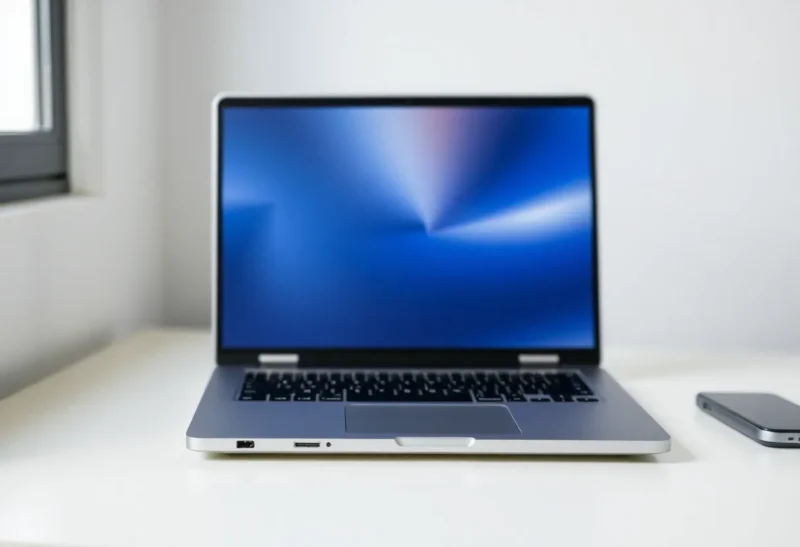
The thin-and-light laptop category has been producing the same engineering tradeoffs for a decade, and the pattern is consistent enough to be predictable before any specific product review is published. When a laptop gets thin — say, under 14mm — certain specifications either shrink, disappear, or move from the device to a dongle. The tradeoffs are not failures of engineering creativity; they are the direct consequences of thermal physics, battery chemistry, and structural requirements operating within an enclosure too thin to accommodate their preferred solutions. Understanding what’s actually constrained by thinness explains why buying advice for ultrabooks converges on the same category of complaints year after year.
The Port Problem: Physics of Small Enclosures
A USB-A port is approximately 4.5mm tall. A laptop body that’s 13mm thick (minus the structural material required above and below any port cutout) cannot physically accommodate a USB-A port in its standard orientation — the connector body simply doesn’t fit. This is the correct explanation for why USB-A ports disappear in ultra-thin laptops and why USB-C is the dominant connector in this category: USB-C is 2.4mm tall, fits in very thin enclosures, and can carry the same data, power, and display signals as larger connectors when paired with the appropriate protocol (Thunderbolt 4, USB4).
The real-world consequence — having to carry a dongle or hub to connect older USB-A peripherals, SD cards, HDMI cables, and Ethernet — is a legitimate annoyance for people whose workflows involve these connections. The specific annoyance varies by user. A photographer who shoots SDHC cards and wants to import without an adapter finds thin-and-light laptops genuinely inconvenient. A developer who works entirely with cloud-based services and uses wireless peripherals may never notice the port count. The laptop choice is neutral; the workflow fit depends on the specific user.
The broader structural issue with thinness and ports is that every port cutout weakens the chassis. Thin laptops achieve structural rigidity through carefully engineered aluminum or magnesium unibody construction that doesn’t depend on the central void being large — more port cutouts create more stress concentration points that must be engineered around, which either adds cost and complexity or compromises rigidity. Thicker laptops that don’t face the same structural constraint can accommodate more ports without the same engineering overhead.

The Thermal Ceiling: Why Thin Laptops Can’t Sustain Peak Performance
Modern laptop processors can execute bursts of high performance (Turbo Boost) that generate significantly more heat than their sustained thermal design power (TDP). A processor with a 28W TDP might draw 50–60W during a burst, generating proportional heat. The question for any laptop design is: how much heat can the cooling system dissipate sustainably?
Thin laptops have thin heatsinks, thin heat pipes, and small fans operating in a constrained airflow environment. The thermal mass that absorbs burst heat before the fan can dissipate it is limited by the enclosure volume, and the cooling surface area is limited by the laptop’s physical dimensions. The result is that thin laptops sustain lower performance under continuous load than thicker laptops with the same processor, because the thin laptop’s cooling system runs out of thermal headroom faster.
This thermal limitation appears in benchmark results as “performance throttling”: the laptop scores well in short burst benchmarks (Cinebench single-core, PCMark’s short workloads) but scores significantly lower in sustained workloads (Cinebench multi-core loop, HandBrake video encoding, compiling a large codebase). For users who do sustained heavy compute (video editing, 3D rendering, software compilation) on a thin laptop, they pay for a high-spec processor that can’t operate at spec when the workload actually needs it. For users with lighter workloads — productivity applications, web browsing, document editing — thermal throttling is irrelevant because the processor never approaches its thermal limit.
The Battery Capacity Constraint
Battery capacity is measured in watt-hours (Wh). A battery’s Wh = voltage × amp-hours, and the physical volume of the cells determines available amp-hours for a given chemistry. Thinner laptops with smaller internal volumes have less room for battery cells and thus less battery capacity, all else equal.
The thin-and-light battery reality is that most 13-inch ultrabooks ship with 45–60Wh batteries. A 14-inch or 15-inch laptop with a thicker profile might ship with 75–90Wh. At equivalent battery efficiency, the thicker laptop’s larger battery provides proportionally more runtime. The famous MacBook Air battery life is achieved not through exceptional battery efficiency (though Apple Silicon’s efficiency helps enormously) but through a combination of adequate battery capacity (~52Wh for M3 Air) and extremely low-power SoC design — Apple Silicon’s efficiency is genuinely exceptional and allows the M3 Air to achieve 15+ hours from a capacity that would produce 8–10 hours on a competing Intel or AMD thin laptop.
Battery life claims from manufacturers are notoriously optimistic — measured under light workloads at reduced brightness, not under the mixed use of actual work. Real-world battery life for most ultrabooks under mixed productivity use runs 60–70% of the advertised maximum. A laptop claiming 18 hours typically delivers 10–12 hours of actual mixed use. This is true across the category and matters more for purchasing decisions than the marketing number.

The Keyboard Sacrifice
Keyboard key travel — the distance a key moves when pressed — has a lower bound below which typing feel degrades significantly. Typical mechanical keyboards have 2–4mm of key travel; laptop keyboards with adequate typing feel typically need at least 1.3–1.5mm. A laptop body at 12mm total thickness has very limited room for keyboard mechanism depth while maintaining adequate structural material above and below the keyboard. This is why ultra-thin laptops consistently draw complaints about keyboard feel: 1.0mm or less of key travel produces a shallow, unsatisfying typing experience that typists notice immediately.
Apple’s butterfly keyboard era (MacBook 2015–2019) was the most extreme example: in pursuit of thinness, they reduced key travel to 0.5mm, producing a keyboard that was almost universally disliked and had serious reliability problems. The lesson was heard: Apple returned to 1.0mm+ scissor mechanism keyboards in 2019 and has maintained adequate key travel since. But the underlying constraint — that thinness competes with keyboard feel — remains, and it’s visible in any category comparison between ultrabooks and thicker productivity laptops.
Who the Tradeoffs Actually Affect
Thin-and-light laptops are excellent choices for users whose primary criteria are portability, a premium appearance, and work patterns that don’t stress the thermal or port limitations. Knowledge workers doing writing, email, presentations, video calls, and light spreadsheet work can use an ultrabook without ever encountering a thermal throttle, can manage with a USB-C hub for the few times they need legacy ports, and will appreciate the reduced weight on daily commutes and travel. The compromises are real but mostly invisible for this user profile.
Users who regularly do sustained compute-intensive work, frequently use legacy peripherals, rely on SD card readers for photography workflows, or spend long sessions typing and find keyboard feel important will find ultrabook compromises actively irritating rather than theoretical. For these users, a 15mm to 18mm laptop with full port selection, larger cooling system, and more battery capacity is a better functional fit — it will be heavier and larger but will deliver the performance and connectivity that the workload actually requires.