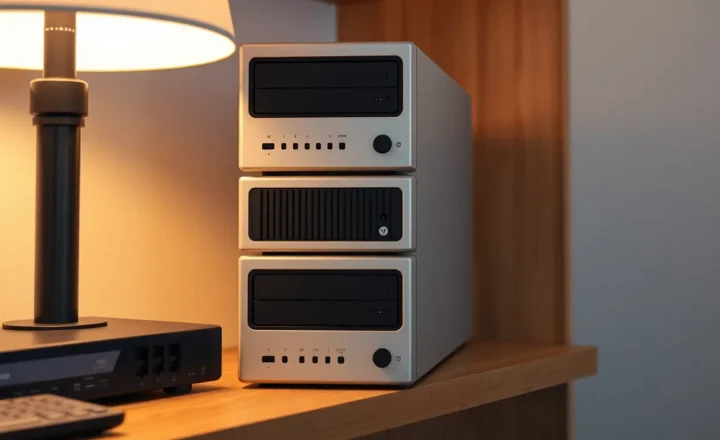
When does Jellyfin on a mini PC need a GPU, and when is direct play enough?

Owen Harlow
October 7, 2026
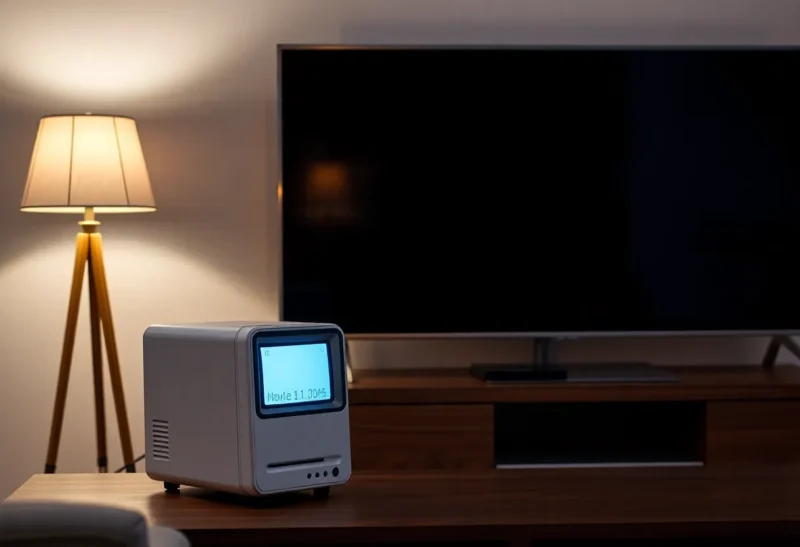
Direct play is enough when the client can decode the file as stored: the video codec, the bitrate, and subtitles that do not have to be burned in. A GPU, almost always the Intel iGPU already in an N100-class mini PC, is for transcoding. Browsers, a remote user on a thin upload, HDR that must become SDR, and image-based subtitles are the cases. A discrete graphics card is for several heavy transcodes at once, not for one television in the same room as the server.
Jellyfin’s dashboard saying “transcode” is not a hardware failure. It is a statement about the client you picked. The same file often direct-plays in the TV app and transcodes in Chrome. Buy silicon after you have read that line on the client you actually use.
When the file can just be sent
Direct play means the server ships the original video and audio and the client decodes them. Direct stream means the container is rewritten, maybe the audio is converted, and the video is still untouched. Both are fine. Neither needs a GPU. A Fire TV, a Shield, an Apple TV, or a TV with a Jellyfin client, on the LAN, playing H.264 or HEVC at a bitrate the Wi-Fi can carry, is this case. The mini PC’s CPU sits nearly idle. The disk and the network do the work.
Audio conversion is cheap. A client that wants AAC while the file has TrueHD can transcode the audio on the CPU and still direct-stream the video. That is not a reason to add a graphics card. Subtitles are the sharp edge. Text subtitles the client can draw stay in direct play. PGS or ASS that must be burned into the picture force a video transcode, and that is a GPU job if you do it often. Prefer text subs, or a client that can draw the fancy ones, before you decide the server is weak.

Wi-Fi is the other fake GPU problem. A 4K remux at sixty megabits stutters on a congested 5 GHz link, the dashboard still says direct play, and a graphics card does nothing because you asked for the original quality. Either wire the TV, or pick a lower bitrate, which is when a transcode becomes the honest fix. If you refuse to transcode and refuse to wire, the stutter remains. The N100 is not the bottleneck. The air is.
When the iGPU earns its keep
Chrome and Safari are picky. HEVC in a browser often becomes a transcode to H.264. If the household watches in a browser, you will transcode, and you want Quick Sync or VAAPI passed into the Jellyfin container as /dev/dri. An N100 can handle a 1080p transcode, and a 4K one, with headroom that depends on how many people do it at once. One or two streams is the design center of that chip. A household that is not a dorm usually fits.
Tone mapping is the other real one. An HDR file on an SDR television looks wrong if you direct-play it, washed out or strange, and looks right if Jellyfin tone-maps during a transcode. That tone map wants the iGPU. A discrete GPU also does it and is wasted money next to an Intel chip that already has the media block, unless the iGPU cannot be passed through because the mini PC’s firmware or the container is not seeing /dev/dri. Fix the device passthrough before you buy a card. A card you cannot power or cool in a tiny box is how a quiet N100 becomes a loud project.

Remote users are a bitrate problem. Your upload is eight megabits and the file is forty. Someone outside the house needs a transcode to a smaller H.264 stream, or they buffer. The iGPU does that. If nobody watches remotely, do not size the machine for imaginary travelers. If one person does, one transcode is the requirement, and the N100’s Quick Sync is the GPU you already paid for. A used Quadro does not make the upload wider.
What the dashboard is telling you
Open the session and read the reason, not just the word transcode. “Direct playing” means stop shopping. “Transcoding” with a reason about the codec, the subtitle burn, or the bitrate cap is the GPU case. “Throttling” and a client on Wi-Fi is the network case. Hardware acceleration should show as the encoder name, QSV or VAAPI, not as software. Software transcode of 4K on a mini PC is how the CPU pins and the fan spins and the picture still stutters. If the encoder is software, the device is not passed through. That is a container flag, not a missing graphics card.
Test with the client that lives in the room. Play the same title in the TV app and in the browser. If the TV direct-plays and the browser transcodes, tell people to use the TV app and leave the GPU for the browser sessions you cannot avoid. If both transcode, the file is the problem: a codec that nothing in the house decodes, or subtitles that always burn. A second encode of the library to H.264 or HEVC in a client-friendly profile removes the need to transcode at playback. That is a storage decision. It is often cheaper than a GPU and quieter than doing it live every evening.

A discrete GPU becomes reasonable when several people transcode 4K at once and the iGPU is already falling behind, or when the mini PC is an old AMD box with no useful media engine. It is not reasonable because a forum said Jellyfin “needs a GPU.” The server needs a path the client accepts. Direct play is that path whenever you can arrange it. The iGPU is the escape hatch. A big card is a third step most apartments never reach, and it should be the last thing you order, after the client, the subtitles, and /dev/dri.
The encode you do once instead of every night
A library of mixed rips will transcode forever if every client is the lowest common denominator. Pick the client you care about, read what it direct-plays, and make new files match that. For a lot of TVs that is HEVC, 8-bit, a bitrate that fits the Wi-Fi, AAC or AC3 audio, and srt subtitles in the container or beside it. Jellyfin then direct-plays and the iGPU stays idle, which is the correct use of a mini PC that is also doing other jobs. Live transcode is for the file you will watch once, from a browser, or from a hotel. It is an expensive way to watch the same movie every year.
Hardware tone mapping and subtitle burn-in do not stack for free. One 4K HDR title with PGS subtitles, tone-mapped for an SDR TV, is a harder job than a 1080p H.264 browser transcode. If that is the weekly case, confirm the iGPU is actually doing it by watching the encoder in the session and the CPU not sitting at 100 percent. If the CPU is at 100 percent, you are in software, the picture will hitch, and a settings change fixes it more often than a purchase. If the iGPU is maxed and a second person starts another 4K tone map, that is the first honest argument for a stronger media engine. Not a speculative one. A measured one, from a night when two people pressed play.
Power and noise belong in the decision. An N100 at idle during direct play is a small, quiet box you can leave in the living room. A discrete GPU in that same box means a bigger PSU, more heat, and a fan curve you will hear during the movie, which is exactly when you notice. Direct play keeps the fan off. Transcode on the iGPU is a warm box for two hours. A gaming card is a space heater you bought so a browser could play HEVC. Use the TV app, keep the small box, and let the GPU question stay closed until the session page proves the iGPU lost.
Who can ignore graphics cards
Ignore them if the playback page says direct play on the devices you actually turn on, and the rare browser session can wait or transcode one 1080p stream in software without annoying you. Pass through the iGPU the day a transcode becomes weekly. Buy a discrete card the day the iGPU’s session list shows more simultaneous 4K tone-maps than it finishes. Until that day, the mini PC is enough because the file was already in a shape the TV understood, which was the goal of keeping the library yourself. A GPU does not make a badly chosen client honest, and a direct-play session does not become more reliable because a card is sitting idle in another slot. Read the session, then spend money only if the encoder you already own is the thing that fell behind. Most living rooms never get that far, and the ones that do already know because two people pressed play and the picture stalled.