Same Size vs Mixed Monitors: When Mismatched PPI Breaks the Cursor

Nate Osborn
September 18, 2026
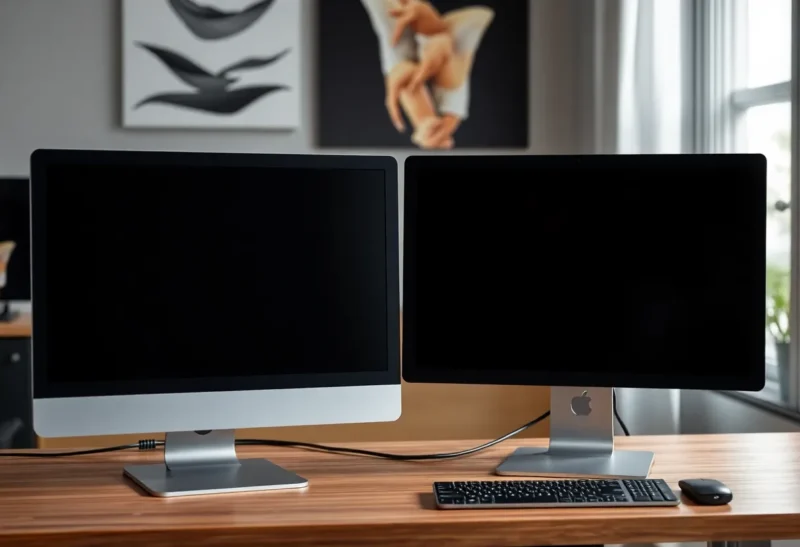
I have a 27-inch 4K Dell U2723QE next to a 27-inch 1440p LG 27UP850. They are the same width on the desk. They are not the same world. Drag a window from the Dell to the LG and the cursor jumps, the title bar fattens, and a screenshot that was “full width” is suddenly a different physical size. Windows calls this mixed DPI. I call it the afternoon I spent aligning a Figma frame to a reference that lived on the other panel.
Same size is not the same monitor. PPI is the number that decides whether the cursor is a liar.
The math that does not care about your stipend
A 27-inch 4K panel is about 163 PPI. A 27-inch 1440p panel is about 109 PPI. A 27-inch 1080p leftover is about 82. A 24-inch 1080p is about 92. A 32-inch 4K is about 140. These are not close. 100 percent scaling on the 4K is ant-sized type. 150 percent on the 4K is near the 1440p’s 100 percent in physical type size, and still not a match, and Windows will still do something unique at the boundary.
macOS handles a 27-inch 5K (Studio Display, about 218 PPI) plus a 27-inch 1440p with less screaming than Windows, and still a cursor that changes personality. I have used a Studio Display plus an old Dell P2419H. The Dell was a postage-stamp world. I kept dragging windows “a little further” because the mouse traveled fewer inches of desk per inch of UI.
How the cursor actually breaks
On Windows, mixed scaling (150 percent + 100 percent) is the classic. The mouse hits the bezel and the pointer jumps because the coordinate space is not 1:1 in physical millimeters. Fast mouse flicks overshoot. Slow mouse work for design becomes a series of corrections. I have turned down pointer speed to cope and then hated the 1440p side because it felt like molasses.
Blurry text on the “wrong” panel after a drag is the other classic. An app that is DPI-unaware, or a browser that cached a scale, looks soft on the 4K and huge on the 1440p. Electron apps (Slack, VS Code, Figma’s desktop shell) are better than 2016 and still not perfect. I have a weekly ritual of signing out of the Windows session when a title bar is fuzzy. That is not a workflow. That is a tax.
On macOS, “looks like 2560×1440” on a 4K/5K versus a native 1440p secondary is closer, until you take a screenshot on one and open it on the other. The screenshot is the right pixel count and the wrong physical size. Designers who judge 1x mobile frames across that gap will ship the wrong padding. I have.
Games and full-screen video on the secondary will also move the cursor into a trapped mode that does not return cleanly. I have alt-tabbed into a 1440p game and come back to a 4K desktop where the pointer is in the bezel void. Unplugging the secondary fixes it. So does not mixing.
Same size, matched PPI
Two 27-inch 1440p panels. Two 27-inch 4K panels. Two 24-inch 1080p panels if you must. The window that leaves one bezel arrives on the other at the same physical size. The cursor speed feels like one desk. You can still have different refresh rates (a 144 Hz 1440p next to a 60 Hz 1440p) and the cursor will usually survive. You cannot have 163 PPI next to 109 and expect the hand to be quiet.
Matched 4K 27s at 150 percent are a lovely sharp pair and a GPU/dock bill. Matched 1440p 27s at 100 percent are the cheap pair that still behave. I tell people to buy the second panel as a twin of the first, even if the first was “better.” A single nicer panel plus a junk twin is how mixed PPI happens. The stipend bought the jewel. The closet bought the liar.
When mixed is survivable
A laptop 14-inch 2.8K next to a 27-inch 1440p, lid closed, is not mixed in use. Lid open is mixed and I close the lid.
A 15-inch portable USB-C monitor under the primary, used for logs or a chat you should not have, is mixed and small enough that I treat it as a gadget, not as a layout surface. I do not put Figma there.
A 49-inch 1440p-tall ultrawide next to a 27-inch 1440p can be almost sane in height if the 27 is a side panel for a tool you do not measure. The PPI of a 49 at 32:9 is near a 27-inch 1440p. That pair is less of a crime than 4K 27 + 1080p 24. I have done both. The crime was nicer to photograph and worse to mouse across.
Fixes that are not “buy two new monitors”
Set both Windows scalings so physical type is close, then accept some blur, or set both to 100 percent and sit closer to the 4K like a monster. I have done the 125/100 compromise and still hated the jump.
Put the panels one above the other, not side by side, so the cursor crosses a shorter, more predictable edge. Vertical stacks have their own neck story. They do reduce the “long glide into a different universe” problem.
Use the mismatched panel only for a full-screen app you do not drag — a clock, a muted Slack you should have bound to a key, a preview that stays put. The break is the drag.
Linux (Hyprland, KDE) can be more honest about per-monitor scale. I have had a pleasant mixed setup on a desktop that I could not reproduce on a work Windows laptop. If your job is a locked Windows image, do not bet on a compositor you do not have.
Remote desktop and the second lie
RDP, Parsec, and “I left a window on the other machine” make mixed PPI worse. A remote session that was laid out on two 1440p panels and then opened on a 4K + 1080p pair will put buttons off the visible world. I keep a note of which desk a VM was arranged on. I have also stopped spanning a remote desktop across mixed locals. One panel, native, is ugly and it works.
Browsers: Chrome and Edge will remember a zoom per site and a window bounds per monitor. I have a docs site that is 110 percent on the 4K and 100 percent on the 1440p because I panicked once. I reset zoom instead of adding a third panel to “see the docs.” The cursor was the problem, not the lack of glass.
ClearType / font smoothing is per-monitor in theory and per-mood in practice. After a cable swap I run the ClearType tuner if text on one side looks drunk. macOS font rendering across a 5K and a 1080p will never look like one product. I stop comparing them side by side for “is this grey.”
Work laptop images you cannot replace
If IT will not buy a twin, I ask for the leftover to match the leftover I already have, not the jewel. Two 1080p 24s are a matched pair. A 4K 27 plus a 1080p 24 is a demo of DPI. I have written that sentence in a ticket. I have also used a single 27 and the laptop closed when the ticket died. One honest PPI beat two that argued.
What I buy now
If the first panel is a 27-inch 4K, the second is a 27-inch 4K, even a cheaper one (a used P2723QE, an Innocn, whatever is actually 3840×2160 at 27). If the first is 1440p, the second is 1440p. I do not “upgrade one side.” I replace the pair when I upgrade.
Same size without same PPI is a trap the product photos set on purpose. Two 27s look matched in a listing. They are matched in width. The cursor lives in pixels-per-inch. Buy the twin, or stop dragging windows across the bezel and pretend you have two computers. That second option is how I survived a month of a 4K plus a 1080p before the twin arrived. I used Windows+arrow and I did not chase the pointer into the fog.
Mismatched PPI does not make you a bad person. It makes the mouse a bad instrument. If the work is code, you can live with it and complain. If the work is layout, the instrument is the job. Match the PPI or stop measuring across the gap. I still keep a cheap 1440p twin in a closet for the next time a “temporary” 1080p arrives from a well-meaning roommate. Temporary is how mixed PPI becomes the desk’s personality.