Pushcut vs iOS Shortcuts Notifications: When Apple’s Alerts Don’t Wake You

Nadia Pell
August 25, 2026
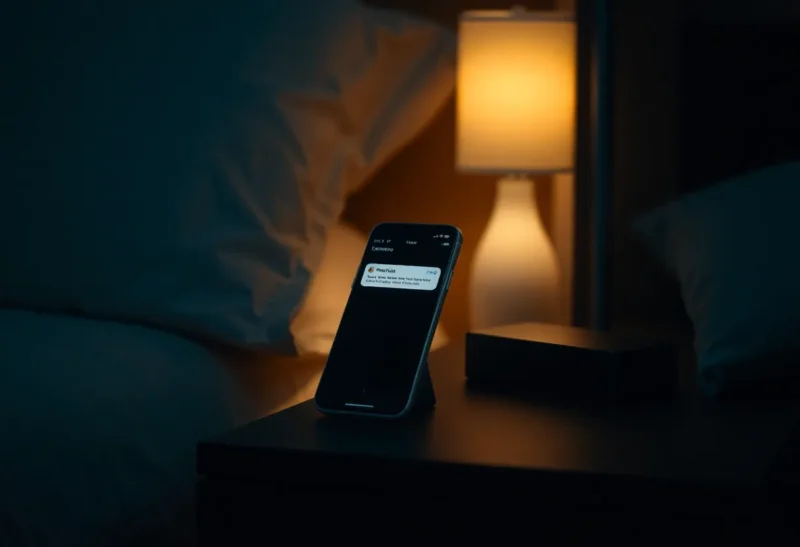
iOS Shortcuts can show a notification. That sentence has tricked a lot of people into thinking they have monitoring. I thought it too. I built a Shortcut that ran from a webhook-ish setup, posted a banner, and went back to sleep. The banner arrived when I was looking at the phone. It did not arrive like a smoke alarm when I was in another room with Focus on. Apple’s notification system is a social product. It is designed to be ignored. Homelab disks and calendar traps need a product designed to be rude.
Pushcut is the rude layer I ended up paying for. It is not pretty in the keynote sense. It is an app that takes HTTP, puts a notification on the phone, and can run a Shortcut or open a URL when you tap an action. The comparison is not “which editor I like.” It is whether the alert still exists after iOS has applied Focus, Scheduled Summary, and the user’s own habit of swiping everything away at 8 a.m.
What Shortcuts notifications actually are
A Shortcut can display a notification as an output of a run. That run has to happen. Personal automations still ask for permission on a bad week. Background delivery is a mood. If the Shortcut never runs, the notification is philosophy.
When it does run, the notification is a Shortcuts-shaped banner. It lives in the same river as news apps and group chats. iOS will stack it, summarize it, and hide it in a Focus that you turned on to write. I have missed “backup failed” because I was in Work Focus to avoid Slack. The irony is free. The restore is not.
Shortcuts cannot, by itself, be a reliable pager from a server on the internet. You can approximate it with a Mac that is awake, an always-on computer running a helper, or a third-party that already solved delivery. That third-party is the market Pushcut sits in, next to Pushover and ntfy, and a graveyard of “just use email.” Email is not a pager unless you are the kind of person who hears inbox zero as a siren. I am not.
What Pushcut is for
Pushcut gives you devices, notifications, and actions. A server, a Shortcuts-for-Mac machine, or a button in another tool POSTs to a URL. The phone shows a notification you configured: title, text, sound, optional critical-style interruption if you have set that up and you understand the responsibility. You can attach actions that run Shortcuts or open deep links.
That last part is why it is not just Pushover. I want the tap to do work: open the camera app’s hallway note, run a Shortcut that acknowledges a Healthchecks ping, jump to a dashboard. Shortcuts alone can do the work if it runs. Pushcut is how the work gets requested from outside the phone.
There is a subscription smell. I pay it because the alternative was a Mac mini I had to keep awake to bounce notifications, plus a Shortcuts automation that iOS kept turning into a confirmation dialog. Money for rudeness is cheaper than a second computer whose job is “be a bell.”
Focus, Critical Alerts, and the ethics of waking someone
iOS Focus is the wall. Shortcuts notifications respect it like a polite guest. Pushcut can be configured to punch through more aggressively, especially if you use interruption levels that Apple allows for time-sensitive or critical paths. Critical is not a toy. If you mark a grocery reminder critical, you are training yourself and your household to hate the app. I reserve punch-through for: water in the basement sensor, backup fail, and “the guest Wi-Fi is down and someone is arriving.” Calendar “leave now” can be time-sensitive. It should not sound like a fire.
Apple will keep tightening what third parties can do. Any article that promises a forever loophole is a liar. I re-test after OS updates. The test is: phone face down, Work Focus on, send the alert, walk to the kitchen. If I cannot hear it, the stack failed. Shortcuts failed that test for me. Pushcut passed when I configured it like I meant it.
Homelab and the webhook you already have
Uptime Kuma, Healthchecks, a NAS, a cheap ESP sensor: they already know how to hit a URL. Pushcut is a URL. Shortcuts is not a URL unless you build a whole Rube Goldberg involving a Mac or a cloud function that still has to wake the phone somehow. I have built the Goldberg. I have also deleted it.
ntfy and Pushover are siblings. If you only need a message, they may be enough and cheaper in complexity. I still ended up on Pushcut because the action buttons run the Shortcuts I already wrote. The notification is the doorbell. The Shortcut is still the house. That hybrid matches how I work: logic in Shortcuts or Scriptable, delivery in something that is allowed to be loud.
Do not point every container log at the phone. You will disable the sound in a week. I have a rule: if I would not wake up for it at 2 a.m., it is a dashboard, not a Pushcut. Dashboards are for noon. Pagers are for exceptions.
When Shortcuts notifications are enough
Local, user-present automations: you tap a widget, the Shortcut finishes, a confirmation banner is fine. Cooking timers you start yourself. “Log water” receipts. Anything where you are already holding the glass.
Family shared automations that are not safety: a grocery list ping while everyone is awake and not in Sleep Focus. Even then, Messages might be the ruder, more reliable channel. I have used a family iMessage more successfully than a Shortcut notification for “leave the porch light.” Social apps are allowed to be loud. Your automation app is a stranger until you train iOS otherwise.
When I would not use Pushcut
If you do not want another account and another URL secret in a server config. If your only computer is the iPhone and you have no producer of HTTP events. If you need a team on-call product — that is PagerDuty land, not a personal app. If you will mark everything critical and then hate your bedroom.
Android people should not buy Pushcut to solve a Shortcuts problem they do not have. Tasker and ntfy on Android are a different essay. This is for the iPhone that kept being polite.
A setup that survives a Sunday update
One Pushcut notification for truly bad things, unique sound. One for daytime ops, quieter. Shortcuts for the tap actions, kept short so they do not fail halfway. Secrets in the server environment, not in a Shortcut you might share. After every iOS update, the kitchen test. I put the kitchen test on a calendar the way I put a restore drill on a calendar. Notifications that you never test are decorations.
I also keep a fallback: if Pushcut is down, Healthchecks can still email. Email is slow and I will see it at breakfast. Breakfast is better than never. Two paths, different urgency. The phone is the fast path. The inbox is the shame path.
Sounds, lock screens, and the swipe reflex
A unique sound is not cute branding. It is how you beat the swipe reflex. If Pushcut uses the same note as Mail, you will clear a disk failure with the rest of the junk. I picked a sound I do not use elsewhere and I told the people I live with what it means. They should not have to guess whether the house is flooding or a podcast finished.
Lock screen real estate is a fight with widgets and Live Activities. A notification that is a one-liner with a verb beats a paragraph. “NAS backup failed — tap to open log” is a pager. A dump of JSON is a developer toy you will not read at 1 a.m. Put the JSON in the server log. Put the verb on the glass.
Apple Watch complicates delivery in ways I re-test every year. Sometimes the watch is the only thing that taps you. Sometimes it swallows the event into a silent complication of your wrist. If the kitchen test includes leaving the watch on the charger, do that test too. The body you are wearing is part of the stack.
The choice I would make again
I would still write the logic in Shortcuts. I would still not trust Shortcuts to wake me. Apple’s alerts are for apps that sell ads and chats. A backup failure is not a chat. Pushcut is how I rented a louder doorbell without leaving the Apple phone I am otherwise stuck with. If Apple someday ships a first-party “this notification is a pager” that Shortcuts can use without begging, I will reconsider the invoice. Until the kitchen test passes on Shortcuts alone, I will keep paying for the app that fails less politely. Polite software is a luxury. Dead backups are not.