PC Gaming on a Budget in 2026: Where the Value Actually Is

Marcus Feldmann
July 7, 2026
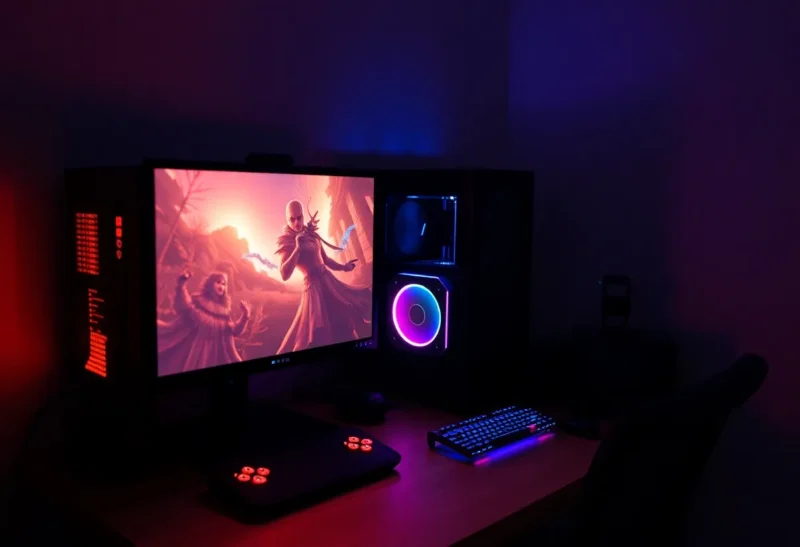
The budget PC gaming conversation has been frustratingly distorted for years by two things: GPU price gouging during the crypto boom and pandemic-era component shortages. Both have mostly resolved, and the 2026 market looks more like the pre-2020 market than anything we saw between 2021 and 2023. GPU prices at the sub-$300 tier are reasonable. Used hardware markets are deep. And for the first time in a while, you can build or buy a gaming PC that handles 1080p and even 1440p gaming competently for under $500 without resorting to something ancient or compromised.
But “budget gaming PC” is a category that requires precise definition to be useful, because the value landscape is different at $350, $500, and $700 than it’s been in previous years. Here’s where the value actually is in 2026 — broken down by tier and use case, with the tradeoffs honest rather than glossed over.
The GPU Is Still the Decision That Matters Most
Every budget gaming build starts with the GPU choice. Everything else — CPU, motherboard, RAM — is downstream of that decision, and the GPU is typically the largest single cost in a gaming PC at any budget tier.
At the $150–200 used tier, the AMD RX 6600 and Nvidia RTX 3060 12GB are the cards to target. Both handle 1080p gaming at high settings with most games released through 2026 without issue. The RX 6600’s 8GB VRAM is starting to show limits in a handful of VRAM-hungry titles (some Unreal Engine 5 games and open-world titles are pushing past 8GB), but for most gaming it remains capable. The RTX 3060 12GB’s unusual memory configuration — 12GB on a narrow 192-bit bus — gives it more VRAM headroom than its raw bandwidth suggests, and it’s held its value as a result.
At the $200–280 new tier, the RX 7600 XT and RTX 4060 compete for the same buyer. Both are 1080p cards with modest 1440p capability for less demanding games. The RX 7600 XT has 16GB VRAM and generally stronger rasterization performance at this price. The RTX 4060 has significantly better ray tracing performance, DLSS 3 Frame Generation, and lower power draw. If you’re targeting traditional rasterized games and want maximum frame rate for the money, AMD wins. If ray tracing or DLSS features matter to you, Nvidia wins. Neither is wrong.
The mistake budget builders often make is stretching above $300 for a GPU while compromising everything else. A $350 GPU in a build with an underpowered CPU, too-slow RAM, or a substandard PSU often delivers worse real-world gaming performance than a $200 GPU in a properly balanced build. The GPU doesn’t exist in isolation.
CPU Choices: Where the Used Market Helps Most
For budget gaming, the CPU goal is simple: don’t bottleneck the GPU, and don’t overspend on cores that gaming doesn’t use. Most current games are well-served by 6 physical cores with reasonable clock speeds. Eight cores gives meaningful headroom for games that do use more threads and for anyone who streams or runs background tasks while gaming.
Used Intel Core i5-12400 and i5-12600K chips — 12th gen Alder Lake — hit the sweet spot here. The i5-12400 has 6 cores, hits 4.4GHz boost, and runs cool on a basic air cooler. It was excellent at launch, and the used prices have dropped to where it represents outstanding value. The platform (LGA1700) also accepts DDR4, which is cheaper than DDR5, and B660 motherboards are plentiful in the $80–100 range used.
AMD’s Ryzen 5 5600 remains competitive and is often similarly priced used. AM4 platform has the advantage of being extremely mature with a huge aftermarket for parts. If you can find a B550 board and Ryzen 5 5600 combo for similar total cost to the Intel option, either is a sound choice.
The new budget option worth knowing about: Intel’s Core i3-N305 (an Alder Lake-N mobile chip in mini PC form) in the small NUC-style systems has become a legitimate light gaming platform for under $200 total, capable of 1080p gaming at medium settings with integrated graphics on less demanding titles. It’s not a replacement for a discrete GPU setup, but for someone whose gaming is mostly older titles, indie games, and less graphically intensive games, it’s worth knowing about as an entry point.
RAM and Storage: Where Builders Still Over-Spend
16GB DDR4 is the right answer for budget gaming in 2026. Yes, some games and certainly content creation benefit from 32GB — but for a budget gaming build, 16GB in dual-channel configuration (2x8GB) delivers everything you need for gaming, streaming in the background, and normal desktop use simultaneously. Spending extra on 32GB means spending less on the GPU, which is the wrong trade-off at this tier.
RAM speed matters more than people used to think for AMD Ryzen (which has the “infinity fabric” frequency tied to memory speed) and somewhat less for Intel. For Ryzen 5000 series, hitting DDR4-3600 with tight timings is worth the minimal price premium. For Intel 12th and 13th gen, DDR4-3200 is the sweet spot where you’re not overpaying for marginal gains.
Storage: a 1TB NVMe SSD is the baseline. Samsung 870 Evo clones and Crucial P3 class drives are available for under $60 and deliver excellent real-world performance for gaming loads. The difference between mid-tier and premium NVMe for game load times is small and largely irrelevant for gaming. A second 2TB SATA SSD for game storage can be added for $50–60 and often matters more than any other secondary upgrade.
Buying Pre-Built vs Building in 2026
The pre-built vs DIY calculus has shifted. In 2021–2022, pre-built PCs often used low-quality PSUs, cheap coolers, and cut corners in ways that made DIY clearly superior for informed buyers. That quality gap has narrowed, partly because GPU prices normalized and pre-built makers can use decent parts at reasonable price points again.
For a $500–600 budget, a pre-built from a reputable maker (Lenovo Legion, ASUS ROG Strix variants at the lower end, iBUYPOWER at their better tier) now often competes with an equivalent DIY build on total value, particularly when you factor in the cost of a Windows license (which OEM pre-builds include). The main remaining disadvantages of pre-built are less ability to specifically choose components, occasional compromised PSU quality at the very low end, and fewer upgrade options on proprietary form factors.
For someone comfortable building, a DIY build still wins on customization and often on value — you can pick every component deliberately, avoid compromises, and build something with clear upgrade paths. For someone less comfortable or who values warranty support and simplicity, a well-chosen pre-built at $500–600 is no longer obviously inferior. That’s a change from a few years ago.
Monitors: The Often-Skipped Upgrade
A budget gaming build paired with a bad monitor wastes its potential. The good news is that 1080p 144Hz IPS monitors have dropped to $130–160 territory, and the difference between a 60Hz panel and a 144Hz panel in gaming is more noticeable than the difference between many GPU upgrades. The smoothness improvement at 144Hz is particularly apparent in fast-paced games and mouse-driven games where screen response matters.
For a $500 gaming build, I’d strongly suggest allocating $140–160 of that budget for a 1080p 144Hz IPS monitor rather than spending it on a modestly better GPU. You’ll get more noticeable improvement in the gaming experience from the monitor than from stepping up GPU tiers in the budget range.
The Complete $500 Budget Build
To make this concrete: a $500 build that genuinely works in 2026 might look like a used Intel i5-12400 with B660 board and 16GB DDR4-3200 for around $130 total, a used RTX 3060 12GB or RX 6600 XT for $170–190, 1TB NVMe SSD for $55, a quality 650W 80+ Bronze PSU (Corsair, EVGA, or Seasonic foundation series) for $70, and a basic mid-tower case for $50. Add a Windows license ($20 for a legitimate OEM key from a reseller, or use the free upgrade path from an older key if you have one) and you have a complete build.
That machine will play Baldur’s Gate 3, Elden Ring, Cyberpunk 2077 (at medium-high with DLSS/FSR upscaling), and essentially everything in Game Pass at 1080p high settings above 60fps. It’s not a premium experience at 4K or maximum ray tracing — it was never going to be at this budget. But it’s a genuinely capable gaming PC at a price point that’s been out of reach for the last few years, and that’s worth acknowledging.