OLED Burn-In in 2026: What Monitors Actually Do About It

Ian Cross
March 1, 2026
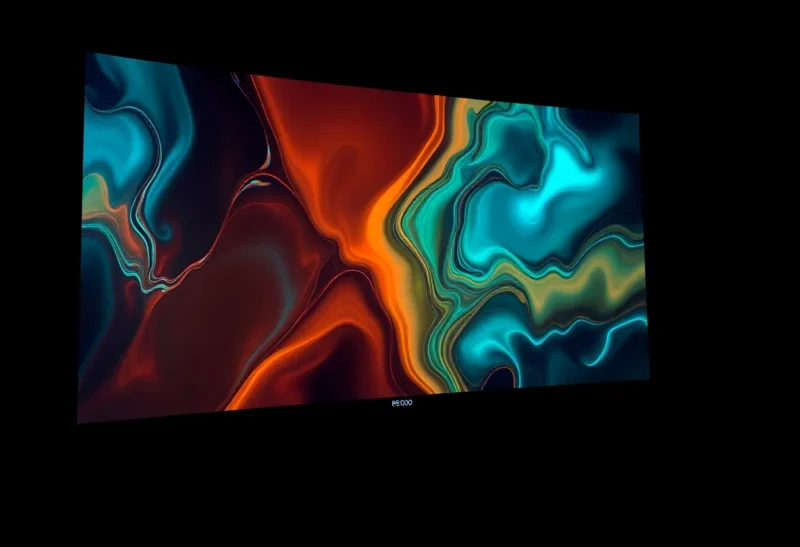
OLED monitors have finally arrived for desktop use. Deep blacks, instant response times, perfect viewing angles—they’re everything gamers and creators wanted. But there’s a catch: burn-in. Static elements—taskbars, HUDs, desktop icons—can leave permanent ghost images on the panel over time. It’s been the main reason people avoided OLED for productivity. In 2026, manufacturers claim they’ve solved it. Have they? Here’s what’s actually changed, what monitors do about it now, and whether it’s finally safe to go OLED for your daily driver.
The Burn-In Problem
OLED pixels emit their own light. Each subpixel—red, green, blue—ages independently based on how much current it passes. Static content—a bright taskbar, a game HUD, a code editor with the same layout for thousands of hours—drives some pixels harder than others. Over time, those pixels dim relative to their neighbors. The result: a faint ghost image that persists even when the content changes. It’s not a bug; it’s physics. Every OLED panel degrades. The question is how fast and whether mitigation can slow it enough for desktop use.
TVs have had OLED for years, but TV viewing is dynamic. Content changes constantly. A taskbar or browser chrome that sits in the same place for eight hours a day is a different story. Early OLED monitors struggled with that. Users reported burn-in after a year or two of productivity use. Manufacturers responded with pixel refresh, screen savers, and automatic brightness limiting—but the fundamental issue remained. In 2026, the landscape is different. Newer panels use larger subpixels, better heat management, and smarter algorithms. Whether that’s enough is the open question.
What Monitors Actually Do About It in 2026
First, pixel refresh. Most OLED monitors now run periodic refresh cycles—short ones every few hours, longer ones when you power off. The idea: briefly drive all pixels at a similar level to balance wear. It helps, but it’s not a cure. Refresh can’t undo cumulative degradation; it can only slow the visible difference between heavily and lightly used areas.
Second, pixel shifting. Monitors subtly shift the image a few pixels over time so no single pixel bears the brunt of a static element. It’s effective for taskbars and window borders—the ghost migrates slightly, spreading wear. But it doesn’t eliminate the problem; it distributes it. And some users notice the shift, especially with very fine text.
Third, brightness limiting. OLED burn-in accelerates with brightness. Monitors now cap sustained brightness in SDR and offer aggressive automatic brightness limiting (ABL) in HDR. That extends panel life at the cost of peak brightness. If you want a 1000-nit HDR experience, you’ll pay in longevity. Most productivity users won’t notice; gamers and HDR enthusiasts might.
Fourth, larger subpixels and better materials. Newer panels use bigger emissive areas and improved organic compounds. They age more slowly and tolerate higher peak brightness before degrading. It’s an engineering improvement, not a magic fix—but it moves the needle. A 2026 OLED monitor used for eight hours of mixed content daily should last longer than a 2022 model in the same conditions.
Should You Go OLED for Productivity?
It depends. If your workflow is highly static—same IDE layout, same browser tabs, same taskbar for years—burn-in risk remains real. Pixel shifting and refresh help, but they don’t eliminate it. You might get four or five years before visible ghosting; you might get less. Manufacturers don’t publish burn-in warranties for monitors the way they do for TVs. That tells you something.
If your workflow is mixed—gaming, video, web browsing, varied apps—OLED is more viable. The 2026 crop of monitors with better panels and smarter mitigation makes OLED a reasonable choice for many users. The image quality is unmatched. The risk is lower than it was. But it’s not zero. If you need a monitor to last a decade with zero maintenance, stick with LCD. If you’re willing to trade some longevity for the best picture quality on the market, OLED is finally in the conversation.
The Bottom Line
OLED burn-in in 2026 is better managed than ever. Pixel refresh, pixel shifting, brightness limiting, and improved panel tech all help. But burn-in is still a product of physics. Static content will always stress OLED pixels unevenly. The question is whether mitigation has pushed the problem far enough into the future that most users will upgrade before they see it. For mixed-use and gaming, the answer is increasingly yes. For pure productivity with unchanging layouts, the answer is still “proceed with caution.” Know the trade-offs, set a screen saver, and enjoy the best blacks in the business—while they last.