Obsidian Conflict Files on E-Ink: Two Devices Writing the Same Daily Note

Jonas Pike
September 21, 2026
You open today’s daily note on the Boox after lunch and find a sibling file with a ugly suffix: conflict, sync-conflict, or a timestamped twin. The morning train paragraph is in one copy. The meeting bullets you tapped on the phone are in the other. Nobody “lost” the note. The sync tool refused to guess, and e-ink made the collision more likely than a pair of fast laptops would have.
This is about why Obsidian vaults on slow screens and intermittent radios produce conflict files, which sync setups make it worse, and how to structure daily notes so two devices can write without turning every commute into a merge puzzle.
What a conflict file is actually saying
A conflict file means two devices edited the same path while disconnected—or while one still believed it had the newest copy. Syncthing, Obsidian Sync, working-copy git remotes, and various Android folder sync tools all eventually face the same fork. They pick different filenames so they do not silently delete your words.
That is good behavior. The bad part is the human job afterward: deciding which paragraphs belong in the canonical daily note. On a desktop, you diff quickly. On e-ink, opening two long markdown files, flipping between them, and copying blocks with a slow refresh is miserable. So people keep the wrong file, or they keep both forever and pollute search.
Why e-ink pairs collide more often
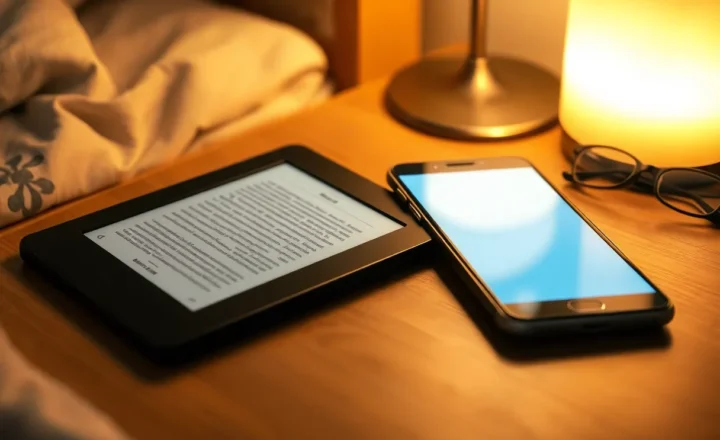
E-ink tablets sleep aggressively. Radios pause. Sync clients miss the polite moment when the laptop finished saving. You unlock the tablet, Obsidian or a markdown editor opens the cached daily note, and you write for ten minutes in a cave that still thinks yesterday’s sync was fine.
Phones do this too, but phones usually reconnect before you write a lot. E-ink invites long offline capture. That is the feature. It is also the conflict engine.
Second factor: editors on Android e-ink are not always Obsidian. You might edit the vault folder in a plain text app, or in a vendor notes app that exports into the vault later. Two apps plus two devices multiplies writers. Obsidian’s own sync is not magic if another process touched the file while Obsidian was suspended.
Third factor: daily notes are hot files. Everyone writes the same path every day. Conflicts cluster on 2026-09-21.md, not on archival literature notes you never open on the tablet.
Sync choices and their conflict personalities
Obsidian Sync is polished inside Obsidian clients. Conflicts still happen after offline edits. Resolution is clearer when every writer is Obsidian. It gets messier when the tablet edits vault files through another app that Sync does not fully participate in.
Syncthing is honest and occasionally brutal. It will scatter sync-conflict copies when both sides wrote. Ignore patterns help keep plugins and caches off the tablet, but they do not merge daily notes for you. Syncthing shines when you accept folder semantics and stop pretending it is CRDT magic.
Git-based workflows (Working Copy, git on desktop, occasional tablet commit) turn conflicts into merge conflicts. That is better if you like git, worse if your tablet cannot comfortably run a merge UI. Many people half-adopt git and still sync the working tree with Syncthing—maximum footguns.
Vendor clouds (reMarkable Connect, Ratta cloud, Kindle notebooks) are a different problem: export later into Obsidian. Conflicts then happen at import time as duplicate notes, not as sync-conflict filenames—unless you also sync the export folder both ways.
Patterns that prevent most daily-note collisions
One writer per hot file per stretch. Morning capture on e-ink goes to inbox/2026-09-21-boox.md or a dated inbox note. At the desk, you append into the real daily note once. Hot path is append-only on one device; merge is a calm desktop task.
Device-suffixed daily notes. Some people keep Daily/2026-09-21.md on desktop only and Daily/2026-09-21-nomad.md on the tablet. A Templater or simple weekend review concatenates. Ugly, reliable.
Block-level capture. Prefer short notes linked from the daily note over editing the daily note’s middle sections on two devices. New blocks rarely conflict; mid-file edits do.
Wait for sync before you write. Boring ritual: unlock tablet, open Syncthing/Obsidian, confirm last sync time, then open today’s note. Ten seconds beats twenty minutes of merge on e-ink.
Make the tablet read-mostly for the vault spine. Use e-ink for reading and ink capture that exports to new files. Let the laptop own the graph structure. Many conflict storms come from renaming and moving folders on a device that barely shows folder trees.
How to resolve a conflict without hating your life
- Do it on the fastest screen you have—not on the tablet if you can avoid it.
- Open both files. Skim timestamps and first unique paragraphs.
- Pick a winner path (usually the official daily note name).
- Append missing unique paragraphs; do not try to interleave every line unless the note is short.
- Delete the conflict sibling the same day. Orphans rot and resurface in search.
- Note why it happened (offline train + phone edit is the classic) and adjust the pattern above.
If conflicts are weekly, your workflow is wrong—not your sync tool. Tools show the fork; habits create it.
Plugin and cache landmines on Android e-ink
Workspace JSON, plugin data, and community plugin folders love to thrash. They are not your daily note, but they cause sync storms that delay the sync of the file you care about. Keep plugin directories desktop-only when the tablet runs a thin editor. If the tablet runs full Obsidian, accept more sync traffic—or use Obsidian Sync and stop mirroring plugin chaos with Syncthing.
Also watch for editors that rewrite the whole file on every keystroke save versus append-friendly saves. Whole-file rewrites on both sides are conflict factories.
A commute scenario that creates the classic twin
06:40 — Phone on cellular edits Daily/2026-09-21.md with a grocery line while Syncthing on the laptop at home still holds an older copy that never got the phone’s change because the laptop lid is closed.
07:15 — Boox on the train opens the same daily note from a local folder that last synced at 22:00. You write a page of meeting prep. The tablet feels snappy enough. Sync is not the thing you came here to think about.
08:05 — Laptop wakes, Syncthing sees two newer versions, writes a conflict file. You only notice at 18:00 when search shows duplicate headings. By then both versions have emotional weight: the groceries and the meeting prep both feel “real.”
The fix in that story is not a better conflict UI. It is either (a) phone and tablet never edit the canonical daily path, or (b) the laptop stays available as a sync relay, or (c) you accept inbox files named by device. Pick one before the next commute.
Search, templates, and the long tail of leftovers
Conflict siblings break daily-note templates that assume one file per day. Periodic notes plugins, heatmap trackers, and “on this day” queries will skip or double-count depending on naming. After you merge, delete the sibling and re-run any dataview you care about.
If you keep conflict files “for a while,” they become a second brain of shame. Put a weekly reminder: search for sync-conflict and Conflict in the vault root. Empty result means your process is working. Non-empty means schedule twenty minutes on a good screen.
Templates should make inbox capture easy. A “New tablet capture” template that always creates Inbox/yyyy-mm-dd-hhmm.md with a link stub back to the daily note beats a template that opens the hot daily file on the slow device.
When conflicts are a signal to simplify
Two devices writing the same daily note every day is a stressful architecture. If you cannot keep inbox-and-merge discipline, demote the tablet: capture to a single inbox note forever, or use the vendor notebook and export once at night. A smaller Obsidian surface on e-ink beats a perfect mirror that lies when the radio sleeps.
Teams and couples sharing a vault should be even more aggressive about inbox notes. Shared daily notes are conflict machines with feelings attached.
Decision guide
If you need true multi-device daily notes, use one sync system end-to-end, wait for sync before writing, and prefer append-only inbox files on the tablet.
If you need calm more than symmetry, let e-ink create new notes and let the desktop own Daily/*.md.
Conflict files are not a moral failing. They are a receipt: two writers met on one path. On e-ink, design so they meet less often—and resolve the receipt on a screen that refreshes faster than your patience.
The goal is not zero conflict files forever. The goal is conflicts that are rare, obvious, and cheap to merge—so the slow beautiful screen stays a capture tool instead of a merge battlefield. If you only remember one ritual, make it this: sync, then write—and keep the canonical daily note for the desk when two radios cannot agree.
Treat every conflict file as a short postmortem, not as clutter to archive forever in a forgotten folder.
Then change one habit.