Mudita Kompakt vs Hisense A9: E-Ink Phones for Cutting Screen Time

Mira Sandoval
October 15, 2026
Most attempts to use a phone less fail the same way. You delete a few apps, turn on grey-scale mode, set screen-time limits, and two weeks later everything is back, because the device in your pocket is still a bright, fast, endlessly interesting slab of glass. Changing settings fights the hardware. Changing the hardware stops the fight.
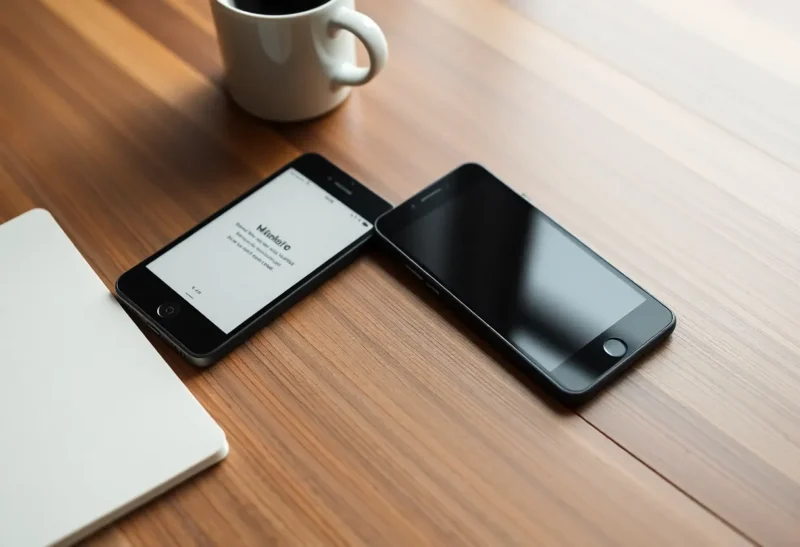
E-ink phones are the hardware answer. Their screens are slow, grey and calm, exactly the qualities that make a phone less compelling to pick up for no reason. Two of the most talked-about options take opposite routes. The Mudita Kompakt is a deliberately limited phone built around its own minimal software. The Hisense A9 is a full Android phone that happens to have an e-ink screen. I have spent years covering display technology and the quiet return of purpose-built devices, and these two show the central dilemma of the category: do you want less phone, or the same phone on a calmer screen?
Two different promises
The Mudita Kompakt runs MuditaOS K, a version of Android stripped of Google’s services and rebuilt around a small set of tools: calls, messages, a camera, offline maps, a notes app, an e-book reader, a music player and a meditation timer. Its screen is a small 4.3-inch e-ink panel, and the whole interface is designed for it: large text, no animations, no feeds. There is no app store in the usual sense. You can add Android apps from a computer, but the phone is designed around the idea that you will not.
The Hisense A9 is an ordinary Android phone with a 6.1-inch e-ink screen. It was designed first for the Chinese market and is usually bought as an import elsewhere. With Google Play available, depending on the version you buy, it runs the same apps as any other phone: banking, maps, messaging, email, everything. The e-ink screen makes those apps duller to look at, and that is the point. Nothing on the phone itself stops you using them.
| Mudita Kompakt | Hisense A9 | |
|---|---|---|
| Software | MuditaOS K, minimal, no Google services | Full Android |
| Screen | 4.3-inch e-ink | 6.1-inch e-ink with front light |
| Apps | Built-in essentials; extra apps added from a computer | Any Android app, where Google Play is available |
| Designed for | Using the phone less | Using a full phone more calmly |
| Where it is sold | Sold internationally by Mudita | Mainly China; imported elsewhere |
| Main risk | Missing an app you depend on | Recreating your old habits on a grey screen |
What an e-ink phone actually feels like
The first day with either phone is a shock. Scrolling smears. Video is unwatchable. Photos look like newspaper prints. Typing works, but the screen trails your thumbs slightly. Everything that makes a phone pleasurable to fiddle with is gone.
That is also why people keep them. After a few days, picking up the phone becomes a decision rather than a reflex. Reading on it is genuinely pleasant, and outdoors in sunlight the screen is easier to read than any glossy phone. Battery life is usually much better than a typical smartphone, because the screen only uses power when the image changes.
The two phones diverge in what happens next.
The Mudita Kompakt: friction by design
The Kompakt’s small screen and limited software work together. Messages, calls and directions are easy. Endless browsing is not, because the tools for it are not there. Mudita adds an “Offline+” mode that cuts the phone off from networks entirely, which suits people who want to disconnect for hours at a time without carrying a second device.
The difficulty is the modern world’s dependence on apps. Two-factor authentication, banking, parking, train tickets, building access, workplace chat and family group messages all increasingly assume a full smartphone. Adding Android apps to the Kompakt is possible, but they were not designed for its small, slow screen, and some depend on Google services the phone does not have. Before switching, list the apps you truly cannot live without and check each one.
Many Kompakt owners solve this by keeping a smartphone at home, or in a bag, for the few tasks that need it. That two-device approach has its own trade-offs, and the realities of running a dumbphone as a sidekick apply directly.
The Hisense A9: a calmer full phone
The A9 avoids the app problem entirely. Your banking app, your authenticator, your maps and your messages all work, so it can be your only phone. For many people, that is what makes an e-ink phone practical at all.
The cost is that it relies on willpower. Every distracting app is still one tap away, just in grey. Some people find the e-ink screen alone is enough to break the habit: social feeds are far less satisfying without colour and smooth scrolling. Others find that within a month they are scrolling just as much, only more slowly. Hisense’s software includes e-ink display modes that trade sharpness for speed, and it is easy to turn on the fastest mode and drift back to old patterns.
There are practical caveats too. As a China-market phone, the A9’s mobile network bands may not fully match your carrier, particularly outside Asia, and software updates and warranty support are limited when you buy through an importer. Check the bands of the exact model against your carrier’s network before ordering. Newer variants exist, so confirm which version a seller is offering.

Reading, maps and the camera
Both phones make excellent pocket e-readers, which is a surprisingly large part of their appeal: a book is always with you, and reading it does not feel like being on your phone. The A9’s larger screen is noticeably more comfortable for long reading sessions; the Kompakt’s is fine for a chapter on the bus.
Maps work on both, though e-ink is better suited to glancing at directions than panning around a city. The Kompakt’s offline maps are a thoughtful touch for a device designed to be disconnected. Cameras on both are basic, and photos only look like photos when you transfer them to another screen. If photographing your children’s lives matters, neither replaces a good smartphone camera, which is one more reason many people end up carrying two devices.
E-ink phones are part of a broader experiment with second screens on phones and dedicated e-ink devices, and e-ink phones with a second screen covers the hybrid approach, where a normal phone gets an e-ink panel on the back.
Messaging: where most switches succeed or fail
In practice, the deciding factor for most people is not maps or reading. It is messages. If your family, friends or colleagues live in a particular chat app, the phone you carry has to receive those messages, or you have to accept missing them until you check another device.
On the Hisense A9 this is simple: install the same messaging apps as on any Android phone. Typing on e-ink is slower, and long conversations feel more effortful, which many owners count as a benefit.
On the Mudita Kompakt, ordinary calls and SMS are built in and work well. Popular chat apps are a different matter, because they are designed for full Android with Google’s services, and how well they run on a de-Googled, small e-ink phone varies. Some people sideload them successfully; others find notifications unreliable. Test the apps your circle actually uses during your return window, rather than trusting a forum post about a different version.
A useful middle path, whichever phone you choose, is to tell the people who matter most that SMS or a call is the way to reach you urgently. It sounds old-fashioned, but it is often the change that makes an e-ink phone livable for good.
Questions to ask yourself first
The right choice depends less on hardware than on honesty about your habits:
- Is your problem the phone, or particular apps? If it is a handful of apps, a full Android phone on e-ink, or even an ordinary phone with those apps removed, may be enough. If it is the phone as a whole, a minimal phone helps more.
- Which apps can you truly not live without? Banking, two-factor authentication, work chat, transit tickets. Check each one before buying a phone without Google services.
- Will you carry two devices? If you are happy to leave a smartphone at home for certain tasks, the Kompakt becomes much more practical.
- Do you trust your own willpower? The A9 depends on it. The Kompakt makes it less necessary.
Less phone, or a quieter phone
If you want to use your phone less, and you can arrange your life around a few essential tools, perhaps with a smartphone left at home for the rest, the Mudita Kompakt does what it promises. It makes the phone boring in the most useful way, and it does not give your old habits anywhere to live.
If you need a full phone, because work, family or banking depend on apps, but want it to stop pulling at your attention, the Hisense A9 is the more practical choice, with the caveats of an imported device and the knowledge that its calm only works if you let it. Either way, give it a month. The first week on e-ink feels like a downgrade. By the fourth, many people find they no longer want to go back.