Is Beszel enough on its own, or do you still want Uptime Kuma next to it?

Jonah Hale
October 7, 2026
Beszel is enough if the question is whether the box is busy, full, or no longer phoning home. It is not enough if the question is whether a URL returns the page you think, a certificate is about to expire, or a cron job remembered to run. Uptime Kuma still belongs next to it for those checks. Running both to draw the same CPU graph is the waste. Split them: Beszel for the machine, Kuma for the service you can hit with a request.
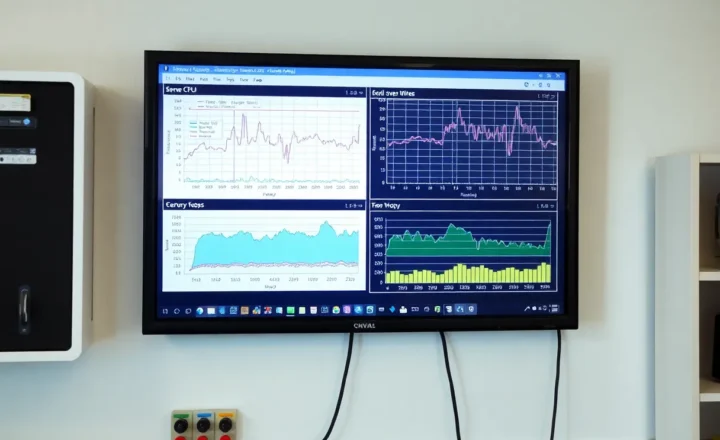
Beszel is a hub and a small agent. The agent reports CPU, memory, disk, network, and Docker container stats, and the hub can yell when a threshold trips or when an agent goes quiet. Uptime Kuma is a pile of probes: HTTP, TCP, ping, DNS, certificate dates, keyword in a body, a push URL a cron must touch. They overlap on one fact, “something stopped talking,” and almost nowhere else.
What Beszel will catch that Kuma shrugs at
A disk at 92 percent does not fail an HTTP check. The site still returns 200 while the recorder and the logs are about to freeze. Beszel’s disk alert is the page you wanted yesterday. Memory creep on a mini PC that will OOM the database at dinner is the same shape. Kuma stays green because the process is still bound to the port. The port is not the resource. If you have ever had a green status page and a box you could not SSH into, you already know which tool was missing.
Container stats are the other Beszel job. You can see which container grew, not merely that the public URL is slow. Kuma can tell you the URL got slower if you configured a response-time alert. It will not tell you the Immich machine-learning container is the one eating the RAM. For a single-board homelab, that attribution is the reason to install Beszel even if Kuma has been fine for a year. You are not replacing the probes. You are adding the reason the probe is about to go red.
An agent that stops reporting is Beszel’s version of a down host, and it only works if the hub is somewhere the agent is not. A hub on the same mini PC as the only agent goes quiet in the same power cut, and quiet is not an alert if the thing that would send the alert is the thing that stopped. Put the hub on a different machine, or accept that Beszel is a dashboard you read while the house has power. The check that must survive the box is a different placement problem: the monitor that shares a fate with the service never gets to send the page.
What Kuma still does that Beszel will not
Beszel does not fetch your public URL and look for a string in the HTML. It does not count days until a certificate expires. It does not notice that a webhook returned 502 while the container was “running” and using a normal amount of CPU. Those are Kuma monitors, or something in the same family. A site can be a disaster with a flat CPU line. The reverse proxy is up, the upstream is the wrong name, the certificate renewed and the proxy did not reload. Resource graphs look bored. A keyword check or a status-code check does not.
Push monitors are the cron story. A backup script that exits non-zero should touch a URL on the way out, and something that is not the NAS should notice when the touch stops. Beszel can show you the disk did not grow. It will not notice a backup that “succeeded” in three seconds because the source directory was empty, unless you taught a script to fail a heartbeat. Kuma’s push monitor is that teaching, already built. Use it for the jobs whose failure looks like a quiet success. Use Beszel for the disk those jobs are supposed to fill.
Status pages are a Kuma feature you may not want. A public page of your hostnames is a map for strangers. If you do want a page for a household, Kuma does that and Beszel does not. If you do not want a page at all, do not install Kuma only for the page, and do not skip Kuma’s probes just because you will not publish them. The probes can notify you and stay private. The page is optional. The HTTP check is not, if you have a URL whose failure matters.
Running both without double-paging
The mistake is two tools with the same trigger. Beszel alerts on agent down. Kuma pings the same host and alerts on ping down. One power cut, two pages, and you start ignoring both. Pick one signal for “the host is gone.” I keep that as a heartbeat or a ping from outside, in Kuma or on a hosted checker, and I turn off Beszel’s offline alert for that same box if it would only repeat the page. I leave Beszel’s disk, memory, and temperature alerts on, because Kuma is not going to send those. Different thresholds, different pages, both worth reading.
Notification routing is where the double page sneaks back. Both tools pointed at the same ntfy topic, both with a one-minute grace, will arrive as a pair. Give Beszel a topic or a priority that means “the box is unhealthy” and Kuma a topic that means “a service missed.” You can still read them in one app. You should not have to guess which tool is crying. If you only have patience for one phone buzz, keep Kuma’s service checks and Beszel’s disk, and delete the rest until a real incident tells you which silence hurt.

The afternoon you install the second one
Start Beszel on a machine that is not your only server if you have one, point one agent at the homelab, and set a disk alert you can trigger on purpose by filling a small volume or by temporarily lowering the threshold. Confirm the page arrives. Then open Kuma and add three monitors, not thirty: the public URL that matters, the internal URL of the same app, and a push URL you paste into the backup script. Pause the push and confirm that silence pages you. That is the whole overlap, tested. If you add twenty HTTP checks on day one you will not know which tool to believe when two of them flap.
Retention is the quiet cost. Beszel keeps charts so you can see a leak. Kuma keeps probe history so you can see a flap at 3 a.m. Neither replaces the other’s history, and neither needs a year of data to be useful. A week of CPU and a week of probe results will show you whether the slow site is a slow site or a box that was swapping. If you already run Grafana and node exporter, Beszel is a convenience, not a duty. Do not keep three metric systems because each one’s screenshots looked good in a README. Pick the one you will actually open. For most single-box houses that is Beszel, because it is one binary and a hub, and the node exporter stack is a hobby of its own.
Updates are boring until the agent and the hub disagree on a version. Beszel has been moving quickly. Read the note before you update the hub out from under older agents, and do not update both Beszel and Kuma in the same window. If notifications stop, you want to know which binary you touched. The failure people remember is a dashboard that looks new and a phone that has been quiet for four days because the notification URL was the thing the update changed. Click the test button after every upgrade of either tool. Then, once a month, cause a real failure anyway. Test buttons lie in the exact way a green probe lies: they prove the path works while the path is healthy.
Who can stop at Beszel
Stop at Beszel if you have no public URL, no certificate, and no cron you will forget. A single mini PC, services you only open on the LAN, and a habit of looking at the dashboard when something feels slow: the agent and the thresholds are the product. Add Kuma the day you have a hostname someone else depends on, a backup that must prove it ran, or a certificate that has already surprised you once. Do not add it the day you want a second copy of the CPU chart.
Stop at Kuma if you already know the box is oversized and the only failures you have ever had were a dead container and an expired certificate. Beszel is optional until the day a green probe hides a full disk. That day comes for people who record cameras or photos onto a small SSD, and it does not come for people whose entire homelab is a static site. Match the tool to the failure you have actually had, then keep the other one only if you can name the page it would send that the first tool cannot.