Is a phone notification enough, or can the agent take the next step before you read it?

Lena Kowalski
October 7, 2026
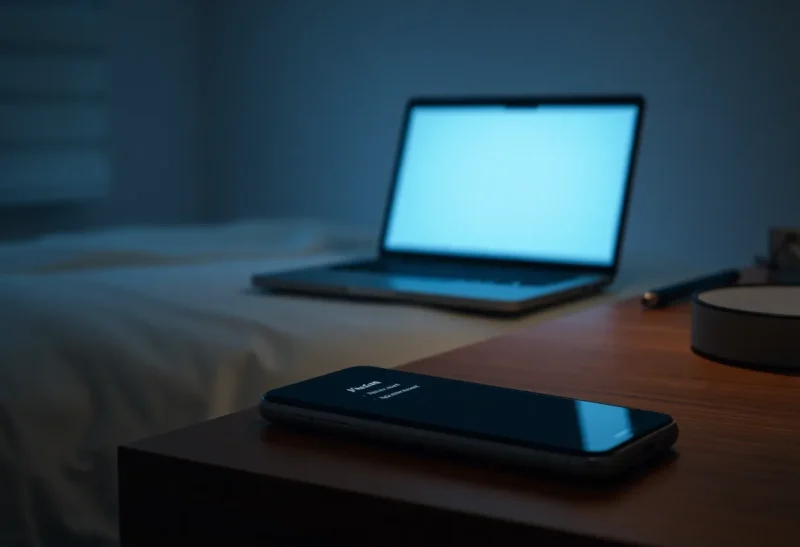
A phone notification is not enough. The agent can take the next step before you read it. The push is a message to your pocket. The agent’s loop keeps its own clock. Unless you have tested, with the phone face down, that the next tool call does not run until you open that notification and allow it, assume the step has already happened by the time the banner lights up. A notification is how you find out. It is not a lock.
I learned this from a sent folder, not from a settings screen. The banner and the mail were both true. They were not in the order I thought.
The banner that arrived after the mail
I had asked for a short follow-up to Sam, and I had turned on “notify me before send” because that sounded like a pause. I left the laptop in the other room and went to put a pan on. The phone buzzed: a line that said the follow-up was going out. I dried my hands before I unlocked it. Four minutes, maybe. The message was already in Sent. The notification had been a receipt with a friendly tense. “Sending” meant “sent,” and the verb had finished while the phone was still on the counter.
Nothing in the banner was a question. There was no button that could have pulled the mail back. I had read the product as if a push and an approval were the same control because both involve my phone. They are not. An approval that blocks is a lock. A push is an aftertaste. Mine was the aftertaste, labeled as if I still had a vote.
The body was the same class of mistake as usual: a date stated more firmly than I had, and a CC I did not want. The notification could not have stopped it, because the notification did not precede it. Reading faster would have changed nothing. I would have been informed of a thing that had left.
The next step is not always the step the banner names
A second run was sneakier. The push said the agent was waiting on me before emailing. I believed it, because the wording was “waiting.” While that card sat on the lock screen, the same agent still had a browser session on the laptop, and the task had a second half I had written in the same breath: update the form if Sam’s address bounced. The address check and the form ran. The email wait was real. The form was not waiting. I came back to a submitted form and an unsent draft, and a phone that had told me about only one of them.
That is the gap. A notification is about one action the product decided to mention. The agent’s next step can be a different tool, already allowed, that the banner does not name. “Waiting to email” can be true while “submit” is already done. If you judge safety by the push you saw, you will miss the tool you forgot was still on the list.
I do not consider a run safe because the noisy action is gated. I list every tool that can change something outside the machine — send, submit, pay, invite, delete, push a branch — and I ask which of them can fire while a notification is unread. If the answer is any, the phone is not the control. The unread banner is a story about one tool, told late.
What I test, once, with the phone off
I put the phone in another room, screen down, and I do not take it. I trigger a task that wants to send a message to myself. I wait longer than I would actually wait in a kitchen. Then I look at the sent folder on the laptop, not at the phone. If the message is there, the notification was never a lock, and I remove send. I do not “fix” it by promising myself I will unlock faster.
I repeat the test for the tool next to send. If email waits and the browser still submits, I have not secured the task. I have secured the tool I was nervous about in the abstract. The test has to name the side effect, and the phone has to be unable to help me during the test. Otherwise I am measuring my reaction time, which is not a control either.
Focus modes and Do Not Disturb count as the phone being off. If a banner you will not see until morning is the only gate, the agent has the whole night. I do not leave a side-effect tool armed overnight on the theory that I will notice the push at breakfast. Breakfast is a retrospective.

A real block looks different from a buzz
A block means the tool call does not leave until a specific action on a device you meant to use, and a timeout does nothing. Not “send if unread for ten minutes.” Not “the user has seen a preview.” Seen is not a decision. I want the call to sit, unfinished, while the phone is in the other room, and I want to confirm the sit with the sent folder and the form’s history, not with the agent’s own status line. The agent will describe a wait. The folder will show a send.
The action has to display the bytes, not a model headline. A lock that asks me to approve “follow-up to Sam” is still the summary problem, only now it is on a phone. The phone makes it worse because the screen is small and the thumb is faster. If the block cannot show recipients and body, it is a delay until I tap, which is a different failure. For this question, the prior failure is simpler: the tap was never required.
Chat messages that say “tell me if I should stop” are not blocks. The agent has already planned the next call, and “tell me” assumes you are reading. You are not. The next call should be absent until you are. I delete those courtesy sentences from my sense of safety. They are the agent talking to a person who has left the room.
What I leave armed when I walk away
File drafts in a folder. A branch that cannot push. A browser profile with no accounts, and only if I am willing for it to click around public pages while I am gone — usually I am not, so I stop the run. I do not leave send, pay, invite, or a logged-in browser. Those are the steps a notification cannot precede reliably, because I will not be watching the phone, and the products I have used did not wait.
If a product claims it waits, it earns the claim in the phone-off test, on every side-effect tool, not in the settings copy. I write down the date I tested it. A later update that “improves notifications” is a reason to test again. Improving the banner is how a lock becomes a receipt without anyone calling it that.
Group chats and a second device
A notification delivered to a laptop you are not sitting at is the same failure as a phone in the kitchen. I have had the banner appear on a desktop I had closed the lid on, while the agent ran on a different machine. “It notified me” was true for a screen in another room. The test is not “did a device I own receive a push.” The test is “did the side effect wait until I looked.” If you have three devices, the agent only needs one of them to accept a default, or none of them, if the default is to continue.
Shared channels are a worse version. A Slack ping to a team channel feels like supervision. It is a message other people might also miss, and it does not freeze the tool. I do not count a channel post as a human in the loop. Someone has to be required, by the product, to act before the call, and that someone has to be a person who is actually there. A channel that scrolls while everyone is in a meeting is a log with extra witnesses.
The order that matters
The agent’s next step happens on its clock. Your reading happens on yours. A phone notification does not put those clocks in the order you hope. If the side effect can run before you unlock, the notification is a record. If you need the step not to happen until you have read it, the tool has to be blocked, and you have to prove the block with the phone out of reach. Otherwise take the tool off before you leave the room. The buzz will still find you. It should not be the first time the action was real. If you only notice when someone replies to you, the notification was never in the path that mattered.