iOS Shortcuts Get Contents of URL vs a Cron Box: When Background Fetch Hits Apple’s Wall

Gabe Sorenson
August 25, 2026
I built a Shortcut that was supposed to be a grown-up cron job. Every morning it would Get Contents of URL, parse a little JSON, and ping a webhook if a price or a parking spot or a school calendar changed. On the workbench, with the Shortcuts app open and my thumb on the screen, it was perfect. Overnight, with Low Power Mode and a locked phone in another room, it became a rumor. Sometimes it ran. Sometimes it ran late. Sometimes it did not run and left no body to autopsy.
That is Apple’s wall, and it is doing what Apple pays it to do. Personal automations are allowed to look like servers until they need to behave like servers. Get Contents of URL is a fine action in the foreground. In the background it inherits every courtesy iOS extends to itself: deferral, budget, radio naps, “we’ll get to it.” A cron box does not love you. It also does not take a nap because you walked into a dead zone.
If the job matters when you are not looking, the phone is the wrong host. That is the same wall as Tasker versus Shortcuts on background rules. If the job is a convenience while you are holding the phone, Shortcuts is cheaper than a Pi. The rest of this is how to tell those jobs apart before you debug the wrong layer for a month.
What Get Contents of URL is actually for
The action is an HTTP client with Shortcuts-shaped edges. It can GET, POST, attach headers, and hand you a file or text. It is good for a button you press: refresh a status, submit a form, drop a file on a webhook you just wrote. It is also good inside a Shortcut you run from the share sheet, because you are present. Presence is the hidden input.
It is a weak cron. There is no first-class “at 06:12 every day, on this network, with this timeout, and if it fails twice page me.” You can attach a personal automation to Time of Day. You can hope. Time of Day automations that do networking still live under iOS background policy. If the device is cold, constrained, or has decided the radio is expensive, your GET is a suggestion.
I have watched a Time of Day automation fire the notification and skip the network work. I have watched it fire hours late when I next unlocked the phone. I have watched Get Contents of URL fail on a 401 because a token expired, with no log except the last-run timestamp that looks fine if you only open Shortcuts on weekends.
The walls that are not bugs
Background App Refresh is not a contract. Low Power Mode will quietly starve work you thought was scheduled. Focus modes can suppress the notification you were using as a heartbeat. A VPN or a private relay can change which URL the phone can reach when the screen is off. Cellular versus Wi-Fi is a different path than the one you tested at the desk.
Get Contents of URL also hates long responses and flaky TLS in ways a curl on Linux will just retry. Shortcuts will surface a generic failure. You will not get the response body in a file you can diff later unless you built that yourself and the automation actually finished.
There is another wall people hit after they “fix” timing: UI. Shortcuts that need to show a menu, ask for input, or open another app are not background jobs. They are scripts with a stage manager. If your morning job includes Choose from Menu, it is not a morning job. It is a morning ritual. Call it that and stop expecting it to run on the nightstand.
What a cron box is for
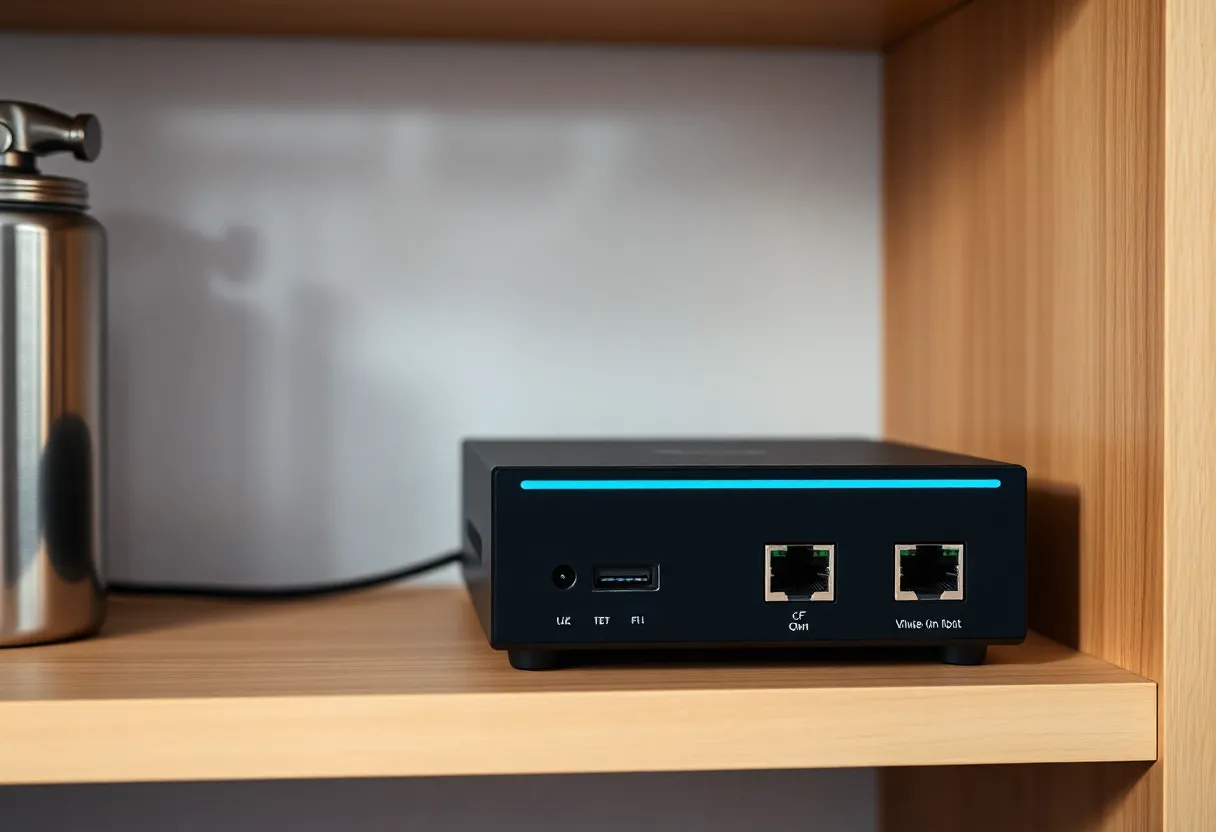
A cron box is a machine that is allowed to be bored. A used Mini PC, a Pi, a small VM at a VPS, even a GitHub Actions schedule if the secret can live there. The job is a shell script or a thirty-line Python file. curl or httpx hits the URL. The exit code is the truth. You log stdout. You wrap it in Healthchecks.io or a push to ntfy if silence is the failure.
That is not more elegant than Shortcuts. It is less polite. Polite is the problem. I want a parking-scrape or a certificate check to be rude about time.
The cron box also holds secrets better than a Shortcut you will one day share to iCloud as a file. People paste bearer tokens into Get Contents of URL headers and then duplicate the Shortcut to a spouse. A dotenv on a box you SSH into is not perfect. It is a smaller blast radius than a gallery of automations.
You do not need Kubernetes. You need a timer, a network, and a place to put a log. If you already have a homelab for DNS or media, you already have the box. The phone can still be the notification endpoint. Let ntfy or Pushover wake you. Do not let the phone be the scheduler.
If you have no homelab, a five-dollar VPS is still a better cron host than an iPhone. The VPS will reboot. You will get an email from the vendor. That is an event you can hang a check on. The iPhone will not tell you it skipped Tuesday. I have paid more than five dollars in time staring at a blank “Last run” field.
DST is the other quiet killer. A Time of Day automation that said 06:30 can slide, fire twice, or feel fine in one timezone and late after a trip. Cron on a box with a locked timezone is boring in the correct way. If you travel with the scheduler in your pocket, you packed the timezone bug on purpose.
The hybrid that is not a cop-out
I still use Shortcuts for the last meter. The box does the GET on a schedule. If something needs a human — approve a price, pick a calendar slot — the box pokes the phone. A Shortcut can then be the UI: open a link, confirm, POST back. That inversion matches the platforms. iOS is good at being in your hand. Linux is good at being ignored.
Pushcut and a few other apps try to make the phone more server-like. They help for notifications and for some webhook-triggered shortcuts. They do not repeal background policy. If your trigger is still “when I arrive” plus a GET to a brittle API, you have a nicer notification and the same wall.
App Intents made some automations more native and some more fragile after OS updates. I do not build a year of reliability on an Intent that a point release can rename. I build that on cron.
When I keep the job on the phone
I keep it on the phone when I am the trigger. Share sheet, Action button, a Home Screen tap after I see a thing. I keep it on the phone when the URL is a convenience, not a duty: log a glass of water, append a line to a note, set a HomeKit scene. I keep Get Contents of URL when the API is mine and failure is visible because I am staring at the result.
I move it off the phone when the sentence includes “every night,” “even if I forget,” “before the kids wake,” or “this is how we know the site is up.” Those sentences are cron. They were cron in 1998. Apple did not replace cron. Apple replaced the hope that a pocket computer is also a sleepless clerk.
A practical migration
Take the Shortcut you already have. Copy the URL, method, and headers into a script. Run it once on the box. Compare the body to what Shortcuts showed you on a good day. Put it on a schedule that is slightly later than you think you need, then add a watchdog ping. Leave a Shortcut that only does the human part, if there is a human part.
Delete the Time of Day automation after a week of overlapping success, not before. You want a stretch where both ran so you can see the phone arrive late with the same payload. That late arrival is the lesson. It is not a fluke. It is the product.
I also keep a tiny runbook for the box: which URL, which token file, which Healthchecks slug, who gets the ntfy topic. Shortcuts hide that runbook inside an action list you will not remember in six months. When the API changes a field name, I want to edit one script, not reconstruct a visual graph from a screenshot.
Get Contents of URL is a great button. It is a mediocre daemon. A cron box is a mediocre button and a great daemon. Put the fetch where daemons live. Put the tap where thumbs live. The wall is not a puzzle to clever around. It is a boundary. Respect it and the morning job starts being boring, which is the whole point.