Boox Note Air vs Kindle Scribe: Sideloading PDFs Without Fighting Amazon’s Pipeline

Kenji Arai
August 25, 2026
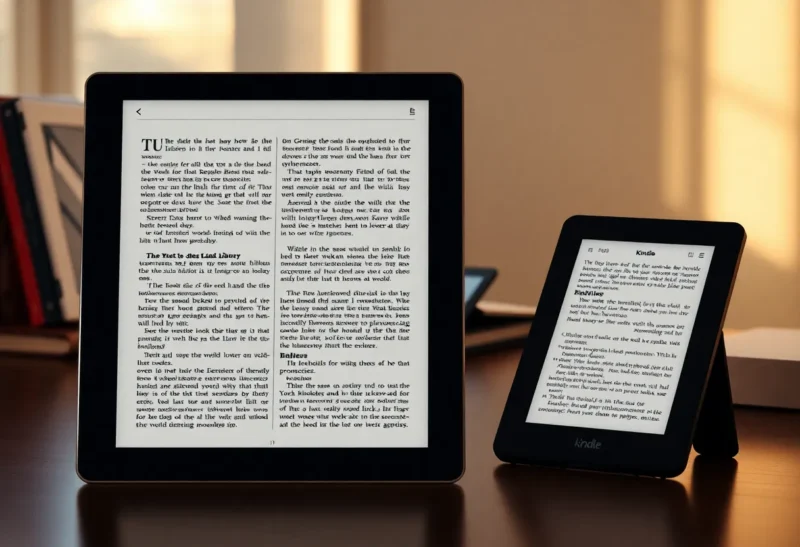
Send-to-Kindle is a courtesy, not a file system. If your work is a folder of PDFs you already own, the Kindle Scribe asks you to pour that folder through Amazon’s funnel and hope the document comes out the other side looking like the file you started with. A Boox Note Air asks you to treat the tablet like a slightly awkward Android computer that happens to have an e-ink panel.
I did not want a computer. I wanted a reading slab that would take a 40-megabyte scanned report, keep the bookmarks I already made on a laptop, and let me scribble in the margin without renaming the file to please a retailer. That job is where the Scribe stops being a “large Kindle” and starts being a negotiation. It is also where the Note Air’s messiness starts looking like a feature.
This is not a general e-ink shootout. It is a pipeline fight: how a PDF gets onto the device, what happens to metadata, and how painful it is to get a marked-up copy back into a folder you control.
The two products are not trying to do the same thing
Kindle Scribe is a storefront with a pen. The happy path is a Kindle book, or a personal document Amazon has ingested, converted, and filed under your account. When that path works, it is almost invisible. The file appears. You read it. You annotate. You feel modern.
Boox Note Air is an Android tablet with NeoReader and a stylus, wearing e-ink as a costume. The happy path is a USB cable, a folder sync tool, or a cloud drive you already pay for. When that path works, you see your filenames. That sounds trivial until you have spent an evening watching Amazon turn Smith_2024_preprint_final_v3.pdf into something called “Personal Document” with the wrong cover.
If you mostly read Kindle books and occasionally mark up a short PDF, stop here and buy the Scribe. The rest of this article is for people who already have a documents folder that is the job.
Amazon’s pipeline: convenient until it is not
Send-to-Kindle has three faces, and people mix them up.
Email-to-Kindle is the one everyone remembers. You send a file to a special address. Hours later, or minutes later, it shows up. Conversion may or may not chew on it. A scanned PDF might survive as a PDF. A born-digital paper might get “improved.” Improvement is the word Amazon uses when it decides your layout was a suggestion.
The web uploader and the Send-to-Kindle desktop tools are cleaner than email, and still not a mount point. You are submitting a document to a service. The service decides how it will live on the device. That is fine for a novel. It is hostile for a two-column IEEE paper with figures that must stay next to the caption, or a slide deck you were supposed to annotate before a call.
USB sideloading on Kindle exists in the way a fire escape exists. You can copy files. You can also discover that the Scribe’s idea of a library does not treat a dragged-in PDF with the same respect as a document that arrived through the official door. Covers vanish. Collections get weird. Annotations may not roam the way Kindle-book highlights do. The device that felt magical with a purchased book feels like a USB stick with opinions.
I have had personal documents appear with missing fonts, smashed hyphenation, and a table of contents that jumped to the wrong page. I have also had them work perfectly, which is worse, because you cannot predict which week you are in. A pipeline you cannot predict is not a pipeline. It is a mood.
What “conversion” actually costs you
Amazon wants documents to behave like Kindle content: reflow, sync, look native. PDFs do not want that. A PDF is a print layout pretending to be a file. When a service converts it, you can lose:
- Exact page numbers you cited in a meeting note
- Internal links that skip to appendices
- Form fields you were supposed to fill, not “read”
- Crop boxes that already fixed a bad scan
- Embedded fonts that made a non-Latin paper readable
On a phone, you shrug and pinch-zoom. On e-ink, pinch-zoom is a tax you pay with a refresh. If the conversion already wrecked the page, you are zooming a wreck. The Scribe’s large screen helps when the PDF is intact. It cannot resurrect a file Amazon helpfully reflowed into a novella.
There is a second cost: identity. Kindle personal documents live near your Amazon identity. That is convenient for Whispernet and a pain when you want the annotated file to be just a file. Exporting markup is possible. It is not the same as “the PDF in my vault now has a layer I made.” Sometimes you get a copy. Sometimes you get a sidecar of highlights. Sometimes you get a flattened image of your handwriting that you cannot search. The path changes with software seasons.
Boox as a slightly rude computer
A Note Air will let you install a file manager, a sync client, and more than one reader if you enjoy suffering. NeoReader is the default reason to stay. It is a PDF tool that assumes you own the file. Crop, contrast, reflow as an option rather than a surprise, outline view, and annotation tools that write into a workflow you can export.
Sideloading is not a fire escape. It is the front door. USB MTP is clumsy, because Android MTP is always clumsy, but it is honest. You copy a folder. The folder is there. Syncthing, a cloud drive, or a SMB share from a NAS will also work if you accept that e-ink Android is slower than a cheap LCD tablet and that background sync will sometimes nap.
The honesty has a price. You will see Android settings. You will see a status bar. You will install an update and find that a gesture changed. Boox firmware is a hobby with a product wrapped around it. People who want an appliance will hate this. People who already keep a documents directory will recognize their own mess and feel at home.
Annotation export: the part that decides the device
Reading is half the job. Getting the marks off the device is the other half.
On the Scribe, I treat Kindle-native highlights as first-class and PDF stylus marks as a souvenir. If I need the souvenir in a vault, I export immediately, not “later this month.” Later this month is how annotated PDFs become folklore. Amazon’s export quality has improved in waves. I still do not trust it as a system of record for client work.
On the Note Air, I export a PDF with annotations from NeoReader into the same folder the original came from, with a suffix and a date. The file is ugly. It is mine. I can put it in git-annex, Syncthing, or a boring disk. If Boox disappeared tomorrow, I would still have a PDF. That is the standard I should have used on Kindle years earlier.
Handwriting search is a bonus on both and a lie when you write like I do after 9 p.m. Typed comments and bookmarks matter more than OCR fantasy. NeoReader’s outline and bookmark tools are better for research PDFs. Kindle’s tools are better for books you highlight as a reader, not as an editor.
Battery, software, and the Boox tax
Scribe battery life is the Kindle kind: you stop thinking about charging. Note Air battery life is the Android kind: good if you behave, merely okay if you leave Wi-Fi up, a sync client running, and the front light high. If you wanted two weeks of ignore-the-plug, Amazon wins without a conversation.
Software updates are the other tax. Kindle updates are rare and mostly boring. Boox updates are more frequent and occasionally adventurous. I have had a reader setting reset. I have had a gesture fight a file manager. I have also had PDF contrast controls that made a gray scan readable on a train, which the Scribe would have rendered as fog.
There is also the Google question. A Note Air can live with Play Services, without them, or in a half-state that will waste an afternoon. If you need a specific cloud app, test it before you sell the Scribe. If you only need a folder, you do not need a full Google login. That choice is the point of Android. It is also how people turn a calm e-ink tablet into a slow phone.
Library apps versus a folder
Calibre talks to Kindles. That sentence has started wars. If your library is already a Calibre library of EPUBs, the Scribe is a native citizen and the Note Air is a tourist with plugins. If your library is a pile of publisher PDFs, court filings, and slide decks, Calibre is optional theater. A folder is enough.
I keep research PDFs out of Calibre on purpose. They are not books. They do not need covers and series metadata. They need stable filenames and a place to land. Boox respects that prejudice. Kindle wants to be a library application. Fighting a library application to behave like a USB disk is how you lose evenings.
When the Scribe still wins the PDF job
Short, clean, born-digital PDFs that you will read once: Scribe is fine. A contract you received as a reasonably tagged file. A newsletter compiled to PDF. A slide deck with huge type. Send-to-Kindle will not humiliate you, and you get the better reading OS for everything else on the device.
If you already bought the Scribe for Kindle books, do not buy a Note Air for five PDFs a month. Use USB, keep originals, and export markup the same day. The second tablet only pays for itself when the funnel is the weekly bottleneck.
The Scribe also wins if you share a household Amazon library and you want one account, one store, one mental model. Boox will never be that simple. Simple is a feature when the documents are simple.
When the Note Air is the less painful machine
Buy the Note Air if you regularly open scanned papers, two-column science, manuals with tiny schematics, or anything you already organized in a desktop folder tree. Buy it if you need crop and contrast more than you need a bookstore. Buy it if you want the annotated file to remain a file.
Buy it if Send-to-Kindle has already burned you once on a deadline. People forgive a conversion error on a novel. They do not forgive it on the PDF they were supposed to mark up before a 10 a.m. review. I have been that person in an airport, watching a table become a poem. I have not gone back to trusting the funnel for work documents.
The Note Air is not prettier than the Scribe as a product. The bezels, the software chrome, the occasional Android stutter: they are real. I still prefer a slightly rude computer to a polite retailer when the object is a PDF I already paid for or already wrote.
A workflow that does not depend on either vendor’s mood
Whatever you buy, keep the canonical PDF on a disk you control. The tablet is a viewport. Name files like a bored archivist. Export annotations into the same tree. Do not use the device library as the only copy. This is obvious and it is the step people skip because the first week feels magical.
If you stay on Scribe, decide which documents are allowed through Send-to-Kindle and which travel by USB. I use the funnel for disposable reading. I use USB for anything I will cite. If you move to Boox, pick one sync method and stop collecting apps. Syncthing or a single cloud folder is enough. Three sync clients on e-ink Android is how you drain a battery and lose a file to a conflict copy.
I would not run both long-term. I did for a season: Scribe for purchased books, Note Air for the documents folder. It worked, and it trained me to pick up the wrong slab. One pipeline is worth more than two half-libraries.
The choice I would make again
For a life that is mostly Kindle books plus a few clean PDFs, the Scribe is the correct appliance. For a life that is a documents directory, the Note Air is the correct, slightly annoying computer. Sideloading is not a nerd flex. It is how you avoid asking Amazon for permission to read a file you already have.
If your weekly pain is “why does this paper look different than it did on my laptop,” you do not have a handwriting problem. You have a pipeline problem. The Note Air loses the bookstore and wins the folder. That is the trade I will keep taking until someone ships an e-ink tablet that is as calm as a Kindle and as honest as a USB disk. Nobody has.