Home Server Storage: ZFS RAID-Z2 vs Btrfs RAID on a Single Box (Honest Trade-offs)

Jesse Cole
May 9, 2026
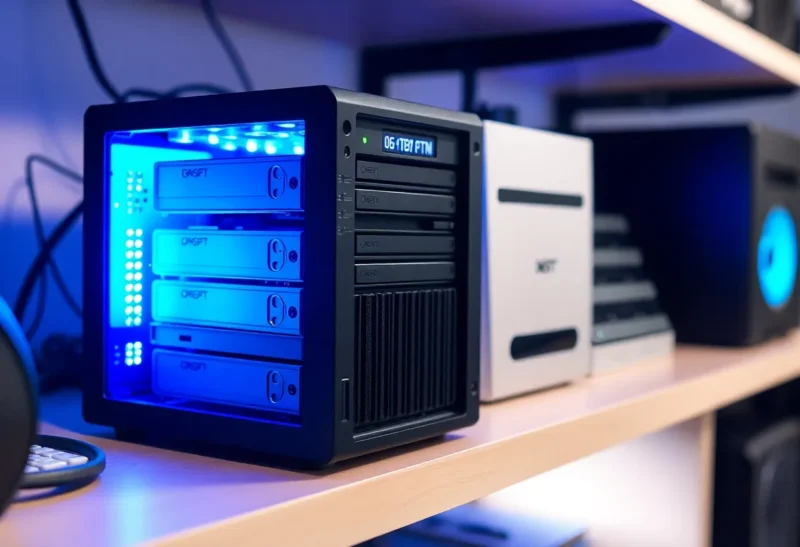
Pick a forum thread, pick a distro, pick a cousin who “knows computers”—everyone has an opinion on how you should store your ripped Blu-rays, your git mirrors, and your family photos on a single box under the desk. Two names keep rising to the top of the Linux homelab stack: ZFS and btrfs. Both promise checksums, snapshots, and flexible layouts. Neither is magic, and neither frees you from physics, backups, or the fact that consumer SATA controllers lie to you when it is least convenient.
This article compares RAID-Z2 on ZFS with btrfs-native RAID on one machine—the kind normal people actually run, not a fourteen-rack lab with hot spares and a full-time storage team. The goal is not tribal victory; it is a decision checklist you can defend to future-you at 3 a.m. when a drive drops.
We will not rehash every ZFS property flag or every btrfs balance filter string—those belong in your notes repo beside the output of actual fio runs on your disks. Instead, think of this as the conversation you wish the comment section had before someone confidently claimed their choice is “objectively safer” without mentioning their UPS model.
What RAID-Z2 gives you on ZFS
RAID-Z2 is ZFS’s double-parity layout: you can lose any two disks in a vdev without losing the pool, assuming the rest of the hardware cooperates. Reads are striped; writes calculate parity across the group. ZFS checksums every block and verifies on read, which is the headline reason people tolerate its RAM appetite and learning curve. Scrubbing walks the pool periodically to find silent bitrot before it becomes silent corruption in your files.
The trade-offs are operational. Wide RAID-Z vdevs can exhibit painful resilver times when a disk fails—hours to days depending on capacity and load. During that window you are exposed to a second failure in the same vdev; RAID-Z2 exists precisely because statistically ugly weeks happen. You also need to plan vdev width carefully; expanding a RAID-Z vdev historically meant adding another whole vdev (or replacing every disk with larger ones), not slipping in a single new drive. Tools and versions evolve—check your distro’s ZFS release notes before assuming the newest reshape features exist on your kernel.
What btrfs RAID means in practice
Btrfs can run multi-device RAID1, RAID10, and RAID5/6 profiles inside a single filesystem. RAID1 on four disks stores two full copies—simple, robust, expensive in space. RAID10 stripes mirrors; classic performance profile if you have even disk counts and trust your cabling. RAID5/6 on btrfs has a long history of “maybe don’t” from upstream messaging because parity RAID shipped before some parity edge cases were fully nailed; distributions differ on defaults and warnings. For homelab purposes in 2026, many builders still prefer btrfs RAID1/10 for data they care about, and mdadm+ext4 or btrfs on top of hardware RAID for parity if they need it—opinions vary, but caution is warranted.
Where btrfs shines is agility: live balance between profiles, subvolumes that act like lightweight partitions, send/receive streams for backups, and integration with the same kernel you already run. Snapshots are cheap and familiar if you come from LVM-thin thinking, without a separate volume manager layer.
RAM and CPU: the myths and the metered truth
ZFS loves RAM for ARC caching. That is not the same as “you need 128 GB or ZFS explodes.” A small file server with 16–32 GB can be perfectly healthy if expectations match workload—mostly sequential media reads do not need a giant ARC. Dedup, on the other hand, is the RAM hog people warn about; leave it off unless you have measured savings. Btrfs metadata is leaner in some workloads but still appreciates RAM for caching via the normal page cache; there is no free lunch, only different accounting lines.
Compression defaults matter: ZFS lz4 is cheap; zstd levels cost CPU. Btrfs zstd is attractive on modern chips but can spike latency on bursty writes if you max out levels on a J4125. Benchmark with your actual dataset, not with dd to /dev/zero.
Bitrot, scrubbing, and the backup sermon
Checksums catch corruption; they do not replace backups. RAID of any flavor protects availability against disk death, not ransomware, not cat-on-keyboard deletes, not lightning that fries the whole chassis. ZFS snapshots help rollback mistakes; btrfs snapshots do too. Neither is off-site by default. If you skip 3-2-1 because parity feels safe, this article cannot help you—only your credit card for recovery services can.
Failure modes that bite homelabbers
SMR disks behind RAIDZ can tank performance during resilver if the array was not planned for shingled writes. Mixing disk sizes works better in theory than in practice when different sectors per track confuse your spreadsheet math. HBA flapping from bad SATA power splitters causes phantom errors that look like filesystem bugs. Log your smartctl attributes over time; trend lines beat single-point heroics.
Another quiet killer is the “almost enterprise” HBA firmware: IT mode is great until a drive enters a retry loop and the controller resets the port, kicking every disk on that multiplier hub. ZFS will log checksum errors that look like cosmic rays but smell like power. btrfs will surface read errors in dmesg. Both are telling you to fix the chassis, not to tweak recordsize for the fifth time.
Performance profiles you can feel at home
Small random I/O on rust disks is miserable regardless of filesystem. If you run containers or databases on the same pool as media, carve datasets or subvolumes with different recordsize/blockgroup expectations—or move hot data to NVMe. ZFS lets you tune recordsize per dataset; btrfs pairs well with subvolume-specific mount options in some setups. The homelab mistake is measuring peak sequential MB/s from a single Samba copy and declaring victory while your Nextcloud metadata crawls.
Licensing and distro politics (briefly)
ZFS’s licensing story kept it out of default kernels for years; Ubuntu’s ZFS-on-root option changed the accessibility calculus for many. btrfs ships in-tree, which matters if you chase mainline kernels on hobby hardware. Neither choice absolves you from reading your distribution’s support statement: some vendors cheerfully ship btrfs root but document ZFS as best-effort community packages, or vice versa.
When RAID-Z2 is the saner default
Choose RAID-Z2 when you have four or more large disks, want double parity in one ZFS pool, and accept ZFS’s memory and tooling ecosystem. It is a strong match for bulk storage where snapshots and scrubs buy peace of mind, and where you are willing to read Oracle CDDL vs GPL compatibility notes if you mix kernels and distros creatively.
When btrfs RAID wins the spreadsheet
Pick btrfs RAID1/10 when you want tight kernel integration, easy profile changes, and you are comfortable with the risk profile you chose—especially avoiding experimental parity unless you know why you need it. Pair with good backups and testing; btrfs is powerful and fast-moving; read release notes the way you read weather before a hike.
Hybrid heresies that still work
Some builders run ext4 on mdadm RAID6 for bulk and ZFS in a VM for critical datasets—complexity is its own risk, but separation can simplify upgrades. Others export iSCSI from a small ZFS appliance to clients that only speak NFS badly. There is no purity prize, only recoverability.
Migration and “I already picked wrong” paths
ZFS send/receive between pools is the gold standard for moving datasets with snapshots intact—if you have temporary disk to receive onto. btrfs send/receive between subvolumes is similarly elegant for incremental backups. If you are stuck copying flat files because you ran out of side storage, schedule downtime, verify rsync checksum flags, and resist the urge to “fix” layout mid-copy. Migration weekends are when people learn their network cables were cat5e strung through a heating vent.
Tuning knobs that are worth touching first
On ZFS, ashift matters forever—detect correctly at pool creation or pay alignment tax until rebuild. recordsize 1M for large media, 128K default for mixed, lower for databases—rules of thumb, not scripture. On btrfs, understand allocation profiles before you balance: moving from single to RAID1 effectively demands enough free space to hold the second copy during conversion. Read the wiki math twice; disk is cheaper than insomnia.
Monitoring that pays rent
Install smartmontools, wire ZFS zed or your btrfs scrub timer into email or Telegram, and graph ARC hit ratio if you use ZFS. For btrfs, calendar scrubs catch bitrot early; pair with nvme wear if you offload metadata-heavy work. Silence is not health—silent disks failing are.
The honest bottom line
If you want double parity in one cohesive filesystem with a decade of war stories about data integrity, ZFS RAID-Z2 is the conservative bet. If you want flexible RAID1/10 with btrfs’s ecosystem and you treat parity RAID5/6 on btrfs as a research project rather than a default, btrfs can be wonderful. Either way, buy one extra disk for cold spare shelf, label your cables, and test restores quarterly. The filesystem will not hug you when the power blinks—but good habits might.
Pick one, document it, and spend the time you saved arguing on forums verifying backups instead.