Why Building a Raspberry Pi Media Server Still Beats Streaming Subscriptions

Sam Chen
March 15, 2026
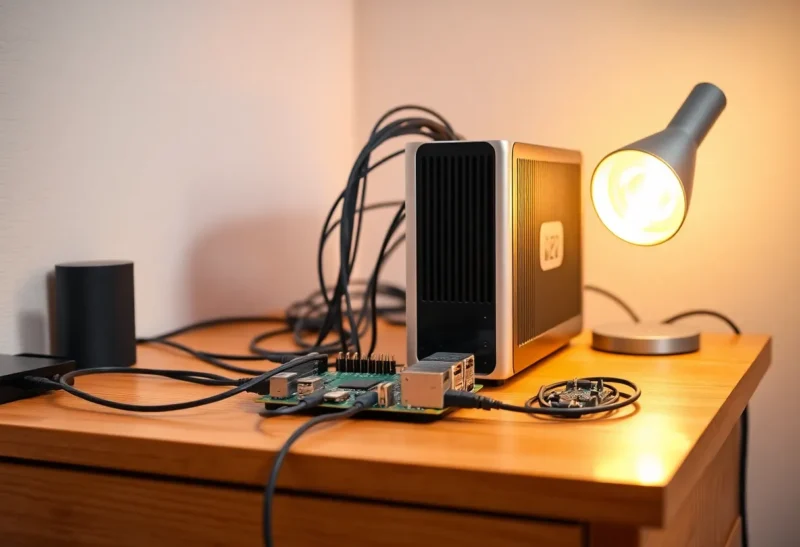
Streaming subscriptions add up: Netflix, Disney+, Max, and the rest can easily top $50 or more a month. A Raspberry Pi running Plex, Jellyfin, or Emby can serve your own library from a single board and a USB drive—no monthly fees, no content disappearing when licences change, and no algorithm deciding what you see. Building a Raspberry Pi media server still beats streaming subscriptions for anyone who wants to own their library, control their setup, and stop feeding the subscription treadmill.
Ownership and Permanence
Streaming services rotate content. A film or show you like can leave the platform; you’re renting access, not owning it. With a Pi media server, you keep your files. Rip your discs, keep downloads you’ve bought, or curate a collection that doesn’t depend on a corporate catalogue. Your server serves what you put on it—forever. That’s especially valuable for niche titles, older films, and anything that might not stay on a major streamer.
Cost Over Time
A Pi 4 or 5, a case, power supply, and a USB HDD or SSD might run you $100–150 once. Streaming at $50/month hits $600 a year. After two years, the Pi has paid for itself—and you still have the hardware and the library. If you already have a NAS or spare storage, the Pi is just the front end. No recurring fee, no price hikes, no account churn. For heavy watchers or families, the break-even is fast. Transcoding can be a limit on older Pi models; the Pi 5 and dedicated transcoding in apps like Jellyfin have improved that. For direct play of common formats, even a Pi 4 is enough.
Control and Privacy
Your media server runs at home. Viewing habits stay local; no company is profiling what you watch to sell ads or recommend the next title. You choose the client (Plex, Jellyfin, etc.), the metadata, and how you organise things. No autoplay, no “trending now”—just your library. If you care about data minimisation and control, a self-hosted server is the way to get it.
When Streaming Still Wins
Streaming is easier: sign up, open the app, watch. A Pi server requires setup, storage, and a bit of maintenance. If you want everything in one place with zero tinkering, a subscription is simpler. But if you’re willing to invest an afternoon in setup, a Raspberry Pi media server still beats streaming subscriptions on cost, ownership, and control. For many, that trade-off is worth it.
Building a Raspberry Pi media server still beats streaming subscriptions when you value owning your library, cutting monthly fees, and keeping your viewing data at home. It’s not for everyone—but for the right user, the Pi is the better long-term play.