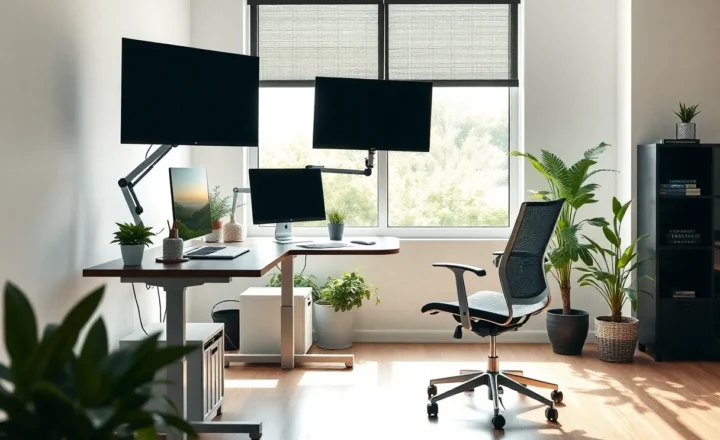
Why Your Home Workspace Lighting Might Be the Upgrade That Actually Matters

Amara Osei
March 15, 2026
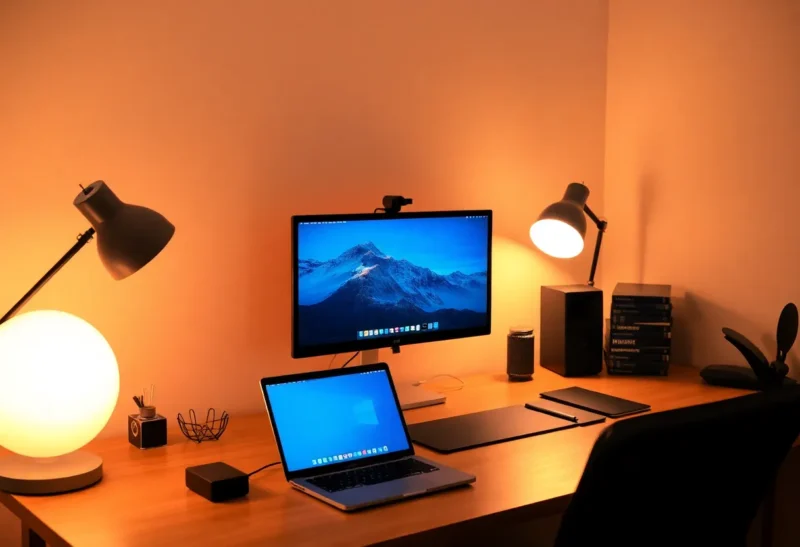
We obsess over monitors, chairs, and keyboards—and then work for years under a single overhead bulb or a dim corner of the room. Lighting is one of the most overlooked parts of the home office, and yet it affects focus, eye strain, and how long you can work without feeling drained. Here’s why your home workspace lighting might be the upgrade that actually matters, and what to do about it.
Why Lighting Gets Ignored
Lighting doesn’t feel like “tech.” It’s not a new gadget or a spec to compare. So we tend to default to whatever’s already there: the ceiling fixture, the window, or a cheap desk lamp. The result is often a mix of harsh overhead light, screen glare, and shadows that make reading or writing harder than it needs to be. We notice the monitor’s brightness and the chair’s lumbar support; we don’t always notice that we’re squinting or that our eyes feel tired after a few hours. But the research on light and performance is clear: the right kind and amount of light improves alertness, reduces eye strain, and can even affect circadian rhythm if you work late. So treating lighting as an afterthought is a missed opportunity. It’s one of the few changes that can improve both comfort and output without buying a new computer or a standing desk.
What “Good” Lighting Means for a Workspace
Good workspace lighting isn’t just “bright.” It’s layered and balanced. You want enough ambient light so the room doesn’t feel like a cave, but not so much that the screen competes with it. You want task light—a desk lamp or similar—so that papers, keyboard, and anything you’re reading are clearly lit without casting a single harsh shadow. And you want to avoid putting a bright light source directly behind or in front of the screen, which causes glare and eye strain. Colour temperature matters too: cooler (bluer) light can help with focus and alertness during the day; warmer light is easier on the eyes in the evening. Many people find that a neutral to slightly warm temperature (around 4000–5000 K for task lighting) works well for all-day work. The goal is to reduce the contrast between the screen and the rest of the room so your eyes aren’t constantly adapting. When the room and the screen are in a similar brightness range, you work longer without fatigue. Studies on office lighting and productivity support this: adequate, well-placed light reduces errors and subjective fatigue compared with dim or uneven lighting. You don’t need a lab to notice it—just try working in a well-lit corner versus a dim one and see how you feel after a couple of hours.
Low-Cost Changes That Actually Help
You don’t need smart bulbs or a full redesign. Start with the basics: if you have one overhead light, add a desk lamp so you have a second source and can avoid a single point of glare. Position the lamp so it doesn’t reflect on the screen—usually to the side or behind you, not in front. If you have a window, use it: natural light is free and often the most pleasant, but avoid sitting with the window directly behind the monitor (again, glare) or directly in front of you (too bright). Blinds or curtains let you tune the amount. If you’re buying one new thing, a decent LED desk lamp with adjustable brightness and colour temperature is a high-impact upgrade. You can set it cooler in the morning and warmer later in the day, or just find a setting that feels good and leave it. The point is to have control. Many people work for years with a lamp that’s too dim, too harsh, or in the wrong place—and never realise how much difference a small change would make. Common mistakes: a single bright overhead that creates a hotspot and leaves the desk in shadow; a lamp that shines straight at the screen; or a room so dark that the monitor is the only light source, which is hard on the eyes over time. Fix those first before spending on anything fancy.
When to Go Further
If you’ve fixed the obvious issues and still feel that your eyes are tired or that the space feels off, consider the full picture: multiple light sources (ambient + task), no direct glare on the screen, and a colour temperature that matches when you work. Some people add bias lighting behind the monitor—a soft light that matches the screen’s glow and reduces the contrast between the bright display and the dark room. It’s a small addition that can help in a dim room. Others invest in smart or tunable lighting so the room shifts from cooler to warmer as the day goes on. That’s optional; the core is still the same: enough light, in the right places, without fighting the screen. Your home workspace lighting might be the upgrade that actually matters—not because it’s flashy, but because it’s the thing you’ve been ignoring while you upgraded everything else.
The Takeaway
Lighting is easy to overlook and cheap to improve. Add a second light source, avoid glare on the screen, and pay attention to colour temperature and placement. You might find that a better-lit workspace does more for your focus and comfort than the next gadget you were thinking of buying. It’s not the most exciting upgrade—but it might be the one that actually matters.