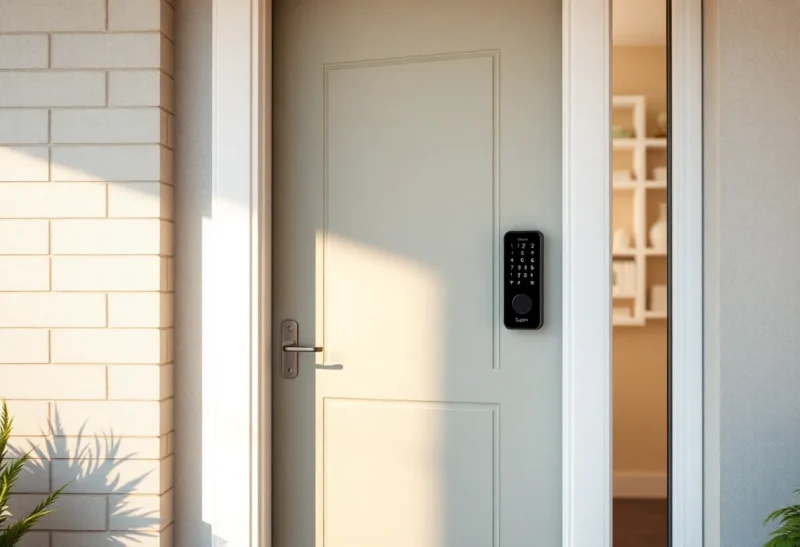
Smart locks are convenient. Unlock the door from your phone, hand out temporary codes to guests, never dig for keys again. But that convenience comes with a trade-off: you’ve put a networked computer on your front door. When that computer is poorly secured, out of date, or tied to a cloud service that gets breached, your physical security is only as strong as your digital security. In many homes, the smart lock is the weakest link—not because locks are inherently bad, but because they’re often the most exposed and least hardened device on the network.
That doesn’t mean you should rip yours off the door. It means you should know the risks, choose and configure wisely, and avoid treating “smart” as a synonym for “secure.”
Why Smart Locks Are a Target
Traditional locks are offline. A thief needs physical access to pick, bump, or break them. Smart locks are online—or at least they talk to a hub or your phone via Bluetooth or Wi-Fi. That creates attack surface. Researchers have repeatedly found vulnerabilities in popular models: weak encryption, default credentials, firmware that never gets updated, and apps that leak tokens or allow unauthorized access. Once an attacker is on your network—or has found a way to reach the lock’s radio or cloud API—they may be able to unlock your door without ever touching it.
Even when the lock itself is reasonably secure, the ecosystem around it often isn’t. The companion app might have weak authentication or store credentials insecurely. The cloud service might get breached, exposing user data and possibly session tokens that could be used to control locks. The lock might depend on a vendor’s servers to work at all; if those go down or the company goes out of business, you could be locked out—or stuck with a device that never gets security patches.
Physical security and digital security are now the same problem. A thief who might once have needed to pick your lock can now try to phish your credentials, exploit a bug in the lock’s firmware, or intercept the signal between your phone and the lock. The attack surface has moved from “at the door” to “anywhere on the internet.” That doesn’t make smart locks inherently worse than dumb locks—a well-designed smart lock with strong crypto and regular updates can be very hard to beat—but it does mean that the bar for “secure” is higher, and many products don’t clear it.

Common Weak Points
Default or weak PINs are still common. Some locks ship with a well-known default code or allow short, guessable codes. If you never changed yours, or you use something obvious, you’ve made the attacker’s job easy. Same for the app or cloud account: weak passwords, no two-factor authentication, or reused credentials from a breach elsewhere can hand over control of your lock.
Firmware updates are another weak spot. Many smart locks rarely or never receive security patches. The manufacturer may abandon the product, or updates may require a complicated process that most users never complete. So known vulnerabilities stay in the field for years. If your lock is more than a couple of years old, check whether it’s still supported and whether you’re on the latest firmware.
Bluetooth and Zigbee can be intercepted or replayed if the implementation is weak. Researchers have demonstrated attacks that capture a legitimate user’s unlock signal and replay it later, or that exploit pairing flaws to gain access. Not every lock is vulnerable, but the protocol alone doesn’t guarantee safety—the implementation does. Choosing a lock from a vendor with a solid security track record and a history of patching matters.
Guest and temporary codes are another vector. If the lock allows weak or short codes, or if the app doesn’t properly expire temporary access, someone who had access once might retain it. Audit who has codes and when they expire. Remove access for people who no longer need it—contractors, former tenants, ex-partners. It sounds obvious, but in practice many people never clean up their user list.
Cloud Dependency and Privacy
Many smart locks require a cloud connection for remote unlock, user management, and activity logs. That means your lock state and usage data are on someone else’s servers. Breaches, subpoenas, or simple misconfigurations can expose when you come and go, who has access, and potentially allow remote control. If you can live without remote unlock, a lock that works locally (e.g. via a local hub or Bluetooth only when you’re home) reduces that risk. If you need remote access, choose a vendor that encrypts data in transit and at rest and has a clear privacy policy—and enable every security option they offer.
Some locks also integrate with voice assistants or other smart home platforms. Each integration is another place where access control can go wrong. Limit integrations to what you actually need, and review permissions regularly.
What You Can Do
Start with the basics: change default codes, use a strong unique password for the lock’s app and cloud account, and turn on two-factor authentication if it’s available. Keep the lock’s firmware updated and remove the product from your network or replace it if the vendor has stopped supporting it. If the lock supports local-only operation and you don’t need remote access, consider disabling cloud features. Segment your smart home devices on a separate network or VLAN so a compromise doesn’t give access to your main devices. And don’t rely on the smart lock as your only line of defense—good lighting, visible cameras, and strong doors and frames still matter.
When buying a new lock, prefer vendors that have a history of security updates, support local control, and are transparent about their data practices. Open standards and local-first designs are increasingly available; they’re worth seeking out.
Finally, have a backup. Smart locks can fail—battery dead, network down, firmware bricked. Keep a mechanical key or a keypad code that works offline if the lock supports it. The goal is to never be locked out of your own home because the “smart” part stopped working. Convenience is great until it isn’t; plan for the day when the tech fails.
The Bottom Line
Smart locks are convenient and can be secure—but they’re only as strong as their design, configuration, and ongoing support. Too often they’re the weakest link because they’re connected, complex, and under-patched. Harden yours, keep it updated, and don’t assume “smart” means “safe.” Your front door deserves better.