The Case for a Dedicated Development Machine When You Work Remotely

Elena Vasquez
March 7, 2026

When you work from home, the line between “work” and “everything else” can vanish. The same laptop that runs your IDE also runs your banking, your streaming, and your weekend side project. That convergence is convenient until it isn’t—context switching without leaving your chair, notifications from every corner of your life, and the creeping sense that you’re never quite off the clock. One way to reclaim boundaries and focus is to give work its own machine: a dedicated development box that does nothing but code, meetings, and work-related tasks.
It sounds like overkill. Why maintain two computers when one can do it all? The answer isn’t about capability—it’s about cognitive load, security, and the simple fact that physical separation makes mental separation easier. For many remote developers, a dedicated work machine has become the most effective “productivity hack” they’ve adopted.
Why One Machine Becomes a Compromise
On a single laptop you’re constantly making trade-offs. Install the latest beta of your dev tools and risk breaking something you need for personal use. Keep work and personal browsers separate with profiles, and you still share the same OS, the same disk, the same background processes. Every Slack ping competes with every other notification. Your work VPN might conflict with the one you use for streaming. Your employer’s endpoint security stack runs alongside whatever you use at home. The machine becomes a shared resource, and shared resources get messy.
Then there’s context. When you sit down at “the computer,” your brain doesn’t automatically know which hat you’re wearing. Are you debugging a production issue or checking email? The same screen, same keyboard, same chair—the only cue is which windows are open. That makes it easier to drift, to half-work and half-distract, and to feel like you’re always somewhat on. A dedicated machine creates a clear signal: this device means work. When you’re at it, you’re working. When you’re not, you’re not. The physical boundary reinforces the mental one.
Psychologists and productivity researchers have long noted that environment shapes behavior. The same principle applies to devices. When work has a dedicated place—a room, a desk, or in this case a machine—you’re more likely to enter “work mode” when you’re there and leave it when you’re not. That doesn’t require willpower alone; it’s structural. The dedicated dev machine is a way to build that structure into your remote setup.

Security and Compliance Without the Guilt Trip
Employers increasingly require managed devices for access to internal systems. MDM, disk encryption, and locked-down configs are the norm in regulated or security-conscious shops. If you use your personal laptop for work, you’re either fighting that (and losing access to some tools) or handing over your personal machine to IT. The latter means work software—and sometimes work policies—on the same machine where you do your taxes and your hobbies. Many people rightfully balk at that.
A dedicated work machine solves the problem cleanly. That machine is the one that gets the MDM profile, the VPN config, and the corporate image. It’s the one that only has work accounts and work data. Your personal machine stays yours: no work monitoring, no work backup, no work keyloggers. You get to comply with employer requirements without turning your whole digital life into company property. For contractors and people who switch jobs often, a dedicated “work” box can be reimaged or handed back conceptually without touching your personal setup.
There’s a practical benefit for employers too. When work lives on a dedicated device, the blast radius of a lost or compromised machine is limited to work. You’re not mixing sensitive repos with personal cloud sync or family photos. Separation of environments is a security best practice; a separate machine is the fullest form of that.
Performance and Reliability You Control
Development can be demanding. You might need a specific OS version, a particular Docker setup, or a lot of RAM. On a shared machine, you’re forever balancing those needs against gaming, media, or other hobbies. Maybe you don’t want to run a heavy IDE and 50 browser tabs on the same system as your video calls. Maybe you want a Linux-only workflow for work but prefer Windows or macOS for everything else. A dedicated dev machine lets you optimize for one thing: getting work done.
You can also size it appropriately. A beefy desktop for compilation and local k8s, or a lean laptop that only ever runs your stack—no bloat from years of personal use. No “why is this slow?” detective work that ends in “because you have 200 Chrome tabs and three game launchers.” The work machine stays focused, so it stays fast.

Cost and Friction: Is It Worth It?
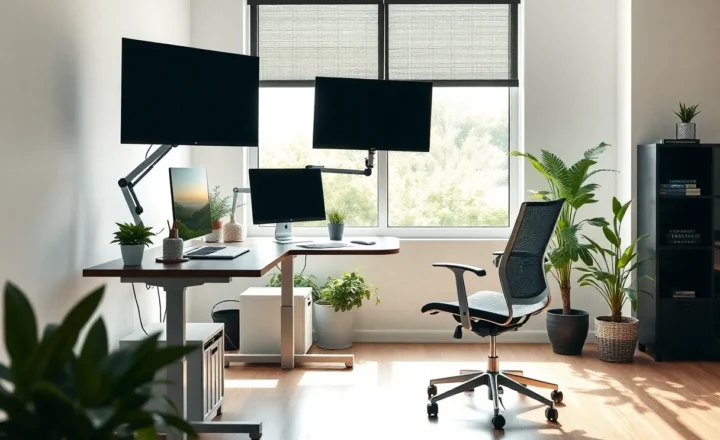
A second machine isn’t free. You need a desk that fits two setups, or a KVM switch, or a clear “work” corner. You might need a second monitor, keyboard, and mouse if you don’t want to swap cables. For some, that’s a dealbreaker—space or budget doesn’t allow it.
But the bar is lower than it used to be. A used mini PC or a Raspberry Pi 4 with a lightweight Linux install can be a perfectly fine SSH and browser terminal into a cloud dev environment. You don’t need a second top-spec laptop; you need a device that’s exclusively for work. Many people already have an old laptop in a drawer. Designating it “work only” and using it for coding and meetings can be enough. The point isn’t to spend more—it’s to separate.
Cloud-based development has made this even more viable. With GitHub Codespaces, Gitpod, or a self-hosted dev container, the “machine” can be a thin client—a Chromebook or an older laptop—that only runs a browser and an SSH client. The heavy lifting happens in the cloud. Your local device stays clean, fast, and dedicated. You get the psychological benefit of a work-only machine without the cost of a second high-end rig.
If you’re fully remote and your employer doesn’t provide hardware, buying a dedicated work machine can still pay for itself. You’re not mixing personal and work data, you’re not compromising your personal device with work software, and you’re giving yourself a clear off switch. For the cost of a mid-range laptop or a small desktop, you get peace of mind and better boundaries. For many, that’s a good trade.
How to Make the Split Work
If you go this route, keep the split strict. Work machine: only work email, work chat, work repos, work VPN. No personal social media, no personal banking, no side projects that aren’t work-related. Personal machine: everything else. The moment you start blending—”I’ll just quickly check work Slack on my personal phone”—you weaken the boundary. Not every moment has to be perfectly segregated, but the default should be clear.
Some people take it further: separate user accounts on the same machine, or separate browsers with different profiles. Those can help, but they don’t offer the same level of separation as two physical devices. One machine can still be compromised, monitored, or repurposed; two machines give you a true firewall between work and life. If you’re going to invest in the idea, go all the way.
Physically separating the machines helps too. Different desks, different rooms, or at least different sides of the same desk. When you “go to work,” you sit at the work machine. When you’re done, you leave it. The ritual reinforces the boundary and makes it easier to actually log off.
What about when you travel? A dedicated work machine can be the laptop you take on trips—the one with only work stuff on it—while your personal machine stays home. Or you might use a work-issued laptop for travel and a desktop or second laptop at home. The principle is the same: work has its own device, and that device is the only one that touches work systems and work data. Consistency matters more than the exact hardware.
The Bottom Line
A dedicated development machine isn’t for everyone. But if remote work has blurred the line between work and life, or if you’re tired of one laptop trying to be everything, a second device reserved strictly for work can restore clarity. You get better security, clearer boundaries, and a machine that’s optimized for one job. In 2026, that’s a strong case for keeping work on its own box.