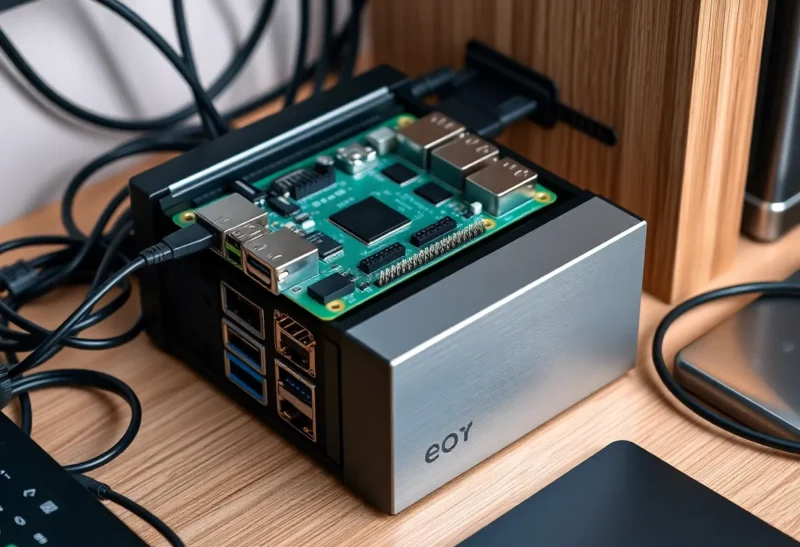
Off-the-shelf NAS boxes from Synology, QNAP, and others are polished, quiet, and easy to set up. For many people they’re the right choice. But there’s a slice of use cases where a Raspberry Pi plus a couple of drives and some open-source software not only works—it wins. If you’re comfortable with a terminal and you care about control, power draw, or avoiding vendor lock-in, a Pi NAS can be the better fit.
Where a Pi NAS Actually Wins
First, cost and flexibility. A Synology with a few bays can run several hundred dollars before you add drives. A Raspberry Pi 4 or 5, a case, a power supply, and USB or SATA enclosures for your drives often land well under that, and you own every piece. You’re not tied to a proprietary OS or app ecosystem. You can run plain Samba, NFS, or Nextcloud. You can add a VPN, a Pi-hole, or a small web server on the same machine. The hardware is generic; the software stack is whatever you choose.
Second, power. A typical Pi idles at a few watts. Even with a couple of USB drives, a Pi-based NAS often stays under 15 W. Many desktop-style NAS units draw more at idle. If the box runs 24/7, the difference in electricity cost can add up over years, and the lower heat and fan noise matter if the NAS lives in a bedroom or a small office.
Third, learning and control. Building a Pi NAS forces you to think about storage, networking, and backup in a way that clicking through a vendor UI often doesn’t. You’ll learn how SMB and NFS work, how to set up RAID or mergerfs, and how to automate backups with rsync or restic. That knowledge transfers. When something breaks, you’re not waiting for vendor support—you have shell access and logs.
Where a Synology (or Similar) Is Still Better
Pi NAS setups have real limits. Performance is one. Even a Pi 5 has a constrained CPU and shared USB or single PCIe bus for storage. You won’t match the throughput of a multi-bay NAS with a proper RAID controller and gigabit or 2.5G networking for large sequential transfers or many concurrent users. For a single household doing backups, media streaming, and light file sharing, a Pi is usually enough. For anything that needs high sustained throughput or heavy transcoding, a purpose-built NAS or a small x86 server will do better.
Ease of use is another. Synology’s DSM gives you a web UI, mobile apps, and one-click packages for things like Docker, VPN, and photo backup. With a Pi you’re installing and configuring everything yourself. Updates, security, and backup strategies are on you. That’s a feature if you want control; it’s a burden if you just want something that works and gets out of the way.
Reliability and support matter too. A Pi is a general-purpose board; a NAS vendor tests specific drive combinations, offers warranty and RMA, and often has a clearer upgrade path. If you’re not interested in debugging why a USB enclosure dropped offline at 3 a.m., a Synology may be worth the premium.
What You Need for a Pi NAS That Holds Up
If you go the Pi route, a few choices make a big difference. Use a Pi 4 with 4 GB RAM or a Pi 5—the extra CPU and memory help when you’re serving files and maybe running a couple of services. Prefer USB 3 or proper SATA (via a HAT or an external enclosure with a good chipset) over cheap USB 2 adapters. Drives need reliable power; a powered USB hub or enclosure is better than drawing everything from the Pi. For the OS, Raspberry Pi OS Lite or a minimal Debian image keeps things simple; add only what you need (Samba, NFS, maybe Docker).
Software stack: for simple network shares, Samba is the standard and works with Windows and Mac. For more advanced use, mergerfs lets you pool drives without RAID, and SnapRAID can add parity for one or more data drives so you can recover from a single disk failure. That combo is popular in the Pi and homelab community—flexible and not tied to proprietary RAID. Backups should go off the Pi (another disk, another machine, or the cloud). Cron plus rsync or restic is enough to automate that.
Real-World Performance Expectations
Don’t expect a Pi NAS to saturate a 2.5 Gbps link—you’ll typically see something in the range of 80–120 MB/s over gigabit depending on drive speed and protocol, which is enough for most home use: streaming 4K, backing up laptops, and serving a small team’s files. The bottleneck is usually the USB bus or the single SD or NVMe boot device if you’re not careful. Running the OS from USB or NVMe (on a Pi 4 or 5) and keeping data on dedicated external drives helps. So does using wired Ethernet; Wi-Fi adds latency and variability you don’t want for a file server.
Maintenance and Long-Term Use
A Pi NAS is still a Linux box. You’ll need to apply security updates, monitor disk health, and replace drives when they age. Tools like smartmontools and log2ram (to reduce SD wear if you boot from SD) are worth setting up early. The upside is that when something goes wrong, you have full access—no vendor lock-in, no waiting for a firmware fix. The downside is that you’re the one applying those fixes. If that trade-off sounds right, a Pi NAS can be a great project and a capable daily driver. If you’d rather not think about it, buy the Synology.
When to Choose Which
Choose a Pi NAS if you want to learn, you’re fine with a bit of setup and maintenance, and your workload is light to moderate—home backups, media library, a few users. Choose a Synology (or similar) if you want minimal hassle, higher performance, or a polished ecosystem with apps and support. Both are valid. The Pi doesn’t beat a Synology in every way—but in the right situation, it’s the better tool.