Why AirDrop Still Beats Every Cross-Platform Alternative

Chris Walsh
March 1, 2026
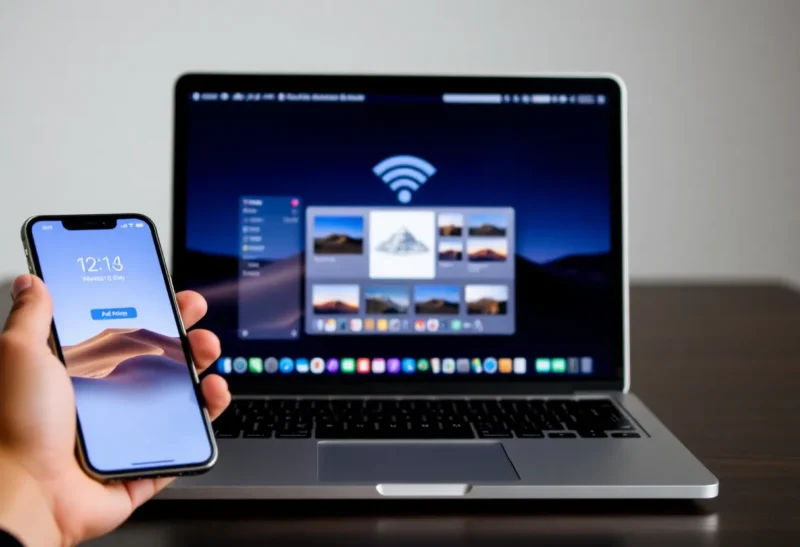
AirDrop just works. Point your iPhone at a Mac, tap Share, pick the device, and the file arrives. No cables, no apps to open, no accounts to link. It’s fast, it’s simple, and it’s one of the most underrated features of the Apple ecosystem. Cross-platform alternatives have tried to match it for years. None have.
That’s not because the alternatives are bad. It’s because AirDrop benefits from something they can’t replicate: a single company controlling the hardware, the software, and the protocol. When every device speaks the same language and the same company designs the UX, the experience is hard to beat.
Why AirDrop Works So Well
AirDrop uses a combination of Bluetooth Low Energy for device discovery and Wi-Fi Direct for the actual transfer. When you open the Share sheet, your iPhone scans for nearby devices. Macs, iPads, and other iPhones appear in a list. Tap one, and the file goes. Large files use Wi-Fi; small ones can use Bluetooth. The handoff is seamless.
The UX is consistent. Share sheet on iOS, right-click or Finder on macOS, Control Center on iPad. The flow is the same whether you’re sending a photo, a PDF, or a hundred photos. No app to open. No pairing to set up. Devices find each other automatically—as long as they’re Apple devices.

Security is built in. AirDrop uses end-to-end encryption. The transfer happens directly between devices, not through a server. Only nearby devices can see each other—by default, only contacts. You can set it to Everyone, but that’s a choice. The alternatives often route data through the cloud, or require accounts, or have weaker privacy guarantees.
What Cross-Platform Alternatives Offer
Android has Nearby Share (formerly Files by Google). It works between Android devices and, more recently, with some Chromebooks. Microsoft has a similar feature for Windows and Android. Snapdrop, LocalSend, and other third-party apps use a browser or an app to create a local network between any devices. They all work—sometimes. The catch: they’re not as seamless.
Nearby Share requires the app to be open and the feature enabled. Discovery can be slow. Transfer speeds vary. The UX differs by device and manufacturer. Samsung, Google, and others each add their own twists. There’s no single “it just works” experience.
Third-party apps like LocalSend or Snapdrop work across platforms—iPhone, Android, Windows, Mac, Linux. That’s their strength. But you have to open the app, make sure both devices are on the same network, and hope they find each other. It’s usable. It’s not elegant.
The Ecosystem Advantage
AirDrop works because Apple controls the whole stack. The Bluetooth and Wi-Fi chips, the OS, the Share sheet, the protocol—all of it is designed to work together. Cross-platform tools can’t do that. They have to work with whatever hardware and software each device offers. They’re guessing at APIs, dealing with OS restrictions (especially on iOS), and accommodating a fragmented landscape.
Apple also doesn’t have to support non-Apple devices. AirDrop could work with Android—the protocol isn’t proprietary in a way that makes it impossible—but Apple has no incentive to build it. Lock-in is a feature. The result: if you’re all-in on Apple, AirDrop is unbeatable. If you’re not, you’re stuck with second-best.
The Bottom Line
AirDrop is one of the best arguments for staying in the Apple ecosystem. For file transfer between Apple devices, nothing else comes close. Cross-platform alternatives exist and are improving, but they’re playing catch-up to a system that benefits from vertical integration and a decade of refinement. If you need to move files between iPhone and Android, or Windows and Mac, you’ll use something else—and it’ll feel like a compromise.