The Real Cost of Going Fully Passwordless in 2026

Sasha Reid
February 26, 2026
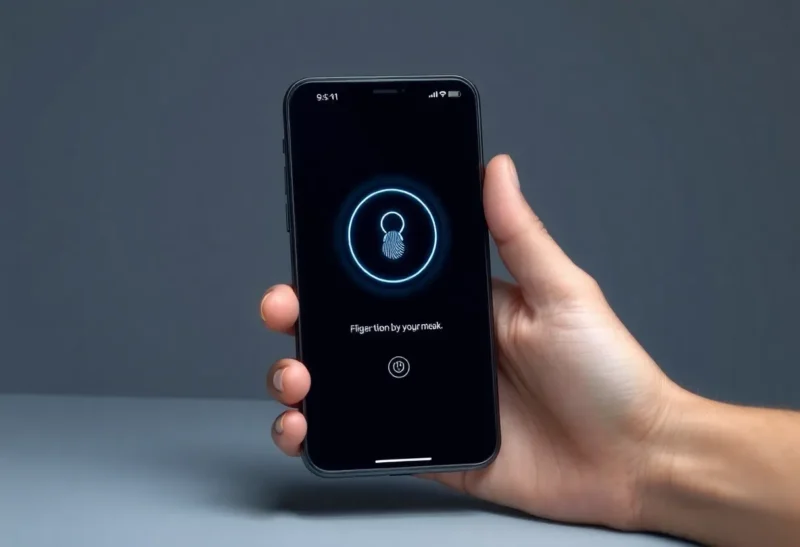
Passkeys and passwordless auth are finally mainstream. Apple, Google, and Microsoft have rolled them out; more sites support them every year. Going fully passwordless sounds clean—no more weak or reused passwords, no more password manager sync. But the real cost isn’t zero. Recovery, legacy support, and the gaps in the ecosystem can bite you. Here’s what “fully passwordless” actually costs in 2026.
What “Passwordless” Means Now
In practice, passwordless usually means passkeys (WebAuthn): a cryptographic key pair stored on your device or in a sync ecosystem (iCloud Keychain, Google Password Manager). You sign in with a biometric or PIN instead of typing a password. Hardware security keys (YubiKey, etc.) are another option—they hold the key and require physical presence. Both are stronger than passwords for phishing and credential stuffing. The catch is that passkey support is still uneven. Major platforms and a growing list of sites support them; many older or smaller sites don’t. Going “fully” passwordless means you’ll still have a password manager (or sticky notes) for the places that don’t support passkeys yet. The cost is the hybrid state: some accounts passkey-only, some still password-based, and you have to manage both.

Recovery and Lockout Risk
With passwords, “forgot password” usually sends a reset link to your email. With passkeys, the key lives on your device or in your account. If you lose the device or lose access to the sync account (e.g. Apple ID, Google account), you can be locked out unless you’ve set up recovery. Apple and Google offer account recovery—often through recovery contacts or backup codes—but it’s not automatic. You have to opt in and sometimes go through extra steps. If you go fully passwordless and don’t set up recovery, losing your phone or your primary account can mean losing access to everything. The real cost is making sure you have a recovery path and testing it: run through the recovery flow once so you know it works. Hardware keys add another wrinkle: if you have only one key and lose it, you need a backup key or another auth method. Most people need at least two keys or a backup method for critical accounts. The cost of going passwordless includes buying and registering that second key and storing it somewhere safe.
Where Passkeys Aren’t Yet
Lots of sites still don’t support passkeys. Work and school accounts, legacy apps, banking, and small services often stick with passwords (and sometimes 2FA). Going “fully” passwordless doesn’t mean you can delete your password manager—it means you use passkeys where they’re available and fall back to passwords elsewhere. The cost is maintaining both: keeping passkeys and sync in good shape while still storing and using passwords for the long tail of sites. Over time that long tail shrinks, but in 2026 it’s still real. The other cost is inconsistency: some flows are one-tap; others still ask for password + 2FA. You’re not fully in one world yet.
Device and Ecosystem Lock-In
Passkeys often sync through the vendor’s ecosystem—iCloud Keychain, Google Password Manager. That’s convenient but ties your credentials to that ecosystem. Moving from iPhone to Android (or vice versa) can mean re-enrolling passkeys or relying on a password manager that supports passkeys across platforms. Cross-platform passkey support is improving (e.g. 1Password, Bitwarden), but the default for many users is still “passkeys live in Apple or Google.” The cost of going passwordless can be deeper reliance on one vendor for your auth keys. If that’s acceptable, fine; if you want to stay vendor-neutral, you need a cross-platform manager and possibly hardware keys, which adds setup and cost.
What to Do in 2026
Use passkeys wherever they’re offered—especially for high-value accounts like email, banking, and work. Set up recovery for your passkey sync account (Apple ID, Google, etc.) and test it. Keep a password manager for sites that don’t support passkeys yet; you’re not going to eliminate passwords this year. For the most critical accounts, consider a hardware key and a backup key. Accept that “fully passwordless” is a goal, not a current state: the ecosystem is still catching up. The real cost is the mental and practical overhead of living in the transition—but the benefit (stronger auth, less phishing risk) is worth it for the accounts that matter most.
Is It Still Worth It?
Yes, for the accounts that support it. Passkeys are stronger and simpler where they work. The real cost isn’t “don’t go passwordless”—it’s “go passwordless where you can and plan for the rest.” Set up recovery, keep a password manager for legacy sites, and consider a hardware key for the most critical accounts. Accept that 2026 is still a transition year: more passkey support, but not universal. The cost of going “fully” passwordless is managing that transition and not assuming you can drop passwords entirely yet. We’re closer than we were, but the real cost is that hybrid reality—and it’s a cost worth paying for the security gain where passkeys have landed.
Bottom Line
The real cost of going fully passwordless in 2026 is hybrid reality: you’ll still have passwords for many sites, you need a recovery strategy to avoid lockout, and you may be more tied to an ecosystem for passkey sync. None of that means you shouldn’t use passkeys—you should where they’re available. It means the “fully” part isn’t here yet, and the cost is planning for the in-between state and securing the recovery path. Do that, and passwordless is a net win; skip it, and the cost can be lockout or confusion when things break.