Frigate Detectors in 2026: Coral TPU vs Hailo-8L vs an Intel iGPU With OpenVINO

Drew Morrison
November 22, 2026
You are setting up Frigate, or rebuilding an older install, and every guide you find from a few years ago says the same thing: buy a Google Coral. Then you go shopping and find the USB Coral sold out, marked up, or listed as retired, while forum threads point you at a Hailo module or tell you the Intel chip already in your mini PC is enough. The detector is the one piece of hardware that decides how many cameras Frigate can analyze and which models you can run, so it is worth getting right before you spend money.
This guide compares the three options most home users actually choose between in 2026: the Coral Edge TPU, the Hailo-8L (and its bigger sibling, the Hailo-8), and an Intel integrated GPU running OpenVINO. The numbers come from Frigate’s own documentation, which, at version 0.18, publishes inference times per device and per model.
Frigate’s own docs no longer recommend the Coral for new builds
The most important change is easy to miss if you learned Frigate from older tutorials. The recommended hardware page now carries a warning that the Coral is no longer recommended for new Frigate installations. The project makes exceptions for setups that need very low power or for hardware that cannot use any other accelerator, and it says Coral support will continue for as long as practical. Existing Corals keep working; nothing is being pulled out of the code.
Several things sit behind that shift. Google’s old coral.ai product site now redirects to a developers page about a Coral platform aimed at chip makers, not the USB stick hobbyists know. Retail stock of the USB Accelerator is patchy: some distributors list it as retired, others show it out of stock, and the listings that remain vary widely in price by region. On the software side, the gasket-driver repository that provides the Linux kernel driver for the PCIe and M.2 Corals was archived by Google on April 18, 2026, and is now read-only. Frigate’s docs note that the USB version does not need a host driver, so USB owners are less exposed, but anyone planning around an M.2 Coral is now relying on community-maintained driver forks to keep up with new kernels.
What each detector actually runs, and how fast
Raw TOPS figures say little about Frigate throughput, which depends on the model and input size. Frigate’s docs say the project is optimized for 320×320 models and call that size the recommended starting point for nearly all setups. The table below sticks to 320-pixel models and to the figures Frigate publishes.
| Detector | Frigate type |
Default or suggested model | Inference time per Frigate docs | Typical power (vendor figure) | Approx. price |
|---|---|---|---|---|---|
| Coral USB / M.2 (Edge TPU) | edgetpu |
MobileDet (default); quantized YOLOv9 since 0.17 | No per-model table; docs use ~10 ms as an example, about 100 fps per Coral | About 2 W for 4 TOPS (Google spec) | Uneven; retired at some retailers |
| Hailo-8L (13 TOPS) | hailo8l |
YOLOv6n (auto-downloaded) | YOLOv6n ~11 ms, SSD MobileNet v1 ~10 ms, YOLOv9-tiny 18 ms | About 1.5 W typical (Hailo) | $70 as the Raspberry Pi AI HAT+ 13 TOPS |
| Hailo-8 (26 TOPS) | hailo8l |
YOLOv6n (auto-downloaded) | YOLOv6n ~7 ms, SSD MobileNet v1 ~6 ms | About 2.5 W typical (Hailo) | $110 as the Raspberry Pi AI HAT+ 26 TOPS |
| Intel N100 iGPU (OpenVINO) | openvino |
YOLOv9 recommended | MobileNetV2 ~15 ms, YOLOv9-s 30 ms; one detector instance only | Shared with the CPU package | Already in the machine |
| Intel UHD 770 iGPU (OpenVINO) | openvino |
YOLOv9 recommended | YOLOv9-t ~16 ms, YOLOv9-s ~20 ms | Shared with the CPU package | Already in the machine |
| Intel Iris Xe iGPU (OpenVINO) | openvino |
YOLOv9 recommended | YOLOv9-t 6 ms, YOLOv9-s 8 ms | Shared with the CPU package | Already in the machine |
A few things stand out. The Hailo-8 is faster than the Hailo-8L in every comparison Frigate lists, which makes sense given it has twice the rated TOPS. The lower-end Intel chips are slower per inference than a Hailo, but newer Intel graphics are not: Frigate’s figures for Iris Xe running YOLOv9-small put it ahead of the Hailo-8L running the much smaller YOLOv6n. And Intel’s Core Ultra NPU shows YOLOv9-s at 11 ms in the same table, with Frigate recommending that Core Ultra owners put object detection on the NPU and leave the GPU free for enrichments such as semantic search and face recognition.
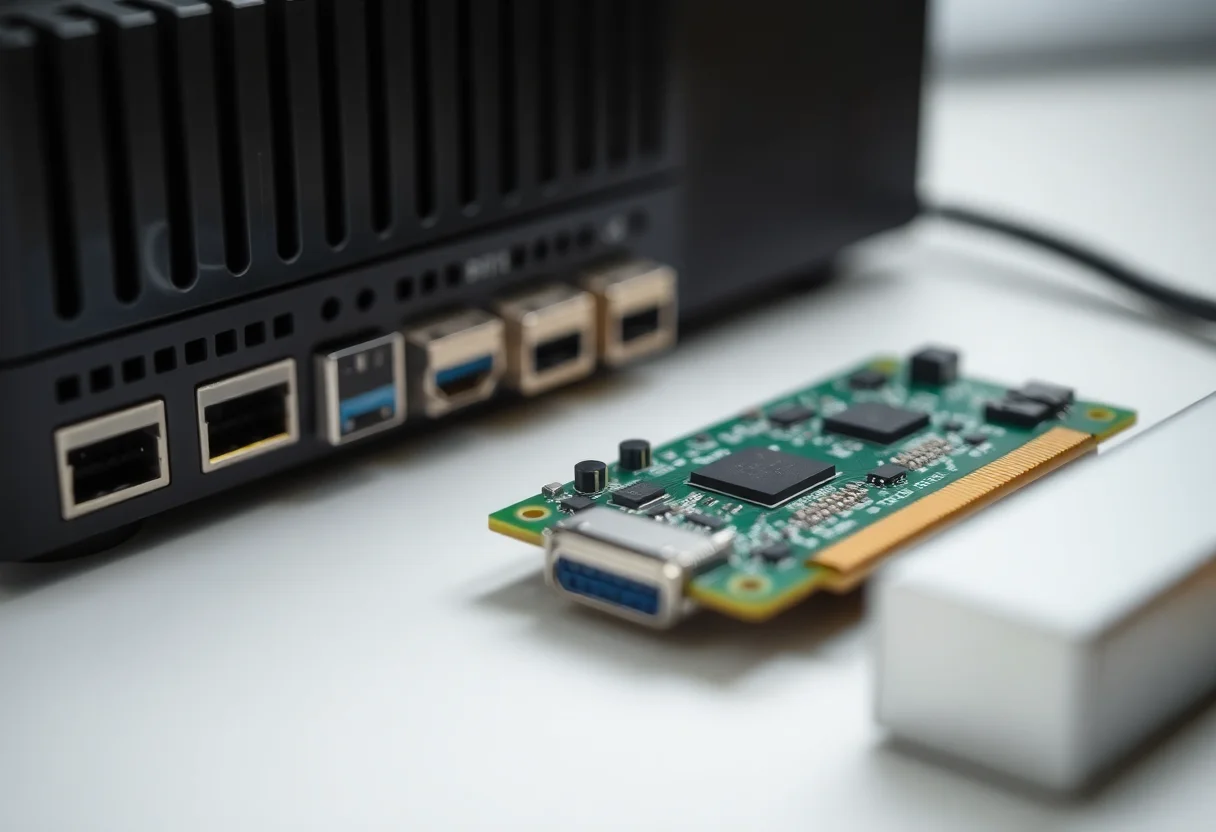
The Coral Edge TPU: efficient, simple, and aging
The Coral earned its reputation honestly. Google rated the Edge TPU at 4 TOPS using about 2 watts, and Frigate’s docs still describe it as one of the most power-efficient devices for running object detection. The USB version works with the widest range of hardware and needs no host driver, which is why it became the default recommendation for Raspberry Pis, old laptops and NAS boxes with a spare USB port.
Configuration is about as short as Frigate gets: a detector entry with type: edgetpu and device: usb, and the bundled model does the rest.
Its main limit has always been the model. The Edge TPU runs quantized TensorFlow Lite models, and Frigate’s default is MobileDet. Frigate 0.17 added a quantized YOLOv9 model for the Coral that the release notes describe as more accurate than MobileDet, with a catch: because of hardware limits, it includes only a subset of the standard COCO labels. Frigate+ subscribers also got YOLOv9 Coral models covering all of Frigate+’s labels. That gives existing owners a real accuracy upgrade without new hardware.
If you already own a Coral and it is keeping up with your cameras, there is no reason to replace it today. If you are buying new, the deprecation warning, the archived PCIe driver and the unreliable retail supply all argue for spending your money elsewhere. An M.2 or Mini PCIe Coral is the weakest choice of all for a new build, since it is the version that depends on the archived kernel driver.
Hailo-8L and Hailo-8: the dedicated-accelerator replacement
Hailo has become the closest thing to a Coral successor for people who want a separate AI chip. Frigate supports both the Hailo-8 and Hailo-8L modules, and its hardware page lists Hailo first among options that work on most hardware. Both come in M.2 form, which lets them go in two quite different machines.
On a Raspberry Pi 5
Frigate’s docs specifically mention the Raspberry Pi 5 with the PCIe HAT from Raspberry Pi’s AI Kit. The AI Kit has since been followed by the AI HAT+, which Raspberry Pi sells in two versions: 13 TOPS with a Hailo-8L for $70, and 26 TOPS with a Hailo-8 for $110. Raspberry Pi says both are backward compatible with the AI Kit. For a small, quiet, low-power Frigate box with a handful of cameras, a Pi 5 with an AI HAT+ is a tidy package.
Be careful with the newer AI HAT+ 2. It uses a Hailo-10H with 8 GB of onboard memory, aimed mainly at running small language and vision-language models. Frigate’s documentation covers only the Hailo-8 and Hailo-8L, and a GitHub discussion about the 10H notes the lack of official support. A community add-on for Home Assistant exists as a technology preview, but for a camera system you want to rely on, the original AI HAT+ is the supported choice.
In an x86 machine
Hailo modules are also sold as standalone M.2 cards that fit a mini PC or server with a spare M.2 slot. Frigate’s docs say testing on x86 platforms with two PCIe lanes gave further improvements in frames per second, throughput and latency compared with the Pi, whose HAT connection is narrower. Hailo’s datasheets cover more than one M.2 keying, including an M-key version that fits the slot type most NVMe SSDs use, so match the module to a free slot in your machine, and check how many PCIe lanes that slot has, before you order.
Models and setup
When no custom model is configured, Frigate downloads YOLOv6n from the Hailo Model Zoo on first start and caches it under /config/model_cache/hailo. You can point it at another model by local path or URL, as long as the file is a compiled .hef, and Frigate says it supports Hailo Model Zoo models that include HailoRT post-processing. Frigate publishes a YOLOv9-tiny figure for the Hailo-8L, but the Hailo section of the detector docs does not walk through YOLOv9 the way the OpenVINO section does, so treat larger YOLO models on Hailo as something to research rather than assume. The detector type for both chips is hailo8l.
An Intel iGPU with OpenVINO: the option you may already own
For many people the cheapest detector is the one already soldered to the motherboard. Frigate’s OpenVINO detector runs on Intel CPUs, integrated and Arc GPUs, and NPUs, selected with device: GPU, device: NPU or device: CPU. The docs say it will also run on AMD CPUs, though that is not officially supported.
The recommended model for OpenVINO is YOLOv9. Frigate does not ship it ready-made for this detector; the docs give a docker build procedure that exports YOLOv9 to ONNX with a chosen size (t, s, m, c or e) and input resolution (320 or 640). You then point Frigate at the file with model_type: yolo-generic, a 320×320 input and the COCO-80 label map. The docs suggest YOLOv9-s at 320 as a good place to start.
How well this works depends heavily on the generation of the chip. The Intel N100, popular in budget mini PCs, manages YOLOv9-s in about 30 ms and is limited to a single detector instance, according to Frigate’s table. The N150 does better with YOLOv9-tiny at 16 ms. Desktop UHD 770 graphics handle YOLOv9-s in about 20 ms, Iris Xe in 8 ms, and an Arc A310 in 8 ms. Older chips such as HD 530 and HD 630 can still run MobileNetV2 in roughly 15 to 35 ms.
The per-inference numbers hide one trade-off: the same iGPU usually decodes your camera streams too, and shares a power and thermal budget with the CPU. A dedicated accelerator takes detection off that budget entirely.
One rule applies whatever you pick: Frigate’s docs state that you cannot mix different detector types for object detection, so you cannot run a Coral and OpenVINO together and split cameras between them. Multiple detectors of the same type, such as two Corals, are supported.
Matching the detector to the machine you have
- You already run Frigate on a Coral and it keeps up. Keep it. Try the quantized YOLOv9 model from Frigate 0.17 for better accuracy, accept the reduced label set, and plan your next detector for when the Coral fails or your kernel outgrows the driver.
- You have a reasonably recent Intel mini PC or desktop. Start with OpenVINO on the iGPU, and on a Core Ultra chip, the NPU. It costs nothing, runs YOLOv9, and on Iris Xe-class or newer graphics it is as fast as or faster than a Hailo-8L. Buy an accelerator only if detection starts competing with decoding or other workloads.
- You have an N100-class box with many cameras. OpenVINO will work, but Frigate’s single-instance note and 30 ms YOLOv9-s figure suggest headroom is limited. An M.2 Hailo-8 in a free slot is the cleanest upgrade if the machine has one.
- You want a small, low-power dedicated NVR. A Raspberry Pi 5 with the 26 TOPS AI HAT+ is the supported option. The 13 TOPS version is fine for a few cameras. Skip the AI HAT+ 2 for Frigate until it gains official support.
- You have an AMD or ARM machine with no Intel graphics. Hailo is the dedicated accelerator Frigate lists first for most hardware. AMD Radeon graphics can use the ROCm build with ONNX, and Rockchip boards have a community-supported RKNN detector, but those are separate paths with their own caveats.
- You have a spare Nvidia GPU in a server. Frigate’s ONNX detector on a recent GeForce card runs YOLOv9-s at 320 in roughly 7 to 10 ms in the docs’ table and handles 640-pixel models more comfortably than the chips above, at the cost of far higher idle power.
Before buying anything, it is worth checking whether you need a detector at all for your camera count. The earlier guide on whether Frigate needs a Coral for four 1080p cameras covers the CPU-only case, and this explainer on Coral and recording-only setups covers what a detector does and does not speed up. If you are still deciding on the NVR software itself, see Frigate vs Blue Iris.
Small details that trip up a detector change
- Models are not portable. A Coral uses an Edge TPU TFLite file, Hailo uses a compiled
.hef, and OpenVINO uses an exported ONNX file. Yourmodelblock has to change along with the detector. - Label sets differ. The Coral YOLOv9 model covers only part of COCO, while the OpenVINO example uses the full COCO-80 label map. Check that the objects you track are still in the list.
- Stay at 320 first. Frigate’s tables show 640-pixel models taking two to four times as long. Move up only if small or distant objects are being missed.
- Check Docker device passthrough. USB Corals, Hailo PCIe devices and Intel GPUs each need their device nodes passed into the Frigate container, and Hailo needs its driver on the host. Frigate’s installation docs list what each one needs.
In 2026 the Coral has gone from default to legacy, Hailo is the dedicated chip Frigate now leads with, and a reasonably modern Intel iGPU is often good enough that you do not need to buy anything at all.