Woodpecker CI vs Forgejo Actions for a Self-Hosted Git Server: Separate Runner or Built-In Workflows

Nate Holbrook
October 16, 2026
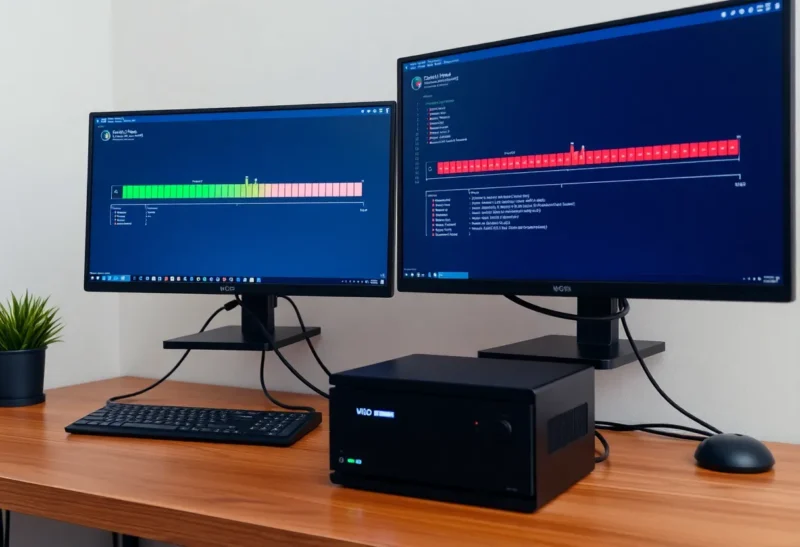
Moving your code from GitHub to a self-hosted Forgejo server is the easy half. The harder half is CI: the tests, builds and deploys that used to run on GitHub’s machines for free. Without them, a self-hosted git server is just a place to store code. Forgejo users have two main ways to get CI back. Woodpecker CI is a separate, mature CI server that connects to your forge. Forgejo Actions is CI built into Forgejo itself, with a syntax close to GitHub Actions.
I run a small Forgejo instance for personal and client repositories, and have used both. Neither is a clear winner. They suit different people, depending mostly on how much GitHub Actions you are bringing with you.
Two ways to run pipelines next to your git server
Woodpecker CI is an open-source CI system, a community fork of the older Drone CI. It runs as its own server with one or more agents, and connects to Forgejo, Gitea, GitHub, GitLab or Bitbucket through OAuth. Pipelines live in a .woodpecker folder in each repository as simple YAML files, and every step runs in its own container. It is the CI behind Codeberg’s long-standing CI service, so it is well tested on Forgejo-style forges.
Forgejo Actions is part of Forgejo. You enable it on the server, register one or more runners using Forgejo’s runner program, and repositories run workflows from .forgejo/workflows. The workflow syntax is deliberately close to GitHub Actions, and many existing actions work, so moving a project from GitHub often means copying the workflow file and adjusting a few lines.
| Woodpecker CI | Forgejo Actions | |
|---|---|---|
| Where it runs | Separate server plus agents | Built into Forgejo, plus separate runners |
| Pipeline syntax | Woodpecker YAML: steps as containers | Close to GitHub Actions workflows |
| Reusing GitHub Actions | No; rewrite pipelines | Many actions work; not every one |
| Forges supported | Forgejo, Gitea, GitHub, GitLab, Bitbucket | Forgejo only |
| Interface | Its own web UI | Inside the Forgejo repository pages |
| Plugins | Container-based plugins | Actions written in JavaScript, Docker or composite |
What migrating from GitHub feels like
This is the deciding factor for most people. If you have years of GitHub Actions workflows, with checkout, setup steps for your languages, caching and release actions, Forgejo Actions lets you keep most of that. The runner is based on the same open-source project that runs GitHub Actions locally, and the workflow format, triggers, matrix builds, secrets and job outputs work the way you expect.
Compatibility is high but not complete. Actions that depend on GitHub-specific APIs, such as creating GitHub releases, commenting on GitHub pull requests or using GitHub’s package registry, may fail or need Forgejo equivalents. Actions are fetched from Forgejo’s own action mirror by default, and you can point a workflow at any action by its full URL, including ones on GitHub. Expect a few adjustments per repository, not a rewrite.
Woodpecker requires you to rewrite pipelines in its own format. The good news is that the format is simple: each step names a container image and the commands to run. A typical “install, test, build” pipeline is a dozen lines. The bad news is that the GitHub Actions ecosystem does not come with you, so anything you relied on an action for, you now do with a container and a script, or with one of Woodpecker’s plugins.

Running the runners
Both need machines to run jobs on, and both run jobs in containers by default.
Woodpecker splits into a server, which holds the web interface and the queue, and agents, which run pipelines. A small homelab can run both on one machine. The server is light, and agents use Docker to start a fresh container for each step, sharing a workspace volume between steps. Adding capacity means starting another agent on another machine.
Forgejo Actions uses the Forgejo runner. You register it with your Forgejo instance with a token, give it labels that map to container images or to the host itself, and it picks up jobs. Like Woodpecker agents, runners can live on any machine that can reach Forgejo, including a separate box so builds do not slow your git server. Runners can execute jobs in Docker containers, which is the safe default, or directly on the host, which is faster but gives workflows access to that machine.
Either way, keep runners away from anything sensitive. CI executes whatever code is in the repository, and a careless pull request from a fork can run arbitrary commands on your hardware. Both systems let you require approval for pipelines from outside contributors; use it if your repositories accept contributions.
Resource use on a small server
On a small VPS or home server, the forge itself is the main cost. Forgejo is light, often a couple of hundred megabytes of memory for a personal instance. Adding Forgejo Actions adds little to the server, and the runner’s resource use is mostly the jobs themselves.
Woodpecker’s server is similarly light, with SQLite by default or Postgres for larger setups. It is one more service to update, back up and secure, but it is not heavy.
The jobs dominate in both cases. A Node build, a Rust compile or a Docker image build uses the same CPU and memory whichever CI starts it. If your server is tight on RAM, put the runner or agent on a different machine, such as a spare mini PC, and let it fetch jobs from the forge. That comparison of forge resource use is also covered in Forgejo vs GitLab CE on a small VPS.
Day-to-day experience
Forgejo Actions keeps everything in one place. Workflow runs appear in the repository’s Actions tab, status checks appear on pull requests and commits, and secrets and variables are managed at repository, organisation or user level in Forgejo’s settings. There is one login, one interface and one thing to back up.
Woodpecker has its own interface, which shows pipelines across all repositories, logs per step, and controls for restarting and approving builds. Status checks still appear in Forgejo through the integration. Some people prefer this separation: CI is its own product with its own focus, and it does not change when the forge upgrades.
Woodpecker’s pipeline format is also pleasant to read. Steps run in order unless you declare dependencies, conditions filter by branch, event or path, and services such as a database for tests are declared alongside the steps. Matrix builds and multiple workflow files per repository are supported.
Maturity and direction
Woodpecker has been stable for years and has a focused, active community. Its scope is CI and nothing else, and it changes carefully. Because it supports several forges, it also protects you if you ever move from Forgejo to something else.
Forgejo Actions is newer and still marked as evolving in places, but it has matured quickly and is where much of Forgejo’s development attention goes. Gitea has its own Actions implementation from the same roots, which I looked at in Gitea Actions vs a runner you forget exists. Expect occasional differences from GitHub’s behaviour and read release notes before upgrading.
Secrets, caches and deploys
The pipeline that runs tests is easy. The one that deploys, pushing an image to a registry, copying files to a server or restarting a container over SSH, is where self-hosted CI gets serious, because it needs credentials.
Both systems store secrets encrypted and inject them into jobs as environment variables, hidden in logs. Forgejo Actions manages secrets at repository, organisation and user level in the Forgejo interface, using the same secrets.NAME syntax as GitHub. Woodpecker stores secrets per repository or organisation, and lets you restrict each secret to specific events, branches or plugin images, so a pull request pipeline cannot read the deploy key. That restriction is one of Woodpecker’s quiet strengths; with Forgejo Actions, keep deploy jobs on protected branches and avoid exposing secrets to workflows triggered by forks.
Caching matters more on home hardware than on GitHub’s, because rebuilding dependencies on a small mini PC is slow. Forgejo Actions supports the familiar cache action through a cache server built into the runner. Woodpecker relies on volumes or cache plugins configured by the administrator. Either way, a warm cache can turn a ten-minute build into a two-minute one.
Both work well with Forgejo’s built-in package registry for container images, which keeps the whole build-and-ship loop on your own hardware.
Three common setups and what fits them
A solo developer leaving GitHub with existing workflows. Forgejo Actions. Copy your workflows into .forgejo/workflows, register a runner, fix the handful of GitHub-specific steps, and you are done. The familiarity alone saves hours.
A homelab with simple build-and-deploy pipelines. Either works. Woodpecker’s container-per-step format is easy to reason about, while Forgejo Actions keeps everything in one interface. Pick the one whose syntax you prefer to read.
A setup that might span more than one forge, for example a Forgejo server for personal code and a GitHub organisation for open-source projects. Woodpecker can serve both from one CI installation, which Forgejo Actions cannot.
Deciding by what you already have
If you are bringing GitHub Actions workflows with you, use Forgejo Actions. It is built in, familiar, and most of your existing workflows will run with small changes. It is the path of least resistance and the direction Forgejo itself is taking.
If you are starting fresh, prefer a separate CI system, or need to support more than one forge, use Woodpecker. It is mature, simple and independent of your forge’s upgrade cycle.
Whichever you choose, put the runner on hardware you do not mind CI using heavily, run jobs in containers, and require approval for code from strangers. Self-hosted CI is very satisfying once it works, and either option will get you there.