Why Your Monitor Setup Might Be Killing Your Focus

Owen Finch
February 24, 2026
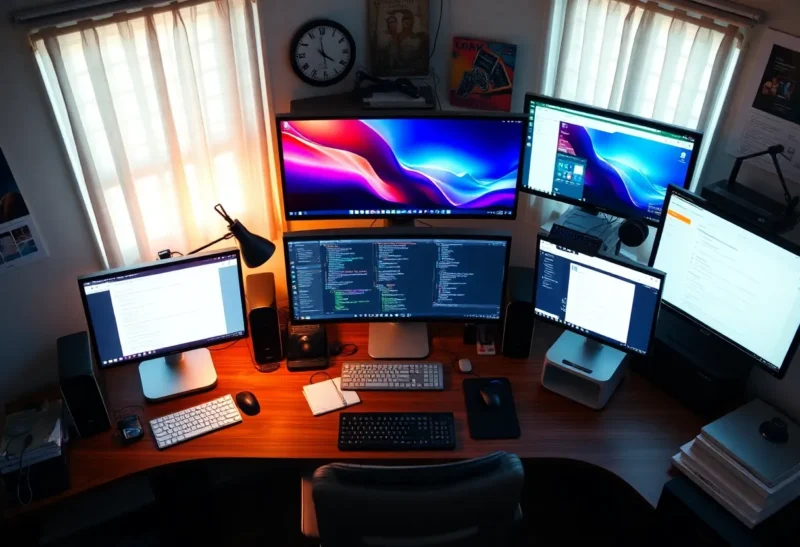
We treat monitor setup as a productivity upgrade: more screens, more pixels, more space to spread out. But the same setup that’s supposed to help you get more done can quietly undermine focus. Too many displays, poor placement, and the wrong defaults can turn your desk into an attention trap. Here’s how your monitors might be working against you—and what to change.
More Screens, More Distraction
Multiple monitors feel productive. You keep email on one, your main task on another, Slack or music on a third. The problem is that every visible window is a potential interrupt. Notifications, motion, and “just a quick check” add up. Research on divided attention suggests that even when you’re not actively looking at the second screen, its presence can reduce performance on the primary task. Your brain is partly monitoring the other display; that cognitive load is real. Studies on dual-screen use show that task-switching and peripheral distraction rise with the number of visible information sources. So the first question isn’t “how many monitors can I fit?”—it’s “how many do I actually need for focused work?” For many people, one large display or a single focused workspace beats two or three screens for deep work. Reserve multi-monitor for when you genuinely need to reference two things at once (e.g., code and docs), and consider turning off or hiding secondary screens when you don’t.
Notifications and the Always-Visible Inbox
When email or Slack lives on a second monitor “so you can keep an eye on it,” you train yourself to check constantly. Every new message is a potential context switch. Fix: close the inbox during focus blocks, hide Slack in a background workspace, or use Do Not Disturb. Your setup should not make interruption the default.
Placement and Posture
Where your monitors sit affects both focus and comfort. If your primary screen is off to the side, you’re constantly turning your head; that’s tiring and makes it easier to “drift” to the other display. Center your main work directly in front of you at eye level. Secondary screens should be to the side for reference, not competing for attention. Height matters too: the top of the screen around or slightly below eye level reduces neck strain and keeps your gaze contained. A monitor that’s too high or too low pulls your posture out of alignment and can contribute to fatigue—which in turn makes it harder to sustain focus. One well-positioned display often beats two poorly placed ones.
Resolution, Scale, and Clutter
High resolution is great until you use it to cram more windows onto one screen. Tiny text and dozens of open tabs might feel like “more productivity,” but they increase cognitive load. You’re constantly deciding where to look and what’s relevant. Simplifying the layout—fewer windows, one main app at a time, generous scaling so text is readable without squinting—reduces that load. Use virtual desktops or workspaces to separate contexts: one for writing, one for coding, one for communication. When you switch, you’re making a deliberate context change instead of having everything in view at once. Your monitor setup should support single-tasking, not encourage constant scanning.
Brightness, Blue Light, and Fatigue
Monitors that are too bright for the room cause eye strain and can disrupt circadian rhythm, especially in the evening. Turn brightness down to match ambient light; many people run displays far brighter than they need. Use night mode or reduced blue light in the evening to avoid messing with sleep. Fatigue from a harsh or mis-tuned display doesn’t just hurt your eyes—it shortens the time you can hold focus. A comfortable, well-adjusted screen is a focus multiplier.
When Multiple Monitors Help
Multi-monitor setups aren’t inherently bad. They help when you have a clear primary task and a clear reference task: coding with documentation on the side, design with assets on the side, writing with research on the side. The key is asymmetry—one screen is the “focus” screen and the other is support. When both screens compete for attention (e.g., work on one, social or news on the other), focus suffers. So if you use multiple monitors, assign roles. Make the primary screen the only place where “main work” happens, and treat the other as a reference panel you glance at, not a second focus target.
Reclaiming the Setup for Focus
If your monitor setup might be killing your focus, start with one change: reduce the number of active distractions. That might mean one monitor for deep work and turning the others off, or dedicating one screen to a single “focus” workspace with no notifications. Center your main display, dial back brightness, and close or hide everything that isn’t needed for the current task. The goal isn’t to give up screens—it’s to make the setup serve attention instead of fragmenting it. Sometimes the best productivity upgrade is less, not more.