Why Your First 3D Printer Will Teach You More Than Any Tutorial

Jamie Torres
February 26, 2026
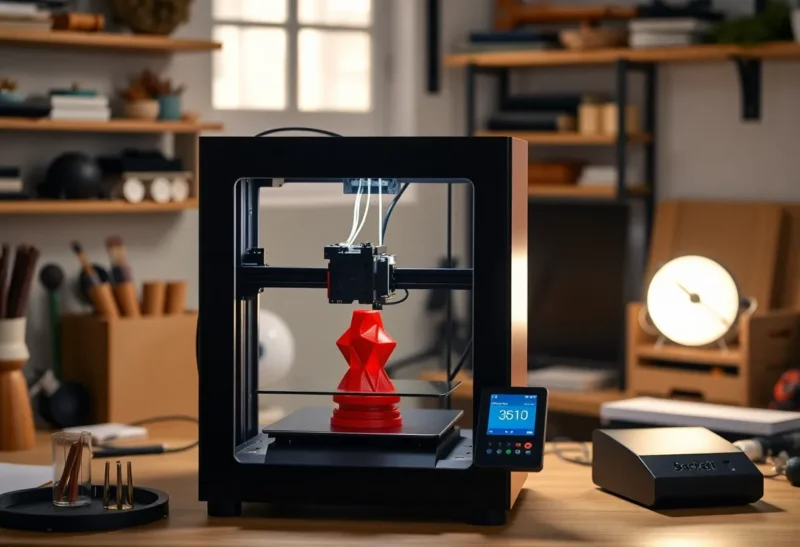
You’ve watched the videos. You’ve read the buying guides. You know the difference between FDM and resin, and you’ve got a list of “first prints” bookmarked. None of that will prepare you for what actually happens when you unbox your first 3D printer. The real education starts the moment you hit “print” and something goes wrong—and something always goes wrong. That’s not a bug; it’s the whole point.
I’ve run community workshops for years and watched dozens of people go from “I just want to print a phone stand” to designing their own parts and troubleshooting like pros. The ones who get there fastest aren’t the ones who memorized the most tutorials. They’re the ones who embraced the failures as data. Your first printer will teach you more than any tutorial because it refuses to give you the answer—it only gives you feedback. Here’s what that process actually looks like, and how to get the most out of it.
Why Tutorials Can’t Replace the Machine
Tutorials are great for vocabulary and theory. They’ll teach you about bed adhesion, layer height, and retraction. They won’t teach you the particular hum of your extruder when the nozzle is too close to the bed, or the way your specific filament behaves when the room is five degrees colder than yesterday. That knowledge is physical. You build it by watching the first layer go down, by scraping failed prints off the build plate, and by learning to read the tiny clues—a slight warp, a string where there shouldn’t be one—that tell you what to adjust next.
Think of it like learning to drive. You can read the manual and watch every “how to parallel park” video on the internet. You still won’t know how your car’s clutch bites or how much play is in the steering until you’re behind the wheel. A 3D printer is the same. Slicer settings, nozzle temperatures, and bed levels interact in ways that are hard to generalize. Your machine has its own personality: a slight wobble in the gantry, a hot spot on the bed, a brand of filament that likes to be printed a few degrees hotter than the spool says. Tutorials give you the map; the printer gives you the territory.
Your first printer is a teacher that never gives you the answer key. Every failed print is a lesson. Every successful one is a checkpoint. That feedback loop, compressed into hours instead of semesters, is what makes the first few months with a 3D printer so uniquely formative. You’re not just learning a skill; you’re learning how to debug the physical world.

The Learning Curve Nobody Talks About
Most guides gloss over the emotional arc. You’ll go from “I’m going to print everything” to “why did that benchy look like a blob” to “I think I finally get it” in a matter of weeks. The middle phase is where most people quit. Filament snaps, nozzles clog, beds go out of level, and the tenth attempt at the same print still fails. It feels personal. It isn’t. Every maker has been there.
The first week is usually the hardest. You’ll get a few good prints—maybe a calibration cube, maybe a simple bracket—and then something will change. A new roll of filament, a different room temperature, or just the printer settling in after assembly, and suddenly nothing sticks or everything strings. That’s when the real learning starts. You’ll start reading the first layer like a language. Too close to the bed and the lines smear and go translucent; too far and they don’t stick. You’ll learn to listen for the clicking of a clogged extruder and to recognize the smell of overheated plastic. None of that is in the manual.
What tutorials skip is the meta-skill: learning how to learn from failure. With software, you get error messages. With a 3D printer, you get a lopsided object and a vague sense that something was off. Connecting cause and effect—too much retraction, wet filament, draft from the window—takes repetition. Your first printer forces you to build that mental model from scratch. By the time you’re reliably turning out good prints, you’ve internalized a whole set of cause-and-effect relationships that no single video could have conveyed.
What You Actually Learn
Calibration is the hidden curriculum. Tramming the bed, tuning flow and temperature, understanding how different materials shrink and warp—these aren’t one-time setup steps. They’re ongoing conversations between you and the machine. Your printer will drift. Ambient temperature and humidity will change. Filament batches will vary. The ability to notice “this isn’t quite right” and then systematically fix it is the real takeaway. It’s applicable far beyond 3D printing: any hands-on discipline benefits from the same habit of observation and iteration.
You’ll also pick up practical skills that transfer everywhere. Reading datasheets and material specs, understanding tolerance and fit, debugging a system where you can’t just add a print statement—these are the same muscles you use in electronics, machining, or even software when the problem is “the real world didn’t behave like the spec.” Your first printer turns you into someone who can break a problem down, change one variable at a time, and interpret messy results. That’s the core of experimental thinking.
You also learn the limits of the tool. Not every idea is a good print. Overhangs, tolerances, and structural integrity aren’t abstract concepts once you’ve had a print collapse at 80% or discovered that your “snap fit” parts don’t snap. That constraint breeds creativity. You start designing for the process, not just the outcome. You learn when to add supports, when to change orientation, and when to simplify the design. That’s engineering intuition, and it comes from doing, not from watching.

Practical Takeaways for Your First Printer
If you’re about to take the plunge, a few things will save you time and frustration. First, start with one filament type—usually PLA—and get good at it before branching out. PETG and ABS add variables (moisture, temperature, adhesion) that will confuse the picture when you’re still learning the basics. Master one material, then expand.
Second, level the bed every few prints until it becomes second nature. A good first layer solves most problems; a bad one will waste hours of debugging. Use a piece of paper or a feeler gauge, and don’t rush. Third, join a community. Discord servers and subreddits are full of people who’ve seen your exact failure mode—the spaghetti, the warping, the layer shift—and can point you to the right setting or fix. Post a photo and a description of what you changed recently; you’ll get better advice than from any generic troubleshooting guide.
Fourth, keep a simple log: what you printed, what failed, what you changed. After a few weeks you’ll see patterns. “Every time I use this corner of the bed it fails” might mean your bed isn’t flat. “This filament only works when I bump the temp 5°” is data. That log becomes your personal tutorial, written by experience.
Finally, embrace the mess. Your first printer will teach you more than any tutorial because it refuses to abstract away the friction. The noise, the smell of warm plastic, the pile of test prints and half-successes—that’s the curriculum. When you finally get a print that looks and works the way you wanted, you’ll know exactly why, because you earned it one adjustment at a time.
Conclusion
A 3D printer is one of the few tools that turns ignorance into education at the speed of a print job. Tutorials set the stage, but the machine writes the script. Your first printer will frustrate you, surprise you, and eventually make you a better maker—not because you followed the steps, but because you learned to read the process and respond. That’s a lesson no video can deliver.