Why the Raspberry Pi 5’s PCIe Slot Changes the Homelab Game

Jade Wu
March 7, 2026
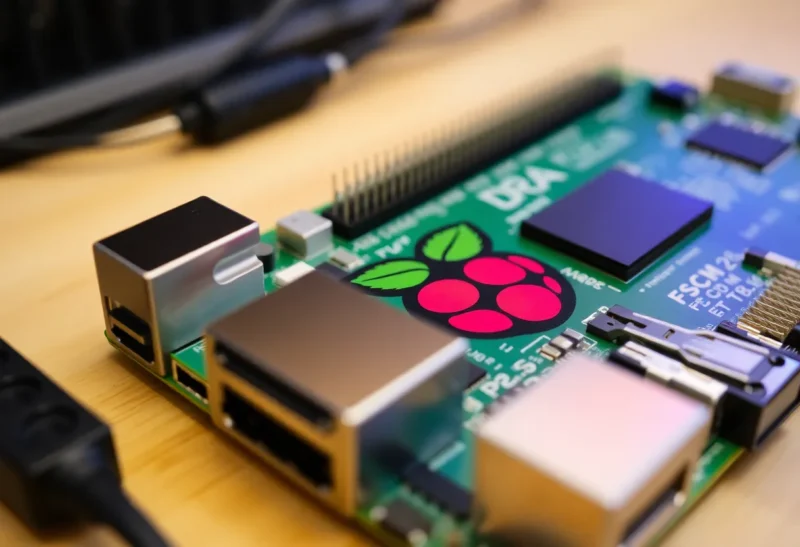
For years, Raspberry Pi homelabs were built on USB and SD cards. Storage was slow, expansion was limited, and if you wanted fast NVMe or a proper network card, you were out of luck—the Pi had no PCIe. The Raspberry Pi 5 changed that. Its PCIe 2.0 x1 interface might look modest next to a desktop board, but for a credit-card-sized computer it’s a game-changer. Suddenly you can add NVMe storage, 2.5 GbE or 10 GbE NICs, SATA controllers, or other PCIe devices without relying on USB adapters. For homelabbers, that means a Pi 5 can be a real small server: fast local storage, proper networking, and room to grow.
What the PCIe Slot Actually Gives You
The Pi 5 exposes a single PCIe 2.0 x1 lane through a flat flex connector (and official or third-party adapters that turn it into a standard slot). One lane of PCIe 2.0 tops out at about 500 MB/s—half the bandwidth of PCIe 3.0 x1 but still far beyond USB 2.0 or most SD cards. That’s enough for a single NVMe drive running at full SATA-like speeds, or a 2.5 GbE NIC without bottlenecking. You’re not building a high-end workstation, but you are getting desktop-class expansion on a board that sips power and fits in a drawer.
NVMe is the obvious win. Booting and running the OS from an NVMe drive via PCIe is dramatically faster and more reliable than SD. No more corrupt cards, no more I/O wait when the card can’t keep up. For a home server running Docker, a small Kubernetes node, or just a file server, that matters. Add a decent NVMe drive and the Pi 5 feels like a real machine, not a toy.

Network and Storage Without USB
USB Ethernet and USB storage have always been the Pi’s workaround for lack of PCIe. They work, but they share the same USB bus, add latency, and can be flaky under load. A PCIe 2.5 GbE or 10 GbE card gives you a dedicated link to the network. For a NAS, a router, or a node in a home cluster, that’s a real upgrade. You’re no longer limited to the built-in gigabit port or a USB dongle that might drop under heavy use.
Similarly, PCIe SATA controllers let you attach multiple drives without stacking USB-SATA adapters. Again, bandwidth and reliability improve. The homelab use case—small file server, backup target, or media server—fits the Pi 5’s power envelope and now has a proper expansion path.
Before the Pi 5, the only way to get PCIe on a Pi was with a Compute Module and a carrier board—more expensive and less approachable. The Pi 5 brings PCIe to the standard form factor. That means off-the-shelf PCIe cards, standard adapters, and a familiar ecosystem. You’re not locked into proprietary expansion; you’re using the same interface that desktops and servers have used for years. That’s a big deal for longevity and choice.

Why It Matters for Homelabs
Homelabs are about doing more with less: one box for DNS, ad blocking, backups, and a few containers. The Pi has always been great for that role—low power, silent, cheap—but storage and network were the weak links. PCIe fixes both. You can run Proxmox, TrueNAS Scale (with caveats), or a plain Debian/Ubuntu stack with Docker, and have enough I/O to make it usable. You’re not replacing a real server for heavy workloads, but you’re closing the gap for light and medium use.
Compatibility isn’t universal. Not every PCIe card works; drivers and the Pi’s firmware support matter. NVMe and common Intel or Realtek NICs are well supported; exotic or very new hardware may not be. The community has already documented a lot of working combinations, so a quick search before buying usually pays off.
Power is another consideration. The Pi 5 can draw more than its predecessors, and a PCIe device adds load. The official Pi 5 power supply is 27 W (5 V, 5 A); with an NVMe drive and a busy workload, you can approach that. Use a quality supply and avoid daisy-chaining too many USB devices if you’re also running PCIe. Thermal management matters too—the Pi 5 benefits from a heatsink or active cooling under sustained load, and a PCIe card in a tight case can affect airflow. Plan the enclosure and cooling before you stuff in the fastest NVMe you can find.
Software support has matured quickly. Mainline Linux kernels and Raspberry Pi OS have good support for the Pi 5’s PCIe interface. Booting from NVMe is supported and documented; you can run the whole system from the drive and use the SD slot only for recovery or imaging. That makes the Pi 5 a true “install once and forget” server—no SD card wear, no random corruption from power loss during a write. For a 24/7 homelab node, that reliability upgrade is as important as the raw speed.
The PCIe slot also opens the door to more experimental setups: capture cards, FPGAs (with the right drivers), or specialty adapters that would never have worked over USB. The Pi ecosystem has always been about tinkering; PCIe gives tinkerers a standard, high-bandwidth expansion bus that the platform lacked for over a decade. We’re only starting to see what people build with it.
The Bottom Line
The Raspberry Pi 5’s PCIe slot turns it from a capable but I/O-limited board into a plausible small server. Fast NVMe boot and storage, real network expansion, and the option to add SATA or other PCIe devices make it a different beast from earlier Pis. If you’ve been waiting for a Pi that can run a proper homelab without USB dongles and SD cards, the Pi 5 is the one.